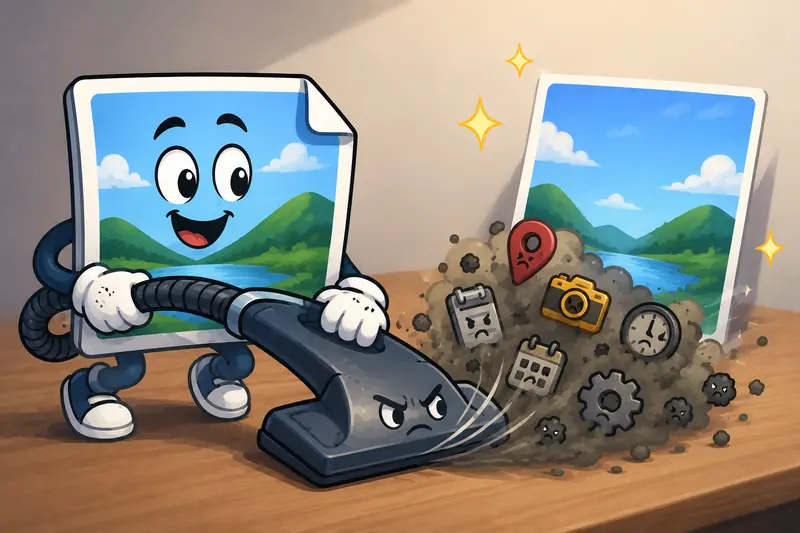
Sharing photos online is convenient right up until you realize your images may still contain location data, camera details, timestamps, editing history, and device information. Thats why many people now look for ways to clean image metadata online before uploading files to clients, social media, or cloud storage.
The tricky part? A lot of metadata removal tools quietly recompress images during processing. The result can be softer details, altered colors, or larger artifacts around edges. Nobody wants a privacy-safe image that suddenly looks like it survived three messaging apps and a bad Wi-Fi connection.
If you also need to prepare files in multiple formats afterward, you can later use Filemazings format conversion workflow for additional compatibility.

The Short Version
If your goal is to remove hidden image information without noticeably damaging image quality, the safest approach is using a metadata-only cleaning process rather than aggressive recompression.
Filemazing Metadata Scrubber works directly in the browser and focuses on stripping metadata while preserving the original visual structure of the image whenever possible. That matters for screenshots, marketing assets, travel photos, scanned documents, and client deliverables where quality still matters after cleanup.
The platform also supports batch handling, which becomes useful when dealing with dozens or hundreds of images at once.
Why Metadata Exists in the First Place
Most modern images automatically carry extra information beyond the visible pixels. Depending on the source, metadata can include:
- GPS coordinates
- Camera model and lens information
- Device owner details
- Creation timestamps
- Editing software history
- Color profiles
- Copyright fields
Sometimes this information is harmless. Sometimes it absolutely is not.
For example, a student uploading assignment screenshots might unintentionally expose personal device information. A marketing team sharing campaign drafts could reveal internal workflow details embedded by editing software. Even exported screenshots occasionally retain surprising amounts of hidden data.
This is exactly why many users now remove metadata before sharing sensitive or public-facing files.
How the Cleanup Process Actually Works
Not all metadata scrubbers behave the same way. Some rebuild the image entirely, while others modify only the metadata container.
Heres the general workflow that tends to preserve quality more reliably:
1. Upload the source images
Images can come from:
- phones
- DSLR exports
- screenshots
- design tools
- scanned documents
Cloud imports from Google Drive or Dropbox are helpful when working across devices or shared folders.
2. Strip metadata fields
The cleaner removes embedded information without changing visible pixel content whenever possible.
3. Validate the output
Good workflows verify:
- dimensions remain identical
- colors stay consistent
- compression artifacts are not introduced
4. Export or continue processing
At this point you can:
- archive files
- encrypt sensitive media
- convert image formats
- upload to publishing systems
For PDF-origin images, exporting pages first through a PDF to image workflow can simplify metadata cleanup for document-heavy batches.

A Real-World Test with Mixed Image Files
To see how well the process held up, I tested a batch of 48 files that included:
- iPhone HEIC photos
- DSLR JPG exports
- PNG screenshots
- scanned receipt images
- edited social media graphics
The total upload size was just under 620MB.
The biggest concern was whether the metadata cleanup would trigger hidden recompression. Thats usually where detail loss sneaks in.
What happened
- JPG dimensions stayed unchanged
- PNG transparency remained intact
- File sizes shifted slightly but not dramatically
- No visible softness appeared after zoom inspection
- GPS and camera metadata were removed successfully
Batch processing completed faster than expected because jobs run through queued processing instead of locking the browser tab during large uploads.
One useful observation: PNG screenshots with embedded editing history lost unnecessary metadata while remaining pixel-identical visually. Thats ideal for documentation workflows and support teams.
A practical takeaway here is to avoid converting formats during the metadata removal step unless you actually need a different output format. Combining too many transformations at once increases the chance of unwanted recompression.
Where Quality Loss Usually Happens
This is the part many users overlook.
Metadata removal itself is not inherently destructive. Quality problems often come from secondary processing choices.
Common causes of image degradation
| Cause | Result |
|---|---|
| Forced JPG recompression | Softer edges and artifacts |
| Multiple export passes | Progressive quality decay |
| Incorrect format conversion | Transparency or color shifts |
| Over-aggressive optimization | Reduced sharpness |
| Automatic resizing | Lower resolution output |
A proper privacy-safe image cleanup workflow should separate metadata stripping from image optimization whenever possible.
Think of it this way: deleting hidden text from a file should not require repainting the entire image.
One Edge Case Most People Miss
Certain platforms automatically rewrite metadata after upload.
This means:
- your cleaned image may gain new metadata later
- social apps can generate fresh processing details
- cloud systems sometimes attach timestamps or compression info
So if privacy is critical, metadata cleaning should happen immediately before sharing not days earlier during editing.
This becomes especially important for:
- journalism
- legal documentation
- client review assets
- HR records
- location-sensitive photography
And yes, screenshots from messaging apps can still carry metadata surprises. Files are creative like that.
Why Browser-Based Cleanup Makes Sense for General Users
Desktop software still has its place, but browser-based processing solves several practical problems:
- no installation overhead
- easier cross-device access
- faster temporary workflows
- simpler batch handling
- fewer compatibility issues
Filemazing also uses transparent token pricing rather than locking basic workflows behind subscriptions. Metadata scrubbing operations use lightweight token consumption relative to heavier media tasks, which makes occasional cleanup practical even for non-technical users.
For people handling sensitive files, temporary processing behavior matters too. Uploaded files are treated as short-term processing artifacts rather than permanent cloud storage, helping reduce long-term retention concerns.
If additional protection is needed before delivery, Filemazing also provides a file encryption tool for private media.
Situations Where Metadata Cleaning Helps Most
Personal sharing
Before posting travel photos, family images, or screenshots publicly.
Administrative workflows
Scanned IDs, receipts, invoices, or signed forms often contain hidden metadata from scanners and editing software.
Marketing teams
Campaign graphics exported repeatedly from design platforms can accumulate unnecessary embedded information.
Students and educators
Assignment screenshots and presentation exports are frequently shared across public systems and email chains.
Content publishing
Image-heavy blogs and media libraries benefit from cleaner, lighter, privacy-aware assets.
JPG vs PNG During Metadata Removal
Format choice still matters.
JPG
Best for:
- photographs
- camera exports
- smaller file sizes
Tradeoff:
- repeated recompression can reduce detail
PNG
Best for:
- screenshots
- diagrams
- text-heavy graphics
- transparency support
Tradeoff:
- larger files
If quality preservation matters more than file size, PNG generally tolerates metadata cleanup more gracefully because it avoids lossy recompression behavior.
Some workflows later convert cleaned PNG files into optimized JPG or WebP versions for publishing. In those cases, keeping the original cleaned source separately is a smart habit.
What Makes a Good Metadata Scrubber?
The best metadata scrubber is usually the one that minimizes unnecessary processing.
A few things worth checking:
- batch support
- original dimension preservation
- transparency handling
- cloud import support
- predictable pricing
- temporary file retention
- support for multiple formats
- optional automation access
For larger operations or recurring workflows, API-ready processing also becomes useful because metadata cleanup can be integrated directly into upload pipelines or publishing systems.
FAQ
Does removing metadata reduce image quality?
Not necessarily. Quality loss usually happens when tools recompress or resize the image during processing. Metadata-only cleanup typically preserves visual quality far better.
Can metadata contain location information?
Yes. Many phone photos include GPS coordinates unless location tagging is disabled on the device.
Is browser-based metadata removal safe?
It depends on the platforms retention policies and processing behavior. Services that use temporary processing and short cleanup schedules reduce long-term exposure risks.
Can I clean metadata from PNG and JPG files together?
Usually yes. Mixed-format batch processing is common for screenshots, camera images, and exported graphics.
What if my images came from PDFs?
A useful approach is exporting pages first through a PDF to image conversion workflow and then cleaning the resulting images afterward.
Does metadata removal affect transparency?
Properly handled PNG processing should preserve transparency. Problems usually happen during format conversion rather than metadata stripping itself.
Final Thoughts
Cleaning hidden image metadata is no longer something only photographers or security teams worry about. Regular users share screenshots, scanned documents, exported graphics, and mobile photos constantly often without realizing how much hidden information travels with them.
The safest workflow is usually the simplest one:
- remove metadata cleanly
- avoid unnecessary recompression
- preserve original image structure
- export only when needed
That balance between privacy protection and output quality is what makes modern browser-based tools genuinely useful for everyday file handling.