Design work moves fast, but files do not always cooperate. A brand deck, logo package, client preview, contract PDF, or exported mockup can contain sensitive information long before it is ready for public eyes. That is where the ability to encrypt files online becomes useful: you can protect creative assets before sending them to clients, collaborators, printers, or internal teams.
For designers, file security is not only about passwords. It is about protecting drafts, source files, licensed images, campaign materials, and private client content without slowing the handoff process.
The Useful Answer First
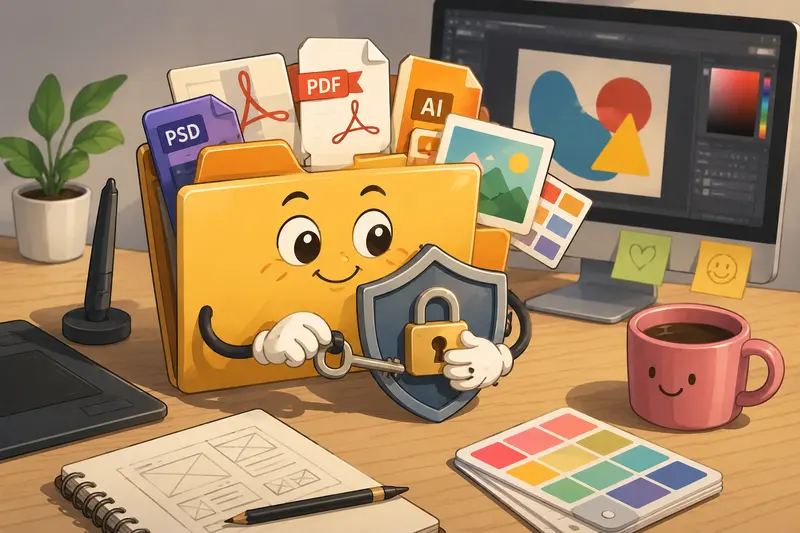
Online file encryption protects a file by locking it with a password or encryption layer before sharing. A good workflow lets you upload, encrypt, download, and send the protected version without installing desktop software.
For designers, the best file encryption tool is usually one that fits naturally into the same browser-based workflow used for compressing, cleaning, converting, and preparing client files.
Why Designers Should Encrypt Before Sending
A design file can reveal more than the visible artwork. It might include client names, internal campaign ideas, licensing notes, location data, hidden metadata, or unused layers inside exported files.
Encryption is especially helpful when sending:
- campaign previews before launch
- brand guideline PDFs
- logo packs and source files
- client contracts or invoices
- pitch decks with unreleased concepts
- image archives shared with external vendors
Before encryption, it is also worth removing hidden information. For sensitive client files, use a metadata scrubbing workflow before locking the final version.
A Practical Way to Encrypt Files Online
You can use Filemazings encrypt file tool to secure files online through a browser-based workflow. Filemazing is a browser-based file processing SaaS that helps users convert, clean, compress, and prepare files quickly without installing desktop software.
A clean encryption workflow usually looks like this:
Prepare the file first
Rename it clearly, remove unnecessary drafts, and check that the final version is the one you actually want to send.Reduce size if needed
Large visual assets can be harder to upload, email, or archive. If image-heavy exports are too large, shrink them first with an image compression tool.Upload the file for encryption
Add the file through local upload, URL input, Google Drive, or Dropbox depending on where the asset currently lives.Choose a strong password
Avoid client names, project names, or anything already visible in the file. Send the password through a separate channel.Download and share the encrypted file
Attach it to email, send it through a file transfer service, or place it in a shared folder with access controls.
Where Filemazing Fits Into the Workflow
Filemazing is useful because encryption is not treated as a one-off utility. The platform includes PDF to image, merge PDF, image compression, archive extraction, audio conversion, metadata scrubbing, format conversion, and file encryption workflows in one place.
Users can work through a clean web interface, while teams with repeatable file operations can use API endpoints for automation. That matters for studios, agencies, and freelance designers who process similar file types again and again.
Instead of subscriptions, Filemazing uses a token economy. Each operation consumes tokens based on workload complexity and file characteristics. Token usage can include base cost, file size in MB, page count, file count, and media duration, with min and max guards for predictability.
For example, the encrypt-file operation currently uses a pricing rule of base 4, per MB 1.0, per page 0.0, and per file 2.0. This makes it easier to estimate cost before processing instead of guessing what a task will consume.
Anonymous and registered users can start with daily free tokens, then top up with token packs such as Pack 500, Pack 5000, and Pack 50000 when higher volume is needed.
What We Tested in a Real Design Handoff
A realistic test involved a small client delivery package:
- 1 brand guideline PDF, 38 pages, about 22 MB
- 12 exported PNG logo variations
- 4 JPG campaign preview images
- 1 zipped folder containing editable source references
The files were prepared in the browser, with the larger images compressed before encryption. The encrypted outputs downloaded normally, and the browser workflow stayed responsive because Filemazing uses queued processing, job status tracking, and completed-job download delivery rather than forcing the page to handle everything at once.
The practical takeaway: encrypting a prepared package worked best after cleanup and compression. Sending one organized encrypted archive was easier than emailing scattered protected files.
Designer-Specific Encryption Pitfalls
Encryption protects access, but it does not fix messy delivery. A poorly organized encrypted file is still poorly organized; it just becomes harder to inspect after download.
For design teams, the main pitfalls are:
- Encrypting too early: wait until the file is final enough to share.
- Forgetting metadata: remove hidden data before encryption when privacy matters.
- Using weak passwords: a beautiful file with a terrible password is not secure.
- Sending the password with the file: use a separate message or channel.
- Ignoring file size: huge encrypted files may still hit email or upload limits.
If a client sends a compressed archive first, unpack it with the archive extractor, review the contents, remove unnecessary files, then encrypt the final version.
Useful Design Scenarios
Designers can secure files online in more situations than just send this confidential PDF.
- Protecting a brand identity package before client approval
- Encrypting pitch visuals for a campaign that has not launched
- Sending licensed image files to a printer or production partner
- Sharing invoice PDFs with client billing contacts
- Locking source references before archiving a completed project
- Preparing confidential mockups for email review
Tradeoffs Worth Knowing
Encryption adds protection, but it also adds responsibility. The recipient needs the password, the file must remain compatible with their tools, and larger encrypted files can still be slow to move around.
There is also a size tradeoff. Compressing images before encryption can make sharing smoother, but aggressive compression may soften detail in portfolio images, print previews, or UI mockups. For design review files, moderate compression is usually safer than chasing the smallest possible file.
Privacy and File Handling
Filemazing treats uploaded files as temporary processing artifacts rather than long-term storage. Files are cleaned on a short retention schedule, which supports privacy-focused handling for sensitive client work.
That does not replace good security habits, but it does reduce the risk of files lingering unnecessarily after processing.
FAQ
Is it safe to encrypt files online?
It can be, provided the service uses privacy-focused temporary processing and does not treat uploads as permanent storage. Filemazing processes files as short-lived artifacts and cleans them on a short retention schedule.
Does encryption reduce file quality?
No. Encryption protects the file; it does not intentionally compress or alter the content. Quality changes usually happen before encryption, such as when compressing images or converting formats.
Can I encrypt files for email?
Yes. You can encrypt files for email, download the protected version, attach it, and send the password separately. This is useful for PDFs, image packages, invoices, and client review files.
What file types should designers encrypt?
Common candidates include PDFs, ZIP archives, PNGs, JPGs, source references, presentation files, and client documentation. For mixed folders, archive the contents first, then encrypt the archive.
What is the limitation of online encryption?
Upload size, browser performance, recipient compatibility, and password handling are the main limitations. Encryption is strongest when paired with sensible file preparation and careful password sharing.
Should I clean metadata before encryption?
Yes, especially for client work, location-sensitive files, or files created from layered design exports. Scrub metadata first, then encrypt the final version.
Secure the File Before It Leaves Your Hands
When a design file contains client work, private concepts, or production-ready assets, encryption is a practical final step before sharing. Use Filemazings online encryption tool to protect the file, keep the workflow browser-based, and prepare creative assets with fewer security gaps.