Teachers often work with images every dayworksheet scans, classroom photos, presentation graphics, student submissions, and educational resources downloaded from different platforms. The challenge is that PNG files can become unnecessarily large, making uploads slower and consuming valuable storage space. A reliable PNG to JPG converter helps reduce file size while keeping images suitable for sharing, presentations, and online learning environments.
For mobile users, the ability to convert files directly in a browser is especially useful. Instead of installing software, you can process images from your phone or tablet wherever you happen to be.
What You Need to Know First
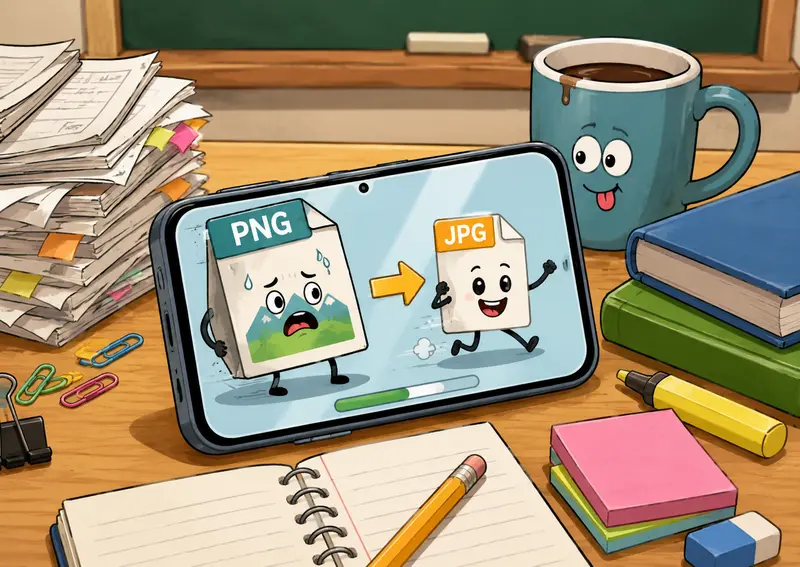
A PNG to JPG converter changes PNG image files into JPG format, typically resulting in smaller file sizes that are easier to upload, email, or share through learning management systems.
For teachers handling multiple images, this can improve workflow efficiency while keeping image quality suitable for most educational uses.
Why JPG Often Makes Sense for Teaching Materials
PNG and JPG serve different purposes.
PNG is excellent for:
- Screenshots
- Graphics with transparency
- Diagrams with sharp edges
- Images requiring lossless quality
JPG is often better for:
- Classroom photographs
- Student project images
- Presentation visuals
- Website uploads
- Shared learning resources
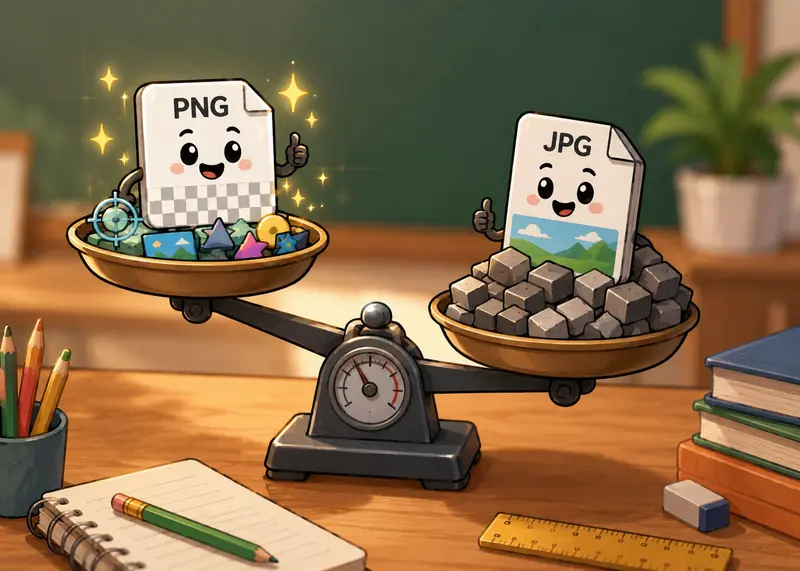
The main tradeoff is straightforward: JPG files are usually much smaller, while PNG preserves every detail. When converting classroom photos or scanned materials, JPG often provides the best balance between quality and file size.
How It Works on Mobile
Using a browser-based converter allows teachers to work directly from smartphones or tablets.
- Open the format conversion tool in your mobile browser.
- Upload one or multiple PNG files.
- Select JPG as the output format.
- Start the conversion process.
- Download the converted files when processing is complete.
For educators working with PDF-based resources, it can also be useful to first use the PDF to image conversion tool when extracting lesson pages before converting them into optimized image formats.
A Closer Look at Filemazings Format Converter
Filemazing offers a browser-based format conversion service designed for practical file workflows. The platforms format converter is especially useful for teachers because it emphasizes ease of use while supporting browser-based workflows.
Key capabilities include:
- PNG to JPG conversion
- Multiple file format support
- Batch image format conversion
- Cloud import options such as Google Drive and Dropbox
- Mobile-friendly operation
- No desktop software installation
- API support for automated workflows
The service uses a transparent token-based pricing model. Users can estimate costs before processing, avoiding unexpected charges. Daily free tokens are available for both anonymous and registered users, making occasional conversions accessible without a subscription.
Another practical advantage is that larger jobs are handled through queued processing, which prevents lengthy tasks from slowing down the interface.
Testing Results: Real-World Teacher Workflow
To evaluate the experience, we simulated a realistic classroom scenario.
Test Setup
We gathered:
- 25 PNG files
- Total size of approximately 42 MB
- Mixed content including scanned worksheets, classroom photos, and presentation graphics
Observed Results
The files were uploaded from a mobile browser and converted into JPG format using batch processing.
Results included:
- Noticeably smaller file sizes
- Faster download and sharing readiness
- Good visual quality for classroom use
- Smooth processing without requiring additional apps
One interesting observation was that worksheet scans with large white backgrounds achieved significant size reductions while remaining easy to read.
Practical Takeaway
If your goal is to distribute teaching materials online, converting image-heavy resources to JPG can dramatically reduce storage requirements without creating noticeable quality issues for students.
Quality Versus File Size Considerations
This is where many users make decisions that affect long-term usability.
When you convert images without losing quality, its important to understand that JPG uses compression. Technically, some image data is removed during conversion.
However, for many educational scenarios:
- Classroom photos remain visually clear
- Presentation graphics display properly
- Student work remains readable
- Upload speeds improve
You may want to keep original PNG copies if:
- Images contain transparency
- Fine graphic details are critical
- Materials are intended for professional printing
Large files have a habit of appearing right before assignment deadlines. Smaller JPGs tend to cooperate a little better.

Where Teachers Benefit Most
The following situations commonly benefit from a PNG to JPG converter:
1. Uploading Materials to Learning Platforms
Smaller image files upload faster and reduce storage consumption.
2. Sharing Resources Through Email
Many school email systems impose attachment size limits.
3. Creating Presentation Slides
Reduced file sizes help presentations load more smoothly.
4. Managing Classroom Photo Collections
JPG files make large image libraries easier to organize.
5. Preparing Content for School Websites
This supports efficient format conversion for web images and can improve page loading performance.
6. Organizing Student Project Submissions
Teachers can standardize image formats before archiving or distributing work.
An Overlooked Workflow Improvement
Many teachers focus only on file conversion and forget about metadata.
Images can contain hidden information such as device details or creation data. After converting files, it may be worth using the metadata scrubbing tool to remove unnecessary metadata before sharing materials publicly.
For sensitive documents or student-related resources, you can also use the file encryption tool before distributing files externally.
These additional steps can strengthen privacy practices without adding much extra effort.
What You Gain
A PNG to JPG converter offers several practical advantages:
- Reduced file sizes
- Easier mobile workflows
- Faster uploads
- Better compatibility with web platforms
- Efficient batch image format conversion
- Less storage consumption
- Improved sharing experience
For educators who regularly manage digital content, these improvements add up over time.

Frequently Asked Questions
Does converting PNG to JPG reduce image quality?
Some compression occurs because JPG is a lossy format. For most classroom photos and educational materials, the difference is difficult to notice.
Can I convert multiple PNG files at once?
Yes. Filemazing supports batch image format conversion, making it practical for large collections of teaching resources.
Is the conversion process mobile-friendly?
Yes. The platform is browser-based and works directly from smartphones and tablets without requiring software installation.
Are uploaded files stored permanently?
No. Files are treated as temporary processing artifacts and are cleaned according to a short retention schedule rather than being maintained as long-term storage.
Is JPG always better than PNG?
Not necessarily. PNG remains preferable for transparency, screenshots, and graphics requiring lossless quality. JPG is generally better when smaller file sizes are the priority.
Can converted files be secured before sharing?
Yes. If you are distributing sensitive materials, you can protect them using the file encryption tool.
Final Thoughts
A dependable PNG to JPG converter can simplify image management for teachers who regularly work with digital classroom materials. By reducing file sizes, supporting batch processing, and enabling browser-based mobile workflows, Filemazing provides a practical solution for everyday educational tasks.
Whether youre preparing presentation graphics, sharing student resources, or optimizing images for online learning platforms, converting PNG files to JPG can make your workflow more efficient while maintaining the quality most teaching scenarios require.