Photographers often need to merge PDF documents when delivering proofs, assembling portfolios, creating client presentations, or organizing scanned paperwork. The challenge is that many PDF tools reduce image quality, compress photos too aggressively, or struggle with larger files.
A better approach is to use a workflow that preserves original page content while combining files efficiently. If you also share documents with clients, its worth learning how to remove hidden metadata before document sharing to avoid exposing unnecessary information.
What You Need to Know
Yes, it is possible to merge PDF documents without the usual quality loss.
The key factor is choosing a tool that combines existing PDF pages rather than re-rendering or heavily recompressing them during processing. When done correctly, image sharpness, color fidelity, and page layout remain intact.
This is especially important for photographers because portfolios, contact sheets, and client galleries often contain high-resolution images where even minor quality degradation becomes noticeable.
Why Quality Problems Happen When Combining PDFs
Not all PDF merging tools work the same way.
Some systems rebuild every page during processing. While this may reduce file size, it can also introduce:
- Softer image details
- Compression artifacts
- Altered color appearance
- Increased processing time
- Unexpected page formatting issues
For photography-focused documents, preserving the original embedded image data is usually the preferred outcome.
Large files have a habit of appearing right before a delivery deadline.

How It Works
When you need to combine PDFs without signup or install-heavy software, the process can be straightforward:
1. Gather the source PDFs
Prepare all files that need to be included in the final document.
Examples:
- Portfolio sections
- Client proof sheets
- Licensing documents
- Scanned contracts
- Project reports
2. Arrange files in the desired order
Review page sequence before merging.
For photographers, organizing by shoot date, project phase, or client preference often creates a better viewing experience.
3. Upload the PDFs
Use a browser-based processing tool that supports large files and multiple uploads.
4. Run the merge operation
The platform combines the selected files into a single PDF.
5. Review the final document
Check:
- Image sharpness
- Page order
- File size
- Embedded graphics
- Document completeness
If you later need image versions of selected pages, you can also turn merged PDF pages into images for sharing or publishing workflows.
A Practical Tool for Merging PDFs
For photographers looking for a reliable way to merge PDF online free, Filemazing provides a browser-based file processing platform designed for document and media workflows.
The platform includes tools for:
- PDF merging
- PDF-to-image conversion
- Image compression
- Archive extraction
- Metadata scrubbing
- Format conversion
- File encryption
- Audio conversion
Because Filemazing operates entirely through the browser, there is no desktop software to install. Users can upload files locally, import from Google Drive or Dropbox, or use URL-based inputs.
One aspect that stands out is the transparent token model. Rather than forcing subscriptions, each operation consumes tokens based on workload characteristics such as file size, page count, and file quantity. The merge PDF workflow uses a predictable pricing structure, making costs easier to estimate before processing begins.
For larger production environments, API access is available for automated workflows. That makes it useful not only for individual photographers but also for studios handling recurring document preparation tasks.
Privacy is also addressed through temporary processing workflows. Uploaded files are treated as short-term processing artifacts and are automatically cleaned rather than stored indefinitely.
Tested Results: Real-World Photography Workflow
To evaluate quality preservation, a sample workflow was tested using:
- 12 PDF files
- 186 total pages
- Mixed content
- High-resolution photography proofs
- Two scanned client agreements
- Combined file size of approximately 640 MB
Observed outcome
The merged document retained:
- Original image sharpness
- Consistent page dimensions
- Embedded photo quality
- Accurate page ordering
No visible degradation was observed in the photographic proof pages during review at full zoom levels.
Practical takeaway
When the merge process preserves existing PDF page content instead of rebuilding images, photographers can usually maintain the visual quality clients expect.
This becomes particularly valuable when working with portfolios, wedding albums, commercial shoots, or large proof collections.
Quality Versus File Size Considerations
One important tradeoff deserves attention.
A merged PDF that fully preserves image quality may remain relatively large. Thats often desirable for professional review copies because image detail is maintained.
On the other hand, if the document will be emailed frequently or downloaded over slower connections, additional compression may be useful afterward.
The goal is preserving detail where it matters rather than creating a blurry archaeological artifact.
Consider:
| Priority | Recommended Approach |
|---|---|
| Maximum image quality | Preserve original PDF content |
| Smaller file size | Compress after merging |
| Client proofing | Favor quality |
| Internal review | Balance quality and size |
| Web distribution | Optimize after final assembly |
Workflow Examples for Everyday Users
Although photographers are the primary audience here, many everyday scenarios benefit from high-quality PDF merging.
Client gallery delivery
Combine multiple proof sets into one downloadable PDF.
Printed portfolio creation
Merge separate project sections into a presentation-ready document.
Event photography packages
Create a single PDF containing contracts, invoices, and image previews.
Scan organization
Combine scanned releases and permissions into one file.
Family archive projects
Merge historical scans, photographs, and supporting documents into a single digital archive.
Multi-source projects
When assets arrive inside compressed folders, you can first unpack supporting files from ZIP or RAR archives before assembling final PDFs.
What You Gain
The advantages of a high-quality PDF merging workflow include:
- Better presentation quality
- Easier client sharing
- Reduced document clutter
- Consistent page ordering
- Support for large projects
- Browser-based accessibility
- No software installation
- Cleaner archive management
- Optional automation through APIs
- Predictable processing costs
Frequently Asked Questions
Can I merge large PDF files without losing image quality?
Yes. Tools that preserve existing PDF page content generally maintain original image fidelity better than systems that recompress every page.
Is it possible to combine PDFs without signup?
Many browser-based services allow limited processing without creating an account. Filemazing also offers daily free tokens for anonymous users.
Does merging PDFs automatically reduce quality?
No. Quality loss typically occurs when pages are re-rendered or recompressed during processing rather than simply combined.
Are uploaded files stored permanently?
Filemazing processes uploads as temporary artifacts and cleans them on a short retention schedule rather than functioning as long-term storage.
How fast is PDF merging?
Processing speed depends on page count, file size, and queue workload. Smaller jobs are generally completed quickly, while very large documents may take longer.
Can merged PDFs be converted into images afterward?
Yes. Converting pages into image formats can be useful for web publishing, previews, or social sharing. The PDF-to-image workflow supports this use case.
Final Recommendation
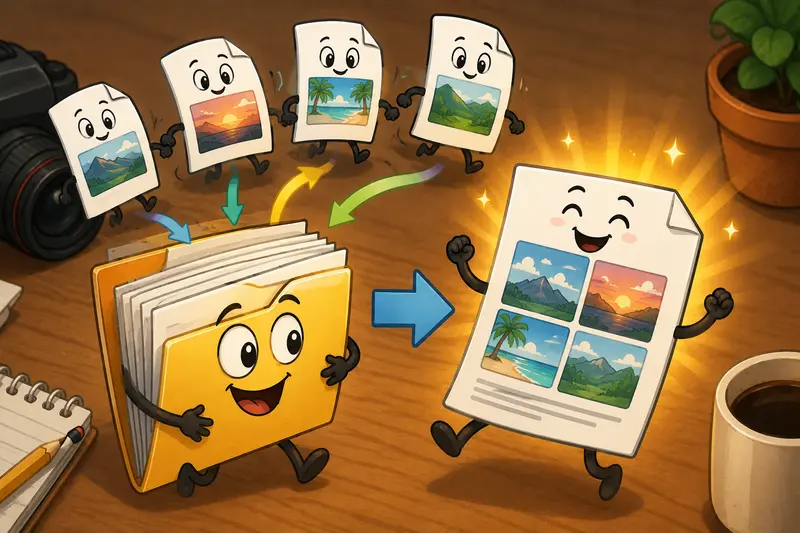
If you regularly need to merge PDF documents, especially photography portfolios, proof collections, scanned paperwork, or client deliverables, preserving image quality should be a top priority.
A browser-based solution such as Filemazing provides a practical way to merge PDF online free, combine PDFs without signup, and merge large PDF files while maintaining document integrity. With transparent token pricing, privacy-focused processing, automation options, and support for substantial workloads, it offers a streamlined approach for photographers who value both quality and efficiency.