Separate PDFs are fine until they become a delivery problem. A contract packet, a report set, an application bundle, or a client handoff is much easier to work with when it arrives as one clean document instead of six attachments with unclear order.
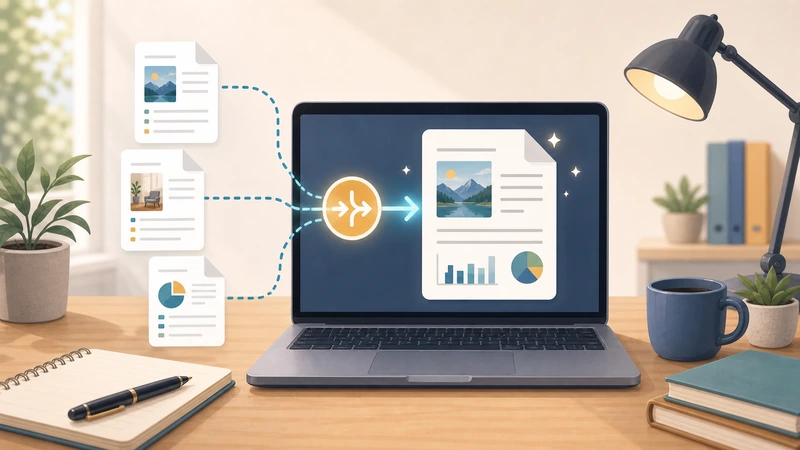
That is why PDF merging is so common. It is not a glamorous task. It is a practical one. People merge PDFs because a single file is easier to review, store, print, forward, and explain.
If you need to combine PDFs online, the useful question is not just "Can I merge these?" It is "What should the finished document make easier for the next person?"
When merging PDFs is the right move
- you are sending a complete document set to a client
- you want a single print-ready file
- you need to archive related pages together
- the recipient should not have to guess the reading order
These are very ordinary situations, which is why PDF merging shows up in so many business and admin workflows.
What merging should improve
A good merge workflow should reduce friction in one or more of these ways:
- fewer attachments to manage
- clearer page order
- simpler forwarding or upload
- easier printing or recordkeeping
When not to merge
Do not merge files just because you can. If the recipient truly needs each document independently, separate PDFs may still be the better choice.
Merging is most useful when the combined file becomes easier to use than the originals.
Why online merging is practical
A browser-based merge workflow is often enough when you need a quick combined document without launching a full desktop PDF toolchain.
Filemazing's Merge PDF fits that use case well because it focuses on the practical output: one finished document ready for the next step.
Good follow-up workflows after merging
- protect the merged file with Encrypt File
- export pages visually with PDF to Image
- bundle the merged document into a larger archive workflow if needed
Thinking this way helps you avoid treating the merge as an isolated step when it is really part of a document-delivery process.
Common mistakes
Merging without checking order
A single PDF is only better if the sequence makes sense.
Combining files with different purposes blindly
If unrelated documents are merged together, the result may be harder to understand than the originals.
Forgetting what the recipient needs next
Some merged files should be printed, some archived, some protected, and some turned into visual previews. Keep the next step in mind.
A simple merge workflow
- Gather the PDFs that belong together.
- Put them in the right order.
- Merge them into one document.
- Check that the combined result is actually easier to use.
- Move it into the next step, such as delivery, storage, or protection.
Frequently asked questions
Why combine PDF files instead of sending them separately?
Because one document is often easier to review, store, print, or forward than multiple attachments.
When is merging not helpful?
When the files are unrelated or the recipient genuinely needs them as separate documents.
Is an online merge tool enough for normal workflows?
Yes. For many practical document tasks, a browser-based merge step is all you need.
What should I do after merging?
Review the combined file, then move it into the next real task such as sending, archiving, or protecting it.
Final takeaway
Merging PDFs is valuable when it simplifies the document for the next person in the workflow. That is the real job: not "combine files," but "make this easier to use."
When that is what you need, start with Filemazing Merge PDF and keep the final output focused on clarity, order, and handoff convenience.