Photographers spend a surprising amount of time dealing with audio.
Behind-the-scenes clips, interview snippets, drone recordings, slideshow music, client voice notes it all piles up fast. And the moment you need to convert audio files for editing, uploads, or archive compatibility, quality problems tend to show up immediately.
Suddenly:
- WAV exports become huge
- MP3 conversions sound thinner
- Metadata leaks client details
- Older recorders produce formats modern apps barely recognize
Nobody enjoys discovering distorted audio after exporting a 40-minute client presentation.
For photographers managing media-heavy workflows, reliable audio conversion matters just as much as image handling.
The Short Version
If you need to convert audio files while preserving clarity, the safest approach is using a converter that:
- supports modern and legacy formats
- avoids aggressive recompression
- processes files temporarily instead of storing them long term
- works directly in the browser without installing desktop software
Filemazing Audio Converter https://filemazing.com/audio-converter focuses heavily on output quality while keeping the workflow lightweight. Since processing happens in-browser through queued cloud jobs, you can handle format changes without cluttering your editing machine with extra utilities.
Its especially useful when working across devices or collaborating with editors using different software ecosystems.
Why Audio Conversion Often Damages Quality
A lot of people assume all conversions are equal. They arent.
The biggest issue is repeated lossy compression.
For example:
- WAV MP3 already removes data
- MP3 AAC removes more
- AAC another compressed format compounds artifacts
By the third conversion, vocals can sound hollow and background ambiance starts breaking apart.
This becomes noticeable in:
- wedding speeches
- documentary interviews
- ambient nature recordings
- slideshow soundtrack exports
The safest workflow is usually:
- Keep a master lossless copy
- Export compressed versions only when needed
- Avoid converting compressed formats multiple times
That sounds obvious, but in real client workflows, files bounce between phones, editing apps, cloud folders, and delivery platforms constantly.
A Workflow That Fits Media Teams Better
One reason browser-based processing has become more practical is workflow consolidation.
Photographers already juggle:
- RAW image exports
- compressed previews
- ZIP archives from assistants
- client delivery folders
- social media assets
Adding another desktop audio utility into that stack usually creates more friction than value.
With Filemazing Audio Converter https://filemazing.com/audio-converter, you can upload audio directly from local storage, URLs, or cloud providers like Google Drive and Dropbox. Larger jobs are queued automatically so the browser doesnt freeze during processing.
And if a client sends bundled recordings inside compressed folders, the built-in archive extraction workflow https://filemazing.com/archive-extractor helps unpack ZIP or RAR archives before conversion.
The practical benefit is less context-switching between tools.
How the Process Usually Works
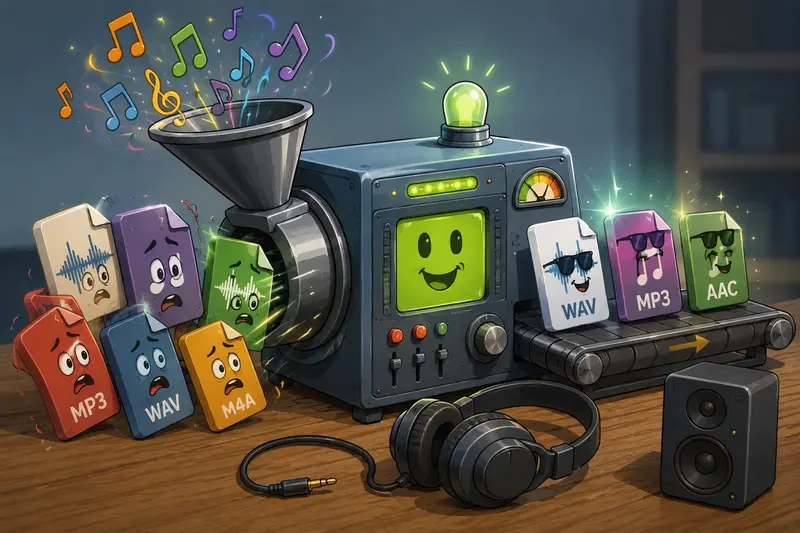
Different projects require different output formats, but the overall process stays fairly straightforward.
1. Upload the Source Audio
This could be:
- WAV from a field recorder
- M4A from an iPhone
- FLAC interview archives
- MP3 background music
- AIFF exports from editing software
For photographers, mixed-format uploads are common after collaborative shoots.
2. Choose the Target Format
Compatibility matters more than people expect.
A few practical examples:
- MP3 smaller universal delivery
- WAV highest editing flexibility
- AAC/M4A mobile-friendly playback
- FLAC archival quality with smaller size than WAV
3. Run the Conversion
The platform calculates token usage transparently based on workload factors like file size and audio duration.
That predictability helps when processing dozens of media assets for recurring projects.
4. Download and Organize
Once complete, processed files are delivered individually per job.
If youre also standardizing visual assets for the same project, the separate format conversion tool https://filemazing.com/format-converter can help normalize related image exports alongside the audio workflow.
What We Tested
To see how well high quality audio conversion held up in practice, we tested several real-world media files commonly produced during photography projects.
Test Setup
Files included:
- 48 kHz WAV interview recording
- 26-minute behind-the-scenes narration
- compressed MP3 music bed
- drone audio track captured separately
Total upload size:
- roughly 640 MB across multiple files
Conversions tested:
- WAV MP3
- WAV AAC
- MP3 FLAC
- M4A WAV
Observed Results
The strongest results came from:
- preserving original sample rates where possible
- avoiding repeated conversions
- exporting from lossless originals first
Voice recordings stayed clean even after compression to delivery-friendly MP3 formats.
The most noticeable degradation happened when reprocessing older low-bitrate MP3s into newer compressed formats. That isnt really the converters fault once audio detail is missing, it cannot be recreated later.
One useful takeaway:
If the source file already sounds weak, prioritize compatibility over further size reduction.
That single decision avoids a surprising amount of audio damage.
One Overlooked Problem: Metadata Exposure
Photographers frequently share audio publicly without realizing metadata may still contain:
- device names
- creator info
- timestamps
- embedded comments
- location references
This becomes more relevant for client-sensitive work or commercial campaigns.
Before publishing media packs, many teams now scrub metadata entirely. The dedicated metadata removal tool https://filemazing.com/metadata-scrubber helps clean embedded file information before distribution.
Its one of those small workflow habits that becomes valuable after the first accidental overshare.
Situations Where Better Audio Conversion Actually Matters
Not every project needs pristine studio quality.
But some absolutely do.
Client Slideshows
Background music with noticeable compression artifacts makes premium presentations feel cheap surprisingly fast.
Documentary Photography
Interview clarity matters more than visual polish in many storytelling projects.
Social Media Campaigns
Platforms already compress uploads heavily. Starting with degraded audio only compounds the problem.
Archive Preservation
Older recordings should ideally remain in lossless formats for future editing flexibility.
Team Collaboration
Mixed operating systems often introduce compatibility headaches unless formats are standardized early.
Event Coverage
Large weddings and conferences generate hours of mixed audio from multiple devices.
What Makes a Good Audio Converter?
Not all tools optimize for the same things.
Some prioritize:
- raw speed
- tiny file sizes
- aggressive compression
Others focus on:
- preserving dynamic range
- stable format compatibility
- predictable output quality
For photographers and creative teams, the balance usually matters more than extreme compression.
A few practical traits worth looking for:
- browser-based access
- temporary processing instead of permanent storage
- support for large files
- transparent pricing
- batch capability
- modern + legacy format support
Filemazing leans toward practical workflow efficiency rather than flashy editing features, which honestly suits production environments better.
Common Questions
Does converting audio always reduce quality?
No. Lossless formats like WAV or FLAC can preserve full quality. Problems usually appear when repeatedly converting between compressed formats like MP3 and AAC.
Is browser-based audio conversion safe?
It depends on the platform. Services using temporary processing and scheduled cleanup are generally safer than platforms storing uploads indefinitely.
Filemazing treats uploaded files as temporary processing artifacts rather than long-term storage.
Whats the best audio converter for photographers?
The answer depends on priorities.
If your workflow values:
- quality preservation
- cloud accessibility
- lightweight processing
- automation potential
then browser-first tools are often more practical than traditional desktop converters.
Can I convert audio without installing software?
Yes. Modern browser-based platforms now handle high quality audio conversion directly online, including larger professional media files.
Which format is best for editing?
WAV remains the safest editing format because it preserves maximum detail. MP3 works better for delivery and sharing.
Can audio conversion be automated?
Yes. Filemazing also supports API-based workflows for teams handling recurring processing pipelines or larger batch operations.
Final Thoughts
When photographers need to convert audio files, the real goal usually isnt conversion itself.
Its maintaining consistency across a messy production workflow without sacrificing quality along the way.
That means:
- preserving usable sound
- avoiding unnecessary recompression
- keeping processing lightweight
- protecting client privacy
- handling multiple media formats efficiently
Filemazing Audio Converter https://filemazing.com/audio-converter works well because it stays focused on those practical realities instead of turning audio conversion into a bloated editing suite.
For creative teams already managing large media pipelines, that simplicity becomes surprisingly valuable.