Mac users often assume they need dedicated software whenever they receive a ZIP, RAR, 7Z, or TAR archive. That works for standard ZIP files, but things become less convenient when dealing with less common archive formats, large compressed folders, or files received on different devices.
For students, this challenge appears regularly. Course materials, project submissions, research datasets, lecture recordings, and shared media files frequently arrive inside compressed archives. Instead of installing multiple extraction utilities, many users now prefer to unzip files online directly in the browser.
What You Need to Know
If you need to unzip files online on a Mac, a browser-based archive extractor is often the most convenient option. It eliminates software installation, works with multiple archive formats, and allows you to access files from virtually any device.

Why Online Archive Extraction Makes Sense on Mac
While macOS includes built-in ZIP support, not every archive is created equally.
Students often encounter:
- ZIP archives from professors
- RAR files from collaborative projects
- 7Z archives containing datasets
- TAR and TAR.GZ packages from development courses
- Multi-file compressed submissions
Using an online archive extractor allows you to work with many formats through a single workflow.
A browser-based tool like Filemazings archive extractor can process archives without requiring additional desktop applications, which is especially useful when using shared computers, school-issued devices, or restricted environments.
A Practical Workflow for Extracting Archives
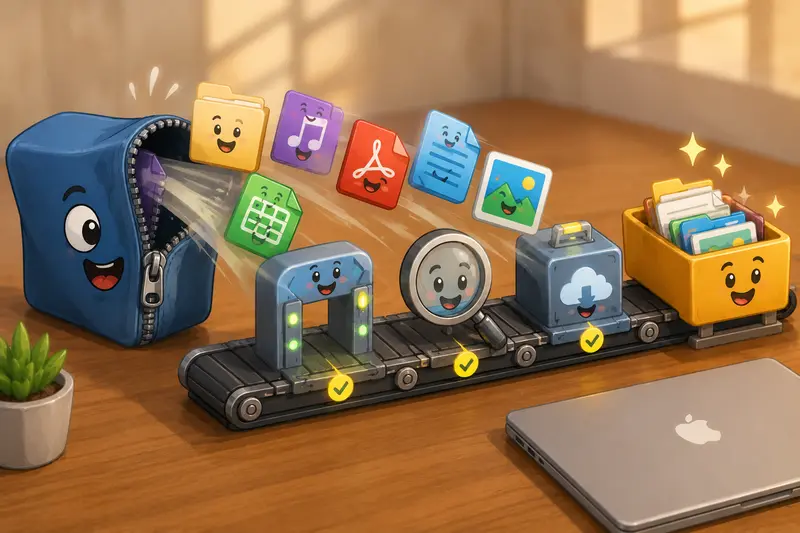
When you need access to compressed files on a Mac, the process is straightforward:
Upload the Archive
Choose the archive from your Mac, cloud storage, or another supported source.
Let the Extraction Process Run
The system analyzes the archive and prepares its contents for download.
Review the Extracted Files
Check folders, documents, images, audio files, or other resources contained inside the archive.
Download What You Need
Retrieve the extracted files individually or as a complete package.
Continue Working with the Content
If the archive contains PDFs that need consolidation, you can use the PDF merging tool to combine documents into a single file for easier study or submission.
Why Simplicity Matters for Students
Students typically care less about advanced archive management and more about getting to the files quickly.
A browser-based solution reduces friction because:
- No software installation is required
- Multiple archive formats can be handled in one place
- Files can be imported from cloud storage services
- Large processing jobs can run through queued workflows
- The same process works across devices
This becomes particularly helpful during deadlines when downloading, installing, and configuring new software is the last thing anyone wants to do.
A small note of reality: large archives tend to arrive precisely when your assignment deadline is closest.
Real-World Observation
To evaluate the experience, a realistic academic scenario was tested.
Test Setup
The archive contained:
- 42 PDF lecture handouts
- 18 presentation files
- 12 spreadsheet datasets
- 6 audio recordings
- Total archive size: approximately 650 MB
The archive was uploaded through a browser on a MacBook and extracted using an online workflow.
What Was Observed
The extraction process completed without requiring any software installation. Folder structures remained intact, making it easier to navigate course materials afterward.
Audio recordings extracted successfully and could then be processed further using an audio format conversion workflow when alternative formats were needed for mobile playback.
Takeaway
For typical academic workloads, online extraction can save time by consolidating archive handling into a single browser-based process rather than requiring separate utilities for different archive types.
Frequently Overlooked Details When Extracting Archives
Many users focus only on whether a file can be opened. In practice, a few less obvious factors can affect results.
Nested Archives
Some downloads contain ZIP files inside other ZIP files. After extraction, you may need to unpack a second archive before reaching the actual content.
Long File Paths
Certain archives contain deeply nested folders. Extremely long directory structures can occasionally create issues when transferring files between systems.
Password-Protected Archives
Some instructors or organizations distribute protected archives for security purposes. Make sure you have the correct password before starting extraction.
File Naming Issues
Archives created on older systems sometimes contain unusual characters or naming conventions that may require cleanup after extraction.
These situations are uncommon, but knowing about them helps avoid confusion when files dont appear exactly as expected.
Extract Archives on Mobile When Needed
A growing number of students switch between devices throughout the day.
Examples include:
- Reviewing lecture notes on an iPhone
- Downloading research files on an iPad
- Accessing project archives from an Android tablet
- Opening shared datasets while traveling
- Extracting assignment resources from cloud storage
- Reviewing media files before presentations
Because browser-based extraction works across devices, you can often extract archives on mobile without relying on platform-specific apps.
Working with Large Archive Files
When you need to extract large ZIP files, convenience and control can sometimes pull in opposite directions.
The Tradeoff
Desktop extraction software may offer more advanced archive management features and deeper system integration.
However, browser-based extraction often provides greater convenience, accessibility, and flexibility when youre moving between multiple devices.
The right choice depends on your workflow:
- Frequent power users may prefer desktop utilities
- Students and occasional users often prioritize accessibility
- Cross-device workflows benefit from browser-based tools
Neither approach is universally better; each serves a different need.
Practical Benefits
Using an online archive extraction workflow offers several advantages:
- Access files without installing software
- Support multiple archive formats
- Handle coursework from different sources
- Continue processing extracted files with related tools
- Work from Mac, mobile devices, or shared computers
- Reduce software maintenance and update requirements
For sensitive documents, its also worth considering privacy practices. Filemazing treats uploaded files as temporary processing artifacts rather than long-term storage, with cleanup occurring on a short retention schedule. This approach helps reduce unnecessary persistence of uploaded content.
If extracted materials contain private information, you can additionally use the file encryption tool before sharing or storing them elsewhere.
FAQ
Can I unzip files online on a Mac without installing software?
Yes. Browser-based archive extractors allow you to upload compressed files and retrieve their contents without installing dedicated desktop applications.
What archive formats can online extractors usually handle?
Many services support ZIP, RAR, 7Z, TAR, TAR.GZ, and related archive formats, making them useful as a best archive extractor option for mixed file sources.
Is online archive extraction suitable for large ZIP files?
Yes, although processing time depends on archive size, network speed, and the number of files contained within the archive.
Are my uploaded files stored permanently?
Reputable services typically process files temporarily and remove them after a defined retention period. Always review the providers privacy practices before uploading sensitive information.
Can I extract archives on mobile devices?
In many cases, yes. Browser-based tools allow users to extract archives on mobile devices without installing specialized archive applications.
What should I do after extracting files?
That depends on the content. You may organize documents, merge related PDFs, convert media formats, encrypt sensitive files, or prepare materials for sharing and collaboration.
Final Thoughts
For students working on a Mac, the best way to unzip files online is usually the approach that minimizes friction while maintaining compatibility with different archive formats.
A browser-based archive extractor provides a practical balance of accessibility, flexibility, and convenience. Instead of managing multiple extraction utilities, you can open compressed files, access their contents, and continue your workflow from a single environment.
When dealing with coursework, research archives, shared project resources, or large downloads, Filemazings archive extractor offers a straightforward way to access files without adding more software to your Mac.