Remote teams deal with more image files than most people realize. Product screenshots, marketing assets, scanned documents, social graphics, presentation visuals, and customer uploads all move across different apps every day. The problem is that file formats rarely stay consistent.
A designer exports PNG files. Marketing wants WEBP. Someone uploads HEIC images from a phone. Another teammate needs lightweight JPG versions for Slack or email attachments.
Thats where the ability to change image format online becomes less of a convenience and more of a practical workflow requirement.
Filemazing provides a browser-based format conversion environment designed for teams that need reliable file handling without installing desktop software or maintaining local conversion utilities.
Why Format Conversion Becomes a Daily Bottleneck
In distributed teams, file compatibility problems tend to appear at inconvenient moments:
- Presentation images suddenly look oversized
- CMS platforms reject unsupported formats
- Product screenshots lose transparency
- Mobile uploads arrive in HEIC or WEBP unexpectedly
- Shared drives become cluttered with duplicate exports
One overlooked issue is version fragmentation. Different departments often maintain separate copies of the same image in multiple formats, which creates confusion during collaboration.
Using a centralized browser-based converter helps standardize those workflows.
Instead of switching between desktop tools, teammates can upload files directly through the browser, convert them, and continue working immediately.
For organizations already handling visual assets regularly, this reduces friction surprisingly fast.
A Practical Example From a Remote Workflow
A distributed marketing team preparing webinar materials needed to process:
- 180 product screenshots
- Mixed PNG and WEBP formats
- Total upload size around 1.7GB
- Separate exports for email campaigns and landing pages
The team used Filemazings format converter to create lightweight JPG versions for email while preserving PNG originals for documentation.
The interesting part wasnt only the conversion speed. It was the workflow consistency:
- Browser upload from shared cloud storage
- Batch handling instead of manual one-by-one exports
- Predictable token usage before processing
- No desktop software conflicts across Windows and macOS devices
Large file sets tend to arrive right before deadlines. Somehow that tradition survives every generation of technology.
Converting WEBP Files Without Compatibility Issues
Many modern websites now prefer WEBP because it reduces image size while maintaining strong visual quality. But not every collaboration tool or client environment handles WEBP gracefully.
Thats why teams frequently need to convert WEBP online into formats like JPG or PNG.
Some situations where this matters:
| Scenario | Better Output Format |
|---|---|
| Presentation slides | JPG |
| Transparent graphics | PNG |
| Website optimization | WEBP |
| Archival storage | PNG |
| Email attachments | JPG |
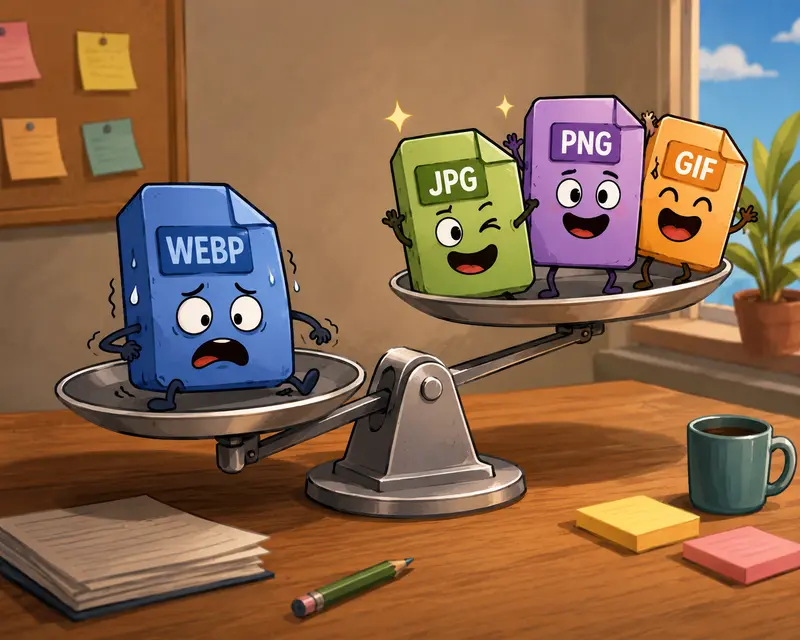
The tradeoff usually comes down to file size versus visual precision.
PNG retains detail and transparency better, but creates larger files. JPG reduces storage and upload time but introduces compression artifacts in certain graphics.
For screenshots containing text or UI elements, PNG often produces cleaner readability. For photographs or marketing visuals, JPG is usually more storage-efficient.
Where Batch Conversion Actually Helps
Teams often underestimate how much time disappears into repetitive file handling.
A single image conversion is trivial. Converting 400 mixed-format files during a campaign launch is not.
This is where batch image format conversion becomes valuable.
Instead of exporting assets individually, teams can process large groups together while maintaining consistent output settings.
Filemazing supports queued processing and job tracking, which matters for larger uploads because browser sessions remain responsive during processing.
This becomes especially useful for:
- Ecommerce product libraries
- Shared content calendars
- Client delivery packages
- Documentation screenshots
- Real estate image sets
- Training materials
And if converted assets still end up oversized, teams can further optimize them using the image compression workflow to reduce bandwidth usage for web publishing and remote collaboration.
One Thing Many Teams Overlook: Metadata
Image files frequently contain hidden metadata:
- GPS coordinates
- Device information
- Author details
- Editing history
- Timestamp records
In remote organizations sharing client assets or internal visuals externally, this can become an unnecessary privacy risk.
After converting images, many teams run files through metadata cleanup before distribution. Filemazing includes a metadata scrubbing tool for image files specifically for this purpose.
This is especially relevant for:
- HR departments
- legal documentation
- agency client deliverables
- healthcare-related workflows
- contractor collaboration
The less hidden data attached to distributed files, the better.
Browser-Based Conversion vs Desktop Software
Traditional desktop converters still work well for some environments, but remote teams often encounter operational friction:
| Desktop Software | Browser-Based Workflow |
|---|---|
| Installation required | Immediate access |
| Device-specific setup | Cross-platform access |
| Manual updates | Centralized maintenance |
| Local storage dependency | Cloud-friendly workflows |
| Harder team standardization | Consistent shared process |
For non-technical teams, browser accessibility tends to matter more than advanced configuration depth.
Developers and automation-heavy teams can still integrate conversion processes through API endpoints when higher throughput is required.
That balance is part of what makes Filemazing useful across mixed-skill organizations.
Performance Tips for Large Image Libraries
When teams process thousands of images, a few operational habits improve results significantly.
Separate photos from interface graphics
Photos compress differently than screenshots or UI captures.
- JPG works well for photography
- PNG is often better for interfaces and diagrams
Using the wrong format can either inflate file size or degrade readability.
Resize before conversion when possible
Converting oversized originals without resizing first increases processing load and storage overhead unnecessarily.
Avoid repeated re-exports
Each JPG recompression cycle slightly reduces quality. If multiple edits are expected later, preserve a higher-quality master copy first.
Group files by output purpose
Create separate conversion batches for:
- website publishing
- internal documentation
- social media
- archival storage
This reduces inconsistent output settings later.
Privacy Matters More in Remote Environments
Remote collaboration naturally increases file sharing frequency.
That makes temporary processing behavior important.
Filemazing treats uploaded files as short-term processing artifacts rather than long-term cloud storage. Files are cleaned on a limited retention schedule after jobs complete.
For teams handling client materials, internal assets, or sensitive project files, this reduces the risk of forgotten uploads accumulating indefinitely.
Some organizations also combine conversion with the platforms file encryption workflow for secure sharing before distributing converted assets externally.
That extra step becomes increasingly relevant for agencies, legal teams, and distributed contractors.
Transparent Pricing Instead of Guesswork
One operational issue with many online converters is unpredictable limits.
Filemazing uses a token-based processing model with visible workload formulas. Costs are tied to factors such as:
- file size
- file count
- processing complexity
- page count for document workflows
- media duration for audio/video tools
For format conversion specifically, pricing uses:
- base cost
- per-MB calculation
- per-file adjustment
That predictability helps remote teams estimate larger workloads before launching batch jobs.
Smaller teams can use free daily tokens, while higher-volume operations can scale with larger token packs depending on processing demand.
Choosing the Best Image Format Converter for Team Workflows
The best image format converter for remote teams usually isnt the one with the most settings.
Its the one that:
- handles large mixed-format batches reliably
- works across devices
- avoids installation overhead
- preserves output quality consistently
- fits collaborative workflows naturally
For many teams, browser accessibility and predictable processing matter more than highly specialized export controls.
Thats especially true when non-design departments also need occasional image handling capabilities.
Final Thoughts
Modern remote work depends heavily on file interoperability. Image conversion may sound minor, but incompatible formats quietly slow down communication, publishing, and collaboration across distributed teams.
Being able to change image format online without relying on desktop utilities simplifies those workflows considerably.
Filemazing approaches the problem from a practical angle:
- browser-based access
- batch handling
- temporary processing
- automation support
- transparent usage costs
- multi-format compatibility
For remote teams managing recurring image workflows, that combination tends to remove more friction than expected once the process becomes standardized.