Remote teams generate documents constantly. Project updates, contracts, meeting notes, proposals, onboarding materials, and client reports often arrive as separate PDF files from different contributors.
When deadlines are tight, managing scattered documents becomes frustrating. Instead of sending five attachments and hoping recipients open them in the right order, many teams prefer to join PDFs into one file and distribute a single organized document.
For distributed teams working across locations and time zones, consolidating files improves communication, reduces confusion, and creates a more professional experience for clients and colleagues alike.
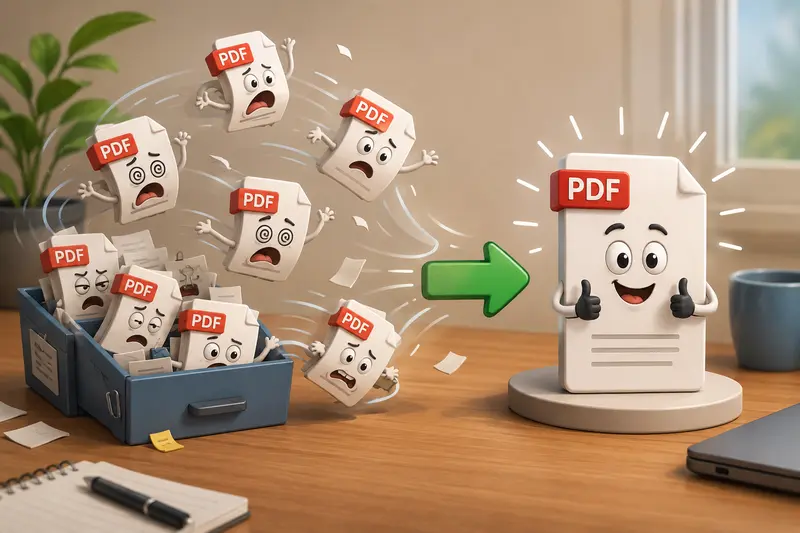
The Direct Answer
If your team regularly works with multiple PDF documents, combining them into a single file is often the most efficient approach.
A good PDF merger should allow you to:
- Combine multiple PDFs while preserving page order
- Handle larger batches without slowing down
- Work directly in a browser
- Support cloud file imports
- Maintain document quality
- Protect privacy during processing
One practical option is Filemazings PDF merger:
https://filemazing.com/merge-pdf
Filemazing is a browser-based file processing platform designed for document and media workflows. Teams can merge PDFs, convert formats, compress files, extract archives, scrub metadata, encrypt files, and automate processing through API endpoints when needed.
Because processing happens through a web interface, there is no desktop software to install or maintain across remote devices.
Why Merging PDFs Matters for Distributed Work
When team members operate from different locations, document organization becomes increasingly important.
A single merged PDF can help:
- Reduce attachment clutter in email threads
- Simplify document review processes
- Improve version control
- Create cleaner client deliverables
- Keep related information together
- Minimize accidental omissions
Consider a product launch report assembled by five contributors. Each contributor provides their section as a separate PDF. Sending individual files increases the chance that pages are reviewed out of sequence or that one file is overlooked entirely.
Combining everything into one document creates a smoother review experience.
Where Teams Benefit Most
Different departments use PDF merging in different ways.
Client Reporting
Monthly reports often include:
- Analytics summaries
- Budget sheets
- Performance reviews
- Recommendations
Combining them produces a single client-ready package.
Human Resources
HR teams frequently merge:
- Employment agreements
- Policy acknowledgements
- Benefits information
- Compliance documents
Sales Operations
Sales groups may combine:
- Proposals
- Pricing sheets
- Case studies
- Terms and conditions
Project Management
Project managers often consolidate:
- Status reports
- Meeting summaries
- Timelines
- Stakeholder feedback
Legal Documentation
Legal teams commonly bundle supporting materials into a unified PDF package before review.
Training Materials
Remote onboarding frequently requires assembling guides, checklists, and reference documents into a single resource.
A Practical Workflow Using Filemazing
The process is straightforward but flexible enough for larger workloads.
- Upload PDF files from your device.
- Import files from cloud sources such as Google Drive or Dropbox if needed.
- Arrange files in the desired sequence.
- Start the merge process.
- Download the completed document when processing finishes.
Filemazing uses queued processing and job tracking, which means larger tasks can continue without locking up the browser interface.
For organizations processing documents regularly, API endpoints can automate recurring workflows and integrate PDF merging into internal systems.
Real-World Testing
To evaluate performance in a realistic remote-work scenario, a test batch was assembled consisting of:
- 18 PDF files
- Approximately 145 pages total
- Mixed content including text, charts, scanned pages, and exported presentations
- Combined file size of roughly 42 MB
What Was Observed
The merged output preserved:
- Original page formatting
- Embedded graphics
- Text readability
- Page sequencing
The final document was easier to distribute and review compared to managing the original collection of files.
Key Takeaway
For team collaboration, the biggest productivity gain was not processing speedit was document organization. Reviewers could move through the entire package without opening multiple attachments or switching between files.
Batch PDF Merge: When Volume Becomes the Challenge
Occasional document merging is simple.
The real challenge appears when teams process dozens or hundreds of files each week.
This is where batch PDF merge capabilities become valuable.
Examples include:
- Monthly compliance reports
- Customer documentation packages
- Vendor onboarding records
- Legal evidence collections
- Training document archives
A browser-based system with queue management helps prevent work interruptions during larger jobs.
Filemazings token-based model is also useful for estimating costs ahead of time. Rather than relying on subscription tiers, processing uses transparent formulas based on factors such as file count, file size, page count, and workload complexity.
This predictability is especially useful for teams managing varying document volumes.
Expert Tips for Better Merge Results
Many users focus only on combining files. Experienced teams usually pay attention to document preparation first.
Review File Order Before Processing
Incorrect sequencing is one of the most common mistakes.
Create a naming convention before uploading files:
- 01-Executive-Summary.pdf
- 02-Analysis.pdf
- 03-Recommendations.pdf
This helps maintain consistent ordering.
Remove Hidden Metadata Before Sharing
PDFs can contain metadata such as author information, software details, timestamps, and editing history.
Before distributing sensitive documents externally, consider using a metadata removal tool to eliminate unnecessary hidden information.
Protect Final Deliverables
When merged documents contain confidential material, adding password protection can be valuable.
You can use PDF encryption and password protection after merging to secure the final document before sharing.
Keep Source Files
Although merging is typically reliable, retaining originals provides a recovery path if changes are required later.
Privacy Considerations for Remote Organizations
Privacy is often a major concern when using online document tools.
Filemazing approaches this by treating uploaded files as temporary processing artifacts rather than long-term storage assets.
Files are processed, delivered, and cleaned according to a short retention schedule. This reduces the amount of data stored over time and helps organizations maintain cleaner document handling practices.
For many remote teams, this approach is preferable to accumulating large document repositories on third-party platforms.
Choosing the Best PDF Merger
Not all PDF tools are designed for team workflows.
When evaluating the best PDF merger, consider:
| Factor | Why It Matters |
|---|---|
| Batch support | Handles larger workloads efficiently |
| Browser access | No installation requirements |
| Privacy controls | Reduces document exposure |
| Cloud imports | Simplifies collaboration |
| API availability | Enables automation |
| Cost transparency | Improves budgeting predictability |
Many teams initially search for a merge PDF online free option. While free tools can be useful for occasional tasks, organizations handling recurring document workflows often benefit from systems that offer predictable scaling, automation, and operational visibility.
From Merged PDFs to Other Formats
Sometimes a merged document is only the beginning of a workflow.
For example, training teams and content creators may need to extract individual pages as images afterward.
In those situations, a PDF-to-image conversion tool can convert merged PDF pages into shareable visual assets for presentations, documentation, or knowledge bases.

Frequently Asked Questions
Does merging PDFs reduce document quality?
In most cases, no. A properly implemented merge process preserves existing page content and formatting. Quality changes are more likely when documents are converted between formats rather than simply merged.
Can I merge large numbers of PDF files?
Yes. Batch processing tools are specifically designed to handle larger collections of files. Performance depends on page count, file size, and processing infrastructure.
Is it safe to merge confidential documents online?
It depends on the provider. Look for services that emphasize temporary processing, controlled retention periods, and privacy-focused workflows.
Can remote teams automate PDF merging?
Yes. Platforms that provide API access allow developers to integrate PDF merging into internal applications, document pipelines, and workflow automation systems.
Do merged PDFs work across different operating systems?
Yes. PDF remains one of the most universally supported document formats and can be opened across Windows, macOS, Linux, tablets, and mobile devices.
Can I estimate processing costs before running a job?
With Filemazing, token consumption is calculated using transparent pricing formulas that consider factors such as file size, page count, and file quantity, helping users anticipate usage before processing begins.
Bringing Document Workflows Together
For remote teams, document organization is more than a convenience. It directly affects collaboration speed, review efficiency, and information accessibility.
When you join PDFs into one file, you reduce clutter, simplify distribution, and create cleaner deliverables for clients, partners, and internal stakeholders.
Whether youre assembling client reports, onboarding packages, project documentation, or compliance records, a browser-based solution like Filemazing provides a practical way to merge files, manage larger workloads, maintain privacy, and support future automation without adding software overhead to your teams workflow.