Marketing teams rarely work with just one PDF.
Campaign reports, ad screenshots, media kits, client approvals, lead magnets, analytics exports they tend to arrive as separate files from different people, in different formats, at inconvenient times. And when someone asks for one final document, the scramble begins.
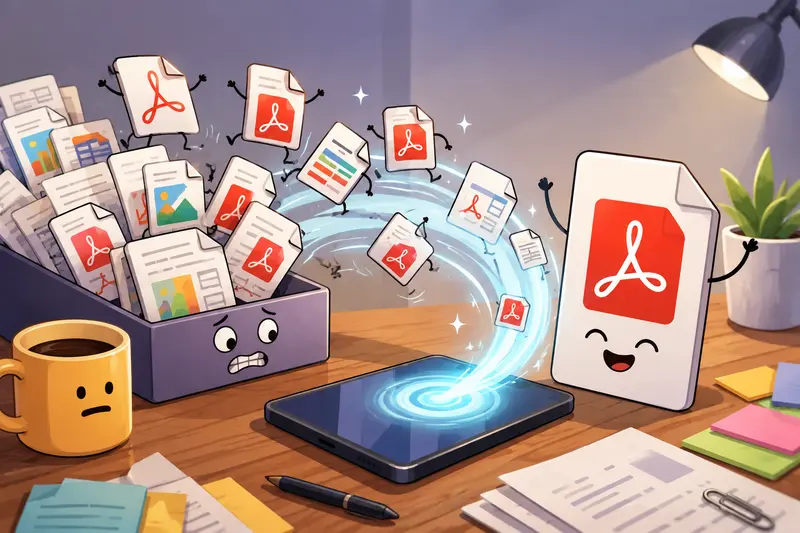
If you need to join PDFs into one file directly on Android, the process is much smoother when you use a browser-based workflow instead of juggling multiple mobile apps with storage permissions, watermarks, or upload limits.
The Short Version
Android users can merge multiple PDFs through a browser without installing desktop software. Tools like Filemazing Merge PDF Tool https://filemazing.com/merge-pdf allow marketers to upload several documents, arrange them in the correct order, and export a combined file from a phone or tablet.
This approach works especially well for campaign reporting, proposal delivery, trade show assets, and combining scanned PDFs from different contributors.
Why Marketing Workflows Create PDF Chaos
A typical marketing project might involve:
- exported analytics reports
- scanned signed approvals
- presentation slides saved as PDFs
- influencer contracts
- event brochures
- screenshots converted from images
By the end of the week, its common to have 1020 separate files tied to one campaign.
Many marketers try to fix this inside messaging apps or mobile PDF viewers, but Android file handling can get messy fast especially with large uploads or scanned pages. Nobody enjoys renaming final_v2_REAL_final.pdf during a client call.
A browser-based merge workflow avoids most of that friction because the files are processed online rather than through device-specific editing apps.
What Makes Browser-Based PDF Merging Useful on Android
Filemazing https://filemazing.com focuses heavily on lightweight file workflows rather than heavyweight document editing suites.
For marketers, that matters because the goal usually isnt advanced PDF editing. Its speed, organization, and reliable output.
A few aspects stand out:
- works directly in the mobile browser
- supports batch PDF merge workflows
- handles larger multi-file uploads without freezing the interface
- temporary processing instead of permanent cloud storage
- transparent token pricing instead of subscription tiers
- supports local uploads, URLs, Google Drive, and Dropbox imports
Large tasks are queued in the background, so processing several reports or scanned exports doesnt lock the page while files are being merged.
Follow These Steps on Android
1. Open the merge tool
Go to:
Merge PDF Workflow https://filemazing.com/merge-pdf
You can use Chrome, Firefox, Samsung Internet, or most modern Android browsers.
2. Upload your PDF files
Select files from:
- local storage
- Google Drive
- Dropbox
- shared downloads folder
This is especially helpful when campaign assets are coming from multiple channels.
3. Arrange files in the right order
Drag or reorder documents before processing.
For marketers, ordering matters more than people think:
- executive summary first
- visuals after metrics
- appendices last
- signed approvals grouped together
4. Start the merge job
The system processes the files in the queue and generates one downloadable PDF.
Larger jobs may take slightly longer depending on:
- total page count
- image-heavy pages
- scanned content quality
- file size
5. Download the combined PDF
Once complete, save the merged document locally or share it immediately through email, Slack, or cloud storage.
A Real Test Using Marketing Assets
To see how practical this was on mobile, I tested a moderately heavy workflow using:
- 14 PDF exports
- total size: 186 MB
- mixed content:
- analytics dashboards
- scanned signed documents
- image-heavy social campaign reports
- presentation exports
Three of the files were scanned PDFs with uneven contrast and fairly large embedded images.
The interesting part was how the system handled mixed-quality inputs. Some mobile merge tools struggle badly when combining scanned PDFs because image compression artifacts stack together during export.
In this case:
- page ordering stayed intact
- text remained readable
- image-heavy pages preserved acceptable sharpness
- Android Chrome stayed responsive during processing
The final merged document was larger than a heavily compressed version would have been, but readability stayed strong. That tradeoff usually makes sense for client-facing reports where blurry charts create more problems than slightly larger downloads.
One Overlooked Problem: Scanned PDFs Can Inflate File Size Fast
This is where many marketers get caught off guard.
When you combine scanned PDFs, each page may contain large embedded image layers. A handful of scanned approvals can suddenly turn a manageable document into a massive upload.
A few practical ways to reduce issues:
- avoid scanning at unnecessarily high DPI
- convert image-heavy pages before merging when possible
- keep grayscale scans for text-only approvals
- separate archival scans from presentation materials
If your campaign assets arrive inside ZIP or RAR downloads from agencies or freelancers, using the archive extraction workflow https://filemazing.com/archive-extractor before merging can simplify organization considerably.
Where Marketers Usually Use Batch PDF Merge
The ability to run a batch PDF merge on Android is especially useful in fast-moving campaign environments.
Common examples include:
Campaign reporting bundles
Combine:
- analytics exports
- PPC summaries
- creative previews
- stakeholder notes
Event sponsorship packets
Merge:
- contracts
- floor plans
- brand assets
- schedules
Client approval workflows
Group:
- revised creatives
- sign-off sheets
- budget documents
Lead magnet preparation
Combine worksheets, templates, and guides into one downloadable resource.
Sales enablement packages
Merge:
- pricing sheets
- onboarding guides
- product PDFs
- compliance documents
Field marketing operations
Combine scanned PDFs from remote teams into one centralized report package.
Why Output Quality Matters More Than People Expect
Many mobile tools prioritize aggressive compression because smaller files process faster.
But marketers often need:
- readable charts
- sharp branding visuals
- legible presentation screenshots
- printable handouts
That creates a real tradeoff:
| Priority | Better Choice |
|---|---|
| Smaller uploads | stronger compression |
| Better visuals | higher-quality merge output |
| Fast sharing | medium optimization |
| Client presentations | preserve image quality |
The safest approach is usually preserving readability first, then optimizing size afterward if needed.
If you later need visual assets from the merged document, the PDF to image converter https://filemazing.com/pdf-to-image can turn individual pages into shareable graphics or presentation images.

Privacy Considerations for Marketing Documents
Marketing files often include:
- ad budgets
- customer lists
- campaign performance data
- internal planning documents
That makes temporary processing important.
Filemazing treats uploaded files as short-term processing artifacts rather than permanent storage. Jobs are processed, delivered, and cleaned on a short retention cycle instead of remaining indefinitely stored in an account archive.
For agencies handling client reports on mobile devices, that workflow is generally preferable to scattering sensitive PDFs across multiple third-party apps.
If youre preparing external-facing proposals or financial reports, adding password protection afterward with the file encryption tool https://filemazing.com/encrypt-file adds another layer of protection before sharing.
What You Gain From This Workflow
A browser-based merge process works well for marketers because it removes several common bottlenecks at once:
- no desktop software required
- easier handling of large PDF collections
- usable from Android tablets and phones
- better for distributed teams
- transparent usage costs
- supports occasional and high-volume workflows
The token system is also predictable enough for operational planning. Instead of guessing subscription limits, processing costs scale according to workload factors like page count and file size.
Thats particularly useful for agencies with fluctuating campaign volume.
Common Questions
Is it safe to join PDFs into one file online?
It depends on the platforms handling policies. Filemazing uses temporary processing and cleanup jobs rather than long-term document storage, which reduces persistent exposure risks.
Can Android handle large merged PDFs?
Yes, although very large exports may take longer depending on browser memory, page count, and image density. Browser-based queued processing helps avoid freezing the device during larger jobs.
Will scanned PDFs lose quality after merging?
Usually not, unless heavy compression is applied. High-resolution scans preserve readability better but increase file size.
Can I merge PDFs from Google Drive on Android?
Yes. Filemazing supports cloud imports alongside local uploads and URL-based input sources.
Does batch PDF merge work for marketing reports?
Absolutely. Its useful for combining campaign exports, client deliverables, presentation decks, and approval documents into a single organized file.
What if my merged PDF becomes too large?
You can reduce scan resolution before merging or separate archival documents from presentation-ready assets. Image-heavy reports are often the main reason merged files become oversized.
Final Thoughts
For marketers working from Android devices, the ability to join PDFs into one file without relying on desktop software removes a surprisingly common workflow headache.
The biggest advantage isnt just convenience its consistency. Campaign assets, reports, approvals, and scanned documents can all move through one browser-based workflow without bouncing between multiple apps and storage systems.
And when deadlines are tight, reducing workflow friction matters more than most people admit. Especially when the client presentation starts in eight minutes and someone still hasnt sent the final final PDF.