Audio files move through marketing workflows more often than most teams expect. Podcast snippets for social campaigns, webinar recordings, voiceovers for product videos, ad drafts, interview clips they all pile up quickly. And sooner or later, someone sends a giant WAV file that refuses to upload smoothly on mobile.
Thats usually where a reliable WAV to MP3 converter becomes less of a convenience and more of a workflow necessity.
For marketers working across mobile devices, cloud drives, and collaboration tools, browser-based conversion has become especially useful because it removes the usual desktop dependency. If your team also publishes media publicly, its worth learning how to remove metadata from media files before publishing to avoid exposing hidden file information accidentally.

What You Should Know First
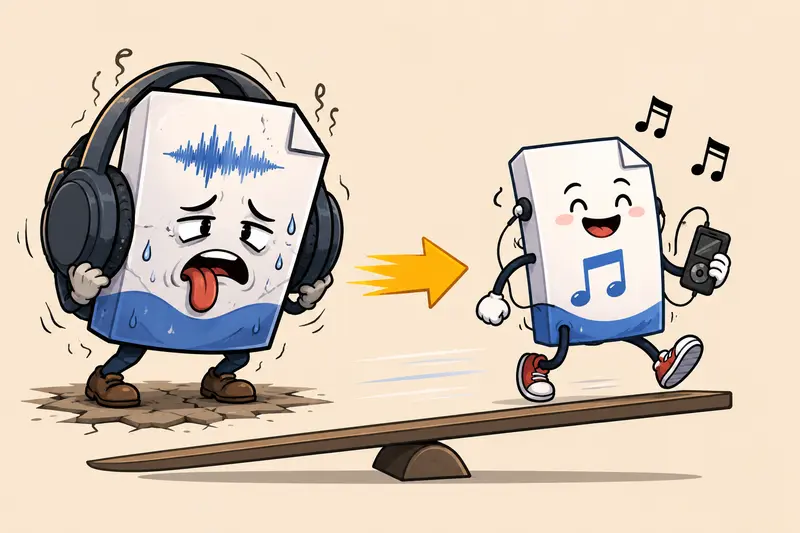
WAV files preserve raw audio quality, but they are large. MP3 files compress audio into a smaller, easier-to-share format that works better for mobile uploads, social media workflows, email attachments, and content distribution.
A browser-based tool like Filemazing Audio Converter https://filemazing.com/audio-converter allows marketers to convert audio directly online without installing editing software. That matters when teams are working remotely, switching devices often, or handling client assets from phones and tablets.
Why Mobile Conversion Matters More Than It Used To
A few years ago, audio conversion usually happened on a desktop workstation. Today, marketing teams routinely edit campaign assets while commuting, attending events, or coordinating launches from mobile devices.
The problem is that WAV files are heavy.
A 25-minute podcast intro session recorded in WAV can easily exceed several hundred megabytes. Uploading that over mobile data while juggling Slack notifications and approval requests is not exactly anyones favorite afternoon.
MP3 reduces that friction dramatically.
Smaller file sizes help with:
- faster mobile uploads
- smoother cloud sharing
- lower storage usage
- easier collaboration
- quicker social publishing
- reduced bandwidth issues during travel
The tradeoff, of course, is compression. High bitrate MP3 conversion preserves quality well enough for most marketing content, but archival master recordings should usually remain in WAV format.
How the Conversion Workflow Usually Plays Out
Different teams handle audio differently, but a practical mobile workflow often looks something like this:
1. Import the Source Audio
Upload the WAV file from:
- local mobile storage
- Google Drive
- Dropbox
- direct URLs
This becomes especially useful when freelancers or agencies send recordings through cloud folders rather than email attachments.
2. Choose MP3 as the Output Format
Most marketing use cases benefit from MP3 because it balances compatibility and manageable file size.
For spoken-word content like:
- interviews
- webinar clips
- podcast segments
- social ads
a moderate bitrate is usually enough.
Music-heavy promotional assets may need higher settings to avoid noticeable compression artifacts.
3. Process the File
Filemazing processes files through queued jobs rather than forcing the browser to remain locked during larger operations. Thats helpful when handling multiple campaign assets at once.
The platform also uses transparent token pricing, so teams can estimate workloads before processing larger batches.
4. Download and Distribute
Once completed, the MP3 version becomes far easier to:
- upload to social platforms
- attach to presentations
- send to clients
- reuse inside mobile editing apps
If your campaign bundle includes compressed archives from external collaborators, you can also unpack ZIP or RAR archives that contain audio files before conversion.
A Real Test With Mobile Marketing Assets
To see how realistic mobile conversion behaves, I tested a few common marketing audio scenarios:
| File Type | Original Size | Converted MP3 Size | Observation |
|---|---|---|---|
| Webinar recording (42 min WAV) | 412 MB | 38 MB | Voice remained clear for LinkedIn clips |
| Product demo narration | 96 MB | 11 MB | Uploading to mobile CMS became much faster |
| Podcast intro music | 58 MB | 14 MB | Slight high-frequency softness at lower bitrate |
| Event interview recording | 220 MB | 24 MB | Easier cloud sharing over mobile data |
One practical observation stood out during testing:
Large WAV files dont just slow uploads they also increase failure risk on unstable mobile connections. Smaller MP3 outputs completed uploads more reliably while switching between Wi-Fi and cellular networks.
Thats the sort of operational detail most comparison articles skip.

Where Marketers Usually Lose Audio Quality
This is where many conversion guides become too simplistic.
Not every MP3 conversion issue comes from the converter itself. In real workflows, quality problems usually happen because of aggressive compression settings chosen to reduce upload size too far.
Here are the most common mistakes:
Using Extremely Low Bitrates
A heavily compressed 64 kbps MP3 may sound acceptable through phone speakers but noticeably thin in ads, presentations, or webinar replays.
For marketing audio:
- spoken voice often works well at 128 kbps
- music-heavy content usually benefits from 192 kbps or higher
Repeated Re-Conversion
Converting an MP3 into another MP3 repeatedly compounds quality loss.
If possible:
- keep the original WAV archived
- generate fresh MP3 exports from the source when needed
Ignoring Stereo vs Mono
Some voice recordings can safely use mono output to reduce file size further. But stereo promotional audio may sound flat if collapsed incorrectly.
Overlooking Metadata
Audio files sometimes retain hidden metadata from editing software, recording environments, or creator details. Before public publishing, many teams now use tools like the metadata scrubbing workflow to clean embedded information from exported media assets.
Practical Mobile Use Cases For Marketing Teams
The value of mobile-friendly conversion becomes clearer in daily campaign work.
Social Media Ad Production
Creative teams often receive raw WAV voiceovers from freelancers and need smaller MP3 versions for rapid approval cycles.
Webinar Repurposing
Long webinar recordings can be converted into lighter clips for podcast feeds or mobile distribution.
Event Coverage
Trade show interviews recorded on portable devices become easier to publish while traveling.
Podcast Promotion
Short teaser snippets are faster to upload and distribute once compressed.
Client Review Workflows
MP3 files reduce attachment issues when clients review assets from mobile inboxes.
Campaign Asset Packaging
When audio is bundled with visuals, teams may also use a format conversion tool for related image assets to standardize everything before publishing.
Why Browser-Based Conversion Has Become More Popular
Theres a practical reason many teams now prefer browser-based processing over installed desktop software.
It reduces operational friction.
No software rollout.No version conflicts.No this only works on my laptop situations.
For distributed marketing teams, browser tools simplify collaboration because everyone accesses the same workflow from nearly any device.
Filemazing also handles uploads as temporary processing artifacts rather than long-term storage. That privacy-conscious approach matters when dealing with client recordings, embargoed campaign materials, or internal interviews.
What Actually Saves Time
A few advantages become noticeable after repeated use:
- mobile-friendly file handling
- batch processing support
- predictable conversion costs
- cloud import compatibility
- no heavy desktop applications
- API-ready automation for recurring workflows
The automation angle is easy to underestimate. Teams processing recurring webinar archives or podcast assets can integrate conversion into larger publishing pipelines rather than manually exporting files every week.
FAQ
Is converting WAV to MP3 safe for client recordings?
Generally yes, especially when using platforms that treat uploads as temporary processing files instead of permanent storage. File cleanup policies matter more than most people realize when working with confidential campaign assets.
Will MP3 conversion reduce audio quality?
Some quality reduction is unavoidable because MP3 uses lossy compression. However, higher bitrate settings preserve audio surprisingly well for most marketing and spoken-word content.
Can I convert audio on mobile without installing software?
Yes. Browser-based platforms allow audio format conversion without software installation, which is especially useful for marketers working across multiple devices.
Are there limits on large audio uploads?
Limits depend on the platform and processing workload. Longer recordings naturally consume more processing resources because duration affects conversion complexity.
Is MP3 always better than WAV?
Not always. WAV remains better for raw editing, mastering, and archival storage. MP3 is usually better for distribution, uploads, and mobile-friendly sharing.
Can multiple files be processed together?
Yes, batch workflows are commonly supported. This becomes valuable during campaign launches when teams are handling multiple interview clips, ad narrations, or podcast segments simultaneously.

Final Thoughts
A dependable WAV to MP3 converter solves more than a file format problem. It reduces upload friction, improves mobile collaboration, and helps marketing teams move faster when campaign deadlines tighten unexpectedly.
Browser-based tools like Filemazing https://filemazing.com/audio-converter fit particularly well into modern content workflows because they combine mobile accessibility, temporary file handling, transparent processing costs, and scalable conversion workflows without requiring dedicated software installations.
And realistically, that matters most when the audio file arrives five minutes before the campaign review call.