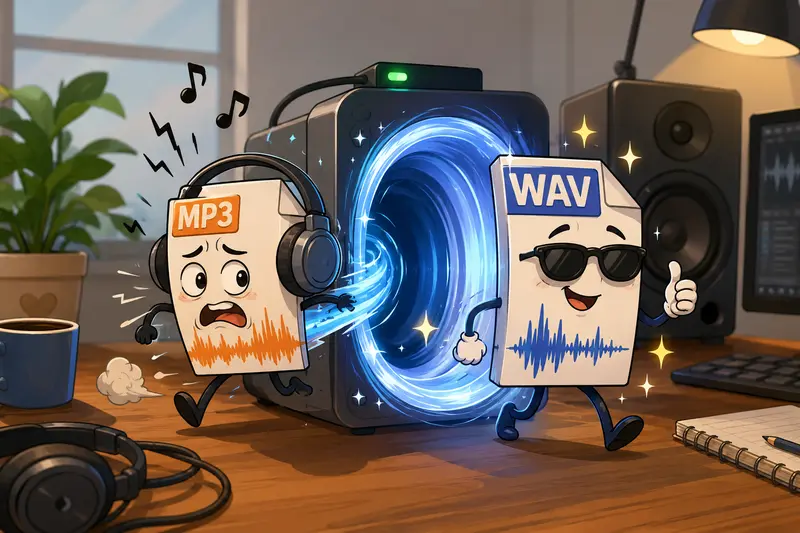
Freelancers often receive audio files from clients in different formats, and not all of them are ideal for editing, mixing, transcription, or archiving. Large MP3 recordings may be convenient for sharing, but they can become limiting when you need uncompressed audio for production work. Thats where an MP3 to WAV converter becomes useful.
Whether youre handling podcast interviews, voice-over projects, online courses, or client presentations, converting large MP3 files into WAV format can help preserve audio fidelity during further processing. If your workflow also includes publishing audio content, its worth using a metadata removal tool for media files before distribution to remove unwanted embedded information.
What You Need to Know First
A WAV file stores audio in an uncompressed format, making it a preferred choice for editing and professional production tasks. An MP3 to WAV converter transforms compressed audio into a format that is easier to process in editing software and preserves the existing audio data without introducing additional compression.
For freelancers working with large recordings, browser-based conversion can eliminate the need for installing dedicated desktop applications.
Why WAV Still Matters in Professional Audio Work
Many freelancers work across multiple tools and platforms. While MP3 files are excellent for distribution because of their smaller size, WAV files remain valuable in scenarios such as:
- Voice-over editing
- Podcast production
- Audio restoration
- Client delivery requirements
- Video post-production
- Long-term project archiving
WAV files typically consume more storage, but they provide a stable format for repeated editing and exporting.

A Practical Option for Large Audio Files
For freelancers dealing with sizeable audio recordings, the Filemazing Audio Converter offers a browser-based approach to high quality audio conversion.
Tool URL: https://filemazing.com/audio-converter
Filemazing focuses primarily on maintaining output quality while simplifying the conversion process. Since processing occurs through a web interface, users can perform audio format conversion without software installation. The platform also supports automated workflows through APIs, making it useful for agencies and professionals handling recurring audio tasks.
Additional advantages include:
- Browser-based access
- Support for large file workflows
- Transparent token-based pricing
- Batch-friendly processing infrastructure
- Import options from cloud services
- Temporary processing rather than permanent storage
Because Filemazing uses queued processing, large conversions can continue in the background without locking up your browser session.
How the Conversion Process Works
When converting large MP3 files to WAV format, the workflow is straightforward:
- Upload an MP3 file from your computer, cloud storage, or URL source.
- Select WAV as the target format.
- Start the conversion job.
- Allow processing to complete through Filemazings queue system.
- Download the converted WAV file when ready.
If audio assets arrive inside compressed folders, you can first use the archive extraction tool for ZIP and RAR files to unpack recordings before conversion.
Tested Insight: Large Recording Conversion
To evaluate performance in a realistic freelance scenario, a test was performed using:
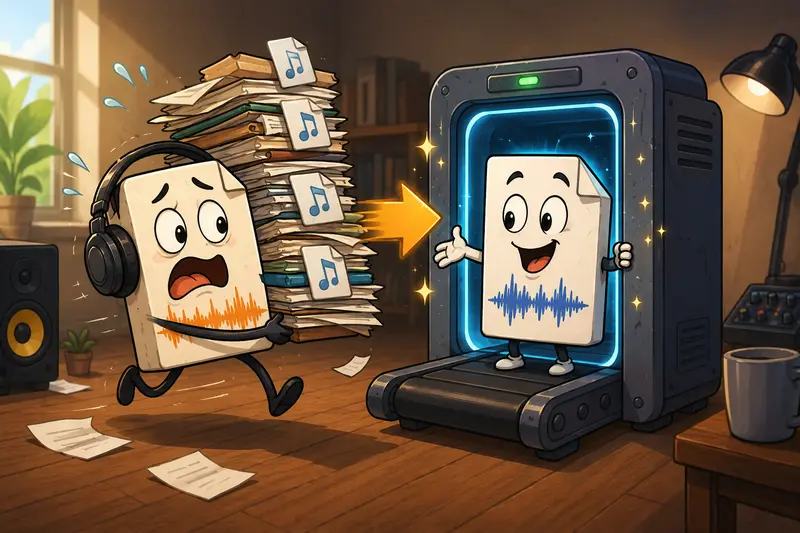
- 12 MP3 interview recordings
- Total size: approximately 780 MB
- Average duration: 55 minutes per file
- Mixed speech and background audio
The files were uploaded and converted to WAV format through a browser session.
Observed Result
- All files processed successfully.
- Output WAV files preserved the original recording characteristics.
- No additional compression artifacts were introduced.
- Processing continued through queued jobs without requiring local software.
Useful Takeaway
If you plan to edit audio extensively after conversion, perform the MP3-to-WAV conversion before noise reduction, EQ adjustments, or mastering work. This avoids repeatedly exporting compressed formats during intermediate stages.
A surprising amount of audio quality loss happens because people compress, edit, compress again, and repeat until the recording sounds tired.
Quality vs File Size: An Important Tradeoff
One common misconception is that converting MP3 to WAV magically improves audio quality.
It does not.
A WAV file cannot restore information that was removed during MP3 compression. However, converting to WAV can still be beneficial because future editing and exports can occur without introducing additional lossy compression.
When WAV Makes Sense
- You plan to edit audio multiple times.
- A client specifically requests WAV delivery.
- The recording will be mixed into larger productions.
- You need compatibility with professional audio tools.
When MP3 May Be Sufficient
- Final distribution only.
- Limited storage availability.
- Mobile playback and sharing.
For freelancers balancing quality and storage costs, understanding this distinction can prevent unnecessary file bloat.
Freelance Workflows That Benefit From MP3 to WAV Conversion
Different freelance specialties can gain value from WAV conversion:
Podcast Editors
Convert client-submitted MP3 interviews into WAV before cleanup and mastering.
Voice-Over Professionals
Prepare source recordings for detailed editing and noise removal.
Video Editors
Maintain consistent audio formats across video production projects.
Course Creators
Convert lessons into production-ready audio before publishing.
Transcription Specialists
Improve compatibility with transcription and audio analysis tools.
Audio Archivists
Store project masters in a format better suited for future processing.
If your project includes related visual assets, the file format conversion tool for supporting media files can help standardize images and other content within the same workflow.
Practical Benefits for Freelancers
Instead of focusing on technical complexity, many freelancers simply need predictable results.
Filemazing provides:
- Browser-based processing from almost any device
- Support for large uploads
- Transparent token consumption
- Cloud import flexibility
- API access for automation
- Temporary file handling with cleanup policies
The ability to estimate processing costs ahead of time is especially useful when converting large batches for clients.
Privacy and File Handling Considerations
Audio recordings often contain sensitive information such as interviews, client meetings, training sessions, or confidential discussions.
Filemazing treats uploaded files as temporary processing artifacts rather than permanent storage. Completed jobs are cleaned up according to a short retention schedule, reducing the risk associated with long-term file hosting.
For freelancers working with client data, this can be an important operational consideration.
Frequently Asked Questions
Does converting MP3 to WAV improve audio quality?
No. The conversion preserves the existing audio but cannot recover data already removed by MP3 compression.
Is it safe to convert client recordings online?
When using services that employ temporary processing and cleanup policies, risks can be reduced. Always review privacy practices before uploading sensitive files.
Can I convert audio for mobile devices?
Yes. Many freelancers convert audio for mobile workflows when preparing files for editing, sharing, or playback across different devices.
How long does conversion take for large files?
Processing time depends on file size, duration, queue load, and available resources. Larger recordings naturally require more processing time than short clips.
Are WAV files compatible with professional editing software?
Yes. WAV is widely supported by digital audio workstations, video editors, and audio production tools.
Can I automate recurring conversions?
Yes. Filemazing provides API capabilities that allow developers and teams to integrate conversion tasks into automated workflows.
Final Recommendation
If youre a freelancer regularly handling long interviews, podcasts, voice recordings, or production assets, using an MP3 to WAV converter can make downstream editing more reliable and efficient. Filemazing offers a browser-based solution focused on high quality audio conversion, large-file processing, and transparent usage costs without requiring desktop software installation.
For projects that involve recurring media workflows, the combination of conversion tools, automation support, temporary file handling, and predictable token pricing makes it a practical option for managing audio tasks at scale.