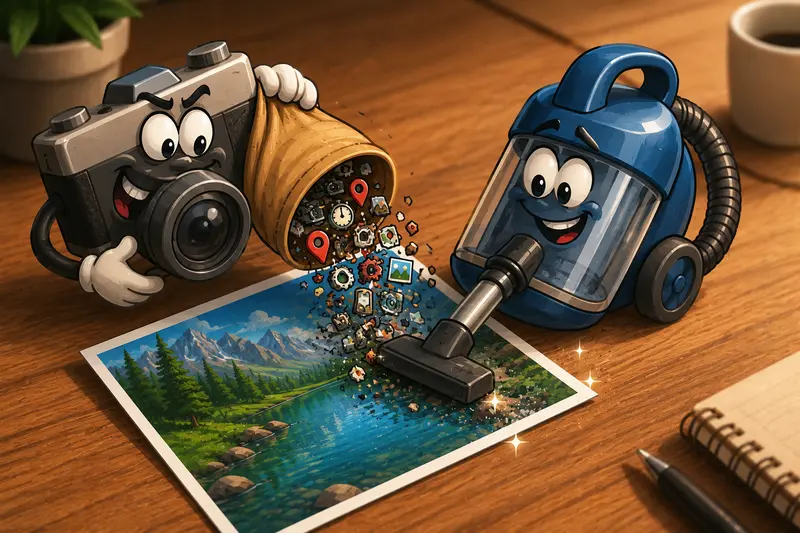
Designers often share mockups, product photos, mood boards, and reference images from their phones. The problem is that many Android photos contain hidden metadata that travels with the file. Location coordinates, device details, timestamps, and camera information can remain embedded even after editing.
If you need to strip EXIF data before sending images to clients, collaborators, or public platforms, building a privacy-focused workflow can prevent accidental information disclosure while keeping your images ready for professional use.

What You Need to Know First
The fastest way to remove photo metadata on Android is to export your images and run them through a dedicated metadata cleaning tool before sharing.
A browser-based photo privacy metadata remover can help eliminate hidden EXIF information without requiring desktop software, making it practical for designers who frequently work across devices.
Why Metadata Matters More Than Many Designers Realize
EXIF (Exchangeable Image File Format) metadata is automatically added by cameras and smartphones. While useful for organizing photos, it can expose details you may not intend to share.
Common metadata fields include:
- GPS location data
- Device model information
- Camera settings
- Creation timestamps
- Software used during editing
For design professionals, this becomes relevant when:
- Sending project photos to clients
- Publishing portfolio work
- Sharing behind-the-scenes production images
- Collaborating with external contractors
- Uploading visuals to public communities
A clean image file reveals only the visual contentnot the history behind it.
An Android Workflow That Prioritizes Privacy
One practical approach is to use Filemazings Metadata Scrubber tool as the final step before distribution.
https://filemazing.com/metadata-scrubber
The tool operates directly in a browser, which makes it convenient when youre working from an Android phone or tablet and dont want to install another utility. Since Filemazing treats uploaded files as temporary processing artifacts and follows short-lived retention practices rather than long-term storage, it aligns well with privacy-conscious workflows.
Follow These Steps
1. Gather the images you plan to share
Create a dedicated folder containing only the final approved files.
This reduces the chance of cleaning the wrong versions.
2. Upload the images to the metadata scrubber
Import the files directly from your device.
If your assets already live in cloud storage, Filemazing also supports imports from providers such as Google Drive and Dropbox.
3. Run the metadata cleaning process
The tool removes embedded metadata while preserving the visual image content.
4. Download the cleaned files
Store the processed versions separately so you can easily identify which files are safe to distribute.
5. Share the cleaned copies
Use the exported files when sending assets to clients, posting online, or publishing portfolio work.

Real-World Test: Cleaning a Client Image Set
To evaluate this workflow, a test was performed using:
- 24 JPG photographs
- Total size: approximately 86 MB
- Captured on an Android device
- Intended for client review and social media approval
Observations
Before processing:
- GPS coordinates were present
- Device model information was included
- Capture timestamps were available
After metadata scrubbing:
- Visual quality remained unchanged during inspection
- Images opened normally in Android gallery apps
- Metadata fields were removed from the processed files
Practical Takeaway
For designers handling recurring client work, cleaning metadata can become a standard export step, similar to checking dimensions or color profiles before delivery.
One useful tip: keep an archived master version with original metadata and create a separate sharing folder containing cleaned files. This preserves organizational data internally while improving privacy externally.
Common Mistakes When Removing Metadata
Not every metadata-cleaning workflow produces the same results.
Relying Solely on Screenshots
Some people use screenshots to eliminate metadata. While this often removes EXIF information, it may also:
- Reduce image quality
- Change dimensions
- Alter color accuracy
- Create inconsistent file naming
Forgetting Batch Processing
Cleaning one image at a time becomes inefficient when working on large projects.
A dedicated metadata workflow is particularly valuable when handling dozens or hundreds of assets.
Assuming Social Platforms Remove Everything
Many platforms strip some metadata during upload, but policies vary and can change over time.
If privacy matters, remove metadata before the upload process rather than relying on the platform.
Ignoring Archived Files
Design teams frequently share assets through email, cloud folders, and messaging apps. A single uncleaned file can expose information that the rest of the workflow was designed to protect.
One Tradeoff Worth Considering
There is a balance between convenience and information retention.
Keeping EXIF data can help photographers and creative teams track camera settings and shooting conditions. Removing it improves privacy but eliminates those details from the distributed version.
A practical compromise is:
- Keep originals internally
- Share cleaned copies externally
This approach preserves useful production information without exposing it to recipients.
Where Designers Benefit Most
The ability to remove metadata before sharing is especially useful in professional workflows such as:
- Delivering product photography to clients
- Publishing portfolio projects
- Sending prototype documentation
- Sharing event photos with vendors
- Providing marketing assets to agencies
- Distributing internal design references outside the company
For larger media workflows, designers may also benefit from using an image compression workflow to reduce transfer size after metadata removal. See Filemazings image compression tool: https://filemazing.com/compress-image
Beyond Metadata: Building a Safer Sharing Workflow
Metadata removal is often only one part of file preparation.
Depending on the project, additional steps may include:
- Compressing images for faster uploads
- Encrypting sensitive media before transfer
- Converting documents into image formats for review
For confidential project materials, you can also secure private media files before sending using Filemazings encryption tool:
https://filemazing.com/encrypt-file
If youre working with design documents, it may be useful to export PDF pages as images before cleaning metadata:
https://filemazing.com/pdf-to-image
Combining these processes creates a more consistent and privacy-aware asset delivery workflow.
Frequently Asked Questions
Does stripping EXIF data reduce image quality?
No. Metadata removal targets embedded information rather than the visual pixels. In most cases, image appearance remains unchanged.
Can I remove metadata from multiple photos at once?
Yes. Batch processing is often the most efficient approach when working with client galleries, portfolio assets, or large project folders.
Is metadata removal useful for PNG files too?
Some PNG files can contain metadata, although the specific information differs from traditional camera-generated EXIF data found in JPG photos.
Will Android automatically remove metadata when sharing?
Not always. Some apps may remove certain fields, while others preserve them. If privacy is important, verify the metadata has been removed before distribution.
Is a browser-based photo privacy metadata remover safe to use?
The answer depends on the service. Look for platforms that use temporary processing and avoid long-term file storage. Filemazing positions uploaded files as temporary processing artifacts with short retention handling.
Can metadata cleaning improve upload performance?
The size reduction is usually small because metadata represents only a fraction of the file. For meaningful size savings, pair metadata removal with image compression.
Final Thoughts
For designers, metadata can easily become an overlooked privacy risk. A dedicated Android workflow that cleans images before distribution helps ensure that clients, vendors, and public audiences see only the content you intend to share.
If your goal is a reliable privacy-safe image cleanup process, Filemazings browser-based metadata scrubber offers a practical way to strip EXIF data and remove metadata before sharing without adding another desktop application to your workflow. Consistently cleaning files before they leave your device is a small habit that can prevent unnecessary exposure of information later.