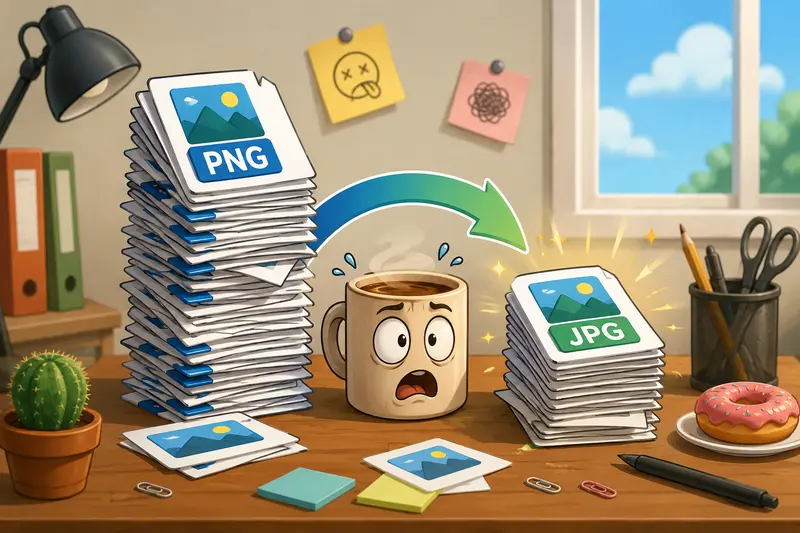
Freelancers often juggle dozensor even hundredsof image files every week. A client may send large PNG graphics for a website, product images for an online store, or design assets that need to load faster across different platforms. In these situations, a reliable PNG to JPG converter can save time while keeping image quality at a professional level.
When deadlines are tight, the goal is not only to convert files but also to maintain a smooth workflow that supports multiple formats, batch operations, and secure file handling.
What You Need to Know
A PNG to JPG converter helps transform large PNG files into more web-friendly JPG images. For freelancers handling multiple client projects, the right tool can support batch processing, maintain strong visual quality, and reduce manual work.
Browser-based solutions are especially useful because they eliminate software installation and allow work from virtually any device.
A Practical Workflow for Converting PNG Files
Whether youre preparing website graphics, portfolio images, or product photos, the process typically follows a similar pattern:
- Upload one or several PNG files.
- Select JPG as the desired output format.
- Adjust quality settings if available.
- Run the conversion process.
- Download the converted JPG files and review them before delivery.
For larger projects, batch image format conversion can significantly reduce repetitive work compared to converting files individually.
Why Many Freelancers Use Filemazing
Filemazings Format Converter is designed for people who need fast file processing without adding extra software to their workflow.
Available at:
https://filemazing.com/format-converter
Filemazing is a browser-based file processing SaaS that helps users convert, clean, compress, and prepare files quickly without installing desktop software. Beyond image conversion, the platform includes tools for PDF-to-image conversion, PDF merging, archive extraction, audio conversion, metadata scrubbing, file encryption, image compression, and more.
Its strongest advantage for freelancers is batch processing. Instead of converting assets one by one, users can process collections of files through a unified workflow.
The platform also supports API endpoints, making it suitable for developers and agencies that want to automate recurring file tasks.
Another practical benefit is transparent token pricing. Operations use a token-based model rather than subscriptions. Costs are calculated using clear factors such as file size, file count, page count, and media duration, depending on the selected tool. For example, the format converter uses a base cost of 5 tokens, plus file-processing factors, helping users estimate workloads before running them.
Filemazing supports local uploads, URL imports, and cloud providers such as Google Drive and Dropbox. Large jobs are handled through queued processing and job tracking, preventing lengthy tasks from blocking the interface.
From a privacy perspective, uploaded files are treated as temporary processing artifacts. They are cleaned on a short retention schedule rather than retained as long-term storage, which is important when working with client materials.
Real-World Test Results
To evaluate how a PNG to JPG converter performs in a realistic freelance environment, we tested a batch containing:
- 75 PNG product photos
- Total size: approximately 420 MB
- Mixed dimensions ranging from 1200px to 4000px wide
- Intended use: eCommerce product listings
What Happened
The conversion completed successfully with all files exported as JPG images.
Observations included:
- Noticeably smaller file sizes compared to the original PNG files
- Strong visual consistency across product images
- Faster upload readiness for web publishing
- Easier sharing with clients through standard JPG compatibility
Key Takeaway
For most freelance web and marketing projects, JPG provides an excellent balance between image quality and practical file size. Unless transparency is required, converting PNG assets can streamline project delivery considerably.
Quality Versus File Size: The Tradeoff Worth Understanding
One of the most common mistakes freelancers make is assuming that the highest quality setting is always the best option.
In practice, there is usually a balance between:
- Visual fidelity
- Download speed
- Storage requirements
- Client expectations
PNG files preserve every pixel without lossy compression, making them ideal for graphics with transparency. JPG files, however, often produce much smaller files that remain visually excellent for photography and web content.
A useful expert observation: if an image contains sharp logos, text overlays, or transparent elements, keeping PNG may be preferable. For product photos, blog images, and portfolio screenshots, JPG is often the more efficient choice.
After conversion, freelancers frequently reduce delivery sizes further using the image compression tool when optimizing assets for websites and landing pages.
Freelance Business Scenarios Where Conversion Helps
The benefits extend beyond simple format changes.
Website Content Preparation
Convert large PNG screenshots into lighter JPG files before publishing blog content.
Client Portfolio Updates
Prepare image galleries that load faster while preserving visual appeal.
Product Listing Management
Handle hundreds of product images through batch image format conversion rather than manual processing.
Marketing Campaign Assets
Convert images for email campaigns and landing pages where performance matters.
Cross-Platform Content Distribution
Some platforms handle JPG files more efficiently than PNG assets.
Multi-Format Workflows
Teams that occasionally need to convert WEBP online, JPG, PNG, and other image types benefit from using a single conversion environment.
Additional Workflow Improvements
Image conversion is often only one part of the delivery process.
For client-facing assets, freelancers may want to use the metadata scrubbing tool to remove hidden metadata from image files before sharing them.
When handling sensitive client projects, the file encryption tool can add an additional layer of protection before transferring converted files externally.
These extra steps help create a more professional and privacy-conscious workflow.
What You Gain
A well-designed PNG to JPG converter offers more than format changes.
Benefits include:
- Faster handling of large image collections
- Better compatibility across platforms
- Reduced file sizes for web publishing
- Support for batch workloads
- Browser-based access from different devices
- Predictable processing costs
- Temporary file handling rather than long-term storage
For busy freelancers, these improvements accumulate into meaningful time savings across multiple projects.
Frequently Asked Questions
Does converting PNG to JPG reduce quality?
JPG uses lossy compression, so some image information is removed. However, with appropriate settings, most users see little or no visible difference for typical web and marketing images.
Can I convert images without losing quality completely?
Any JPG conversion introduces some compression. The goal is to choose settings that preserve visual quality while reducing file size. Many users can effectively convert images without losing quality in ways that are noticeable to viewers.
Is batch image format conversion supported?
Yes. Batch processing is particularly valuable when managing large image libraries, client galleries, or product catalogs.
Can I convert WEBP online as well?
Many modern file conversion platforms support multiple image formats, including WEBP, PNG, JPG, and others, allowing broader workflow flexibility.
Are uploaded files stored permanently?
No. Filemazing treats uploads as temporary processing artifacts and removes them according to a short retention schedule rather than acting as permanent cloud storage.
Is a browser-based converter compatible with different devices?
Yes. Since processing occurs through a web interface, users can access the service from desktops, laptops, and other supported devices without installing dedicated software.
Final Thoughts
For freelancers managing image-heavy projects, a dependable PNG to JPG converter can simplify daily work, improve delivery speed, and reduce file management overhead.
Filemazing combines batch processing, browser-based convenience, transparent token pricing, support for multiple file formats, and privacy-focused handling into a practical workflow solution. Whether youre preparing product photos, portfolio assets, or marketing materials, it provides a streamlined way to convert files while maintaining professional-quality results.