Design files move fast. A concept preview goes to a client Slack channel, mockups land in email threads, and campaign assets end up shared across multiple platforms before lunch.
That speed is useful until sensitive files travel farther than intended.
Whether you are sharing pitch decks, watermark-free previews, layered PSD exports, or unreleased campaign graphics, knowing how to password protect files before sending them is increasingly important for designers working remotely or collaborating with external teams.
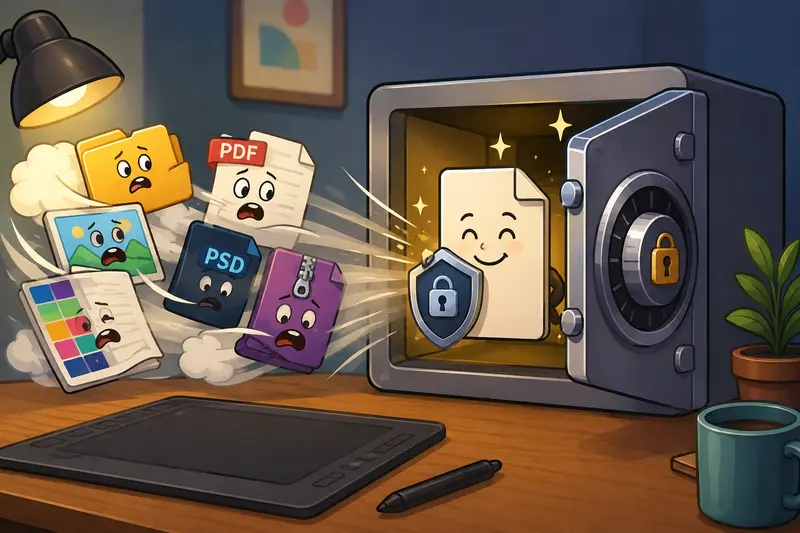
Why Designers Are Encrypting Files More Often
Social platforms and messaging tools compress, cache, and redistribute files in ways most people never think about.
A PDF proposal uploaded to a private group can still be downloaded and forwarded. High-resolution product renders sent to a contractor may remain searchable in cloud history long after a project ends.
In practical workflows, file encryption acts as a second layer of protection after sharing permissions.
This becomes especially useful when:
- sending client approval packages
- sharing branded assets before launch
- transferring licensed stock visuals
- emailing contracts and invoices
- delivering raw campaign exports to collaborators
And unlike traditional desktop encryption tools, browser-based workflows now make it possible to handle encryption without installing additional software.
What Actually Happens During File Encryption?
When you encrypt a file, the contents become unreadable until the correct password is provided.
This is different from simply locking a document inside a folder or renaming a ZIP archive. Proper encryption changes the underlying file data itself.
For designers, the most common scenarios include:
- encrypting PDFs before client review
- protecting exported image sets
- securing archive bundles containing fonts or assets
- locking multi-page design presentations
Some teams also prefer to remove hidden metadata before encryption, especially when sharing source material externally. In those cases, using a dedicated metadata scrubbing workflow first can prevent author details, GPS tags, and editing history from traveling with the file.
A Real Workflow Test With Large Creative Assets
To see how browser-based encryption performs in actual design work, a test batch included:
- a 92MB multi-page branding PDF
- twelve exported PNG mockups
- a scanned contract package
- one compressed archive containing Illustrator assets
The files were encrypted through Filemazing using separate passwords for the PDF set and the archive package.
A few practical observations stood out:
- Large PNG collections uploaded noticeably faster after compression
- Multi-page PDFs processed consistently without browser freezing
- Archive encryption remained stable even with nested folders
- Password-protected files downloaded individually after processing instead of bundling everything together
One detail many people overlook: scanned PDFs with embedded high-resolution images can become dramatically larger after revisions. Nobody notices until the upload bar suddenly estimates nine minutes remaining.
Compressing oversized images beforehand with the image compression tool reduced the upload size enough to make sharing easier without visibly damaging preview quality.
File Encryption Without Software Installation
A growing number of designers now work across multiple devices:
- office desktop
- personal laptop
- temporary production machines
- tablets during presentations
Installing encryption software everywhere becomes inconvenient quickly.
This is where browser-based tools like entity [company,Filemazing,Browser-based file processing SaaS] fit naturally into creative workflows.
The platform handles:
- PDF processing
- image conversion
- archive extraction
- metadata cleaning
- secure file encryption
Because processing happens through a web interface, there is no dependency on desktop utilities or operating-system-specific encryption apps.
For collaborative teams, the API support also matters. Agencies automating repetitive client delivery workflows can integrate encryption directly into processing pipelines instead of manually protecting every export.
One Tradeoff Most People Notice Late
Encryption itself is fast.
Uploads are not always fast.
That distinction matters.
Designers frequently work with layered assets, transparent PNGs, and print-ready PDFs that can become extremely heavy. Encryption does not reduce file size it protects the existing file exactly as it is.
In other words:
- a 180MB PDF remains 180MB after encryption
- a huge TIFF archive still behaves like a huge TIFF archive
This creates a practical tradeoff between quality preservation and transfer speed.
For social sharing or approval workflows, reducing oversized assets before encryption usually creates a smoother experience than encrypting raw exports immediately.
Especially for:
- portfolio previews
- ad creatives
- social campaign mockups
- client feedback rounds
Before You Encrypt Archived Design Packages
Creative teams often receive ZIP or RAR bundles from clients containing fonts, logos, drafts, and references.
Encrypting those archives directly is possible, but unpacking them first sometimes reveals duplicate files, unnecessary exports, or hidden metadata that should not remain in the final delivery package.
Using an archive extraction workflow before encryption can help reorganize files into cleaner deliverables.
This is especially useful when handling:
- vendor handoffs
- outsourced illustration work
- freelance packaging projects
- multi-format social asset kits
The Browser Performance Angle Nobody Mentions Enough
File encryption in the browser depends partly on available memory and local processing conditions.
That means:
- dozens of large files opened simultaneously can slow older machines
- extremely high-resolution PDFs may temporarily increase browser memory usage
- multiple active uploads compete with other creative software running in parallel
During testing, keeping only the encryption tab active noticeably improved responsiveness while processing larger batches.
This matters more on design machines already running Photoshop, Figma, video previews, or browser-heavy research tabs.
Some file formats cooperate nicely. Others behave like they were designed during an office argument.
Encrypt Files for Email Without Breaking Attachments
Email systems remain surprisingly restrictive about attachment size and security policies.
Encrypted files can help reduce accidental exposure when sending:
- invoices
- proofs
- draft contracts
- unreleased campaign assets
But there is one important habit worth following:
Never send the password in the same email as the attachment.
Teams usually separate delivery channels instead:
- email for the encrypted file
- Slack or SMS for the password
- project management comments for expiration instructions
That small separation adds meaningful protection if inboxes become compromised later.
Privacy and Temporary File Handling
One reason browser-based encryption workflows have become more popular is operational simplicity.
With Filemazing, uploaded files are treated as temporary processing artifacts rather than permanent cloud storage. Jobs process through queued handling and completed files are cleaned on a short retention schedule.
For agencies and freelancers working with client-owned assets, that temporary processing model often feels safer than leaving files indefinitely inside collaboration drives.
The platform also avoids subscription-heavy positioning by using a transparent token system instead. Encryption jobs calculate usage predictably based on workload characteristics instead of vague unlimited plans with hidden caps.
Final Thoughts
For designers, secure sharing is no longer limited to enterprise IT departments or desktop encryption suites.
Modern workflows increasingly require fast ways to:
- password protect PDFs and images
- encrypt files for email
- secure client deliverables
- handle sensitive creative assets remotely
Browser-based platforms now make those tasks easier to integrate into daily production work without adding extra software maintenance.
And realistically, the best encryption workflow is usually the one people will consistently use before uploading files anywhere public or semi-public.