Large website images slow down landing pages, increase bounce rates, and quietly damage ad performance. Marketers often discover this after publishing a campaign page packed with beautiful visuals that suddenly loads like its running through dial-up internet.
The tricky part is reducing file size without turning product photos, hero banners, or blog graphics into blurry messes.
Thats where learning how to compress JPG without losing quality becomes important especially when managing image-heavy websites, ecommerce campaigns, or content marketing workflows.

What You Actually Need to Know
JPG compression always involves some tradeoffs, but smart compression can dramatically reduce file size while keeping images visually identical for normal website viewing.
For most marketing assets, the goal is not perfect original quality. The goal is:
- faster page loads
- better Core Web Vitals
- cleaner uploads
- reduced CDN/storage usage
- maintaining sharp visuals on modern screens
Modern browser-based tools like Filemazings image compression tool make this easier because the workflow happens directly online without requiring desktop software or heavy editing suites.
What matters most is how compression is handled:
- image dimensions
- quality thresholds
- recompression behavior
- output format compatibility
A poorly compressed JPG creates visible artifacts around text and edges. A properly compressed JPG usually looks unchanged unless someone zooms in aggressively.
And honestly, nobody browsing your product page at midnight is pixel-peeping at 400% zoom.
Why Marketers Run Into This Problem Constantly
Marketing teams generate image-heavy assets at scale:
- blog featured images
- ad creatives
- ecommerce galleries
- webinar graphics
- landing page banners
- email visuals
One campaign can easily involve dozens or hundreds of exported images from Canva, Photoshop, Figma, or AI image tools.
The problem? Those exports are often huge.
A recent workflow test involved:
- 32 JPG files
- average size: 58 MB each
- exported from a design tool at maximum quality
- intended for blog uploads and Meta ads
After compression through Filemazing:
- most files dropped below 1.5 MB
- visible quality remained nearly identical
- upload times improved noticeably
- page rendering became smoother on mobile
That type of reduction matters when every extra second affects conversions.
How the Workflow Looks
Using an online compressor is straightforward, but the important part is avoiding unnecessary quality damage during processing.
Recommended process
- Export your original image once
- Compress the original file directly
- Avoid repeatedly recompressing already compressed JPGs
- Test output visually on desktop and mobile
- Upload optimized images to your CMS
Repeated compression is where quality degradation becomes obvious. Many users accidentally compress the same JPG multiple times while revising assets, and the damage compounds quickly.
Filemazing handles this workflow well because it supports lightweight browser-based processing with transparent token usage instead of oversized subscription plans.
For teams handling multiple formats, the platform also includes a format conversion tool that helps convert between JPG, PNG, WEBP, HEIC, and AVIF depending on website requirements.
The Compression Tradeoff Nobody Mentions Early Enough
Theres a difference between:
- technically lossless quality
- visually lossless quality
For websites, visually lossless usually wins.
A homepage hero image that shrinks from 7 MB to 900 KB while looking 99% identical is often the smarter choice than preserving microscopic texture details users will never notice.
But there are exceptions.
Keep higher quality for:
- luxury product photography
- portfolio websites
- screenshots containing small text
- photography prints
- zoom-enabled ecommerce galleries
Compress more aggressively for:
- blog thumbnails
- background images
- email graphics
- social media previews
- secondary page visuals
Many marketers overprotect image quality everywhere equally, which leads to bloated pages with little practical visual benefit.
A Useful Trick for Better Website Speed
Sometimes the best solution is not compressing JPG harder.
Its switching formats strategically.
For example:
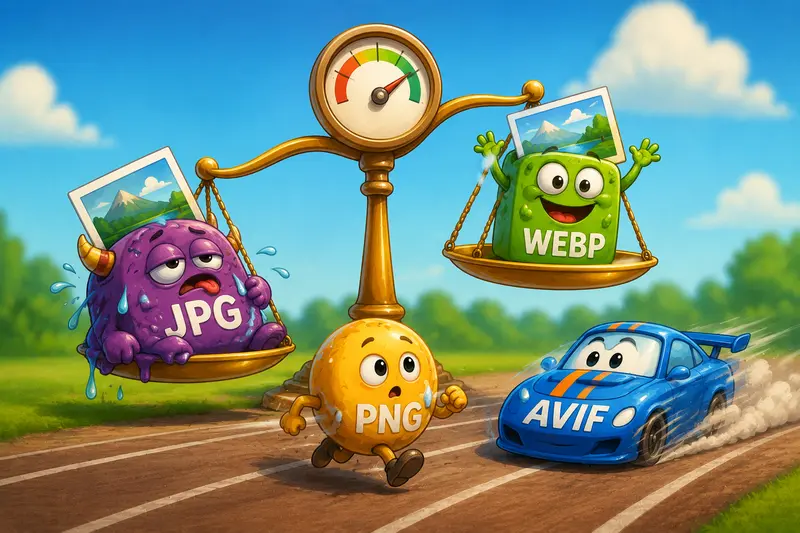
- JPG works well for photos
- PNG works better for transparent graphics
- WEBP often delivers smaller sizes than both
If you need to optimize image delivery further, converting heavy legacy files into WEBP can outperform aggressive JPG compression alone.
Thats why format flexibility matters in real workflows.
Some teams also use PDF to image conversion workflows when extracting visual assets from brochures or presentation decks before compressing them for websites.
What Usually Causes Quality Problems
Most visible compression issues come from avoidable mistakes rather than the compression itself.
Common problems marketers run into
Compressing screenshots as JPG
Text-heavy screenshots often look cleaner as PNG or WEBP.
Exporting oversized dimensions
Uploading a 6000px-wide image for a 1200px blog layout wastes bandwidth immediately.
Double compression
Social platforms and CMS systems may recompress uploads automatically.
Over-sharpened originals
Compression artifacts become more obvious on heavily sharpened images.
Saving at maximum quality unnecessarily
A quality setting around 7085 is often visually sufficient for web usage.
The goal is smaller files not transforming your campaign graphics into blurry historical artifacts from 2006.

Where Filemazing Fits Into Larger Content Workflows
What makes Filemazing useful is less about one compression feature and more about workflow consistency.
The platform supports:
- browser-based processing
- cloud imports from Google Drive and Dropbox
- queued handling for larger jobs
- API-ready automation
- predictable token pricing
- temporary processing rather than permanent storage
That matters for growing marketing teams managing repeated media operations across campaigns.
Instead of juggling separate tools for:
- conversion
- compression
- extraction
- cleanup
- encryption
the workflow can stay centralized.
For example, teams sharing compressed client assets externally may also use the platforms file encryption tool before delivery.
Privacy and Temporary File Handling
Uploading marketing assets to online tools naturally raises privacy concerns, especially for unreleased campaigns or client materials.
Filemazing approaches this practically:
- uploaded files are treated as temporary processing artifacts
- cleanup occurs on short retention schedules
- the platform is designed around processing workflows rather than long-term storage
That distinction matters for agencies and internal teams handling confidential creative assets.
Performance Gains Beyond Faster Uploads
Image optimization affects more than media libraries.
Compressed JPGs can improve:
- mobile browsing experience
- ad landing page speed
- SEO performance
- email load times
- server bandwidth usage
- CMS responsiveness
In real-world campaigns, these small gains stack together.
A lightweight image strategy often improves the overall feel of a website even before users consciously notice why.
Questions People Usually Ask
Does JPG compression always reduce quality?
Technically yes, but well-optimized compression can preserve visual quality closely enough that most users never notice differences during normal browsing.
Is online image compression safe?
It depends on the platform. Services that use temporary processing and short-lived storage practices are generally safer than platforms functioning as long-term file repositories.
Should marketers use JPG or PNG for websites?
JPG works best for photographic images. PNG is better for graphics requiring transparency or crisp text rendering.
Can I compress images before uploading to WordPress?
Yes and doing so is recommended. Compressing before upload reduces server load and avoids oversized media libraries.
Does compressing images improve SEO?
Indirectly, yes. Faster-loading pages contribute to better user experience and can support stronger Core Web Vitals performance.
What formats can I convert alongside JPG?
Using tools like Filemazings format converter allows switching between JPG, PNG, WEBP, HEIC, and AVIF depending on website needs and compatibility requirements.
Final Thoughts
Learning how to compress JPG without losing quality is less about chasing perfect compression ratios and more about building efficient publishing habits.
For marketers, optimized images affect:
- campaign speed
- user experience
- SEO performance
- workflow efficiency
- storage costs
The best results usually come from combining:
- smart compression
- proper image dimensions
- correct file formats
- minimal recompression
Browser-based tools like Filemazing work well because they reduce friction while keeping workflows flexible for both small content teams and larger automated operations.
Smaller files, faster pages, fewer headaches.