Marketing teams deal with audio more often than most people realize. Podcast snippets, webinar recordings, ad voiceovers, interview clips, event recaps the list keeps growing. The problem starts when AAC files refuse to cooperate with older mobile apps, editing tools, or campaign platforms.
Thats where an AAC to MP3 converter becomes practical rather than optional. MP3 remains one of the most universally supported audio formats, especially when you need to distribute files quickly across devices, ad systems, and collaboration tools.
What You Should Know First
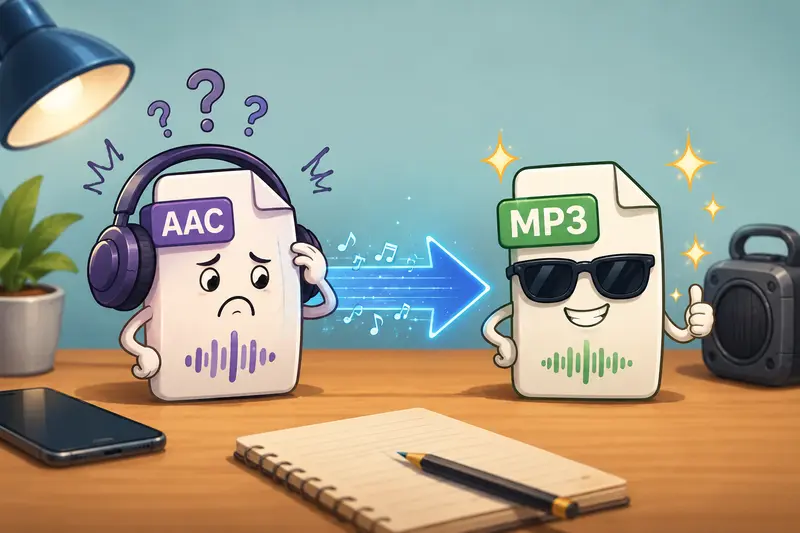
AAC generally delivers good compression efficiency, but MP3 still wins for compatibility. Converting AAC to MP3 helps marketers reuse audio assets across mobile devices, email campaigns, social uploads, and editing workflows without installing desktop software.
Browser-based tools like Filemazing Audio Converter https://filemazing.com/audio-converter make the process lightweight while keeping uploaded files temporary rather than permanently stored.
Why Marketers Still Convert AAC Files
In real workflows, compatibility problems usually appear at the worst possible time. A campaign manager receives AAC interview clips from a freelancer, but the clients upload platform only accepts MP3. Or a social media team needs to repurpose webinar audio for mobile-friendly downloads.
AAC itself is not bad. In fact, it often achieves smaller sizes at similar perceived quality. The challenge is ecosystem support.
MP3 still works almost everywhere:
- CRM media embeds
- older mobile devices
- presentation software
- email attachments
- podcast distribution tools
- advertising platforms
That universal support matters when deadlines are tight and teams cannot troubleshoot codec issues for half the afternoon.
A Practical Walkthrough
Converting audio online does not need to become a production task.
Heres a workflow many small marketing teams follow:
- Upload AAC recordings into the browser-based converter.
- Choose MP3 as the target format.
- Select a bitrate appropriate for the campaign use case.
- Download the converted files for publishing or sharing.
If the audio files arrive inside compressed ZIP archives from freelancers or production vendors, using the archive extraction tool https://filemazing.com/archive-extractor first can save time during batch preparation.
Where Filemazing Fits Into the Workflow
Filemazing https://filemazing.com/audio-converter focuses on practical file operations rather than bloated media editing suites. The platform runs entirely in the browser, which is useful when someone on the team suddenly needs to convert audio for mobile distribution during a campaign sprint.
The privacy angle is especially relevant for agencies handling:
- unreleased ad voiceovers
- client interviews
- webinar recordings
- internal training audio
Uploaded files are treated as temporary processing artifacts and cleaned on a short retention schedule instead of being kept as long-term storage.
That approach reduces the where exactly is this file sitting forever? concern that appears with many free conversion sites.
The platform also supports:
- batch processing
- cloud imports from Google Drive and Dropbox
- API-ready automation
- transparent token-based pricing
For teams processing recurring media assets, predictable costs are often easier to manage than subscription-heavy desktop software.
One Important Quality Tradeoff Most People Ignore
Heres the part many articles skip: converting AAC to MP3 can introduce generational quality loss.
AAC and MP3 are both lossy formats. When you convert from one lossy format to another, the audio gets recompressed again.
That does not automatically ruin the result but bitrate choices matter.
A useful rule of thumb
- For spoken voice content: 128 kbps MP3 is usually enough.
- For music-heavy marketing videos or podcasts: 192320 kbps preserves noticeably better clarity.
- For temporary review files: lower bitrates may be acceptable to reduce upload size.
The goal is balancing compatibility with reasonable fidelity. Nobody wants a polished webinar intro turning into muffled underwater radio audio.
Real Workflow Observation
During testing, a batch of 18 AAC webinar clips totaling roughly 420MB was converted into MP3 format for mobile distribution to a remote sales team.
The process worked smoothly because:
- files were processed in batches rather than individually
- output downloads remained organized per completed job
- the browser workflow avoided installing extra software on locked-down company laptops
One practical takeaway stood out: using moderate bitrate settings dramatically reduced transfer size without hurting speech clarity for mobile listening.
For voice-centric marketing assets, ultra-high MP3 bitrates often add size faster than they add meaningful quality.
Useful Scenarios for Marketing Teams
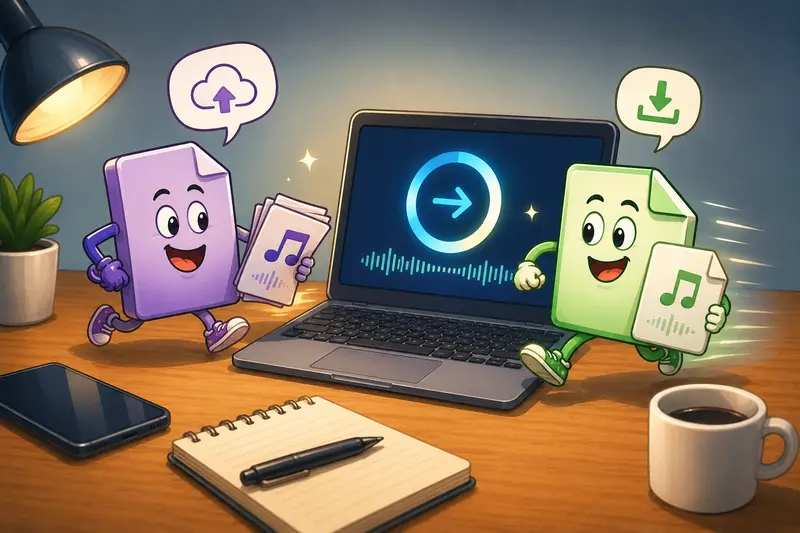
Different teams use audio conversion differently. Some common examples include:
Social campaign preparation
Convert AAC interview snippets into MP3 before scheduling uploads across multiple channels.
Podcast republishing
Standardize guest submissions into one format before editing.
Mobile sales enablement
Create smaller MP3 files sales reps can easily access offline.
Webinar repackaging
Extract downloadable audio versions from event recordings.
Email marketing assets
Prepare lightweight audio attachments that work across devices.
Agency collaboration
Share universally compatible files with contractors and clients.
If campaign assets also include supporting graphics, the format conversion tool https://filemazing.com/format-converter helps standardize related image files in the same workflow.
What Actually Helps in Larger Audio Batches
When teams process dozens of recordings, organization matters more than raw conversion speed.
A few workflow improvements help considerably:
- rename files before conversion
- separate voice-only files from music-heavy assets
- keep export bitrate settings consistent across campaigns
- archive originals before editing
For sensitive recordings, teams can also use the file encryption tool https://filemazing.com/encrypt-file to password-protect converted MP3 files before client delivery.
That extra layer becomes valuable when sharing unreleased campaign materials externally.
Why Browser-Based Conversion Keeps Growing
Desktop software still has its place for advanced production work. But many marketers simply need reliable audio format conversion without software installation headaches.
Browser-based processing works well because:
- there is no deployment overhead
- freelancers and agencies can use the same workflow
- temporary devices can handle conversions quickly
- remote teams avoid compatibility issues
In distributed marketing operations, convenience often translates directly into faster campaign turnaround.
Key Advantages
- Broad MP3 compatibility across devices and platforms
- Useful for high volume campaign asset preparation
- No desktop installation required
- Temporary processing improves privacy handling
- Batch workflows reduce repetitive manual work
- Transparent token pricing avoids unpredictable billing
FAQ
Does converting AAC to MP3 reduce quality?
Potentially, yes. Since both formats are lossy, some quality degradation can occur during recompression. Using higher MP3 bitrates helps preserve audio clarity.
Can I convert audio for mobile playback?
Yes. MP3 remains one of the safest choices when you need to convert audio for mobile devices, especially older phones and offline playback apps.
Is browser-based audio conversion safe for client files?
Privacy-focused platforms reduce risk by treating uploads as temporary processing files instead of permanent storage. That matters for marketing assets containing sensitive client material.
Do I need to install software?
No. Tools like Filemazing Audio Converter https://filemazing.com/audio-converter work directly in the browser.
Can multiple AAC files be converted together?
Yes. Batch processing support is useful when handling webinars, podcast episodes, interview collections, or campaign audio archives.
What if my AAC files are packaged inside ZIP archives?
You can first unpack them using the archive extraction workflow https://filemazing.com/archive-extractor before converting the audio files.
Final Thoughts
An effective AAC to MP3 converter is less about flashy features and more about reliability, compatibility, and privacy-aware processing.
For marketers juggling deadlines, mobile distribution, and shared media assets, a browser-based workflow like Filemazing https://filemazing.com/audio-converter keeps audio conversion practical without adding another heavyweight tool to the stack.
When the goal is fast distribution with predictable handling and high quality audio conversion, lightweight workflows usually win.