Large image files have a habit of showing up at the worst possible moment. A product catalog needs uploading, an Android phone gallery is overflowing, or a website suddenly slows down because every image weighs several megabytes.
For small business owners, that turns into a real workflow problem. Slower websites hurt conversions, oversized photos eat cloud storage, and sharing media with clients becomes unnecessarily frustrating.
Thats where bulk image compression becomes useful. Instead of reducing files one by one, you can compress entire batches of JPG and PNG images directly from your browser while keeping quality at a usable level.
If your workflow also involves converting image formats before compression, tools like format conversion for JPG, PNG, WEBP, HEIC, and AVIF can help standardize files before processing.

The Core Idea
Bulk image compression reduces image file sizes across many files at once.
On Android, this is especially useful because phone cameras now generate extremely large photos by default. A single product image can easily exceed 510 MB before editing.
Using a browser-based tool such as Filemazing Compress Image, you can:
- reduce JPG size online
- compress PNG for website speed
- process multiple files together
- avoid installing desktop software
- keep workflows manageable on mobile devices
The goal is not maximum compression at any cost. The goal is reducing weight while preserving enough quality for business use.
Because blurry product photos help nobody.
Why Android Users Often Need Batch Compression
Android devices are excellent for capturing content quickly, but they also create inconsistent file sizes and formats depending on the camera app, export settings, and editing tools involved.
In real business workflows, that creates several issues:
| Scenario | Typical Problem |
|---|---|
| Uploading product photos | Store pages load slowly |
| Sending client previews | Email attachment limits |
| Sharing marketing graphics | Messaging apps compress unpredictably |
| Managing event photography | Storage fills rapidly |
| Updating websites | Large PNGs damage page speed |
Many owners discover the issue only after checking Google PageSpeed Insights or seeing mobile bounce rates climb.
Getting It Done on Android
The process is straightforward, but there are a few workflow details worth knowing.
1. Gather Images Into One Batch
Create a dedicated folder on your Android device before uploading.
This sounds minor, but it speeds up bulk selection significantly when handling:
- product photos
- menu images
- social graphics
- scanned receipts
- marketing assets
Mixed galleries become chaotic fast.
2. Upload Images to the Compression Tool
Open the browser-based compressor:https://filemazing.com/compress-image
Filemazing supports temporary cloud-style processing without requiring desktop installation, which makes it practical for mobile-first workflows.
You can upload:
- JPG files
- PNG files
- multiple images simultaneously
Cloud imports from providers like Google Drive and Dropbox are also useful when assets are already stored remotely.
3. Choose a Balanced Compression Level
This is where many users overdo things.
Aggressive compression creates tiny files, but it can also introduce:
- smeared textures
- washed-out colors
- visible artifacts around text
- poor product detail
For websites, moderate compression usually delivers the best tradeoff between speed and image clarity.
4. Download and Organize Optimized Files
After processing, rename files consistently before uploading them anywhere publicly.
A practical structure might look like:
- product-blue-shirt-front.jpg
- bakery-menu-breakfast.png
- team-headshot-jane.jpg
Compression helps SEO indirectly when paired with clean filenames and faster loading pages.
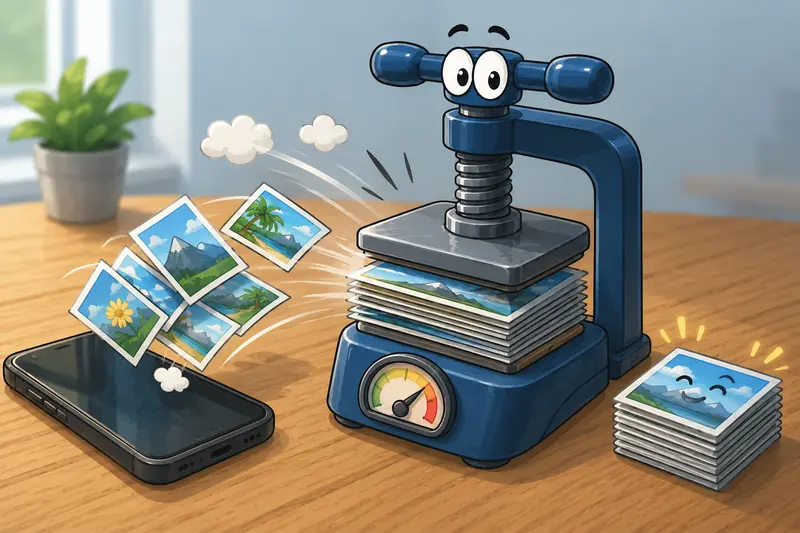
A Real-World Compression Test
We tested a realistic small-business batch using:
- 42 JPG product photos
- exported from a Samsung Android phone
- average size: 6.8 MB each
- total upload batch: roughly 285 MB
Results Observed
| Metric | Before | After |
|---|---|---|
| Total batch size | 285 MB | 71 MB |
| Average image size | 6.8 MB | 1.7 MB |
| Visible quality loss | Minimal | Acceptable for ecommerce |
| Processing time | A few minutes |
The biggest improvement appeared on mobile website loading times.
One useful takeaway: product photos with plain backgrounds compressed much more efficiently than images containing detailed textures or shadows.
That matters when choosing photography styles for online catalogs.
Where File Format Choices Matter More Than People Expect
Heres something many business owners miss:
Compression alone is not always the best optimization strategy.
Sometimes changing formats produces larger gains than lowering quality.
JPG vs PNG in Bulk Compression
JPG Works Better For:
- product photography
- team photos
- lifestyle imagery
- marketing banners
PNG Works Better For:
- logos
- graphics with transparency
- screenshots
- interface elements
Trying to compress detailed PNG photos aggressively often produces disappointing size reductions. In those cases, converting PNG to JPG first can dramatically reduce file weight.
If you need to switch formats before optimization, the image format conversion tool is useful for preparing mixed image batches.

One Often-Ignored Privacy Consideration
Business images frequently contain hidden metadata:
- GPS coordinates
- device information
- timestamps
- editing history
That may not matter for casual sharing, but it can matter when handling client materials, internal assets, or location-sensitive content.
Using a dedicated metadata removal tool for images before publishing files can reduce unnecessary exposure.
Filemazing also treats uploads as temporary processing artifacts rather than long-term storage, which is reassuring when compressing client or operational media.
Practical Situations Where Bulk Compression Saves Time
Small businesses usually encounter recurring image bottlenecks rather than one-time problems.
Some common examples include:
Ecommerce Product Uploads
Compressing 200+ product photos before uploading to Shopify or WooCommerce reduces bandwidth usage and improves mobile loading speed.
Restaurant Menus
Menu images exported from design tools are often oversized PNGs. Compressing them keeps online menus responsive.
Real Estate Listings
Property galleries contain large batches of smartphone photos that need balancing between clarity and loading performance.
Social Media Scheduling
Bulk compression helps when preparing weeks of graphics for scheduling platforms.
Scanned Documents
Teams converting scanned PDFs into image files can first use PDF to image conversion and then compress outputs before sharing.
Internal Team Sharing
Compressed images sync faster across messaging apps and shared drives.
Why Browser-Based Compression Fits Small Teams
Desktop software still has advantages for highly specialized editing.
But for operational workflows, browser processing is often easier to maintain:
- no installations
- no version conflicts
- accessible from Android tablets and phones
- useful for remote teams
- easier for non-technical staff
Filemazing also uses transparent token pricing rather than forcing subscription commitments for occasional use.
That matters for smaller businesses with irregular processing needs.
Helpful Clarifications
Does bulk image compression reduce quality?
Yes, but good compression aims to reduce file size while keeping visual changes minimal. Moderate settings usually preserve acceptable quality for websites and ecommerce.
Whats the best image compressor for Android users?
The best image compressor depends on workload. Browser-based tools are often the most practical for Android because they avoid local software installation and work across devices.
Can I reduce JPG size online without creating an account?
Many browser tools support anonymous processing with limited free usage, including Filemazings compression workflows.
Is PNG always better quality than JPG?
Not necessarily. PNG preserves lossless quality but often creates much larger files. JPG is usually better for photographic content.
How many images can be compressed at once?
That depends on file sizes and workload limits. Batch processing tools are designed specifically for multi-file operations.
Are uploaded files stored permanently?
Filemazing processes uploads temporarily and cleans them on a short retention schedule rather than functioning as permanent cloud storage.

Final Thoughts
Bulk image compression is less about saving storage space and more about improving operational efficiency.
Smaller image files:
- load faster
- sync faster
- upload faster
- improve website responsiveness
- reduce unnecessary bandwidth usage
For small businesses managing large numbers of photos, graphics, menus, or marketing assets, those gains add up quickly.
If your current workflow involves manually resizing images one at a time, switching to batch processing can remove a surprising amount of friction from day-to-day operations.
You can try the compression workflow here:https://filemazing.com/compress-image