Theres a good chance youve run into this situation before: a voice recording wont play on your phone, a podcast upload rejects your file type, or an old music archive suddenly needs to become MP3 before you can share it with anyone else.
Thats where an audio format converter online becomes genuinely useful. Instead of downloading heavyweight desktop software for a one-time task, browser-based tools now handle most everyday audio conversion needs surprisingly well.
For general users, the bigger appeal is convenience. You can convert files directly from your browser, process multiple tracks together, and avoid cluttering your computer with another installed application youll probably forget exists next month.
What You Should Know First
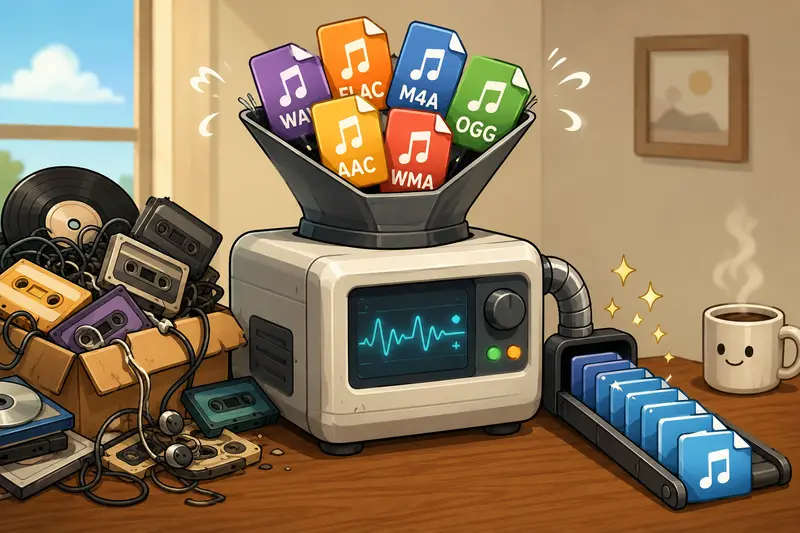
An online audio converter lets you upload audio files, change them into another format, and download the converted versions afterward.
Typical examples include:
- WAV to MP3
- FLAC to AAC
- OGG to MP3
- M4A to WAV
Modern platforms such as Filemazing Audio Converter https://filemazing.com/audio-converter also support batch audio conversion, cloud imports, and temporary processing workflows without requiring desktop installation.
For most casual and everyday workflows, browser-based conversion is now fast enough that dedicated software is only necessary for highly advanced editing or studio-grade mastering tasks.
Why Browser-Based Audio Conversion Has Become More Practical
A few years ago, online converters struggled with large uploads and unstable processing. That gap has narrowed considerably.
Today, services like Filemazing https://filemazing.com focus on lightweight processing pipelines that work well for common audio tasks:
- converting lecture recordings
- preparing podcast uploads
- changing ringtone formats
- compressing oversized audio files
- organizing mixed music collections
The browser-based approach is especially useful when youre moving between devices. A laptop at work, a tablet at home, and a phone while traveling can all access the same workflow without reinstalling software repeatedly.
Another practical advantage is that temporary processing systems reduce long-term file storage concerns. Filemazing treats uploaded files as short-lived processing artifacts rather than permanent cloud storage, which is reassuring if you occasionally handle sensitive recordings or client media.
Getting It Done Without Installing Anything
The process itself is refreshingly straightforward, although large files still benefit from a stable internet connection.
1. Upload Your Audio Files
Start by selecting local files or importing them from cloud providers like Google Drive or Dropbox.
If your audio arrives inside ZIP or RAR packages, using the archive extraction tool https://filemazing.com/archive-extractor beforehand can save time when unpacking large audio collections.
2. Choose the Output Format
Pick the format that fits your device or platform:
- MP3 for compatibility
- WAV for editing workflows
- AAC for efficient mobile playback
- FLAC for lossless preservation
3. Adjust Quality Settings
Higher bitrate settings usually improve sound quality but increase file size.
For spoken audio like meetings or lectures, moderate compression often sounds perfectly fine while dramatically reducing storage usage.
4. Start the Conversion
The platform queues the task and processes files in the background instead of freezing your browser tab during larger jobs.
5. Download the Converted Files
Once processing completes, you can save the new files immediately or continue with related workflows like metadata cleanup or encryption.
What We Tested in Real Use
To evaluate how well browser-based conversion performs for normal users, we tested a mixed batch of audio files totaling around 1.2 GB:
- 18 WAV recordings
- 11 M4A phone recordings
- 9 FLAC music files
- several old OGG podcast downloads
The goal was simple: convert everything into MP3 format for easier playback across phones and car audio systems.
Observations From the Test
- Smaller files converted almost instantly
- Larger WAV recordings naturally took longer
- Batch handling remained stable even with many files queued
- Output quality stayed consistent at higher bitrate settings
One practical takeaway stood out immediately: browser tabs remained responsive during processing because the system handled jobs asynchronously rather than trying to process everything directly in the visible page.
That matters more than people expect. Large media jobs have a talent for appearing right before deadlines.
We also noticed that converting FLAC into low-bitrate MP3 dramatically reduced file size, but subtle music detail became softer during headphone listening. For everyday playback this may not matter, but music enthusiasts will likely prefer higher-quality export settings.
A Common Mistake That Hurts Audio Quality
One overlooked issue with high quality audio conversion is repeated compression.
Heres what often happens:
- Someone converts WAV to MP3
- Later converts that MP3 into another MP3 bitrate
- Then converts again for a different platform
Each lossy conversion can reduce clarity further.
A better approach is to keep one higher-quality original version whenever possible and only create compressed copies for sharing or compatibility.
This matters especially for:
- podcasts
- interviews
- music archives
- educational recordings
Lossless formats like FLAC or WAV work best as master copies, while MP3 or AAC versions become your portable or shareable files.
Another surprisingly useful tip: if your files contain embedded metadata you dont want distributed publicly, using the metadata removal tool for media files https://filemazing.com/metadata-scrubber before publishing can remove hidden artist tags, location data, or recording details.
Where Online Audio Conversion Fits Best
Different users tend to rely on audio conversion for different reasons.
Everyday Personal Use
- converting voice notes for easier playback
- shrinking oversized music uploads
- preparing audio for messaging apps
- making old recordings phone-compatible
Student Workflows
- compressing lecture recordings
- converting interview audio for assignments
- organizing language-learning files
Small Business Tasks
- preparing podcast episodes
- standardizing customer audio submissions
- cleaning media before publishing
Content Sharing
If youre sending converted files externally, the file encryption workflow https://filemazing.com/encrypt-file can help password-protect sensitive recordings before distribution.
Large Mixed Archives
Browser-based tools are surprisingly effective for organizing decades-old media folders containing inconsistent formats gathered from phones, downloads, recorders, and older software exports.
What Makes Filemazing Different for General Users
A lot of online converters look similar on the surface, but Filemazing leans into workflow practicality rather than flashy complexity.
A few areas stand out:
Predictable Token Pricing
Instead of locking users into subscriptions, processing uses a transparent token model based on workload characteristics like:
- file size
- file count
- media duration
That predictability is useful when handling larger conversion batches.
Batch Handling Without Heavy Software
The platform supports audio format conversion without software installation while still handling multi-file jobs efficiently.
API Availability for Automation
Most general users wont need APIs immediately, but its helpful that the platform scales into automation later if workflows grow more demanding.
Temporary Processing Design
Files are cleaned on short retention schedules rather than treated like permanent cloud storage.
That privacy-focused approach matters for personal recordings, interviews, and client audio.
What You Gain From Online Audio Conversion
Not every task deserves a full desktop editing suite.
For many users, online conversion tools offer a practical middle ground:
- fewer installed programs
- easier cross-device access
- decent batch processing
- flexible format compatibility
- faster occasional workflows
The tradeoff is that extremely advanced editing, mastering, or restoration still belongs in professional desktop software.
But for everyday conversion? Browser-based workflows are now genuinely capable.
Frequently Asked Questions
Does online audio conversion reduce sound quality?
It depends on the output format and bitrate settings. Lossless formats preserve quality better, while compressed formats like MP3 reduce file size at the cost of some detail.
Can I convert multiple files at once?
Yes. Modern platforms support batch audio conversion, which is useful for playlists, lectures, or archive folders.
Is audio format conversion without software safe?
Generally yes, provided you use reputable services with temporary processing policies and secure handling practices.
Which format works best for universal playback?
MP3 remains the safest compatibility option across phones, browsers, cars, and older devices.
Will browser-based conversion work on mobile devices?
Usually yes, although very large uploads may perform better on desktop systems with stable internet connections.
What if my uploaded files contain private metadata?
You can remove embedded information before sharing by using tools like the metadata scrubber for media privacy https://filemazing.com/metadata-scrubber.
Final Thoughts
A modern audio format converter online is no longer just a backup option for emergencies. For many general users, its become the fastest and most practical way to handle everyday audio compatibility problems.
Filemazing keeps the process lightweight while still supporting larger workloads, multiple formats, batch handling, and privacy-conscious processing. The browser-first approach also removes much of the friction that traditionally came with audio conversion software.
If you regularly deal with mixed audio formats, oversized recordings, or compatibility headaches across devices, its a workflow worth trying before installing another desktop utility you may barely use afterward.