Marketing teams move files constantly. Campaign briefs, media kits, client reports, ad creatives, analytics exports, contracts all of it gets shared across inboxes, messaging apps, and cloud drives every day.
The problem is that email alone was never designed to protect sensitive documents.
A pitch deck with quarterly projections or a spreadsheet containing influencer payment data can easily end up forwarded outside the intended recipient list. Even something as routine as a PDF proposal may contain hidden metadata you forgot existed.
For marketers working from an iPhone, the safest habit is simple: encrypt documents before sending them.
That extra layer changes the file from readable content into protected data that only authorized recipients can open.
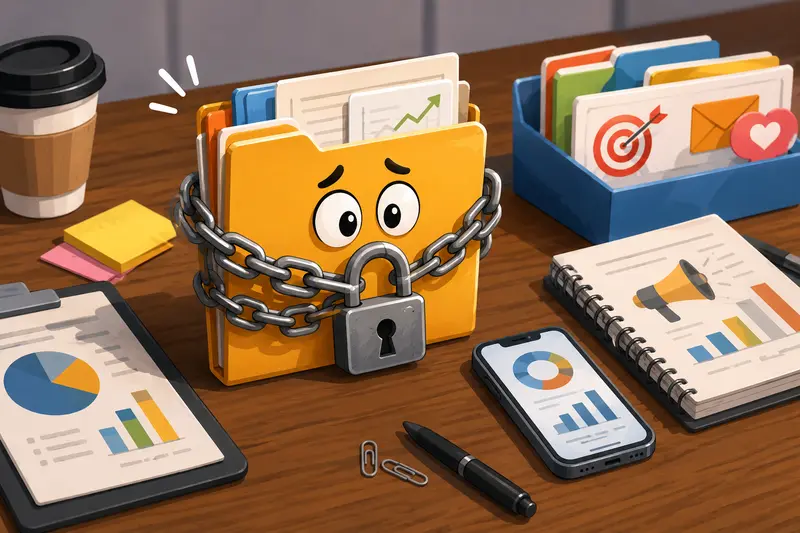
The Core Idea
When you encrypt documents before sending, the file becomes locked using a password or encryption key. Anyone intercepting the attachment without that password sees unusable data instead of the actual content.
This matters more than many teams realize.
Modern marketing workflows often involve:
- client contracts
- unpublished campaign assets
- audience exports
- ad performance spreadsheets
- affiliate payout records
- internal strategy presentations
Some of those files contain financial or customer-related information that should never travel unprotected through email.
On iPhone, many people rely on cloud drives or messaging apps for convenience. Convenience is useful. Security still matters.
Thats where browser-based encryption tools can fit naturally into the workflow.
One practical option is Filemazing Encrypt File Tool https://filemazing.com/encrypt-file, which allows marketers to encrypt files directly in the browser without installing desktop software. The platform focuses heavily on privacy-first processing and temporary handling rather than long-term storage.
Why Marketers Are Increasingly Encrypting Shared Files
Marketing departments often operate across agencies, freelancers, vendors, and clients simultaneously. Documents travel fast.
A few common examples include:
Campaign Reporting Packages
Monthly reporting PDFs frequently contain:
- conversion numbers
- ad spend
- client identifiers
- internal commentary
Even accidental exposure can create uncomfortable conversations.
Media Asset Transfers
High-resolution launch assets are commonly shared before public release. Encrypting those files helps prevent unauthorized leaks.
Influencer and Affiliate Spreadsheets
CSV exports and payout sheets sometimes contain personal information, rates, or tax details.
Internal Strategy Decks
Nobody wants a future product launch presentation circulating outside the company two weeks early.
Large files somehow also tend to appear ten minutes before a deadline.
How the Workflow Usually Looks on iPhone
The process itself is straightforward once you build the habit into your routine.
1. Prepare the Files First
Before encrypting, it helps to clean and optimize documents.
If you need to combine multiple PDFs into one protected file, tools like merge PDF documents efficiently https://filemazing.com/merge-pdf make the process cleaner before encryption.
For image-heavy campaign exports, reducing file size first can speed up sharing dramatically. You can also compress large marketing images before secure sharing https://filemazing.com/compress-image to avoid oversized email attachments.
2. Remove Hidden Metadata
This step is frequently overlooked.
Photos, PDFs, PowerPoint exports, and even Word files may contain:
- author names
- device information
- editing history
- GPS location data
- embedded comments
Before encrypting sensitive marketing materials, many teams first use a metadata scrubbing workflow for sensitive files https://filemazing.com/metadata-scrubber to remove hidden information.
Encryption protects access. Metadata scrubbing protects context.
3. Encrypt the Document
Upload the file, apply password protection, and download the encrypted version.
From there, the file can be safely attached to:
- Slack
- client portals
- cloud storage links
The password should always travel separately from the file itself.
Sending both in the same email defeats the point.
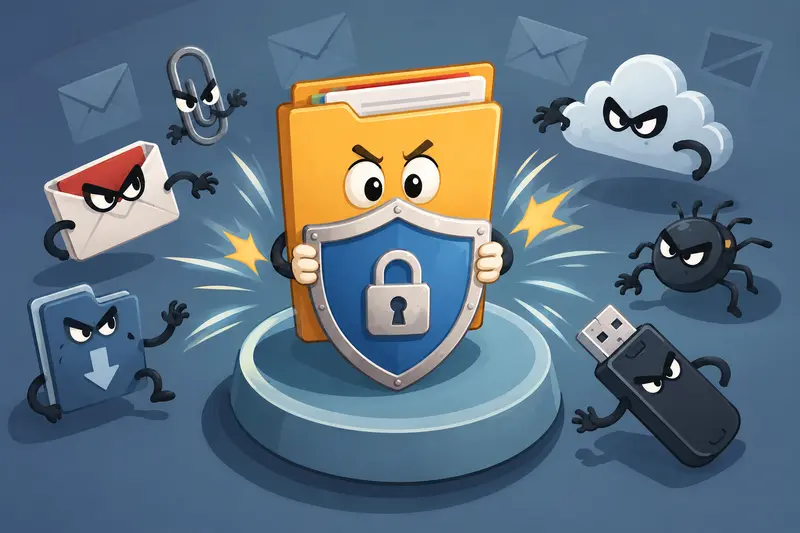
A Real Workflow Test From a Marketing Perspective
To see how practical browser-based encryption actually feels on iPhone, we tested a realistic agency-style workflow.
Test Setup
Files included:
- 42-page client performance PDF
- 18 MB presentation export
- 27 PNG creative assets
- one CSV audience export
Total upload size:approximately 96 MB.
The files were prepared on an iPhone using Safari.
What Happened
The encryption process completed without requiring app installation or account setup. The browser workflow handled the mixed file types smoothly, including larger image-heavy documents.
One noticeable advantage was predictable processing behavior. Filemazing uses transparent token-based pricing rather than vague unlimited claims with hidden restrictions.
For encrypt-file operations, token calculation stays relatively lightweight compared to media-heavy conversion tasks.
Observed Strengths
- no desktop software dependency
- worked cleanly on mobile Safari
- mixed file types processed reliably
- useful for temporary client-sharing workflows
- practical for remote teams
One Limitation
Very large presentation exports still depend on upload speed. On weaker mobile connections, encryption itself is fast, but transferring massive assets can take longer.
Thats where pre-compressing files often helps.
Useful Takeaway
For marketers sending recurring client materials, combining optimization + metadata cleanup + encryption into one workflow saves more time than treating security as a separate final step.
Where Browser-Based Encryption Saves Time
Traditional encryption tools often assume desktop-heavy workflows.
Marketing teams rarely work that way anymore.
A browser-based setup works particularly well when:
- traveling between meetings
- approving campaigns remotely
- sharing revisions from mobile devices
- coordinating with freelancers quickly
- handling last-minute client requests
This approach also reduces dependency on IT-managed desktop installations.
For lean agencies and distributed marketing teams, that flexibility matters.
One Mistake Teams Often Overlook
Heres a surprisingly common issue:
People encrypt the final PDF but forget about exported source files sitting elsewhere.
Examples include:
- unprotected ZIP folders
- temporary exports in cloud drives
- duplicate draft versions
- image previews stored automatically
In real workflows, the encrypted file may be secure while the surrounding copies remain exposed.
A cleaner process is to:
- finalize the document
- remove unnecessary duplicates
- scrub metadata
- encrypt the final deliverable
- share only the protected version
That sequence dramatically reduces accidental leakage risk.
Practical Use Cases for Marketing Teams
Different teams use encrypted files differently.
Client Proposal Delivery
Agencies can protect pricing proposals and contract documents before email delivery.
Influencer Campaign Coordination
Brand managers can securely share embargoed launch assets with creators.
Performance Reporting
Monthly analytics PDFs often contain revenue numbers and advertising spend details.
Event Marketing
Encrypted sponsor documents help protect unreleased event schedules or attendee-related materials.
Freelancer Collaboration
Creative contractors frequently exchange editable files that contain brand-sensitive assets.
Cross-Department Approvals
Marketing and finance teams sometimes share budgeting spreadsheets internally through encrypted attachments.

Privacy Considerations Matter More Than Features
Some encryption platforms quietly retain uploaded files for long periods.
That creates unnecessary exposure.
Filemazing positions uploaded files as temporary processing artifacts rather than permanent storage, which is a meaningful distinction for sensitive business workflows.
For marketing teams handling confidential campaigns, short retention schedules reduce long-term storage risk.
That privacy-first approach is often more important than flashy feature lists.
What You Gain From Encrypting Files Before Emailing
A few advantages become obvious quickly:
- reduced risk during client communication
- safer collaboration with external partners
- better protection for internal planning files
- more professional handling of confidential assets
- lower exposure from accidental forwarding
It also helps build trust.
Clients notice when agencies take file handling seriously.
FAQ
Can I encrypt files for email directly from an iPhone?
Yes. Browser-based tools allow you to encrypt files without installing desktop applications. This works well for PDFs, spreadsheets, presentations, ZIP archives, and image bundles.
Does encryption affect file quality?
Encryption itself does not reduce document quality. However, if you compress files beforehand, there may be tradeoffs depending on the format and compression level.
Is browser-based encryption safe for marketers?
It can be, especially when the platform uses temporary processing and short file retention policies rather than permanent cloud storage.
What types of marketing files should be encrypted?
Common examples include:
- campaign reports
- client contracts
- presentation decks
- audience exports
- media kits
- influencer agreements
Should I compress files before encrypting them?
Often yes, especially for large image-heavy assets. Smaller files upload faster and are easier to share securely.
Can encrypted PDFs still contain metadata?
Yes. Encryption locks access, but metadata may still exist inside the document. Before protecting sensitive PDFs, many teams first remove hidden metadata from documents https://filemazing.com/metadata-scrubber to avoid accidental information exposure.
Final Thoughts
For marketers working from iPhone, the ability to encrypt documents before sending is no longer a niche security habit. Its becoming standard operational hygiene.
Modern marketing teams exchange too many sensitive assets to rely on plain attachments alone.
A practical workflow usually looks like this:
- optimize the files
- clean hidden metadata
- encrypt the final version
- share securely
Tools like Filemazing https://filemazing.com/encrypt-file make that process easier without adding heavy software or complicated setup requirements.
And honestly, protecting confidential campaign files tends to feel much smarter than explaining later why an unreleased strategy deck somehow escaped into the wild.