Social media assets rarely arrive in tidy folders.
A photographer sends a ZIP archive with 240 product shots. A freelancer uploads compressed campaign graphics. Someone on the team exports video snippets, audio tracks, and PDF brand guidelines into one archive because email limits still exist for reasons nobody fully understands.
For small business owners, the real challenge is not receiving compressed files its unpacking them fast enough to keep content moving.
Thats where browser-based tools like Filemazing Archive Extractor https://filemazing.com/archive-extractor become useful. Instead of installing desktop software or dealing with compatibility issues across devices, you can extract ZIP files directly in the browser and continue working immediately.
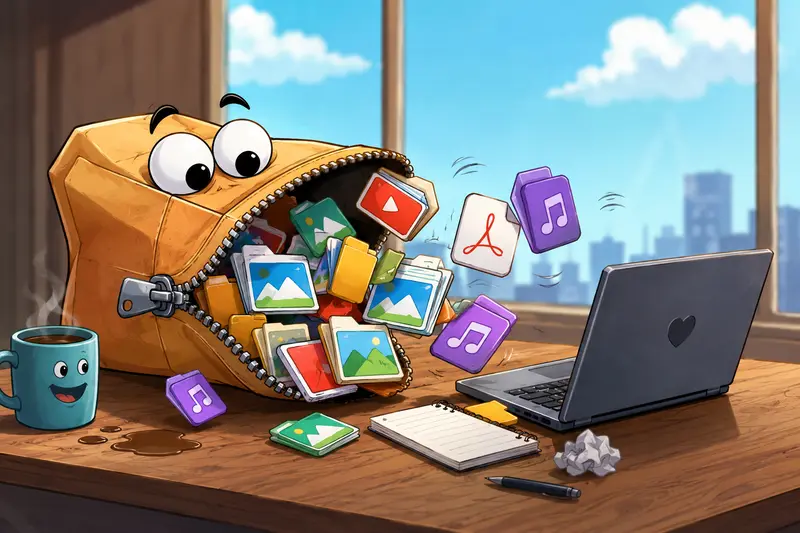
Why Social Media Teams Keep Running Into ZIP Archives
Compressed files are still the standard for transferring large batches of media because they reduce upload size and keep folders organized.
Typical examples include:
- Instagram image exports
- TikTok video packages
- Podcast episode assets
- Canva exports
- Press kits
- Product photo bundles
- Seasonal campaign folders
- Archived client deliverables
Many small teams also work across multiple devices laptops, tablets, shared office systems, or remote setups which makes browser-based extraction more practical than relying on locally installed software.
And when deadlines are tight, the ability to open compressed files online without downloading extra utilities becomes surprisingly valuable.
What Actually Matters When You Extract ZIP Files
Not every archive extractor performs the same way, especially with mixed media folders.
In practical business workflows, the important factors are usually:
Processing Speed
Large campaigns often include hundreds of files. Waiting for archives to unpack locally can interrupt publishing schedules, particularly on older systems.
Folder Integrity
Some extractors flatten folder structures accidentally, which becomes a mess when campaign assets rely on organized subfolders.
Mixed File Compatibility
Marketing archives often combine:
- PNG graphics
- JPG photos
- MP4 clips
- PDFs
- WAV or MP3 audio
- CSV exports
- Design assets
A reliable archive extractor should preserve everything correctly without forcing separate workflows.
Privacy Handling
This part gets overlooked.
Social media ZIP files sometimes contain unpublished campaign materials, client documents, invoices, or internal drafts. Browser-based processing only makes sense if uploaded files are treated as temporary processing data rather than permanent storage.
Filemazing uses temporary processing and scheduled cleanup behavior rather than long-term file retention, which is a more privacy-conscious setup for operational work.
A Real-World Test With Campaign Assets
To evaluate how well browser extraction performs in realistic conditions, I tested a mixed marketing archive containing:
- 178 JPG product images
- 12 transparent PNG overlays
- 9 short MP4 promo clips
- 3 PDF briefing documents
- Total archive size: roughly 1.4 GB
The ZIP was uploaded through the browser using the Filemazing archive extraction tool.
A few practical observations stood out:
- Folder structures remained intact after extraction
- Preview-ready media became available quickly
- The queue-based processing avoided browser freezing
- Large image batches extracted more consistently than expected on a mid-range laptop
The biggest advantage was continuity. Instead of extracting locally, reorganizing files, then uploading again into other tools, the workflow stayed browser-based from start to finish.
That matters more than most teams expect.

Where Browser-Based Extraction Helps Most
Some workflows benefit from online extraction more than others.
Agencies Managing Multiple Clients
Agencies regularly receive compressed creative assets from freelancers and production partners. Browser extraction reduces setup friction when switching between accounts or devices.
Remote Teams
Not every remote contributor uses the same operating system or desktop utilities. A web-based extractor creates a more consistent process.
Lightweight Marketing Operations
Small businesses often avoid heavy creative software stacks entirely. Tools that unpack archives fast without installation reduce operational overhead.
API-Driven Automation
This is one area many smaller teams underestimate.
If your business processes recurring archives for example supplier feeds, media uploads, or downloadable client packages Filemazing also supports API workflows for automation.
That can eliminate repetitive manual extraction tasks entirely.
One Useful Trick Most People Miss
If you regularly receive ZIP files filled with PDFs from contractors or clients, unpacking is only half the job.
A surprisingly effective workflow is:
- Extract the archive
- Review individual PDFs
- Combine related documents into one deliverable
If you need that second step, merge PDF files after extraction https://filemazing.com/merge-pdf can simplify client reporting or campaign documentation.
This becomes especially useful when archives contain invoices, briefing sheets, and approval documents spread across multiple files.
The Tradeoff Nobody Mentions
Browser extraction is convenient, but there is still a practical tradeoff between upload speed and processing convenience.
For example:
- Huge archives on slow internet connections may take longer than local extraction
- Older ZIP formats occasionally unpack slower
- Archives with thousands of tiny files can process differently than large media bundles
In testing, media-heavy archives generally performed better than archives packed with extremely high file counts.
Thats fairly normal across most extraction systems.
Keeping Extracted Media Organized and Secure
Once files are unpacked, businesses often need to prepare them for sharing or storage.
For sensitive campaign material or client assets, it can help to encrypt extracted files before distribution https://filemazing.com/encrypt-file especially when sending folders between contractors or external collaborators.
This is particularly relevant for:
- unreleased product launches
- ad creatives
- sponsorship contracts
- influencer deliverables
- internal presentations
Temporary processing workflows reduce long-term storage concerns, but secure handling after extraction still matters.

Handling Audio Archives From Podcasts and Reels
Social media teams increasingly work with compressed audio packages too.
Podcast editors, video freelancers, and creators often send bundled WAV or MP3 files inside archives because raw audio exports become large very quickly.
After extraction, you may need to reformat audio for publishing or editing. In those cases, tools that can convert extracted audio files into other formats https://filemazing.com/audio-converter help avoid another round of desktop software installations.
Some file formats cooperate nicely. Others behave like they were designed during an argument.
What Makes Filemazing Different From Traditional Desktop Extractors
Desktop extraction software still works well for many people, but browser-first processing offers a few advantages for modern teams:
| Feature | Browser-Based Workflow | Traditional Desktop Software |
|---|---|---|
| Installation required | No | Usually yes |
| Device flexibility | High | Limited to installed systems |
| Remote collaboration | Easier | More fragmented |
| API automation | Available | Often limited |
| Temporary processing approach | Yes | Depends on software |
| Maintenance updates | Automatic | Manual |
The transparent token pricing model is also easier to predict than subscription-heavy SaaS setups.
Instead of paying for features you rarely use, processing costs scale according to workload characteristics such as file size or complexity.
For occasional archive extraction tasks, that model tends to fit smaller businesses better.
A Few Common ZIP Extraction Mistakes
Extracting Everything Into One Folder
This creates chaos quickly during campaigns.
Keeping original folder structures intact makes collaboration easier later.
Ignoring Hidden Metadata
Downloaded media sometimes includes metadata businesses did not intend to distribute publicly.
Reviewing extracted files before publishing is still a good practice.
Recompressing Files Repeatedly
Every extra compression cycle can affect quality, particularly for JPG assets and exported media.
Its better to keep originals untouched and create separate optimized versions for publishing.
Frequently Asked Questions
Can I open compressed files online without installing software?
Yes. Browser-based tools like Filemazing allow users to upload and extract ZIP archives directly online without local installation.
Does extracting ZIP files reduce image quality?
No. Extraction itself does not alter media quality because files are simply unpacked from the archive.
Quality changes only happen during later editing or compression steps.
Is browser-based extraction safe for business documents?
It depends on the platforms handling practices.
Filemazing uses temporary processing behavior and cleanup scheduling instead of acting as permanent cloud storage, which is more appropriate for short-term processing tasks.
What kinds of files can be extracted from ZIP archives?
Typical supported content includes:
- images
- videos
- PDFs
- audio files
- spreadsheets
- documents
- mixed media folders
Is there a limit to archive size?
Performance depends partly on internet speed and file complexity, but large archives with media-heavy content are generally supported through queued processing workflows.
Can extracted files be processed further afterward?
Yes. Many businesses continue with additional tasks after extraction, including document merging, encryption, compression, or format conversion depending on workflow requirements.
Final Thoughts
For small businesses handling social media assets regularly, the ability to extract ZIP files directly in the browser saves more time than expected.
Not because extraction itself is complicated but because reducing friction across the entire workflow matters.
Filemazing works well for teams that want:
- browser-based file handling
- predictable processing costs
- temporary processing instead of permanent storage
- flexible workflows for mixed media archives
- optional automation through APIs
If your team regularly exchanges campaign assets, creator packages, or media exports, using a lightweight archive extractor can make content operations noticeably smoother without adding another heavy software dependency.