Large image files slow everything down.
They clog email attachments, drag down website speed, eat cloud storage, and make product catalogs harder to manage. For small business owners handling marketing graphics, invoices, product photos, or client uploads every day, learning how to reduce image file size efficiently becomes less of a design task and more of a workflow necessity.
The challenge is doing it quickly without turning sharp visuals into blurry messes.
One practical option is using a browser-based tool like Filemazing Compress Image https://filemazing.com/compress-image, which lets you compress JPG, PNG, and other image formats directly from your desktop browser without installing extra software.

The Simple Version
If you need to reduce image file size fast:
- Use JPG for photos whenever possible
- Compress images before uploading to websites or sending by email
- Avoid repeatedly re-saving compressed images
- Use a browser-based compressor that balances speed and quality
For most business workflows, high-quality compression can reduce image sizes by 4080% while keeping visuals usable for websites, online stores, and documents.
Why Desktop Images Become So Large
Modern phones and cameras generate massive files by default. Even screenshots can become surprisingly heavy once they pass through editing apps, exports, or presentation software.
A few common culprits:
- Product photos exported at print resolution
- PNG files used when JPG would work better
- Repeated editing and resaving
- Embedded metadata from cameras and editing tools
- Oversized dimensions for web use
In office workflows, this often happens quietly. Someone uploads five small photos to a website, and suddenly a page takes eight seconds to load.
Thats usually the point where image compression becomes urgent.
A Practical Way to Compress Images Quickly
Instead of installing desktop compression software, many businesses now use browser-based utilities because they work immediately across Windows, macOS, and even shared office devices.
Filemazing https://filemazing.com focuses heavily on speed and lightweight processing. The platform runs directly in the browser and supports image compression alongside file conversion, metadata cleanup, encryption workflows, and PDF processing.
The compression workflow is straightforward:
Upload Your Images
Drag in JPG or PNG files from your desktop, cloud storage, or shared folders.
For businesses managing frequent marketing assets, batch uploads save noticeable time.
Choose Compression Preferences
You can prioritize:
- smaller file size
- balanced quality
- faster processing
This matters because aggressive compression is not always the best option. A homepage banner and a receipt scan need very different treatment.
Process and Download
Once complete, compressed images are available for download immediately.
Since Filemazing uses queued processing rather than locking the browser during larger jobs, you can continue working instead of waiting on a frozen screen. That becomes useful when compressing dozens of product photos at once.
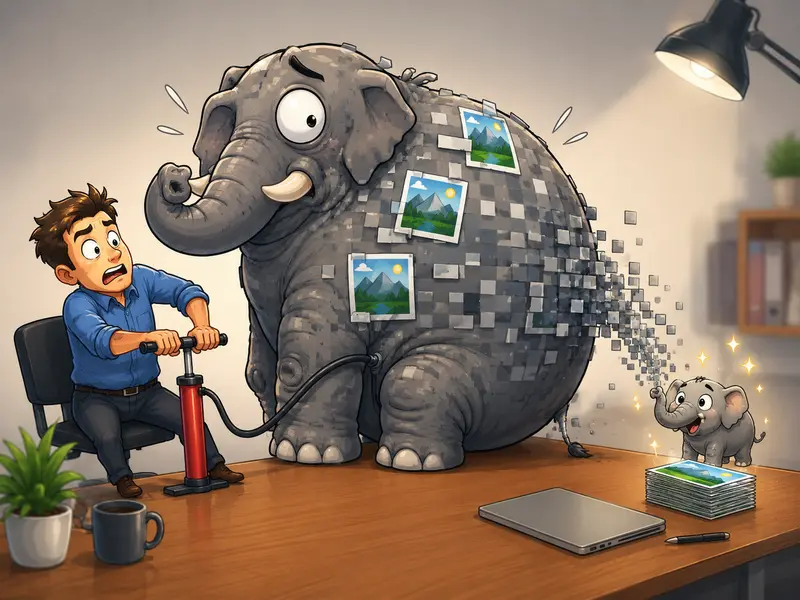
What Happened During Real-World Testing
To see how well browser-based compression performs in practical business use, I tested several common file types:
| File Type | Original Size | Compressed Size | Result |
|---|---|---|---|
| Product JPG | 8.4 MB | 2.1 MB | Minimal visible quality loss |
| Website Banner PNG | 5.7 MB | 2.8 MB | Slight softening in gradients |
| Scanned Receipt JPG | 3.1 MB | 740 KB | Still fully readable |
| Social Media Graphic | 6.9 MB | 1.9 MB | Good for online publishing |
One interesting observation: oversized PNGs were often the biggest storage offenders.
Many businesses keep graphics in PNG format even when transparency is unnecessary. Switching those assets to compressed JPG versions reduced storage dramatically while still looking perfectly acceptable online.
That alone can improve page speed noticeably.
The Compression Mistake That Hurts Quality Most
A common mistake is compressing the same image multiple times.
Each compression cycle removes more visual data. Eventually:
- text edges become fuzzy
- gradients break apart
- product photos lose detail
- colors flatten
The better approach is:
- keep one untouched original
- create compressed copies for web or sharing
- avoid re-editing already compressed versions
Think of compressed images as delivery copies, not master files.
The goal is smaller files not accidentally creating digital watercolor paintings.
Where This Saves Time in Business Workflows
Small businesses usually encounter image size problems in repetitive places.
Here are some common examples:
- Uploading product images to ecommerce stores
- Sending proposals with embedded photos
- Compressing blog images before publishing
- Preparing marketing graphics for email campaigns
- Sharing invoices or receipts with clients
- Archiving old media folders more efficiently
If your team also works with PDFs regularly, converting large documents into optimized image sets using PDF to Image tools https://filemazing.com/pdf-to-image can sometimes simplify sharing and reduce compatibility issues.
Compression vs Quality: The Tradeoff Most People Ignore
Not every image should be compressed equally.
Heres a practical rule many teams overlook:
Use lighter compression for:
- product photography
- logos with sharp edges
- marketing visuals
- images containing small text
Use heavier compression for:
- internal documents
- scanned receipts
- background graphics
- temporary uploads
This distinction matters because best image compressor doesnt always mean smallest file possible.
It means preserving enough quality for the images actual purpose.

Privacy Matters More Than People Expect
Images often contain hidden metadata:
- GPS coordinates
- camera information
- timestamps
- editing software details
For client-facing businesses, that data can become a privacy issue.
One useful workflow is compressing images first, then running them through a metadata cleanup step using metadata scrubbing tools https://filemazing.com/metadata-scrubber before external sharing.
Filemazing also treats uploads as temporary processing artifacts rather than long-term storage, with automatic cleanup after processing. Thats a meaningful difference compared to platforms that quietly retain uploaded files indefinitely.
Why Browser-Based Compression Is Becoming More Common
Traditional desktop compression software still exists, but browser-based workflows have advantages for smaller teams:
- no installation headaches
- easier onboarding for non-technical staff
- works across devices
- easier remote collaboration
- no dependency on one office computer
For growing businesses, API-ready workflows also help automate repetitive media preparation tasks without building custom infrastructure from scratch.
That becomes useful when compressing large image batches from ecommerce imports, marketing exports, or customer submissions.
A Few Situations Where Compression Is Not Ideal
Compression solves many problems, but there are edge cases where caution matters.
Avoid heavy compression when:
- preparing files for professional printing
- storing archival photography
- editing images repeatedly afterward
- preserving transparency-heavy artwork
PNG files with transparency, for example, can behave differently than standard JPG photos. Sometimes converting them aggressively creates artifacts around edges or shadows.
If image appearance is mission-critical, test one sample first before compressing an entire batch.
What You Gain From Smaller Images
Reducing image size helps more than storage.
Smaller files often lead to:
- faster website loading
- improved mobile browsing
- quicker uploads
- easier email sharing
- reduced bandwidth usage
- smoother cloud backups
Even modest reductions add up when businesses process hundreds or thousands of images over time.
Common Questions
Is it safe to reduce JPG size online?
Generally yes, provided the service uses temporary processing and cleanup policies. Browser-based platforms like Filemazing Compress Image https://filemazing.com/compress-image are designed around short-term processing rather than permanent file hosting.
Will compression ruin image quality?
Not necessarily. Moderate compression often produces little visible difference for web and business use. Problems usually appear when images are compressed too aggressively or repeatedly.
Which format compresses better: JPG or PNG?
JPG typically achieves much smaller sizes for photographs and marketing images. PNG is better for transparency and certain graphic elements.
Can I compress multiple images at once?
Yes. Batch processing is especially useful for product catalogs, event photography, or website asset folders.
How fast is browser-based compression?
For standard business images, processing is usually very quick unless handling unusually large batches or ultra-high-resolution files.
Should compressed files be encrypted before sharing?
If the files contain sensitive client or internal information, encrypting them before transfer is a smart extra step. Tools like file encryption workflows https://filemazing.com/encrypt-file help protect compressed archives during sharing.

Final Thoughts
For small business owners, image compression is less about technical optimization and more about keeping daily operations efficient.
Smaller images move faster, upload faster, and create fewer headaches across websites, email, storage, and client communication.
Using a browser-based workflow to reduce image file size also removes much of the friction that traditionally came with desktop compression software. You can process files quickly, maintain acceptable visual quality, and avoid cluttering devices with extra tools.
When the process becomes routine rather than frustrating, teams are far more likely to keep their files optimized consistently and that consistency pays off over time.