Mobile development workflows often involve documentation, reports, logs, scanned records, and exported PDFs from multiple sources. When you need to join PDFs into one file directly from a phone or tablet, the goal is usually efficiency: fewer files to manage, easier sharing, and cleaner project organization.
For developers working remotely or handling tasks on the go, modern browser-based tools make PDF merging practical without requiring desktop software.

What You Need to Know First
If you need to join PDFs into one file on mobile, a browser-based PDF merger is typically the most convenient approach. Upload the documents, arrange them in the desired order, merge them, and download the final file.
This method works for standard PDFs, scanned documents, and large multi-document collections while avoiding the overhead of installing dedicated software.
Why Developers Often Merge PDFs on Mobile
Development teams increasingly work across distributed environments. A developer might receive:
- API documentation from one source
- Architecture diagrams exported as PDF
- Security reports
- QA test summaries
- Client requirements
- Scanned signed documents
Keeping these as separate files can complicate review and distribution. Merging them into a single document reduces friction during collaboration.
In many cases, developers also need to combine scanned PDFs generated from mobile scanning apps before sharing them with stakeholders or attaching them to tickets.
How the Workflow Typically Looks
When merging PDFs from a mobile device, the process is straightforward.
Upload Your Files
Select PDFs from:
- Local device storage
- Google Drive
- Dropbox
- Shared download locations
Arrange Document Order
Place files in the sequence you want readers to follow. This matters more than many people realize because merged documents inherit the final ordering.
Start the Merge
The processing engine combines pages into a unified document while preserving the original page content.
Review and Download
Once complete, download the merged PDF and verify page order, page count, and readability.

A Practical Tool for Mobile PDF Merging
A useful option for developers is Filemazings PDF merge service:
https://filemazing.com/merge-pdf
Filemazing is a browser-based file processing platform designed for document and media workflows without requiring desktop software installation. Alongside PDF merging, it includes tools for PDF-to-image conversion, archive extraction, metadata cleaning, file encryption, image compression, audio conversion, and format conversion.
The platform supports both manual workflows and API-driven automation, making it suitable for developers who occasionally process files manually and teams that need repeatable workflows.
One notable advantage is its focus on batch processing. Rather than merging files individually, you can handle larger document sets efficiently.
Another benefit is transparent token pricing. Instead of subscriptions, operations consume tokens based on measurable factors such as:
- File size
- Page count
- Number of files
- Media duration (when applicable)
For PDF merging, pricing uses a formula that includes:
- Base cost: 8
- Per MB: 1.5
- Per page: 1.0
- Per file: 3.0
This approach allows teams to estimate costs before processing and avoid surprises.
Developers can also import files from cloud providers such as Google Drive and Dropbox, while larger jobs are handled through queued processing and job tracking so the interface remains responsive.
If your merged documents contain sensitive information, consider applying password protection to merged PDFs afterward using the encryption tool at https://filemazing.com/encrypt-file.
Tested Experience: Real-World Mobile Merge Scenario
To evaluate the workflow, a test was performed using:
- 12 PDF files
- Total size: 47 MB
- 186 combined pages
- Mix of native PDFs and scanned PDFs
- Documents exported from Android and iOS devices
The collection included:
- Developer documentation
- Scanned contracts
- Architecture diagrams
- QA reports
The merge completed successfully, preserving page order and maintaining readability across both text-based and scanned content.
One observation was that scanned PDFs naturally produced a larger final file than digitally generated PDFs. The content quality remained intact, but storage requirements increased due to embedded image data.
A useful takeaway: when working with many scanned documents, organizing filenames before uploading can significantly reduce reordering mistakes later.
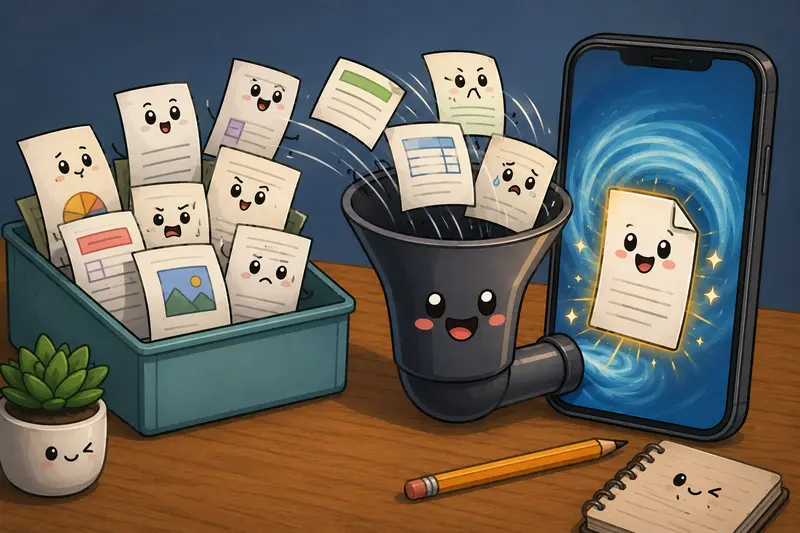
Performance Considerations When Merging Large PDF Collections
For developers, performance matters as much as functionality.
Several factors influence processing time:
- Total file count
- Aggregate file size
- Number of pages
- Complexity of embedded images
- Scan resolution
A collection of 50 small PDFs may process differently from a single 500-page document of equivalent size.
There is also a practical tradeoff worth noting:
Higher-resolution scanned PDFs improve visual clarity but increase processing workload and final file size.
For archival records, higher quality may be worthwhile. For routine sharing and collaboration, a moderate scan resolution often provides a better balance.
Additional Workflow Improvements
PDF merging is frequently only one step in a larger document pipeline.
For example:
- ZIP archives containing project reports can first be extracted using the archive extraction tool: https://filemazing.com/archive-extractor
- Hidden author information and embedded metadata can be removed using the metadata cleaning tool: https://filemazing.com/metadata-scrubber
- Final documents can then be encrypted before external distribution
This creates a cleaner and more secure document-sharing process.
Common Developer Use Cases
Project Documentation Packages
Combine API references, architecture notes, and deployment guides into a single deliverable.
Client Deliverables
Merge reports, contracts, and supporting documentation before sending final project materials.
Compliance Reviews
Gather audit reports and supporting evidence into one document for easier review.
Remote Team Collaboration
Package sprint reports and technical summaries into a unified PDF.
Scanned Record Consolidation
Combine scanned PDFs from mobile scanning apps into a single searchable archive.
Incident Reports
Merge logs, screenshots converted to PDF, and investigation summaries into one file.
What You Gain
Using a dedicated PDF merge workflow on mobile provides several advantages:
- Reduced document clutter
- Easier sharing
- Better organization
- Support for batch PDF merge tasks
- Accessibility from virtually any device
- Consistent workflows across teams
For developers, the biggest benefit is often eliminating unnecessary context switching between devices.
Frequently Asked Questions
Can I combine scanned PDFs and regular PDFs together?
Yes. Most PDF merging tools can combine scanned PDFs and digitally generated PDFs within the same merged document.
Is it possible to combine PDFs without signup?
Many browser-based services allow users to combine PDFs without signup, often with free usage allowances or token-based processing options.
Does merging PDFs reduce document quality?
Typically no. PDF merging combines existing pages rather than re-rendering them, so original quality is generally preserved.
Are uploaded files stored permanently?
Privacy-focused platforms usually treat uploaded files as temporary processing artifacts and remove them on short retention schedules rather than keeping them as long-term storage.
Can developers automate PDF merging?
Yes. Platforms that expose API endpoints can integrate PDF merging into automated workflows, CI/CD pipelines, document generation systems, or internal tooling.
Is there a limit to how many PDFs can be merged?
Limits depend on platform policies, file sizes, page counts, and processing resources. Large workloads are generally better handled by systems designed for batch processing.
Final Thoughts
For developers working from mobile devices, the ability to join PDFs into one file can streamline documentation management, reporting, compliance work, and client communication.
A browser-based solution such as Filemazing offers a practical balance of batch processing capability, API readiness, predictable pricing, and privacy-conscious handling of uploaded files. Whether you need to combine scanned PDFs, perform a large batch PDF merge, or simply combine PDFs without signup requirements, a mobile-friendly workflow can keep projects moving without waiting to return to a desktop machine.