Sending documents by email, cloud storage, or messaging platforms is routine for remote teams. The challenge is that confidential contracts, financial reports, HR records, and client files often travel through channels that arent fully under your control.
If you need to encrypt documents before sending, a structured workflow can help protect sensitive information without adding unnecessary complexity. Whether youre sharing a single PDF or distributing dozens of files across departments, encryption adds a critical layer of security that reduces the risk of unauthorized access.
What Matters Most
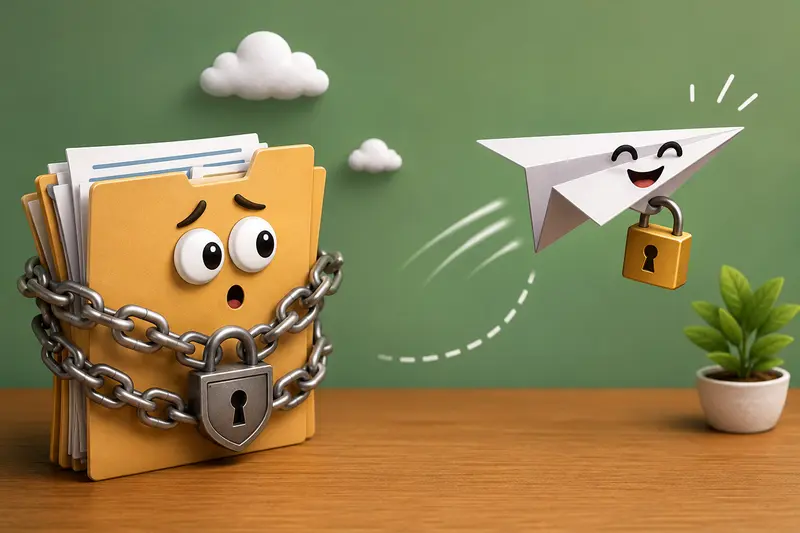
The safest approach is to encrypt files before they leave your device and share the password through a separate communication channel. This creates a practical security barrier even if the file is intercepted during transit.
For remote teams handling recurring document exchanges, combining encryption with file preparation tasks such as compression or document merging can streamline the entire process.
A Practical Workflow for Secure Document Sharing
Instead of treating encryption as a last-minute task, build it into your document preparation process.
1. Organize and Prepare Files
Start by reviewing the documents you intend to send.
If youre distributing multiple PDFs, it can be useful to combine them first using a tool designed to merge PDF files into a single document. This reduces the number of files recipients must manage and ensures nothing is overlooked.
2. Reduce Unnecessary File Size
Large attachments can slow transfers and trigger email size restrictions.
For image-heavy reports, scanned documents, or presentation assets, consider reducing file weight before encryption. Teams working with visual content often use tools that compress images before secure sharing to improve delivery speed without sacrificing readability.
3. Apply Encryption
Once files are prepared, encrypt them with a strong password.
Choose a password that combines:
- Uppercase and lowercase letters
- Numbers
- Special characters
- At least 1216 characters
Avoid passwords that can be guessed from company names, project titles, or personal information.
4. Send Password Separately
Never include the password in the same email as the encrypted file.
A common practice is to:
- Send the file via email
- Share the password through a messaging platform
- Confirm access via a phone call when appropriate
5. Maintain a Consistent Team Process
The strongest encryption can still fail if teams apply inconsistent procedures.
Document a standard workflow so everyone follows the same steps when handling sensitive files.
Why Filemazing Fits This Workflow
The https://filemazing.com/encrypt-file tool is designed for teams that want a straightforward way to protect files without installing additional desktop software.
Its strongest advantage is privacy and security, making it well suited for confidential document handling. As a secondary benefit, the platform supports a browser-based workflow, allowing users to prepare and process files from virtually any workstation.
Beyond encryption, Filemazing includes tools for:
- PDF conversion
- Archive extraction
- Metadata removal
- Image compression
- Audio conversion
- Format conversion
- Document merging
For example, if files arrive in compressed archives, you can first extract archived files before applying encryption and then continue the workflow without switching between multiple applications.
The platform uses transparent token-based pricing, allowing teams to estimate processing costs before running jobs. Files are treated as temporary processing artifacts and removed on a short retention schedule rather than stored indefinitely.
Real-World Test Scenario
To evaluate a typical remote-team use case, we tested a batch consisting of:
- 12 PDF documents
- Total size: 186 MB
- Average document length: 34 pages
- Mix of text-based and scanned PDFs
Test Method
The documents were first reviewed for duplication and unnecessary pages. Several reports contained embedded images, while others were scanned contracts.
After preparation:
- Files were consolidated where appropriate.
- Unnecessary image weight was reduced.
- Encryption was applied to the final distribution package.
- Passwords were delivered through a separate channel.
Observed Results
- Encryption completed without altering document readability.
- File contents remained unchanged after decryption.
- Sharing became simpler because multiple files were grouped into fewer protected packages.
- Team members reported fewer attachment management issues.
Practical Takeaway
Encryption is most effective when integrated into the document preparation stage rather than added after files are already distributed.
Common Mistakes That Can Undermine Encryption
Even experienced users occasionally overlook details that weaken security.
Reusing the Same Password
Using one password for every project creates unnecessary exposure. If one password becomes known, every protected file becomes vulnerable.
Encrypting Unnecessary Drafts
Draft versions often contain outdated information. Encrypting and distributing every iteration increases confusion and version-control problems.
Ignoring Metadata
Documents can contain hidden information such as author names, editing history, and software details. Metadata review should be part of any secure document workflow.
Sending Oversized Files
Large files may force users to switch delivery methods unexpectedly. Planning for file size before encryption avoids last-minute complications.
Where Remote Teams Benefit Most
Business professionals frequently encounter situations where encryption improves security and compliance.
Client Contract Reviews
Protect signed agreements exchanged between legal teams and clients.
Financial Reporting
Secure quarterly reports, budgets, and forecasting documents.
Human Resources Documentation
Safeguard employee records, onboarding paperwork, and performance reviews.
Vendor Agreements
Protect sensitive pricing structures and procurement documents.
Internal Strategic Planning
Reduce exposure when sharing confidential planning materials across distributed teams.
Board and Executive Communications
Add another layer of protection for highly sensitive business discussions.
What You Gain From a Structured Encryption Process
A consistent encryption workflow delivers benefits beyond security alone.
- Reduced risk of unauthorized document access
- Better handling of confidential information
- More organized file distribution
- Easier compliance with internal security policies
- Improved confidence when collaborating remotely
Just as importantly, standardized processes help teams avoid the confusion that often appears when different departments use different methods.
Frequently Asked Questions
Does encryption reduce document quality?
No. Proper file encryption protects content without changing document quality, formatting, or readability.
Can I encrypt files for email attachments?
Yes. In fact, many organizations encrypt files for email specifically because email remains one of the most common document-sharing channels.
Is file encryption without software possible?
Yes. Browser-based platforms provide file encryption without software installation, which can be useful for distributed teams and temporary workstations.
How large can encrypted files be?
Limits depend on the service being used and the delivery method. Email providers often impose attachment restrictions, so preparing files beforehand remains important.
Are encrypted files compatible across operating systems?
Generally yes. Most encrypted file formats can be accessed on Windows, macOS, and Linux as long as recipients have the correct password and compatible extraction tools.
What is the best file encryption tool for remote teams?
The best file encryption tool depends on workflow requirements, security expectations, and file volume. Many teams prefer solutions that combine encryption with preparation tasks such as compression, conversion, extraction, and document management in a single environment.
Final Recommendation
If your team regularly shares confidential documents, its worth making encryption a standard step rather than an occasional precaution. Preparing files properly, protecting them with strong encryption, and separating password delivery significantly reduces risk.
For organizations looking for a practical browser-based solution, Filemazing provides encryption alongside a broader set of file preparation tools, helping remote teams manage secure document workflows from one place while maintaining predictable costs and privacy-focused handling.