Large PDF files can become a bottleneck when you need individual images for documentation, archiving, machine learning datasets, presentations, or content publishing. Developers often face additional challenges such as processing image-heavy PDFs, handling hundreds of pages, and maintaining acceptable output quality without overwhelming local resources.
A reliable PDF to JPG converter helps transform large documents into manageable image files while supporting scalable workflows. Whether youre performing batch PDF to image conversion, preparing assets for web applications, or looking to convert PDF pages online, choosing the right approach can save significant time and effort.
What You Need to Know First
For large files, the best PDF to JPG converter should support high-volume processing, maintain image quality, and avoid lengthy local software installations.
Browser-based tools can be particularly effective because they offload processing tasks while providing accessibility from any device. For developers and technical teams, API access adds an extra layer of automation and scalability.
How It Works
Converting a large PDF into JPG images generally follows a straightforward process:
- Upload a PDF from local storage, cloud storage, or a URL.
- The converter analyzes page count, file size, and document structure.
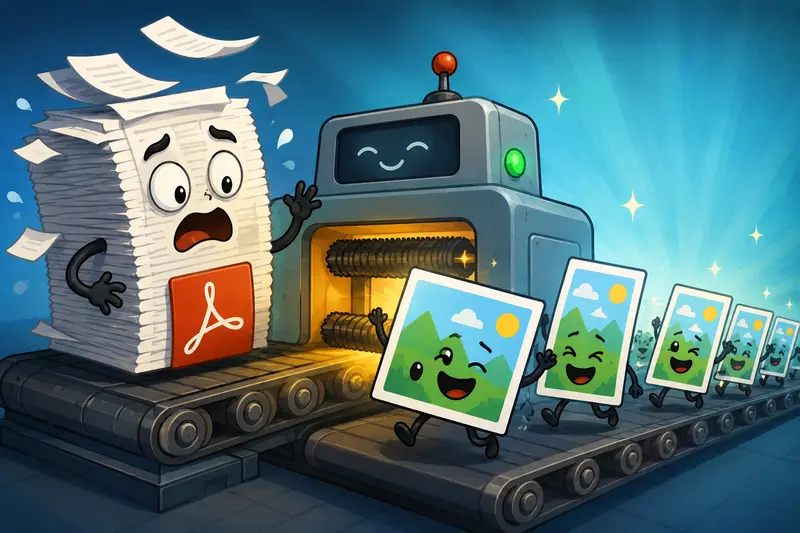
- Each page is rendered into a separate JPG image.
- Images are packaged and prepared for download.
- Completed files can be integrated into downstream workflows or automated pipelines.
When working with multiple PDFs, it may be helpful to first use a tool that can combine PDF files before conversion to streamline processing and maintain page order.
A Practical Option for Large PDF Conversion
One solution worth considering is Filemazing PDF to Image:
https://filemazing.com/pdf-to-image
Filemazing is a browser-based file processing SaaS designed to convert, clean, compress, and prepare files without requiring desktop software. Beyond PDF-to-image conversion, the platform includes tools for PDF merging, image compression, archive extraction, audio conversion, metadata removal, format conversion, and file encryption.
The platform is particularly well-suited for large-file workloads because it uses queued processing and job tracking. Instead of forcing users to wait for a browser tab to remain active, larger jobs are processed in the background and delivered when complete.
For developers, Filemazing also supports API endpoints, enabling automated batch PDF to image conversion inside custom workflows, scheduled tasks, document pipelines, or SaaS products.
A notable advantage is its transparent token pricing model. Rather than requiring subscriptions, each operation consumes tokens based on measurable factors such as:
- File size (MB)
- Page count
- Number of files
- Media duration where applicable
For PDF-to-image conversion, pricing currently uses:
- Base cost: 10 tokens
- Per MB: 3.0 tokens
- Per page: 2.0 tokens
- Per file: 5.0 tokens
This makes it easier to estimate costs before processing large workloads.
Users can start with daily free tokens, while larger projects can use Pack 500, Pack 5000, or Pack 50000 token bundles. Payments and top-ups are handled through Lemon Squeezy, and purchased credits are automatically added to user accounts.
Cloud imports from Google Drive and Dropbox are supported alongside local uploads and URL-based file retrieval, making large-file handling more flexible.
From a privacy perspective, uploaded files are treated as temporary processing artifacts and are automatically cleaned on a short retention schedule rather than being stored indefinitely.
The combination of bulk processing and API-driven automation makes the platform especially attractive for development teams handling recurring document conversion tasks.
Testing a Large PDF Workflow
To evaluate performance in a realistic scenario, a test was performed using:
- One scanned PDF
- 248 pages
- 387 MB file size
- Mixed text and image content
- Technical documentation archive
The objective was to convert every page into separate JPG files suitable for indexing and review.
Observed Results
The conversion process completed successfully without requiring local software installation. The generated JPG files retained readable text, diagrams remained clear, and page ordering was preserved throughout the export.
One useful observation was that image-heavy pages generated larger JPG outputs than text-focused pages. This is expected because photographic content requires more visual information to maintain clarity.
What Developers Can Learn
Large PDFs benefit from staged processing:
- Organize documents before conversion.
- Remove unnecessary pages when possible.
- Estimate processing requirements based on page count, not just file size.
- Consider automation if conversions occur frequently.
An overlooked optimization is removing sensitive metadata after conversion. If exported images are being distributed externally, a metadata scrubbing workflow can help eliminate unwanted file information before publication.

Performance Considerations for Large Files
Large PDF conversion is not simply about completing the job. Performance depends on several variables.
Page Count Often Matters More Than File Size
A 500-page text document may process differently than a 50-page PDF packed with high-resolution photography.
Queue-Based Processing Helps
For larger workloads, queued systems prevent browser slowdowns and allow jobs to finish without locking up user devices.
Automation Reduces Repetitive Work
If your team regularly converts PDFs into images, API integration can eliminate manual uploads and downloads entirely.
Storage Planning Is Important
A converted PDF can generate hundreds or thousands of JPG files. Planning storage and delivery workflows ahead of time prevents operational headaches later.
Real-World Use Cases
Professional and business users frequently use PDF-to-image workflows in situations such as:
1. Technical Documentation Archives
Engineering teams convert large manuals into images for indexing systems and visual review tools.
2. Knowledge Base Migration
Organizations export PDF content into image assets for documentation platforms.
3. Compliance Record Management
Auditors preserve visual snapshots of records for long-term verification.
4. Content Publishing Pipelines
Marketing and publishing teams extract pages from brochures, reports, and catalogs.
5. Machine Learning Datasets
Developers convert PDFs into image datasets for OCR training and computer vision workflows.
6. Legal Document Review
Large collections of scanned documents can be converted into page-level images for annotation and analysis.
Quality vs File Size: An Important Tradeoff
When converting PDFs to JPG format, there is always a balance between image quality and storage efficiency.
Higher Quality
Pros:
- Better readability
- Improved OCR accuracy
- Cleaner diagrams and graphics
Cons:
- Larger files
- Longer transfers
- Increased storage consumption
Smaller Files
Pros:
- Faster downloads
- Reduced storage costs
- Easier sharing
Cons:
- Potential compression artifacts
- Reduced clarity for detailed content
For technical documents containing diagrams or small text, prioritizing image quality is usually the better choice.
If you later need broader image format support, a multi-format image conversion tool can help convert JPG files into PNG, WEBP, HEIC, or AVIF depending on project requirements.
Key Advantages
- Supports large PDF workloads
- Suitable for batch PDF to image conversion
- Accessible from desktop and mobile browsers
- API-ready for automation
- Predictable token-based pricing
- Temporary file handling with automatic cleanup
- Cloud import support
- No desktop software required

FAQ
Can I convert PDF pages online without installing software?
Yes. Browser-based platforms allow you to upload a PDF and generate JPG images directly online without desktop installation.
Is JPG the best format for converted PDF pages?
It depends on the use case. JPG is excellent for storage efficiency and sharing, while PNG may be preferable when lossless quality is required.
Can I save PDF as image on mobile devices?
Yes. Most modern browser-based converters work on mobile devices, making it possible to save PDF as image files from phones and tablets.
How fast is batch PDF to image conversion?
Processing speed depends on file size, page count, image complexity, and system workload. Queue-based processing generally performs better for large jobs.
Are uploaded files stored permanently?
Privacy-focused platforms typically treat uploaded files as temporary processing artifacts and remove them after processing. Always verify retention policies before uploading sensitive content.
Is there a limit to how many pages can be converted?
Limits vary by provider. Many large-file solutions calculate processing requirements using page count and file size rather than enforcing strict low-page limits.
Final Recommendation
If your workflow involves large documents, frequent batch PDF to image conversion, or automated document processing, choosing a scalable PDF to JPG converter becomes increasingly important.
Filemazing offers a practical combination of bulk-processing capabilities, browser-based accessibility, transparent token pricing, API support, and temporary file handling. For developers and technical teams working with high-volume PDFs, it provides a flexible way to convert PDF pages online while maintaining predictable costs and efficient processing.