Sharing files has never been easier, but keeping them private is a different challenge altogether. Whether youre sending personal documents, school assignments, financial records, or family photos, secure file sharing helps prevent unauthorized access and protects sensitive information from exposure.
Modern users often need a private file sharing workflow that works across devices without installing complicated software. Browser-based encryption tools have made that process significantly more accessible while reducing the risk of storing unprotected files online.
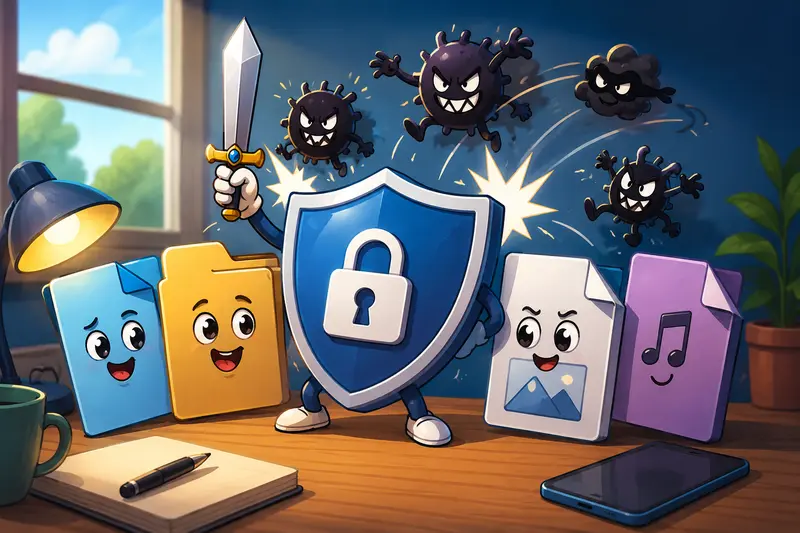
What You Need to Know First
The most effective approach to secure file sharing combines three key practices:
- Encrypt files before sharing them
- Remove unnecessary metadata that may reveal information
- Use temporary processing services that do not retain files long-term
This reduces the chances of exposing personal details while keeping files accessible to intended recipients.
Why Secure File Sharing Matters More Than Ever
Many people assume that sending a file through email or cloud storage automatically makes it safe. In reality, file transfers can expose information in several ways:
- Unencrypted files may be accessible if accounts are compromised
- Metadata can reveal device details, locations, or editing history
- Shared links may be forwarded beyond intended recipients
- Sensitive documents often remain stored longer than expected
A secure file sharing strategy addresses these risks before files leave your device.
A Practical Workflow for Protecting Files
When preparing secure files online, following a consistent process helps avoid mistakes.
Step 1: Organize the Files
Gather the documents, images, or archives you intend to share. If multiple PDFs belong together, consider using a tool to create a single package. For example, you can merge PDF documents into one protected file before encryption.
Step 2: Remove Hidden Information
Many files contain metadata that users never see. Photos may include location data, while documents can contain author names and revision history.
Before encrypting, consider using a metadata removal tool to eliminate hidden information.
Step 3: Encrypt the File
Apply encryption so that only users with the correct password or key can access the contents.
Step 4: Share Through Your Preferred Channel
Once encrypted, you can send the file through email, messaging platforms, or cloud storage with significantly lower risk.
Step 5: Share Passwords Separately
A practical security habit is sending the password through a different channel than the file itself.

A Browser-Based Option for Everyday Users
One challenge with file encryption is that many tools require installations, updates, or technical configuration. For general users, that often creates unnecessary friction.
The Filemazing Encrypt File tool provides a browser-based approach to file encryption at:
https://filemazing.com/encrypt-file
Its strongest advantage is ease of use. Users can process files directly through a web interface without installing desktop software, making it suitable for occasional use as well as recurring file protection tasks.
A secondary benefit is transparent token pricing. Processing costs are calculated using clearly defined rules rather than unpredictable subscription tiers, helping users understand what they are paying for before running larger jobs.
Beyond encryption, the platform supports additional file workflows including format conversion, archive extraction, PDF processing, image optimization, audio conversion, and metadata cleanup. Files are treated as temporary processing artifacts rather than long-term storage assets, supporting privacy-conscious workflows.
Real-World Testing: Encrypting a Sensitive Document Package
To evaluate a realistic private file sharing workflow, a test package was created containing:
- One 32-page PDF report
- Three supporting image files
- Total size: approximately 18 MB
The documents were first combined into a single package and reviewed for metadata. After cleanup, encryption was applied before sharing.
What Happened
- The encryption process completed without requiring software installation
- The resulting protected file remained accessible to authorized recipients
- Metadata was no longer present in supporting files
- The workflow was easier to repeat than traditional desktop-based methods
Lesson Learned
The biggest improvement came from removing metadata before encryption. Many users focus only on passwords while overlooking information embedded inside files themselves.
Practical Takeaway
Security is strongest when encryption and metadata cleanup work together rather than being treated as separate tasks.
Common Mistakes People Make When Sharing Encrypted Files
Even when users encrypt files, a few mistakes can weaken protection.
Using Weak Passwords
A password like 123456 or a pets name defeats much of the benefit encryption provides.
Sending Password and File Together
If both are delivered through the same compromised channel, encryption becomes far less effective.
Forgetting Metadata
Documents can reveal more than expected. Author names, software versions, and location information sometimes remain hidden inside files.
Keeping Unnecessary Copies
Extra versions stored across multiple services increase exposure.
Ignoring File Size
Large files can create sharing challenges. If youre working with image-heavy content, a tool that helps reduce image file size before sharing may improve transfer efficiency while maintaining acceptable quality.

Everyday Situations Where Secure Sharing Helps
Different users encounter different security needs. Here are common examples for everyday users.
Students
Share assignments, research papers, or project files with classmates while protecting personal information.
Families
Exchange tax documents, insurance paperwork, and scanned records securely.
Freelancers
Send contracts and invoices without exposing sensitive client information.
Job Seekers
Share resumes, portfolios, and identification documents more safely.
Travelers
Store and transfer copies of passports or travel records with additional protection.
Community Organizations
Distribute member documents while limiting unintended access.
What You Gain From a Secure Workflow
A thoughtful secure file sharing process provides several advantages:
- Better protection of personal information
- Reduced exposure of hidden metadata
- Safer cloud and email transfers
- Greater confidence when sending sensitive documents
- Consistent handling of important files
Perhaps most importantly, it helps establish habits that remain useful regardless of which sharing platform you use.
File Size Versus Security: An Important Tradeoff
Many users focus entirely on encryption and forget file efficiency.
Larger files take longer to upload, download, and distribute. However, excessive compression can reduce readability or image quality.
For example:
| Approach | Benefit | Tradeoff |
|---|---|---|
| Original files | Maximum quality | Larger transfers |
| Moderate compression | Faster sharing | Small quality reduction |
| Aggressive compression | Small file size | Potential readability issues |
For documents containing text, moderate optimization often provides the best balance between usability and transfer speed.
Frequently Asked Questions
Is secure file sharing the same as cloud storage security?
No. Cloud storage protects account access, while secure file sharing focuses on protecting the file itself through methods such as encryption.
Can I encrypt files without installing software?
Yes. Browser-based tools allow file encryption without desktop applications, making file encryption without software increasingly practical.
Does encryption affect file quality?
Encryption does not change file quality. It protects file contents while preserving the original data.
Should I remove metadata before encrypting files?
In many situations, yes. Removing hidden metadata can prevent accidental disclosure of personal or organizational information.
Are encrypted files compatible across devices?
Generally, yes. Compatibility depends on the encryption method and the recipients ability to decrypt the file using the appropriate password or credentials.
Are uploaded files stored permanently?
Privacy-focused processing platforms typically use temporary retention policies and automated cleanup procedures rather than long-term storage.
Final Thoughts
Secure file sharing is no longer reserved for technical specialists. With browser-based tools and privacy-focused workflows, everyday users can protect sensitive documents without complicated software installations.
A practical approach combines metadata cleanup, encryption, careful password handling, and temporary processing services. If you want a straightforward way to create secure files online while maintaining a convenient browser-based workflow, Filemazings Encrypt File tool provides a useful option for protecting files before they are shared.