Marketing teams deal with images constantlylanding page graphics, social media assets, email banners, product screenshots, and campaign visuals. The challenge is that large image files slow down websites, increase upload times, and make collaboration less efficient. Thats why many marketers choose to compress images online instead of relying on desktop software.
When deadlines are tight, reducing image size without noticeably hurting quality can make publishing and sharing content significantly smoother.
The Simple Answer
If you need to compress images online, use a browser-based image compression tool that reduces file size while preserving visual quality. This approach works well for marketing assets because it requires no software installation and allows files to be processed from virtually any device.

Why Smaller Images Matter More Than You Think
Image optimization affects more than storage space.
For marketers, oversized files can impact:
- Website loading speed
- User experience on mobile devices
- Email attachment limits
- Ad creative uploads
- Content management workflows
- Team collaboration efficiency
A single uncompressed image may seem harmless, but dozens of large assets across campaigns can create noticeable performance issues.
In real-world content operations, image optimization often becomes part of the publishing process rather than an afterthought.
How It Works
The process of compressing images online is straightforward.
1. Upload your images
Select one or multiple files from your computer, cloud storage, or another supported source.
2. Choose an appropriate compression level
Different projects require different balances between visual quality and file size reduction.
3. Process the files
The compression engine analyzes the images and removes unnecessary data while preserving appearance as much as possible.
4. Review the results
Compare the original and compressed file sizes to ensure the reduction meets your requirements.
5. Download and publish
Use the optimized files in websites, advertising campaigns, presentations, or email marketing materials.
If your project starts with PDF assets, you can first use Filemazings PDF-to-image conversion tool to extract pages as JPG, PNG, or WEBP images before optimizing them.

A Browser-Based Approach for Marketing Teams
The Filemazing image compression tool is designed around ease of use as its primary focus.
Available at https://filemazing.com/compress-image, it allows users to process image files directly in a browser rather than installing desktop software.
A secondary advantage is its browser-based workflow. Team members can work from different devices without maintaining separate software installations.
Other practical capabilities include:
- Batch file handling
- Cloud import support from services such as Google Drive and Dropbox
- API availability for automated workflows
- Transparent token-based usage calculations
- Job queue processing for larger workloads
Because uploaded files are treated as temporary processing artifacts and cleaned on a short retention schedule, users are not relying on the platform as long-term file storage.
What We Tested
To evaluate high quality image compression in a realistic marketing scenario, we tested a collection of campaign assets consisting of:
- 40 JPG product photos
- 15 PNG promotional graphics
- Total volume of approximately 180 MB
The workflow involved uploading the files, running compression, and comparing final file sizes against the originals.
Results
The compressed files were substantially smaller while remaining visually suitable for:
- Website publishing
- Social media posting
- Internal marketing reviews
- Email distribution
The most noticeable gains came from large photographic assets.
Actionable Takeaway
Many marketers apply identical compression settings to every image. A better approach is to compress photos and graphics differently. Photographic JPG files often tolerate stronger compression than detailed PNG graphics containing text or logos.
That small adjustment can preserve clarity while achieving larger size reductions overall.
Quality Versus File Size Considerations
Every compression decision involves a tradeoff.
Reducing file size aggressively can create smaller downloads, but it may also introduce visible artifacts or soften fine details.
Consider the following:
| Goal | Recommended Priority |
|---|---|
| Website speed | Higher compression |
| Product photography | Higher image quality |
| Social media assets | Balanced settings |
| Internal reviews | Smaller file size |
| Print materials | Preserve quality |
This becomes especially important when you need to compress photos for email. Extremely small files are convenient to send, but recipients may notice quality degradation if compression is pushed too far.
The ideal setting is usually not the smallest file possibleit is the smallest file that still looks professional.
Real-World Marketing Applications
Image compression supports many common marketing activities.
Email Campaign Assets
Large hero images can quickly exceed attachment limits and increase send times.
Landing Page Optimization
Smaller visuals help pages load faster and reduce abandonment rates.
Social Media Publishing
Teams frequently resize and optimize image variations for multiple platforms.
Product Launch Materials
Large collections of product photos benefit from a reliable batch image optimizer workflow.
Client Deliverables
Agencies often share image-heavy presentations and review packages.
Marketing Automation Pipelines
API-based processing allows repetitive image preparation tasks to be automated instead of handled manually.
Large files have an interesting habit of appearing moments before a campaign launch. Optimized workflows help avoid those last-minute surprises.
Working with Multiple Image Formats
Modern marketing teams rarely use a single format.
Depending on the project, you may encounter:
- JPG
- PNG
- WEBP
- HEIC
- AVIF
When format conversion is required before optimization, Filemazing also provides a multi-format image converter that supports conversion between common image formats.
Choosing the correct format can sometimes reduce file size even before compression begins.
Practical Benefits
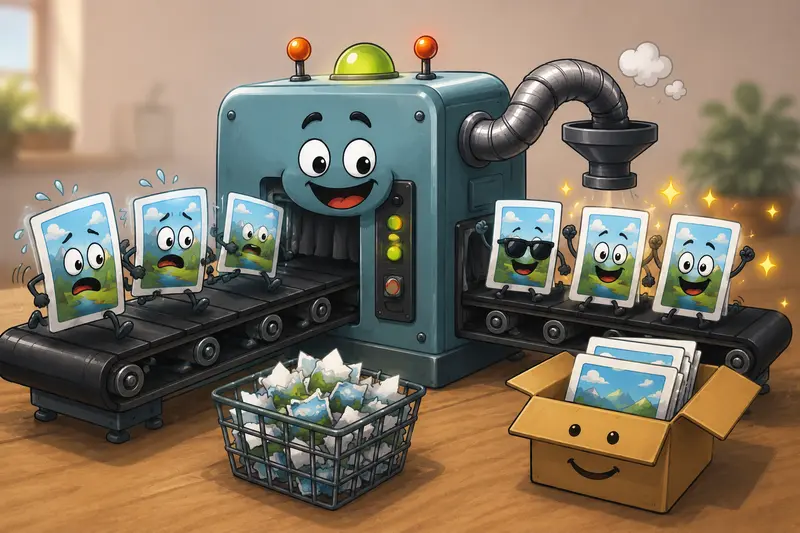
Rather than focusing solely on file size reduction, image compression contributes to broader workflow efficiency.
Key advantages include:
- Faster content publishing
- Improved website performance
- Easier file sharing
- Reduced storage consumption
- Better handling of large image batches
- Consistent browser-based access
For growing marketing teams, these incremental improvements can add up across hundreds or thousands of assets.
Frequently Asked Questions
Does image compression always reduce quality?
Not necessarily. Modern compression techniques often achieve significant file size reductions while maintaining visual quality that appears unchanged to most viewers.
Can I compress photos for email attachments?
Yes. Compression is one of the most effective ways to reduce attachment size while keeping images usable for recipients.
Is batch processing available?
Yes. Batch workflows are especially useful when optimizing large collections of campaign assets or product photos.
Are uploaded files stored permanently?
No. Filemazing processes uploaded files as temporary artifacts and cleans them on a short retention schedule rather than functioning as long-term storage.
Which image formats work best?
The answer depends on the use case. JPG is often effective for photographs, while PNG remains useful for graphics that require transparency or sharp text.
How can I protect optimized files before sharing them?
If sensitive marketing assets need additional protection, you can use Filemazings file encryption tool before distributing them externally.
Put It Into Action
If your team regularly works with campaign graphics, product photos, landing page assets, or email imagery, learning how to compress images online can save time and improve performance across multiple channels.
A browser-based solution such as Filemazing provides a practical way to handle image optimization, batch processing, and file preparation without maintaining desktop software. For marketers who value efficient workflows, predictable processing costs, and temporary file handling, it offers a straightforward approach to keeping image-heavy projects moving smoothly.