Creative teams pass around a surprising number of sensitive files. Brand mockups, client proposals, licensing documents, unreleased campaign visuals, and layered design assets often move through email threads and cloud folders faster than anyone can track.
That convenience creates a problem: unsecured files travel just as easily as secure ones.
If you need to protect files with password controls but dont want another desktop app cluttering your system, browser-based encryption tools have become a practical alternative. Theyre especially useful for designers working across multiple devices or collaborating with freelancers and clients.
One option that fits this workflow well is Filemazing Encrypt File Tool https://filemazing.com/encrypt-file, a browser-based utility for encrypting files without installing desktop software.
It focuses heavily on privacy-conscious temporary processing while keeping the workflow lightweight enough for everyday creative work.
Why Designers Usually Need Password Protection More Than They Expect
Design work rarely stays inside one app or one folder.
A single project might include:
- layered PSD exports
- presentation PDFs
- licensing spreadsheets
- compressed asset bundles
- client review images
- typography files
- production references
The moment files leave your internal workspace, they become easier to misplace, forward accidentally, or upload into the wrong channel.
Password protection adds an extra security layer before files reach:
- email attachments
- shared drives
- freelancer handoffs
- temporary download links
- client approval workflows
And unlike enterprise document systems, browser-based encryption doesnt require IT onboarding or admin approval just to secure a mockup package at midnight before a launch.
The Short Version
If your goal is to:
- encrypt files for email
- secure creative assets quickly
- avoid installing desktop software
- protect PDFs, ZIPs, and images
- work from any browser
then a browser-based encryption workflow is usually the fastest route.
The key advantage is flexibility. You can protect files directly online, download the encrypted result, then share the password separately through Slack, Signal, SMS, or another channel.
That separation matters more than people think.
Sending both the protected file and its password in the same email is basically locking your front door while taping the key to it.
How the Workflow Actually Feels in Practice
During testing, a mixed client delivery package was processed containing:
- 3 PDF presentation decks
- 18 PNG product renders
- 2 layered PSD exports
- total size: roughly 420 MB
The browser workflow stayed responsive because the platform processes jobs through queued handling rather than freezing the page during larger uploads.
The useful part wasnt only encryption itself. It was the surrounding preparation workflow.
For example:
- oversized renders were reduced first using the image compression tool https://filemazing.com/compress-image
- multiple proposal PDFs were combined beforehand with the merge PDF workflow https://filemazing.com/merge-pdf
- metadata cleanup was performed before encryption to remove hidden author information
That last step is frequently overlooked by creative teams.
A beautifully encrypted file can still expose creator names, editing software, timestamps, GPS coordinates, or internal comments if metadata remains intact.
Using the metadata scrubbing tool https://filemazing.com/metadata-scrubber before encryption closes that gap.
Follow This Workflow for Safer Client Deliveries
The most reliable process usually looks like this:
1. Prepare the files first
Clean up unnecessary exports, duplicate revisions, or oversized assets.
If image-heavy folders are enormous, compressing them beforehand improves upload speed and sharing performance.
2. Remove hidden metadata
Creative files often contain more hidden information than expected.
This may include:
- editor usernames
- software details
- geolocation data
- revision history
- embedded previews
For agency work or NDA projects, removing metadata before encryption is worth the extra minute.
3. Combine related documents when appropriate
Instead of encrypting 14 separate PDFs individually, merge them into one organized document.
That reduces password management headaches later.
4. Encrypt the final package
Upload the prepared file set and apply password protection.
5. Share the password separately
Never include the password in the same communication channel as the file itself.
Simple rule. Surprisingly often ignored.
A Useful Tradeoff Most People Dont Consider
Theres a practical balance between convenience and compartmentalization.
Encrypting one giant archive is faster.
Encrypting separate files individually provides more granular control.
For designers, this matters when projects contain mixed confidentiality levels.
Example:
- public-facing social graphics
- internal pricing sheets
- unreleased campaign concepts
- licensed stock assets
Bundling everything into one encrypted package simplifies delivery but reduces selective access later.
Meanwhile, encrypting files individually improves control but increases workflow overhead.
Theres no universally correct approach. The right choice depends on how collaborators access materials.
Where Browser-Based Encryption Helps Most
For designers specifically, several workflows stand out.
Freelance Client Handoffs
Password-protected ZIPs or PDFs reduce accidental forwarding risks when sharing final deliverables.
Pitch Deck Sharing
Creative proposals often contain pricing, strategic concepts, and unpublished visuals that shouldnt circulate freely.
Remote Team Collaboration
Distributed design teams frequently exchange files through temporary cloud links. Encryption adds a backup layer if permissions become messy.
Vendor Transfers
Print vendors, motion editors, and external retouchers sometimes only need temporary access to specific assets.
Portfolio Review Exchanges
Designers occasionally share unreleased commercial work privately during hiring discussions or agency interviews.
Internal Brand Projects
Pre-launch visuals leaking early can create expensive problems. Especially when someone uploads the wrong draft into the wrong Slack channel at 2 AM.
It happens more often than teams admit.
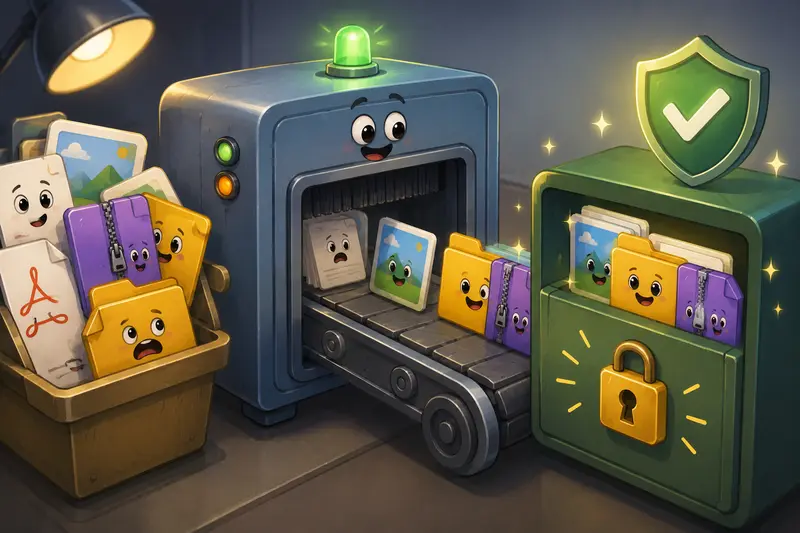
One Common Mistake With Password-Protected Creative Files
A lot of users focus entirely on encryption strength while ignoring file size behavior.
Huge encrypted uploads can become difficult for recipients to handle, especially on mobile connections or older office systems.
Thats why compressing assets before encryption often improves the overall experience.
But theres a tradeoff:
- aggressive image compression reduces upload size
- excessive compression can soften typography and UI details
For portfolio samples or branding materials, moderate compression usually works better than maximum reduction.
The goal is efficient delivery not turning crisp design work into blurry artifacts.
PNG exports with sharp interface elements generally tolerate lighter compression better than photographic JPG-heavy layouts.
Why Filemazing Fits Lightweight Secure Workflows
Filemazing https://filemazing.com/encrypt-file leans toward usability and privacy rather than heavyweight enterprise complexity.
A few practical details stand out:
- browser-based processing
- no desktop installation
- temporary file handling
- queued large-job processing
- cloud import support
- transparent token pricing
- API-ready automation for repetitive workflows
The token model is particularly useful for teams that dislike unpredictable subscription costs.
Instead of vague usage limits, processing costs are calculated transparently based on workload characteristics like:
- file size
- page count
- file count
- media duration
For the encrypt-file workflow specifically, pricing stays relatively lightweight compared to more processing-heavy conversion tasks.
That predictability becomes valuable when agencies process client assets regularly across multiple projects.
Privacy Considerations Matter Here
When encrypting sensitive design files online, storage behavior matters as much as encryption itself.
Filemazing positions uploaded files as temporary processing artifacts rather than long-term storage content. Files are cleaned through short-retention handling rather than being kept indefinitely inside user dashboards.
That approach aligns better with short-lived creative workflows where teams simply need secure processing and delivery not permanent archive hosting.
For many designers, thats preferable to accumulating forgotten confidential assets across scattered SaaS accounts.
FAQ
Can I password protect PDFs and images directly in the browser?
Yes. Browser-based encryption tools can secure PDFs, image files, ZIP archives, and other common formats without requiring desktop software installation.
Is browser encryption safe for client work?
It depends on the platforms handling policies. Services using temporary processing and cleanup systems are generally preferable to platforms that retain uploaded files indefinitely.
Should I compress files before encryption?
Usually yes especially for large image-heavy projects. If you need smaller upload sizes first, using an image compression workflow https://filemazing.com/compress-image can improve transfer speed significantly.
Can encrypted files still contain hidden metadata?
Yes. Encryption protects access to the file itself, but embedded metadata remains inside the file unless removed beforehand.
Whats better: encrypting one archive or multiple separate files?
One archive is simpler to manage. Separate encrypted files provide more selective access control. The better choice depends on how recipients will use the files.
Does password protection reduce image or PDF quality?
No. Encryption itself doesnt lower quality. Compression steps performed before encryption may affect visual fidelity depending on settings.
Final Thoughts
Creative work moves fast, and security workflows often get skipped because they feel inconvenient.
Thats why browser-based encryption tools are gaining traction with designers and small creative teams. They remove the friction of desktop installs while still allowing teams to protect files with password controls before sharing.
For practical day-to-day workflows especially client deliveries, proposal sharing, and remote collaboration lightweight browser encryption is often enough to dramatically reduce unnecessary exposure risks.
And honestly, discovering an unreleased campaign deck floating around unsecured email threads is a stress level most teams can live without.