Freelancers end up handling PDFs constantly client contracts, design previews, scanned receipts, invoices, pitch decks, annotated mockups, and sometimes giant PDFs that arrive five minutes before a deadline. The problem starts when those files need to become images for presentations, social posts, messaging apps, or quick previews on mobile devices.
Thats where the ability to convert PDF to PNG directly from a phone becomes surprisingly useful.
Instead of moving files to a desktop application, browser-based tools now make it possible to process documents from almost anywhere. Whether youre working from a caf, airport lounge, coworking space, or the back seat of a rideshare trying to send assets before a meeting, mobile conversion workflows save time and friction.

Why PNG Often Works Better Than PDF on Mobile
PDF files are excellent for preserving layouts, but they are not always ideal for fast sharing or visual previews on mobile devices.
PNG images help when you need to:
- upload pages into design tools
- send previews through chat apps
- share presentation slides individually
- extract signatures or graphics
- post document snippets online
- annotate pages using image editors
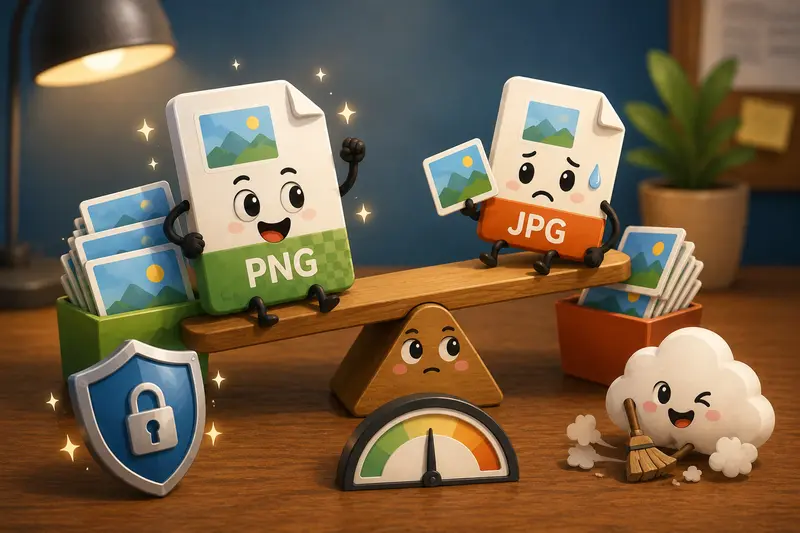
Unlike JPG, PNG keeps sharper edges and cleaner text rendering, especially for documents with typography, diagrams, or UI mockups. The tradeoff is larger file size, which matters if youre sending dozens of pages over mobile data.
If smaller image size matters more than perfect clarity, JPG can still be useful. Thats why many freelancers keep both formats available depending on the project.
A Mobile-Friendly Way to Handle PDF Pages
Using Filemazing https://filemazing.com/pdf-to-image, the workflow stays browser-based, so theres no app installation or desktop dependency.
The process generally looks like this:
- Open the PDF to image tool in your mobile browser
- Upload a PDF from local storage, Google Drive, Dropbox, or a URL
- Choose PNG as the output format
- Start processing
- Download individual pages as images after conversion completes
Large files are processed through queued jobs, which helps avoid browser freezing during heavier workloads.
For freelancers working with multi-page documents, this matters more than it sounds. Nobody enjoys watching a mobile browser crash halfway through a 120-page export.
What Happened During a Real Test
A practical example gives a better sense of how these tools behave outside marketing claims.
During testing, a 42-page scanned client proposal PDF sized around 18MB was converted into PNG images on a mobile Chrome browser over standard Wi-Fi.
Observations:
- text remained readable after zooming
- scanned signatures preserved edge detail well
- processing completed in under two minutes
- downloaded PNG files worked cleanly inside messaging and design apps
- no app installation was required
One thing became obvious quickly: scanned PDFs produce much larger PNG outputs compared to digitally generated PDFs. Thats normal because scanned pages contain image-heavy content rather than lightweight vector text.
If youre dealing with large image exports afterward, the image compression tool https://filemazing.com/compress-image can reduce PNG file size before emailing or uploading assets to clients.
Quality vs File Size: The Tradeoff Most People Ignore
Many users focus only on conversion speed, but output quality matters more once files leave your device.
Heres the practical difference:
| Format | Strength | Weakness |
|---|---|---|
| PNG | Sharper text and graphics | Larger files |
| JPG | Smaller size | Compression artifacts on text |
| WEBP | Efficient compression | Compatibility varies in some workflows |
For invoices, wireframes, screenshots, and contracts, PNG usually preserves readability better.
For image-heavy brochures or catalogs, JPG may be more storage-friendly.
This is also where having a flexible format pipeline helps. After converting pages, you can use the format conversion workflow https://filemazing.com/format-converter if you later need JPG, WEBP, HEIC, or AVIF outputs for different platforms.
A Small Optimization That Helps More Than Expected
One non-obvious tip: if your PDF contains unnecessary pages, remove them before converting.
A lot of freelancers convert entire documents even when they only need three pages. That increases:
- processing time
- token usage
- download size
- mobile storage consumption
If you frequently work with stitched-together PDFs, it can help to first combine PDF files before image conversion https://filemazing.com/merge-pdf so the export process stays organized.
This becomes especially helpful when preparing proposal packets, onboarding documents, or client review materials.
Privacy Matters More on Client Documents
Freelancers regularly process sensitive material:
- contracts
- financial statements
- legal paperwork
- unpublished designs
- internal client screenshots
Browser-based conversion tools raise understandable privacy concerns, so temporary processing policies matter.
Filemazing positions uploads as short-lived processing artifacts rather than long-term cloud storage. Files are processed, delivered, and cleaned on a short retention schedule instead of remaining permanently hosted.
For client-facing work, that approach is often preferable to manually transferring documents between multiple devices or leaving files inside random third-party storage accounts.
When PNG Is the Better Choice
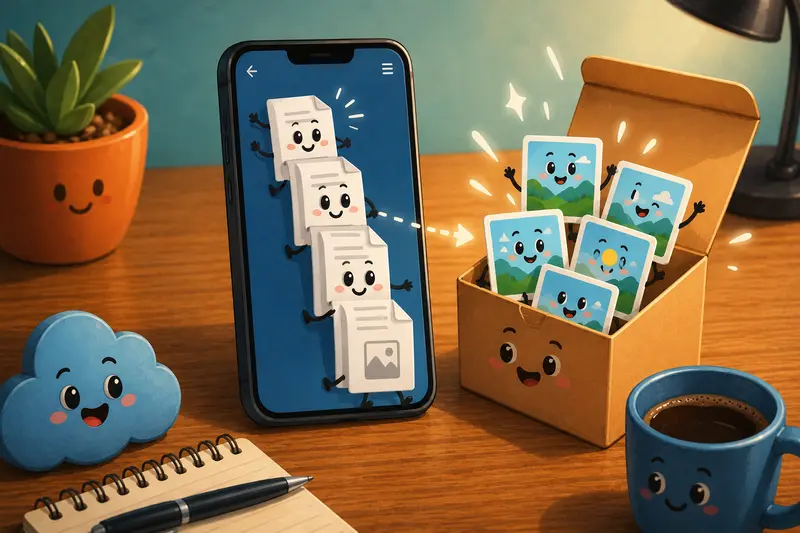
There are several scenarios where PNG consistently performs better than other image formats after PDF conversion:
Design Feedback Cycles
UI screens, typography previews, and interface annotations remain cleaner in PNG format.
Legal or Financial Documents
Text clarity matters more than aggressive compression.
Transparent Graphics
If extracted content includes logos or layered graphics, PNG handles transparency properly.
Mobile Annotation Workflows
Markup apps often preserve PNG quality more reliably than compressed JPG files.
That said, if your final destination is social media or lightweight previews, converting again into JPG afterward may save significant upload time.
Speed on Mobile Depends on More Than Internet
People often assume conversion speed depends only on Wi-Fi quality. In practice, several factors matter:
- PDF page count
- scanned vs digital documents
- embedded images
- output format
- mobile browser memory limits
A 5-page text PDF processes dramatically faster than a 90-page scanned portfolio.
The good news is that queued processing prevents large tasks from locking up the interface while jobs complete in the background.
FAQ
Can I convert PDF pages online without installing apps?
Yes. Browser-based tools allow you to upload PDFs and export pages as PNG images directly from mobile browsers without desktop software.
Is PNG better than JPG for document pages?
Usually, yes especially for text-heavy pages, contracts, diagrams, and mockups. PNG keeps sharper edges, although file sizes are larger.
Does converting PDF to PNG reduce quality?
The conversion itself does not necessarily reduce quality. However, output settings, compression, and the original PDF resolution all affect final image clarity.
Are uploaded files stored permanently?
Filemazing processes files temporarily rather than positioning itself as long-term cloud storage. Uploaded files are cleaned on a short retention schedule.
Whats the best PDF to JPG converter alternative if PNG files are too large?
If PNG exports become difficult to share, converting images into JPG or WEBP afterward can reduce size significantly while preserving acceptable readability.
Can freelancers automate document conversion workflows?
Yes. Filemazing also supports API-based automation for repetitive file handling tasks, which can help developers or operations-heavy freelancers process larger batches more consistently.
Final Thoughts
For freelancers juggling documents across phones, tablets, and laptops, the ability to convert PDF to PNG without relying on desktop software removes a lot of unnecessary friction.
The workflow works particularly well when:
- documents need fast visual sharing
- image clarity matters
- mobile access is essential
- temporary processing is preferred over long-term storage
- batch exports become part of recurring client work
Browser-based processing, transparent token pricing, and flexible format support make tools like Filemazing practical for real-world file handling instead of occasional one-off conversions.