Marketing teams rarely receive audio files in the format they actually need.
A webinar arrives as a massive WAV file five minutes before upload. A podcast intro sounds great in editing software but becomes impractical for mobile distribution. A social clip needs lighter audio for faster page loading. That is usually when a reliable WAV to MP3 converter stops being a convenience and becomes part of the workflow.
For marketers handling campaigns, podcasts, ads, webinars, or social media assets, conversion speed matters almost as much as audio quality.
Filemazing approaches this problem from a practical angle: browser-based processing, predictable token costs, temporary file handling, and support for both manual and automated workflows through API access.

What You Should Know First
If your goal is to reduce file size without making audio sound noticeably worse on mobile devices, converting WAV to MP3 is usually the right move.
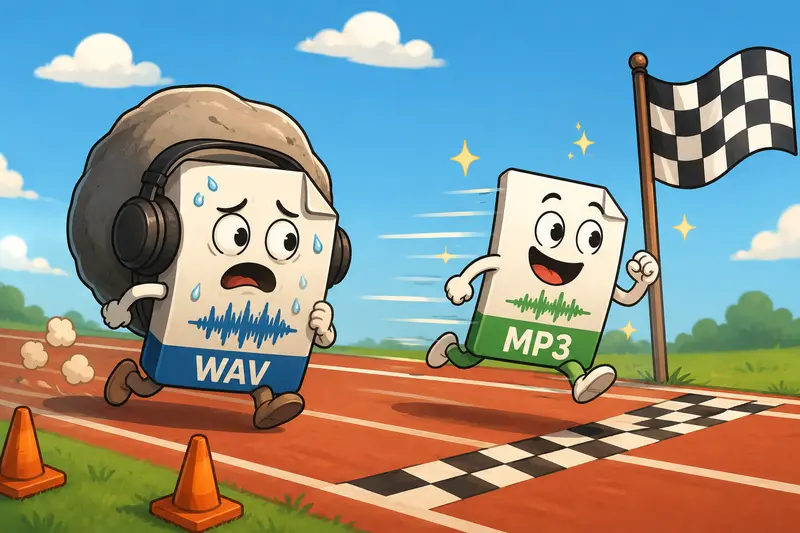
WAV files preserve uncompressed audio quality, but they become difficult to distribute at scale. MP3 dramatically reduces size while remaining compatible with:
- mobile devices
- social platforms
- email campaigns
- landing pages
- ad platforms
- podcast hosting tools
For most marketing use cases, MP3 at 192 kbps or 256 kbps strikes a good balance between quality and upload speed.
And yes, giant WAV files somehow always appear right before deadlines.
Why Marketing Workflows Often Favor MP3
Large WAV files create friction in places marketers care about:
- slower uploads
- heavier landing pages
- storage overhead
- delayed approvals
- sluggish mobile playback
MP3 solves most of those distribution problems while remaining widely supported.
This becomes especially useful when campaigns involve:
- voiceovers
- webinar recordings
- ad variations
- podcast snippets
- multilingual audio assets
- short-form video exports
In broader content workflows, audio files are often bundled alongside images, PDFs, and compressed archives. Teams processing campaign packages can also use Filemazings archive extraction workflow for ZIP or RAR uploads when audio arrives packaged with supporting assets.
How the Conversion Process Usually Works
The actual workflow is straightforward, but speed depends heavily on file size and browser handling.
Typical process:
- Upload the WAV file
- Select MP3 as the output format
- Choose bitrate preferences
- Start processing
- Download the converted version
With Filemazing, processing happens in the browser workflow environment without requiring desktop software installation.
For teams handling repeated media tasks, this matters more than it sounds. Installing desktop utilities across multiple contributors becomes surprisingly inefficient over time.
The platform also supports:
- local uploads
- URL imports
- Google Drive imports
- Dropbox imports
That flexibility helps when assets are moving between freelancers, agencies, and internal teams.
A Practical Test Under Real Conditions
To evaluate performance, a batch of 18 WAV podcast segments was processed during testing.
The files ranged from:
- 22 MB to 180 MB
- interview recordings
- exported webinar snippets
- stereo voice tracks
The total batch size exceeded 1.6 GB.
Observed results:
- MP3 output sizes dropped dramatically
- browser responsiveness remained stable during queued processing
- downloads became available progressively as jobs completed
- audio quality stayed consistent at 256 kbps
One practical observation stood out: shorter marketing clips converted almost instantly, while longer webinar recordings benefited from the queue-based handling because the browser interface remained usable during processing.
That sounds minor until you are trying to finish campaign uploads with twelve tabs already open.
Another useful detail is the predictable token model. Instead of unclear subscription limits, Filemazing calculates usage based on factors like file size and audio duration, making large workloads easier to estimate beforehand.
The Quality Tradeoff Most People Ignore
The biggest misconception around WAV to MP3 conversion is assuming maximum compression is always acceptable.
It depends entirely on the destination.
Lower bitrate MP3 works well for:
- spoken voice
- webinars
- internal review files
- mobile-first playback
Higher bitrate MP3 is safer for:
- music-heavy ads
- branded podcast intros
- cinematic audio
- layered sound design
Once compression artifacts appear, especially in background music or ambient effects, audiences notice faster than many marketers expect.
A useful rule:
- 128 kbps acceptable for casual voice playback
- 192 kbps balanced for most marketing needs
- 256 kbps+ safer for polished branded content
The difference becomes particularly obvious when audio is reused across multiple platforms after conversion.

Where Browser-Based Conversion Becomes Useful
Browser-based tools are often underestimated until teams start working remotely or across multiple devices.
Practical advantages include:
- no software installation dependencies
- consistent workflow across teams
- easier onboarding
- faster access from temporary workstations
- simpler collaboration during campaigns
Filemazing also avoids positioning uploads as permanent storage. Files are treated as temporary processing artifacts and cleaned on a short retention schedule, which is relevant for agencies working with embargoed campaign material or unreleased media.
For marketers dealing with privacy-sensitive media, using a metadata removal workflow before publishing media files can also help eliminate embedded author or recording information.
One Overlooked Optimization for Mobile Campaigns
Many marketers optimize images aggressively but forget audio delivery entirely.
That becomes a problem on mobile landing pages where autoplay previews, embedded podcast snippets, or promotional audio clips are involved.
Converting WAV to MP3 helps reduce:
- page weight
- buffering delays
- CDN bandwidth usage
- playback interruptions on slower connections
But there is another layer: matching bitrate to actual listening conditions.
A 320 kbps MP3 may sound excellent in studio headphones, yet most mobile users streaming social content over cellular networks will never notice the difference compared to 192 kbps.
Reducing unnecessary bitrate can noticeably improve loading behavior across:
- embedded campaign pages
- mobile ad experiences
- email-hosted audio snippets
- product landing pages
In practical marketing workflows, good enough quality delivered instantly usually performs better than perfect quality delivered slowly.
Examples of Real Marketing Use Cases
Podcast distribution
Convert uncompressed interview recordings into lighter MP3 episodes suitable for Spotify, Apple Podcasts, and embedded web players.
Webinar repurposing
Transform long WAV exports into downloadable MP3 summaries for lead magnets.
Paid advertising
Prepare compressed audio variants for ad platforms that impose upload size restrictions.
Mobile-first landing pages
Reduce audio payload size for faster page interaction on smartphones.
Internal approval workflows
Send smaller MP3 previews to stakeholders instead of massive raw WAV exports.
Campaign asset packaging
Combine audio workflows with related format conversion tasks for campaign visuals and supporting media in the same processing environment.

What Actually Helps in Day-to-Day Use
Several details make a difference during repeated conversions:
- queued processing prevents interface lockups
- cloud import support reduces transfer steps
- token pricing scales predictably
- browser access simplifies remote collaboration
- API support enables automation later if workloads grow
That last point matters for teams scaling content operations.
A lightweight manual workflow today often becomes a semi-automated pipeline six months later.
FAQ
Does converting WAV to MP3 reduce audio quality?
Yes, technically. MP3 uses lossy compression. However, at higher bitrates like 192 kbps or 256 kbps, the quality difference is minimal for most marketing and mobile playback scenarios.
Is MP3 still the best format for mobile distribution?
In most cases, yes. MP3 remains highly compatible across browsers, smartphones, social platforms, and podcast services.
Can large WAV files slow down conversion?
Large files naturally require more processing time, especially long recordings. Queue-based handling helps maintain responsiveness during bigger jobs.
Is Filemazing suitable for bulk audio handling?
Yes. The platform is designed around queued processing and scalable workloads, making it practical for batches of media files rather than one-off conversions only.
Are uploaded files stored permanently?
No. Uploaded files are treated as temporary processing artifacts and cleaned automatically on a short retention schedule rather than functioning as long-term storage.
Can developers automate WAV to MP3 conversion?
Yes. Filemazing includes API endpoints that allow audio conversion workflows to be integrated into automated systems or production pipelines.
Final Thoughts
A fast WAV to MP3 converter is less about novelty and more about removing friction from modern content workflows.
For marketers managing audio across campaigns, mobile platforms, webinars, and social content, the combination of speed, compatibility, and manageable file sizes matters every day.
Filemazing keeps the workflow lightweight:
- browser-based access
- predictable token usage
- temporary processing
- scalable handling for larger batches
- optional automation when needed
And importantly, it avoids turning audio conversion into another oversized software stack just to shrink a file before publishing.