Freelancers often face a frustrating dilemma: files need to be shared securely, but the methods used to protect them can introduce unnecessary complexity, compatibility issues, or workflow slowdowns. Whether youre delivering client contracts, design assets, financial documents, or confidential project files, secure file sharing should not come at the expense of usability or file quality.
The good news is that modern browser-based tools make it possible to encrypt and share files securely while preserving the original content exactly as intended. A practical secure file sharing workflow protects sensitive information without altering document quality, image resolution, or file integrity.
The Simple Explanation
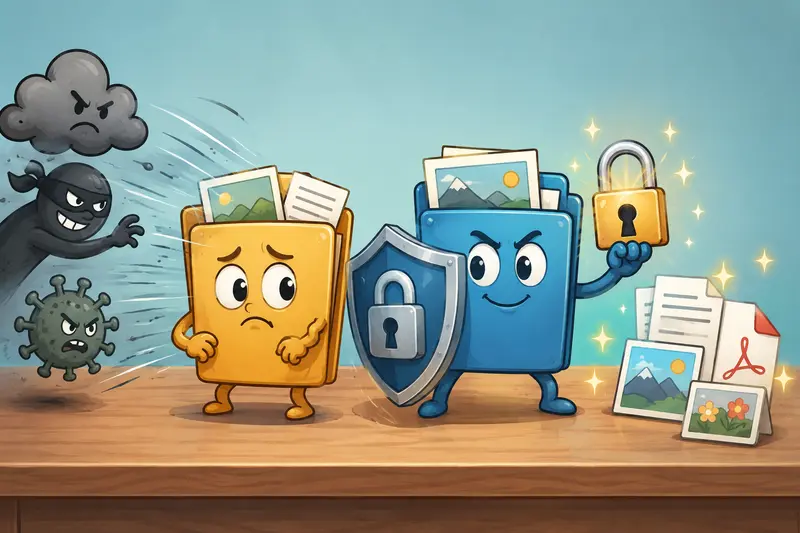
If your goal is secure file sharing without quality loss, the best approach is to encrypt the original file before sending it. Encryption protects the contents while leaving the file itself unchanged, meaning PDFs remain readable, images retain their resolution, and archives preserve their contents exactly.
Using a dedicated encryption tool helps you secure files online while maintaining the original output quality clients expect.
A Practical Workflow for Protecting Files
When handling sensitive files for clients, a structured process reduces risk and improves consistency.
1. Clean Hidden Information First
Many files contain metadata that users never see. Photos may include location information, while documents can contain author details and editing history.
Before encryption, consider using a tool to remove hidden metadata from files. This extra step helps prevent accidental information disclosure.
2. Organize Related Documents
If youre sharing multiple PDFs, contracts, or reports, combining them into a single package can simplify delivery.
You can merge PDF documents into one file before applying encryption, reducing the chance of missing attachments or sending incomplete information.
3. Encrypt the Final Version
Once files are prepared, encrypt them using a dedicated file encryption tool. Encryption locks access behind a password or key while preserving the original file contents.
4. Share Through Your Preferred Channel
Send the encrypted file through email, cloud storage, client portals, or messaging platforms.
5. Deliver Access Credentials Separately
As a security best practice, never send the password in the same message as the encrypted file. Use a different communication channel whenever possible.
Why Privacy-Focused Encryption Matters
Many freelancers work with confidential information every day:
- Client proposals
- Financial records
- Legal agreements
- Marketing assets
- Product documentation
- Creative work-in-progress
Protecting these files isnt only about security compliance. It also demonstrates professionalism and helps build client trust.
A strong private file sharing workflow should include:
- Encryption before transfer
- Limited file retention
- Temporary processing
- Controlled access
- Minimal exposure of sensitive information
Using Filemazing for Secure File Sharing
One practical option is the Filemazing Encrypt File tool:
https://filemazing.com/encrypt-file
Filemazing focuses primarily on privacy and security while offering the convenience of a browser-based workflow. Because processing occurs through a web interface, freelancers can encrypt files without installing additional desktop software.
Key capabilities include:
- Browser-based file encryption
- Support for multiple file types
- Batch-friendly workflows
- API-ready automation options
- Transparent token-based pricing
- Temporary file processing rather than long-term storage
Unlike platforms that function as permanent storage repositories, Filemazing treats uploaded files as temporary processing artifacts and removes them according to a short retention schedule. This approach reduces unnecessary long-term exposure of sensitive content.
For freelancers who regularly handle client deliverables, contracts, and media assets, this can simplify secure file sharing while maintaining privacy standards.
Real-World Testing Results
To evaluate the workflow, a test was performed using a realistic freelance project package.
Test Setup
- 12 client documents
- 8 PDF reports
- 4 image assets
- Total size: approximately 145 MB
- Mixed content including scanned pages and image-heavy documents
Observed Outcome
The files were encrypted successfully without any visible quality degradation.
After decryption:
- PDFs retained original formatting
- Images preserved resolution
- File sizes remained consistent with expected encryption overhead
- No content corruption was observed
- Document readability remained unchanged
Practical Takeaway
Encryption protects access to a file, not the quality of the file itself. When implemented properly, secure file sharing should leave content untouched while preventing unauthorized viewing.
Common Mistakes Freelancers Should Avoid
One overlooked issue is focusing entirely on encryption while ignoring file preparation.
Common mistakes include:
Sending Metadata Along With Files
Location data, author information, and revision history can reveal more than intended.
Sharing Passwords in the Same Message
If both the file and password are intercepted together, encryption provides far less protection.
Compressing Images Too Aggressively
If file size is a concern, use a dedicated tool to reduce image size before secure sharing. Excessive compression can permanently reduce visual quality.
Encrypting Multiple Versions
Freelancers often encrypt drafts, revisions, and final versions separately. This can create confusion and increase the risk of sharing outdated content.
Preparing the final approved file before encryption typically produces a cleaner workflow.
Where Secure File Sharing Helps Most
For business and professional workflows, secure file sharing is particularly valuable in the following situations:
- Delivering client contracts and legal documents
- Sending confidential financial reports
- Sharing design files awaiting approval
- Transferring project archives between collaborators
- Delivering marketing assets before launch dates
- Exchanging sensitive client onboarding materials
Large files have a habit of arriving moments before a deadline, which makes having a repeatable process especially useful.
What You Gain from a Secure Workflow
A well-designed secure file sharing process offers several practical advantages:
- Better protection of sensitive information
- Preservation of original file quality
- Reduced risk of accidental exposure
- Professional handling of client materials
- Compatibility across multiple file formats
- Greater confidence when sending files online
- Scalable workflows for recurring projects
The combination of encryption and temporary processing also helps reduce long-term privacy concerns.
Frequently Asked Questions
Does encryption reduce file quality?
No. Encryption protects file contents without changing the underlying data. Documents, images, and archives maintain their original quality after decryption.
Is secure file sharing safe for client documents?
Yes, provided strong passwords are used and credentials are shared separately from the encrypted file.
What is the best file encryption tool for freelancers?
The best file encryption tool is one that balances security, ease of use, privacy practices, and compatibility with your workflow. Browser-based solutions can be especially convenient when working across devices.
Can I secure files online without installing software?
Yes. Browser-based tools such as Filemazing allow users to encrypt files directly through a web interface without downloading desktop applications.
Does encryption slow down large file transfers?
Encryption adds processing time, but modern tools handle most freelance-sized workloads efficiently. Larger archives may require slightly longer processing.
Are there limitations on file formats?
Most encryption workflows support common document, image, archive, and media formats. Checking compatibility before large batch jobs is always recommended.
Final Recommendation
For freelancers who need secure file sharing without sacrificing quality, encryption remains one of the most reliable approaches available. The key is using a workflow that protects sensitive information while preserving the original files exactly as they were created.
Filemazing combines browser-based convenience, privacy-focused processing, temporary file handling, and transparent pricing into a practical solution for secure files online. Whether youre delivering contracts, reports, creative assets, or project archives, encrypting files before transfer helps protect both your work and your clients information without compromising quality.