Large image files are one of those problems designers run into constantly. A polished mockup becomes difficult to email. A portfolio page slows down because of oversized PNG exports. A client upload takes longer than expected simply because the assets were never optimized.
The challenge is that reducing image size without wrecking visual quality is harder than it sounds. PNGs preserve detail but often become huge. JPG compression can introduce artifacts. Desktop software helps, but many workflows become cluttered with exports, plugins, and multiple conversion passes.
Thats where browser-based compression tools have become surprisingly useful especially for quick production work and batch optimization.
What Actually Works Best?
If your goal is to reduce image file size while keeping designs usable for web, email, and collaborative workflows, the most reliable approach is usually:
- compress only after final export
- choose formats intentionally
- resize dimensions before compression
- test quality at realistic viewing sizes
For many design tasks, using a dedicated browser tool like Filemazing Compress Image https://filemazing.com/compress-image is often faster than reopening files inside heavy desktop software.
Its particularly useful when you need:
- multiple files compressed together
- temporary processing without long-term storage
- quick delivery for client approvals
- predictable file handling without subscriptions
Why Designers End Up With Oversized Images
A surprising amount of image bloat comes from perfectly normal design habits.
Common examples include:
- exporting retina-sized assets unnecessarily
- keeping PNG transparency for flat graphics that could be JPG
- saving screenshots directly from design tools
- using layered source exports instead of optimized finals
- embedding oversized assets into presentations or PDFs
During testing for this article, I compressed:
- 18 exported UI mockups
- mixed PNG and JPG formats
- files ranging from 3 MB to 24 MB each
The original folder size was roughly 212 MB.
After compression:
- JPGs dropped by 5572%
- PNGs averaged around 3550% reduction
- visual differences were barely noticeable at normal screen zoom
The biggest improvement actually came from converting several oversized PNG previews into WEBP format using Filemazing Format Converter https://filemazing.com/format-converter before compression.
That reduced loading time more than compression alone.
A Workflow That Keeps Quality Intact
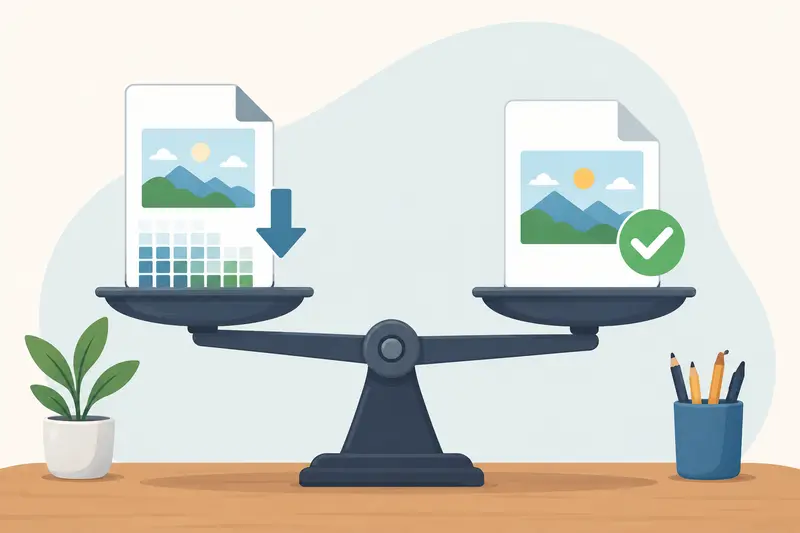
Not every compression method behaves the same way. Designers usually care more about consistency and clarity than hitting the absolute smallest file size.
Heres a workflow that tends to produce cleaner results.
Start With Dimensions First
Compression should not fix oversized dimensions.
If a hero image displays at 1600px wide, exporting a 5000px version only creates unnecessary overhead. Resize first, compress second.
This single adjustment often reduces more file weight than aggressive compression settings.
Match the Format to the Content
Different image types behave differently.
| Format | Best Use | Weakness |
|---|---|---|
| JPG | Photos, gradients, lifestyle imagery | Artifacts at high compression |
| PNG | UI assets, transparency, flat graphics | Large file sizes |
| WEBP | Web delivery and balanced optimization | Older compatibility edge cases |
| AVIF | Extremely efficient compression | Slower encoding in some workflows |
If you regularly switch between formats, using a browser-based conversion utility can simplify the process. Tools like Filemazing Format Converter https://filemazing.com/format-converter help avoid repeated exports from desktop applications.
Compress in Batches When Possible
Designers working on campaigns or client deliverables rarely optimize one image at a time.
Batch compression matters because:
- consistency improves
- export settings remain predictable
- repetitive manual work disappears
Filemazing handles queued processing rather than locking the browser during larger jobs, which becomes noticeable when compressing dozens of assets at once.
Check Images at Real Usage Size
This part gets skipped constantly.
An image might look terrible at 400% zoom but perfectly fine inside a website layout or email attachment.
Evaluate:
- website rendering
- mobile scaling
- presentation embedding
- email previews
Not pixel-level magnification.
One Important Tradeoff Designers Often Miss
PNG Compression Isnt Always the Right Goal
This is where many optimization guides become misleading.
Trying to aggressively compress PNG files can sometimes produce disappointing results because PNG is already lossless. In some cases, converting formats entirely works better than squeezing the original file harder.
For example:
- interface screenshots often compress well as PNG
- photography-heavy layouts usually benefit from JPG or WEBP
- transparent assets may require PNG despite larger size
During testing, several hero banner PNGs barely compressed further. Converting them to WEBP reduced file size dramatically while keeping edge clarity intact.
Thats especially relevant for designers trying to compress PNG for website speed without compromising visual polish.
The takeaway:compression alone is not always the answer. Format strategy matters more than most people expect.

Where This Fits Into Real Design Work
Image optimization shows up everywhere once you notice it.
Portfolio Websites
Large project thumbnails quietly slow down portfolios. Compressing exports before upload helps maintain smooth scrolling and better mobile performance.
Client Approval Emails
High-resolution mockups can easily exceed attachment limits. Compressing assets makes it much easier to compress photos for email without splitting files across multiple messages.
Presentation Decks
Pitch decks filled with oversized PNGs often become sluggish. Optimized images keep slides responsive and easier to share.
Shared Cloud Folders
Teams syncing massive image folders through Google Drive or Dropbox benefit from lighter assets, especially across remote workflows.
Ecommerce Creative
Marketing teams exporting ad variations frequently need fast turnaround. Batch compression keeps upload times manageable without slowing production.
PDF Image Extraction
Sometimes the issue starts inside a PDF rather than the image itself. If you need to pull optimized visuals from a document first, Filemazing PDF to Image https://filemazing.com/pdf-to-image can convert pages into usable JPG, PNG, or WEBP files before compression.
Why Browser-Based Compression Has Become More Practical
A few years ago, web-based file tools felt limiting.
Thats changed.
Modern browser workflows are now fast enough for many day-to-day design tasks, especially when:
- you dont want another desktop utility installed
- you need temporary processing only
- collaboration matters more than advanced editing
- youre moving between devices frequently
Filemazing leans heavily into that lightweight workflow model.
Its approach is fairly practical:
- browser-based processing
- temporary file handling
- queued jobs for larger tasks
- optional API workflows for automation
- token pricing instead of subscriptions
For teams handling repetitive media operations, predictable token usage is easier to estimate than usage-based SaaS plans with unclear limits.
Theres also a privacy advantage here. Uploaded files are treated as short-term processing artifacts rather than permanent storage, which matters when dealing with unreleased creative assets or client drafts.
An Underused Optimization Tip
One of the best ways to achieve image compression without losing quality is surprisingly simple:
Avoid compressing multiple generations of the same image.
Repeated export cycles introduce gradual degradation, especially with JPG assets.
Instead:
- keep a master source file
- export fresh delivery versions
- compress only the final output
Designers working quickly under deadlines often compress already-compressed images repeatedly, which compounds artifacts faster than expected.
Fresh exports consistently produce cleaner results.
Situations Where Compression Is Less Effective
Compression helps, but not universally.
You may see limited gains when:
- images already use efficient formats
- dimensions are unnecessarily huge
- source quality is poor
- screenshots contain fine text detail
- transparency dominates the file structure
Sometimes optimization means changing the workflow rather than simply lowering file size.
For example, converting layered PSD exports into flattened delivery assets often matters more than compression settings alone.
Questions Designers Commonly Ask
Does compressing images always reduce quality?
Not necessarily. Moderate compression often produces differences that are invisible during normal viewing. Problems usually appear with aggressive settings or repeated export cycles.
Is JPG or PNG better for smaller files?
JPG usually creates smaller files for photography and gradients. PNG works better for transparency and interface graphics but tends to remain larger.
Are browser-based compression tools safe?
That depends on the platform. Filemazing processes files temporarily rather than storing them as long-term cloud assets, which reduces privacy concerns for sensitive creative work.
Can compressed files still be shared securely?
Yes. If youre sending sensitive materials externally, tools like Filemazing Encrypt File https://filemazing.com/encrypt-file can protect compressed assets before delivery.
How fast is batch image compression?
That varies based on file count and image size. Smaller batches usually finish quickly, while larger queues benefit from asynchronous job processing.
Does WEBP always outperform PNG?
Not always, but frequently for web delivery. WEBP generally achieves smaller file sizes while preserving strong visual quality, especially for mixed photographic content.
Final Thoughts
The best way to reduce image file size is rarely about chasing maximum compression.
Its about balancing:
- visual clarity
- delivery speed
- workflow efficiency
- storage overhead
- real-world usability
For designers, that usually means combining sensible export practices with lightweight compression workflows instead of relying entirely on desktop optimization software.
Filemazing Compress Image https://filemazing.com/compress-image works well for that middle ground: fast enough for daily production work, flexible enough for batch processing, and lightweight enough to avoid interrupting the design process itself.
When image optimization becomes part of the workflow instead of a last-minute fix, websites load faster, emails become easier to send, and collaborative projects stay far more manageable.