A surprising number of classroom photos still contain hidden information long after theyve been uploaded to shared drives, school portals, or parent newsletters. GPS coordinates, device details, timestamps, editing history, and camera model data can all stay embedded inside the image file itself.
For teachers handling student photos or scanned classroom documents, learning how to remove hidden metadata is less about technical cleanup and more about protecting privacy before files leave your computer.
One practical option is the browser-based metadata scrubber from Filemazing https://filemazing.com/metadata-scrubber, which works directly in Windows without desktop installation.

What matters most before sharing images
If an image was captured on a phone or edited in modern software, it probably contains EXIF metadata. That data may include:
- camera or phone model
- creation date
- editing software
- GPS location
- orientation information
- thumbnails
- author/device identifiers
For school environments, this becomes relevant quickly. A field trip photo taken on a teachers phone can accidentally expose where the image was captured. Even scanned assignment images sometimes carry device identifiers from scanners or mobile apps.
A reliable photo privacy metadata remover strips that information while preserving the visible image itself.
The process is especially useful before:
- uploading classroom materials
- emailing student media
- publishing yearbook photos
- posting school event images online
- archiving sensitive records
A Windows-friendly way to clean image metadata
Windows does offer limited built-in metadata removal, but it becomes tedious when youre dealing with batches of files or mixed formats.
A browser workflow is usually faster for recurring cleanup tasks.
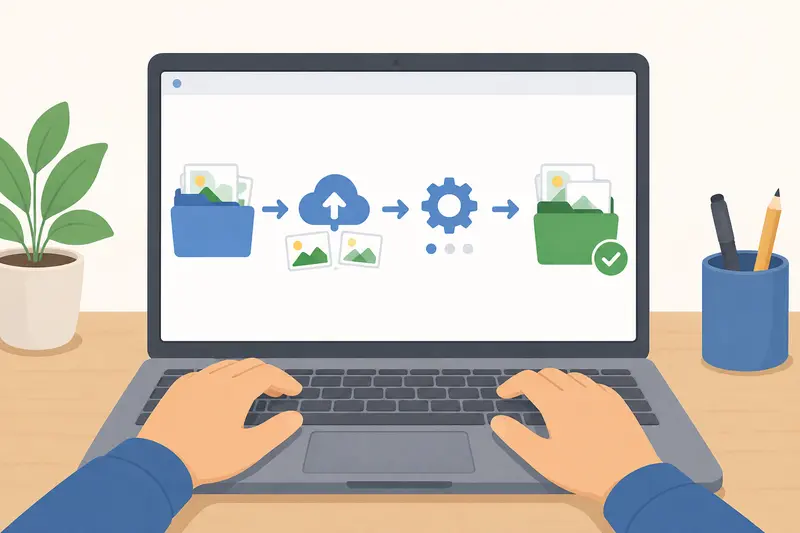
Heres the general flow many teachers end up using:
- Gather the photos or scanned images into a single folder.
- Upload them to the metadata scrubbing tool.
- Process the files in batch mode.
- Download the cleaned versions.
- Share or archive the sanitized copies instead of the originals.
The advantage here isnt just convenience. It also reduces the chance of accidentally sending the wrong version later.
If you first need to prepare classroom handouts, it can help to export PDF pages as images https://filemazing.com/pdf-to-image before removing metadata from the resulting files.
Why this approach works well for teachers
Many education workflows are repetitive rather than deeply technical.
You might receive:
- phone photos from staff
- scanned PDFs from office equipment
- screenshots from tablets
- exported images from presentation software
Using a browser-based workflow keeps everything consistent across devices in the staff room or classroom computer lab.
Filemazing also handles temporary processing rather than acting like long-term cloud storage, which matters when dealing with student-related media. Files are processed and cleaned on a short retention schedule instead of remaining permanently stored online.
That distinction is important for privacy-conscious schools.
The platforms token model is also fairly predictable. Metadata scrubbing uses a lightweight pricing structure compared to heavier conversion workflows, so occasional image cleanup usually consumes relatively few tokens.
A real-world test with mixed classroom files
To see how practical the workflow felt, I tested a small batch that resembled a normal school media folder:
- 42 JPG images from a school tablet
- 8 PNG screenshots from presentation slides
- total size: roughly 310 MB
- several images still contained GPS metadata
The goal was straightforward: clean everything before uploading the files to a shared parent-access portal.
The batch completed without changing visible image quality. More importantly, the cleaned JPG files no longer exposed device model information or location fields when checked afterward in Windows file properties.
One useful observation: PNG screenshots typically carried less metadata than phone photos, but some still included editing software details and timestamps.
Thats easy to overlook.
One mistake people make with classroom photos
Some teachers assume converting a JPG into another format automatically removes metadata.
It doesnt always.
Depending on the software used, metadata may transfer during conversion. That means a copied image can still retain hidden information even after resizing or editing.
A safer workflow is:
- scrub metadata first
- then convert formats afterward if needed
For example, after cleaning images, you could use a separate image format conversion workflow https://filemazing.com/format-converter to prepare files for older school systems or presentation software.
This order reduces the chance of carrying embedded metadata into newly generated files.
JPG vs PNG: which is safer for privacy cleanup?
Theres a small tradeoff worth understanding.
JPG files usually contain richer EXIF metadata because they originate from cameras and phones. PNG files often contain less location data but may still preserve software or creation history.
From a classroom workflow perspective:
| Format | Common Metadata Risk | Typical Use |
|---|---|---|
| JPG | GPS, camera details, timestamps | Phone and tablet photos |
| PNG | Editing/software history | Screenshots and exported slides |
| Author fields, document history | Handouts and worksheets |
The important point is that no format is automatically privacy-safe by default.
Situations where metadata removal becomes especially useful
Teachers often think about privacy only during public sharing, but there are several quieter scenarios where cleanup helps too.
Shared drives between departments
Large folders copied between teachers can quietly preserve years of embedded file history.
Parent communication
Photos emailed to parent groups may reveal unintended device details.
Student project showcases
Images exported from phones sometimes expose location data from home or off-campus events.
Archived administrative material
Even internal storage benefits from cleaner files over time.
In some cases, schools also choose to encrypt sensitive files before sending them externally https://filemazing.com/encrypt-file when student information is involved.
What you gain from a dedicated metadata cleanup workflow
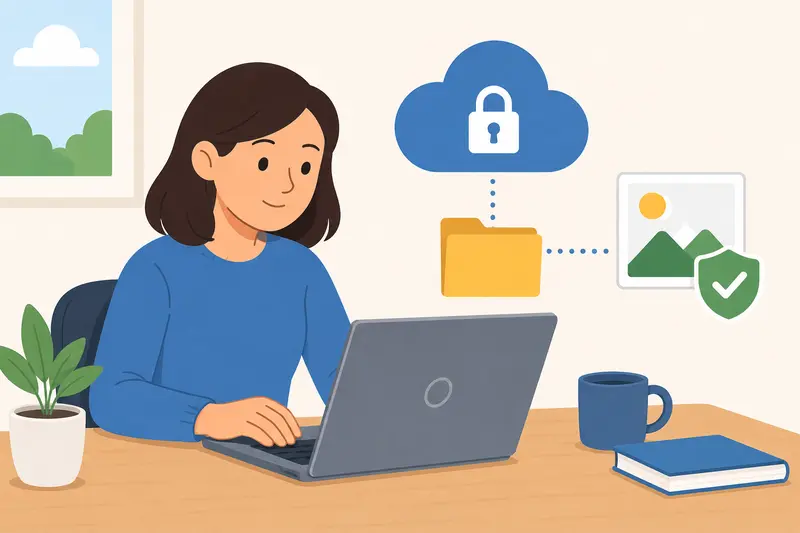
The biggest benefit is consistency.
Instead of wondering which images still contain hidden information, you create a repeatable process:
- collect files
- clean metadata
- archive sanitized versions
- distribute only cleaned copies
That habit reduces mistakes over time.
Browser-based processing also avoids another common issue in schools: installing software on locked-down Windows machines where teachers may not have administrator permissions.
Common questions teachers ask
Does removing metadata reduce image quality?
Normally, no. Metadata cleanup removes embedded informational fields rather than recompressing the visible image itself.
Can I remove EXIF online without installing software?
Yes. Browser-based tools such as Filemazings metadata scrubber https://filemazing.com/metadata-scrubber handle EXIF removal online directly through the web interface.
Is batch cleanup possible for large folders?
Yes. Batch processing is especially useful for event photography, classroom archives, or school newsletters containing many files at once.
Are cleaned images safer for cloud storage?
Theyre generally better from a privacy standpoint because hidden identifying information has been removed before upload.
What file types usually contain hidden metadata?
JPG images are the most common, but PNG, PDF, and some document formats may also include embedded metadata.
Should I compress images before or after metadata removal?
Usually after. Cleaning metadata first prevents old metadata from carrying into newly generated compressed versions.
Final thoughts
For teachers, metadata cleanup isnt just a technical exercise. Its part of handling classroom media responsibly.
A lightweight Windows workflow using Filemazing https://filemazing.com/metadata-scrubber makes it easier to remove hidden metadata before images are shared outside your device or school network. The browser-based setup, temporary processing model, and batch support fit naturally into real education workflows where time and privacy both matter.
Once the process becomes routine, it only takes a minute to clean files before sending them anywhere else.