A surprising number of small business bottlenecks start with the wrong image format.
Maybe a supplier sends HEIC photos from an iPhone, your ecommerce platform wants JPG, and your designer asks for transparent PNG files afterward. Or you upload product images only to discover theyre oversized and slowing down your storefront.
Thats usually when people search for ways to change image format online without installing complicated software.
What matters more, though, is preserving image quality while keeping the process manageable especially when youre handling dozens or hundreds of files every month.

The Short Version
If you need to convert images quickly, browser-based tools now handle most professional workflows surprisingly well. Modern platforms can process HEIC, PNG, JPG, WEBP, TIFF, and other formats directly online while preserving resolution and metadata controls.
One option that works particularly well for business workflows is Filemazing Format Converter https://filemazing.com/format-converter. Instead of forcing desktop installs or subscriptions, it runs entirely in the browser and supports both manual uploads and API-based automation.
That becomes useful when your team regularly prepares product photos, website assets, marketing graphics, or client deliverables.
Why Image Format Problems Keep Showing Up
Small businesses often inherit images from multiple sources:
- smartphones
- freelancers
- suppliers
- marketplaces
- scanners
- social media exports
Each source tends to use different formats and compression standards.
A few common examples:
| Scenario | Typical Issue |
|---|---|
| iPhone product photos | HEIC not supported everywhere |
| Website banners | PNG files too large |
| Marketplace uploads | JPG quality degradation |
| Transparent logos | WEBP compatibility problems |
| Print-ready graphics | TIFF files too heavy for web use |
This is where format conversion for web images becomes less about changing a file type and more about balancing compatibility, speed, and quality.
What We Tested
To see how realistic browser-based conversion feels in day-to-day work, we tested a mixed batch of ecommerce media:
- 42 iPhone HEIC product photos
- 18 PNG graphics with transparent backgrounds
- 12 large JPG lifestyle images
- total upload size: roughly 1.3 GB
The goal was straightforward:
- convert HEIC JPG for marketplace compatibility
- convert oversized PNG WEBP for web performance
- keep visible quality loss minimal
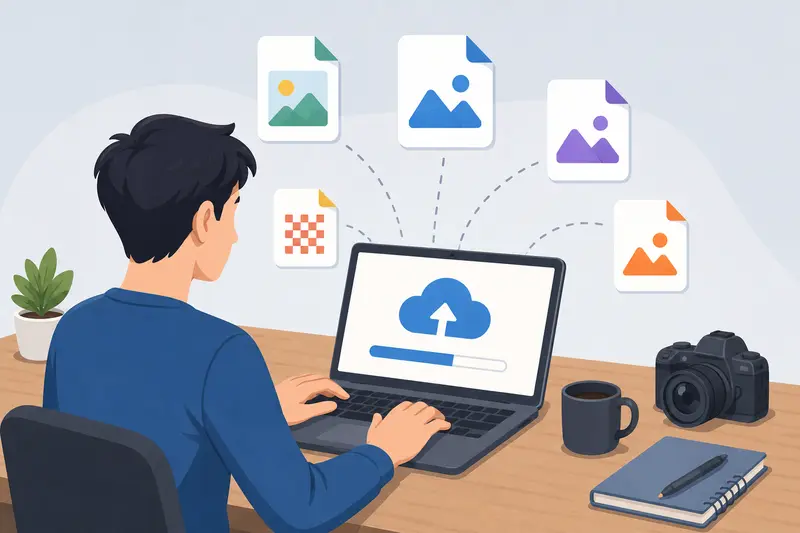
The workflow stayed responsive even during larger uploads because jobs were queued instead of locking the browser tab. Converted files downloaded individually once complete, which helped when reviewing outputs in stages.
One practical takeaway stood out during testing:
Converting HEIC directly to optimized WEBP often produced smaller files than HEIC JPG compression workflows.
That shortcut reduced extra processing steps and kept image sharpness more consistent on product detail pages.
How the Process Works
Most online image conversion tools now follow a similar flow, but some handle large batches far better than others.
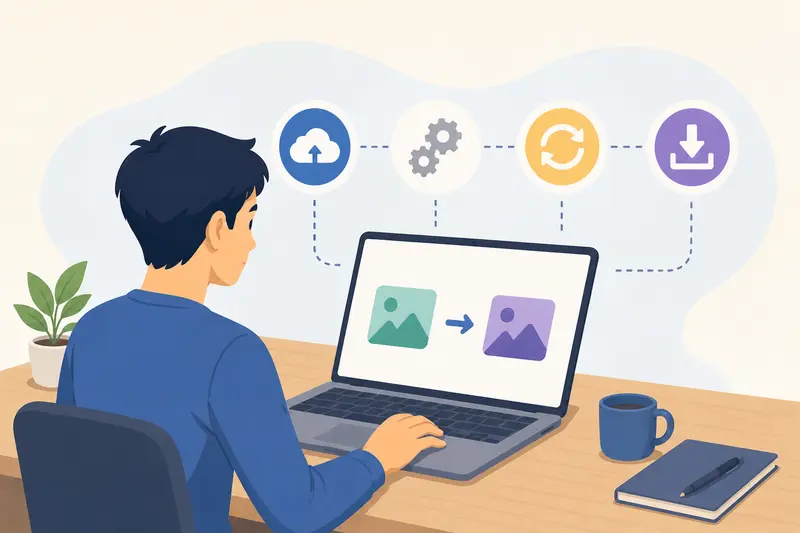
With Filemazing Format Converter https://filemazing.com/format-converter, the workflow is fairly streamlined:
- Upload files from your device, URL, Google Drive, or Dropbox
- Choose the target format
- Run the conversion job
- Download processed files after completion
Because the platform uses queued processing, larger tasks dont freeze the interface.
That matters more than people expect when handling seasonal product catalogs or marketing assets in bulk.
Another detail worth noting is the token-based pricing structure. Instead of monthly subscriptions, processing consumes tokens based on workload size and complexity. For occasional users, thats often easier to predict than paying for software you only touch a few times each month.
A Real Tradeoff Most People Ignore
Not every conversion should prioritize the smallest file size.
This is one area where online converters can accidentally damage image quality if the workflow isnt planned carefully.
JPG vs PNG vs WEBP
Heres the practical breakdown:
JPG
- smaller size
- ideal for photos
- loses detail after repeated saves
PNG
- preserves transparency
- excellent for logos and graphics
- much larger file sizes
WEBP
- strong compression efficiency
- excellent for websites
- occasional compatibility issues in older systems
For ecommerce businesses, WEBP is usually the best compromise for storefront speed. But transparent assets still occasionally behave better as PNG depending on platform rendering.
During testing, heavily compressed JPG files introduced visible edge artifacts around jewelry products and textured fabrics. Converting those same originals to WEBP preserved cleaner edges at similar file sizes.
Thats why convert images without losing quality isnt really about avoiding compression entirely its about selecting the right target format for the final use case.
Where This Workflow Helps Most
Not every business needs advanced image processing software. But lightweight browser-based workflows become useful surprisingly fast in these situations:
Product listing preparation
Marketplace uploads often reject HEIC files directly from smartphones.
Website optimization
After conversion, using the Filemazing Image Compression Tool https://filemazing.com/compress-image can further reduce page weight without visibly harming image clarity.
Client asset delivery
Marketing agencies frequently need multiple export formats for different platforms.
Real estate photography
Large image batches can be standardized before uploading to listing systems.
Secure document handling
If converted files contain sensitive information, the Filemazing Encrypt File Tool https://filemazing.com/encrypt-file adds an extra layer before sharing externally.
Metadata cleanup
Many smartphone images contain embedded location and device metadata. The Filemazing Metadata Scrubber https://filemazing.com/metadata-scrubber can remove that information before publishing or client delivery.
A Less Obvious Optimization Tip
Heres something many businesses overlook:
Avoid repeatedly converting the same file across multiple lossy formats.
For example:
HEIC JPG compressed JPG resized JPG
Every lossy conversion slightly reduces image integrity.
A cleaner workflow is:
- keep one untouched master file
- generate optimized outputs separately
- compress only at the final delivery stage
That approach becomes especially important for:
- product photography
- food images
- architectural visuals
- branded marketing assets
Repeated re-encoding softens edges faster than many users realize.
Why Browser-Based Processing Has Become More Practical
A few years ago, online conversion tools struggled with larger files and batch handling.
That has changed quite a bit.
Modern platforms like Filemazing https://filemazing.com/format-converter now support:
- batch processing
- queued workloads
- cloud imports
- automation APIs
- temporary file retention
- predictable usage pricing
For small teams, the biggest advantage is operational simplicity.
No desktop deployment.No version maintenance.No licensing seats.
Just upload, process, download, and move on.
The temporary-processing model also helps from a privacy standpoint. Uploaded files are treated as short-lived processing artifacts instead of permanent cloud storage, which is reassuring when working with client materials or internal media.
Common Questions
Can I convert HEIC images online without quality loss?
You can preserve most visible quality if the target format is chosen carefully. HEIC to PNG or WEBP generally retains more detail than aggressive JPG compression.
Is browser-based conversion safe for business files?
It depends on the platform. Services that use temporary processing and short retention periods are generally preferable to systems that permanently store uploaded media.
Which format works best for website images?
For most modern websites, WEBP offers one of the best balances between quality and file size.
What happens with metadata during conversion?
Some formats preserve metadata automatically. If privacy matters, running converted files through a dedicated metadata removal tool is a good extra step.
Can batch conversion handle large image sets?
Yes. Platforms designed around queued processing usually perform better with larger uploads because they process jobs asynchronously instead of inside the browser session itself.
Is online conversion better than desktop software?
For occasional or medium-scale business workflows, online tools are often faster operationally. Desktop software still makes sense for advanced editing or highly specialized production environments.
Final Thoughts
The need to change image format online sounds simple at first, but business workflows quickly add complexity: compatibility issues, compression tradeoffs, upload limits, and quality concerns all start stacking together.
A browser-based workflow works best when it removes friction instead of adding another toolchain to manage.
Filemazing Format Converter https://filemazing.com/format-converter does a solid job balancing speed, output quality, and lightweight operation without forcing users into subscription-heavy software. For small businesses processing recurring image tasks, that simplicity becomes valuable surprisingly quickly.