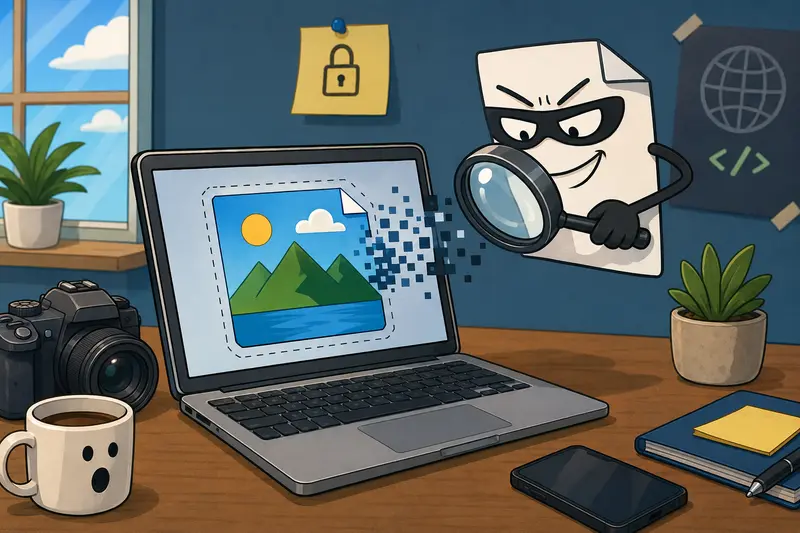
Developers often share screenshots, product images, documentation assets, test photos, and generated media across teams, clients, and public repositories. The problem is that many images contain hidden metadata that can reveal device details, creation timestamps, GPS coordinates, software information, or workflow clues you never intended to expose.
If youre looking to clean image metadata online without installing additional Windows software, there are browser-based options that remove unnecessary metadata while keeping the image itself intact.
The Fast Answer
To clean image metadata online on Windows, upload your image to a metadata scrubbing tool, remove embedded EXIF and related metadata, then download the cleaned version before sharing.
For developers handling frequent file workflows, browser-based tools provide a convenient balance between privacy, speed, and automation without requiring desktop installations.
Why Metadata Removal Matters More Than Many Developers Realize
Image metadata is often invisible until someone inspects the file.
Depending on the source, images may contain:
- EXIF camera information
- GPS location data
- Creation timestamps
- Editing software details
- Device manufacturer information
- Embedded author fields
- Internal workflow identifiers
This becomes particularly relevant when:
- Publishing screenshots to public repositories
- Sharing client assets
- Sending QA evidence
- Distributing marketing materials
- Delivering project documentation
- Exchanging files between contractors
A dedicated photo privacy metadata remover helps reduce the risk of exposing information that serves no purpose to the recipient.
How It Works in Practice
Most metadata-cleaning workflows are straightforward.
Start by selecting the image files you want to process.
Upload them to a metadata scrubbing service and allow the system to remove non-essential metadata fields while preserving the image content.
Review the resulting files and verify that sensitive information has been removed.
Finally, download the cleaned images and share them safely.
If your workflow begins with document exports, you can first use a tool to export PDF pages as images before cleaning metadata so all generated image assets follow the same privacy process.

A Practical Tool for Developers
One option worth considering is Filemazing Metadata Scrubber:
https://filemazing.com/metadata-scrubber
Filemazing is a browser-based file processing SaaS that helps users convert, clean, compress, and prepare files quickly without installing desktop software.
The platform includes tools for PDF conversion, image processing, archive extraction, audio conversion, metadata scrubbing, format conversion, and file encryption. Developers can work through the web interface or integrate workflows through API endpoints when automation becomes important.
For teams processing files regularly, the platform emphasizes:
- Privacy-focused temporary processing
- Browser-based operation
- API-ready workflows
- Predictable token-based costs
- Support for batch-oriented workloads
Instead of subscription pricing, Filemazing uses a token system. Metadata scrubbing operations currently use a transparent calculation model based on workload characteristics, helping teams estimate costs before running larger jobs.
Cloud imports from Google Drive and Dropbox can simplify asset preparation, while queued processing prevents large tasks from blocking active work.
From a privacy perspective, uploaded files are treated as temporary processing artifacts and removed on a short retention schedule rather than stored indefinitely.
Real Testing Insights
To evaluate a typical developer use case, I tested a batch consisting of:
- 25 JPG screenshots
- Total size: approximately 72 MB
- Mixed sources from Windows Snipping Tool and mobile devices
- Several files containing EXIF and location metadata
Expected result:
- Remove embedded metadata
- Preserve image appearance
- Maintain compatibility with standard image viewers
Observed result:
- Metadata fields were removed from processed files
- Visual quality remained unchanged
- File sizes changed only slightly
- Images opened normally in Windows Photos and browser previews
The most useful lesson was that metadata removal is not the same as image compression. Developers sometimes assume stripping metadata will significantly reduce file size, but the primary benefit is privacy, not storage savings.

Real-World Workflow Recommendations
One overlooked best practice is to place metadata cleaning at the end of your image-generation pipeline.
For example:
- Generate or capture images.
- Perform any resizing or edits.
- Convert formats if necessary.
- Remove metadata.
- Encrypt or distribute files.
This prevents metadata from being reintroduced by later editing tools.
If format standardization is part of your workflow, you can also convert cleaned images into other formats after scrubbing metadata.
A Useful Tradeoff to Consider
There is a convenience-versus-control tradeoff.
Online tools provide speed and accessibility from any Windows machine, but some organizations with highly regulated environments may require entirely local processing.
For most developer teams, browser-based processing offers a practical middle ground, especially when temporary file handling and automatic cleanup policies are in place.
Common Developer Use Cases
Metadata scrubbing fits naturally into many professional workflows:
- Preparing screenshots for public GitHub repositories
- Sharing QA evidence with external stakeholders
- Delivering client design assets
- Publishing technical documentation
- Creating marketing images from internal projects
- Processing media generated by automated pipelines
Teams that exchange large numbers of files often benefit from establishing metadata removal as a standard release step.
What You Gain
A good best metadata scrubber helps with more than privacy.
Benefits include:
- Reduced exposure of hidden information
- Consistent file preparation workflows
- Easier compliance with organizational policies
- Cleaner media distribution
- Better protection when sharing externally
- Simplified automation opportunities
For sensitive assets, it can also make sense to secure private media files before sending after metadata has been removed.

Frequently Asked Questions
Does removing metadata affect image quality?
Generally no. Metadata removal targets embedded information rather than pixel data, so visual quality remains unchanged in most cases.
Is it safe to clean image metadata online?
It depends on the service. Look for providers that use temporary processing and short retention periods instead of long-term file storage.
What image formats usually contain metadata?
Common examples include JPG, JPEG, TIFF, and some PNG files. The exact metadata fields vary by format and source application.
How fast is metadata scrubbing?
Processing time depends on file size and batch volume. Individual images typically finish quickly, while large collections may be queued and processed in batches.
Should I remove metadata before sharing screenshots?
Yes. Screenshots may contain timestamps, software information, editing history, or other details that arent intended for recipients.
Can metadata cleaning reduce file size significantly?
Usually not. The main goal is privacy protection. If file size reduction is also important, image compression should be handled separately.
Final Thoughts
For developers working on Windows, using a tool to clean image metadata online is a practical way to reduce accidental information exposure before files leave your environment.
Filemazing provides a browser-based approach that combines metadata scrubbing, temporary file handling, API support, and transparent token pricing. Whether youre preparing documentation, client deliverables, screenshots, or media assets, removing hidden metadata before sharing is a small step that can prevent larger privacy issues later.