Remote teams move images constantly. Product screenshots, marketing assets, onboarding visuals, PDFs converted into JPGs, social media graphics it all adds up quickly. And once large image files start bouncing between Slack, email, cloud drives, and project tools, performance problems appear everywhere.
Slow-loading websites. Bloated presentations. Upload limits. Laggy shared folders.
The challenge is rarely how to compress images. The real problem is reducing image file size without turning sharp visuals into blurry messes.
That balance matters more than ever for distributed teams working across multiple devices and internet conditions.

Why File Size Reduction Often Goes Wrong
A lot of image compressors focus aggressively on shrinking files while sacrificing visual detail. That approach works until:
- product screenshots become unreadable
- UI mockups lose sharp text edges
- portfolio images look muddy
- diagrams develop strange compression artifacts
PNG files are especially tricky because they preserve detail well, but large PNGs can quietly destroy website speed.
Meanwhile JPG compression can go too far if settings are overly aggressive.
The goal is smaller files not accidentally creating blurry digital fossils.
The Short Version
If you want to reduce image file size while preserving usable quality:
- Use PNG compression for graphics, diagrams, and screenshots
- Use JPG for photos and marketing visuals
- Compress images before uploading to collaboration platforms
- Batch-process large folders instead of optimizing files one by one
- Avoid repeated re-compression of the same image
A browser-based tool like Filemazing Compress Image Tool https://filemazing.com/compress-image works particularly well for remote teams because it avoids desktop installs and handles processing directly through the browser.
The platform also supports automation workflows and batch operations, which becomes useful once teams start processing image-heavy content regularly.
A Real-World Compression Test
To see how practical compression behaves in a remote workflow, we tested a mixed image set commonly used by distributed SaaS teams:
| File Type | Quantity | Original Size | Optimized Size |
|---|---|---|---|
| Product screenshots (PNG) | 18 | 142 MB | 54 MB |
| Marketing JPGs | 26 | 96 MB | 38 MB |
| UI exports | 11 | 61 MB | 24 MB |
The interesting part was not just the reduction itself.
Text readability inside PNG screenshots remained intact, especially on UI-heavy assets where compression usually creates fuzzy edges around typography.
The JPG reductions were more aggressive, but still acceptable for presentations and web publishing.
A few observations stood out:
- PNG optimization benefited most from removing unnecessary metadata
- JPGs compressed fastest overall
- Batch uploads significantly reduced repetitive work
- Browser processing felt smoother than expected even with large image groups
For teams handling repetitive design approvals or documentation updates, that time difference becomes noticeable surprisingly quickly.
Compress PNG for Website Speed Without Breaking Visuals
PNG files are often responsible for invisible performance problems.
A homepage might technically work, but oversized PNGs quietly increase:
- page load time
- mobile bandwidth usage
- CDN costs
- bounce rates
- collaboration sync delays
When you compress PNG for website speed, preserving edge clarity is usually more important than maximum compression ratios.
This matters for:
- dashboards
- SaaS product screenshots
- technical documentation
- diagrams
- onboarding visuals
One useful workflow is converting oversized PNG exports into more efficient formats before compression. If teams regularly work with mixed image formats, a dedicated format conversion workflow for JPG PNG WEBP HEIC and AVIF files https://filemazing.com/format-converter can simplify the process considerably.
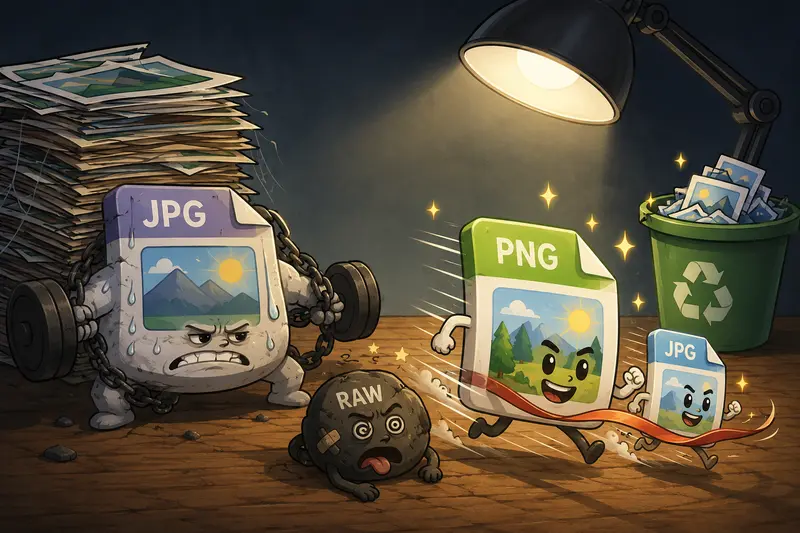
Different formats behave very differently under compression. Some cooperate nicely. Others behave like they were designed during an office argument.
Where Batch Compression Saves the Most Time
Single-image compression is manageable.
Large-scale remote collaboration is where things become painful.
Typical scenarios include:
- weekly marketing uploads
- ecommerce product catalogs
- sprint documentation screenshots
- client asset delivery
- onboarding libraries
This is where a batch image optimizer becomes more valuable than manual tools.
Instead of repeating uploads one file at a time, teams can process folders together while keeping workflows consistent.
Filemazings queued processing approach is particularly practical for larger workloads because jobs continue processing without locking the interface. That matters when remote workers are already juggling browser tabs, meetings, and shared tools all day.
The token pricing model also helps teams predict costs more clearly compared to vague subscription limitations.
For example, image compression token usage is calculated from transparent workload factors instead of hidden throttling rules.
One Often-Ignored Quality Tip
Heres a non-obvious optimization mistake many teams make:
They repeatedly compress already-compressed images.
Every additional compression cycle compounds quality loss.
A better workflow is:
- Keep one untouched master version
- Export working copies
- Compress only the final delivery version
- Store optimized assets separately
This becomes especially important for remote content teams where assets pass through multiple people before publishing.
Otherwise, by version six, the image starts looking like it survived several generations of photocopiers.
Privacy Matters More Than Most Teams Expect
Image files frequently contain hidden metadata:
- GPS coordinates
- camera information
- timestamps
- embedded author data
- editing history
Before sharing compressed images externally, remote teams should consider removing unnecessary metadata entirely.
A dedicated image metadata scrubbing tool for privacy-safe sharing https://filemazing.com/metadata-scrubber helps clean hidden information before files leave internal workflows.
This is especially relevant for agencies, distributed contractors, and client-facing operations.
Filemazing also treats uploaded files as temporary processing artifacts rather than long-term storage, which aligns better with privacy-conscious workflows.
Reduce JPG Size Online Without Overprocessing
JPG files compress extremely well, but quality settings matter.
If compression becomes too aggressive, common issues appear:
- skin tones flatten
- gradients band
- text edges soften
- shadows become blocky
For remote teams publishing visual content regularly, moderate compression is usually the sweet spot.
In practice:
- 6080% quality often preserves excellent visual results
- oversized originals should be resized before compression
- presentation images can tolerate stronger compression
- product photography needs more conservative settings
Trying to squeeze every last kilobyte out of an image rarely produces meaningful workflow benefits.
But it definitely produces complaints from designers.

Browser-Based Workflows Fit Remote Teams Better
One underrated advantage of browser-based tools is consistency.
Remote teams often operate across:
- Windows laptops
- MacBooks
- Linux systems
- managed corporate devices
- temporary contractor environments
Desktop compression software creates friction quickly.
Browser-based processing avoids installation problems, update mismatches, and local compatibility issues.
For technical teams, Filemazing also exposes API-based automation options, which opens up workflows like:
- automatic asset optimization before deployment
- image compression during CMS uploads
- processing media from cloud storage providers
- integrating optimization into CI/CD pipelines
That flexibility is useful once image handling becomes operational instead of occasional.
Protecting Compressed Assets Before Sharing
Compressed files often move externally after optimization.
Client handoffs, vendor approvals, investor presentations, and shared documentation can all introduce exposure risks.
For sensitive workflows, teams may also want to use encrypted file protection for compressed image sharing https://filemazing.com/encrypt-file before distributing archives or deliverables externally.
That extra layer matters more when remote collaboration spans multiple organizations and unsecured networks.
Situations Where Compression Isnt Ideal
Compression is useful, but not universally appropriate.
Avoid aggressive optimization for:
- legal evidence images
- medical visuals
- archival photography
- detailed print production
- OCR-dependent screenshots
Some workflows prioritize fidelity over speed.
There is always a tradeoff between:
- file size
- processing speed
- visual precision
The best setup depends on where the image will actually be used.
Common Questions
Does PNG or JPG compress better?
JPG usually achieves smaller file sizes for photographic content. PNG performs better for screenshots, illustrations, and graphics requiring sharp edges.
Can I reduce image file size without visible quality loss?
Yes, within reasonable limits. Moderate compression combined with proper format selection often preserves excellent visual quality.
Is browser-based image compression safe?
It depends on the provider. Privacy-conscious platforms that use temporary processing and scheduled cleanup are generally safer than tools storing uploads indefinitely.
Whats the advantage of a batch image optimizer?
Batch processing dramatically reduces repetitive manual work when teams manage large image libraries or recurring content operations.
Should remote teams compress images before uploading to cloud tools?
Usually yes. Smaller files improve sync speed, reduce storage usage, and make collaboration smoother across distributed environments.
Final Thoughts
The best way to reduce image file size is not simply maximizing compression.
Its building a workflow that preserves usability while improving speed, storage efficiency, and collaboration.
For remote teams especially, lightweight browser-based processing, predictable pricing, batch handling, and privacy-conscious cleanup policies make a noticeable operational difference.
And once image optimization becomes part of a repeatable workflow instead of a last-minute emergency task, teams spend far less time fighting bloated files across every platform they use.