Designers often need to compress PNG files without sacrificing visual quality. Whether youre preparing assets for a website, sending mockups to clients, or organizing project archives, large PNG files can slow workflows and create unnecessary friction.
The challenge is that PNG compression isnt only about file size. It also involves preserving image quality, maintaining transparency, and protecting sensitive creative work during processing. Thats why privacy-conscious compression tools deserve special attention.
What You Need to Know
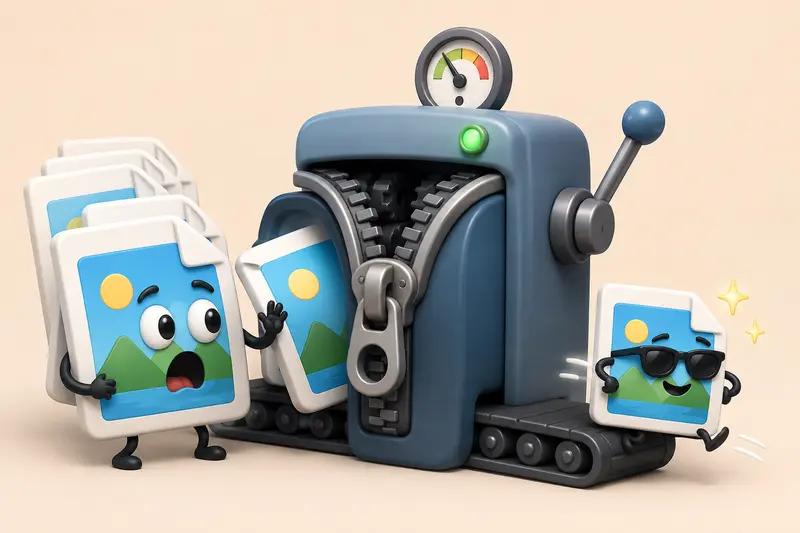
PNG files can often be reduced significantly without noticeable visual degradation when the right compression approach is used.
For designers handling client assets, privacy matters just as much as file size. Using tools that process files temporarily rather than storing them long-term helps reduce unnecessary exposure of project materials.
Why PNG Files Become So Large
PNG is a lossless image format. Unlike JPG, it preserves image data more accurately, making it ideal for:
- UI assets
- Logos
- Graphics with transparency
- Screenshots
- Design mockups
The tradeoff is straightforward: higher image fidelity usually means larger file sizes.
A detailed interface mockup with transparency can easily reach several megabytes, especially when exported directly from design applications. Multiply that by dozens of assets and storage requirements grow quickly.
How It Works
When using a browser-based compression workflow, the process is typically:
1. Upload Your PNG Files
Select one or multiple PNG images from your computer, cloud storage, or supported file sources.
2. Analyze File Size
The system evaluates image characteristics and determines how much optimization is possible.
3. Apply Compression
Compression removes unnecessary overhead while preserving visual integrity whenever possible.
4. Review Results
Compare original and compressed file sizes to confirm the reduction meets your needs.
5. Download Optimized Files
Store the smaller versions for publishing, sharing, or archiving.

A Practical Compression Tool for Designers
One option is Filemazings image compression tool:
https://filemazing.com/compress-image
The platform is designed around privacy-focused file processing. Uploaded files are treated as temporary processing artifacts and cleaned on a short retention schedule rather than serving as permanent storage.
For designers, that can be valuable when handling:
- Client branding assets
- Internal prototypes
- Product screenshots
- Marketing creatives
- Pre-release materials
Because Filemazing runs entirely through a browser-based workflow, there is no desktop software to install. It also provides transparent token-based pricing, allowing users to estimate processing costs before running larger workloads.
If youre preparing images for external distribution, its also worth using a metadata scrubbing tool to remove hidden metadata before sharing design files.
Tested Experience
To evaluate a realistic design workflow, a batch of 25 PNG files was processed.
Test conditions:
- Mixed UI mockups and illustrations
- File sizes ranging from 1.8 MB to 9.4 MB
- Total batch size: approximately 110 MB
- Transparency preserved where applicable
Observations
The compression process reduced overall storage requirements noticeably while maintaining visual quality suitable for design review and web publishing.
The most significant reductions occurred on:
- Large screenshots
- Exported design mockups
- Images containing repeated color patterns
Files with extensive photographic detail naturally offered less reduction, which is expected with PNG compression.
Practical Takeaway
One useful observation many designers overlook: exporting cleaner source assets before compression often improves final results more than aggressive compression settings alone.
A well-optimized export and moderate compression typically outperform heavy compression applied to an oversized source file.
Quality Versus File Size: The Real Tradeoff
This is where many optimization decisions become interesting.
Reducing file size aggressively may produce smaller downloads, but it isnt always the right choice.
Consider these scenarios:
| Goal | Recommended Approach |
|---|---|
| UI assets | Favor quality preservation |
| Website graphics | Balance size and appearance |
| Email attachments | Prioritize smaller files |
| Client approvals | Maintain maximum clarity |
| Archive storage | Optimize for space efficiency |
Sometimes a PNG is simply not the best format.
For photographic content, designers may find that converting formats first can achieve better results. A reliable format conversion tool can help convert between PNG, JPG, WEBP, HEIC, and AVIF depending on the projects requirements.
Large files have a habit of appearing right before a deadline, which makes choosing the correct format even more important.
Where Designers Commonly Use PNG Compression
Website Asset Optimization
Reduce loading times while preserving crisp interface graphics.
Client Deliverables
Send review files without overwhelming inbox attachment limits.
Design System Management
Maintain lighter asset libraries across multiple projects.
Remote Team Collaboration
Share prototypes and visual references more efficiently.
Portfolio Publishing
Improve website performance without sacrificing presentation quality.
Email Attachments
Many teams need to compress photos for email when sharing visual drafts or marketing materials.
What You Gain
Effective PNG compression can provide several benefits:
- Reduced storage requirements
- Faster uploads and downloads
- Better website performance
- Easier file sharing
- More efficient collaboration
- Lower bandwidth usage
For teams handling many image assets each week, even modest reductions accumulate into meaningful savings.
Helpful Clarifications
Can I compress PNG files without losing quality?
PNG compression is typically designed to preserve image integrity. However, the exact outcome depends on the compression method and image content.
Is PNG better than JPG for designers?
It depends on the project. PNG is often preferred for transparency and graphics, while JPG may be better when users need to reduce JPG size online for photographic content.
Are compressed PNG files safe to share?
Yes, but removing hidden metadata before sharing can provide additional privacy protection.
Does compression affect transparent backgrounds?
A properly designed PNG compression workflow should preserve transparency.
Can multiple PNG files be compressed together?
Many modern file processing platforms support batch workflows, making bulk optimization more efficient.
How can I protect compressed design assets before sending them?
If youre sharing sensitive client work, consider using a file encryption solution such as Filemazings file encryption tool before distribution.
Final Thoughts
For designers, the goal isnt simply to make files smaller. Its to create assets that remain visually reliable, easier to share, and safer to process.
When you need to compress PNG files, look for workflows that balance image compression without losing quality, privacy protection, and operational efficiency. A browser-based platform like Filemazing can help streamline that process while keeping file handling lightweight, predictable, and suitable for both occasional projects and ongoing design workloads.