Linux developers often handle source code archives, configuration exports, deployment packages, database backups, and sensitive project documentation. The challenge isnt simply transferring filesits ensuring those files remain protected during storage, sharing, and collaboration. Thats where secure file sharing becomes an essential part of a developers workflow.
Whether youre sending build artifacts to a teammate, sharing infrastructure credentials securely, or distributing confidential project files, encryption adds a critical layer of protection against unauthorized access.
What You Need to Know First
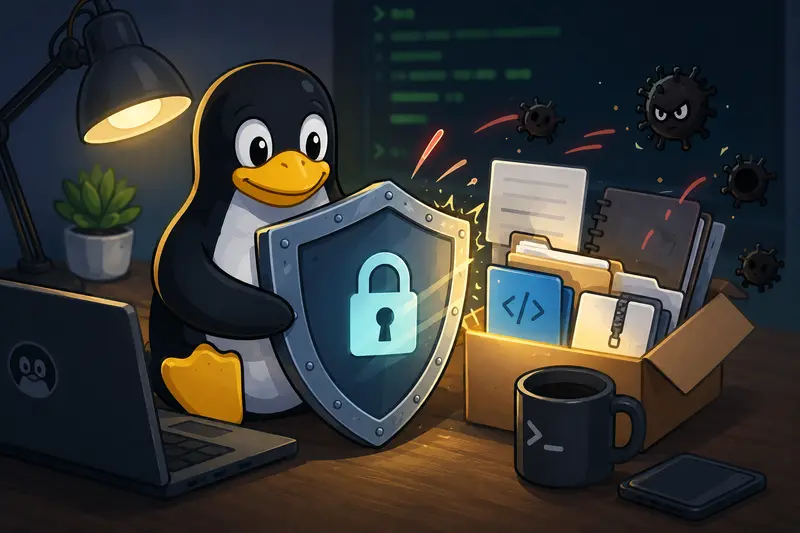
For Linux developers, the most practical approach to secure file sharing is to encrypt files before transmission and share the encrypted output through your preferred channel. This keeps sensitive content protected even if the transfer medium itself is compromised.
Modern browser-based encryption tools can simplify this process without requiring local software installation, while still fitting naturally into development workflows.
Why Encryption Matters More Than the Transfer Method
Many developers focus heavily on transport security, such as HTTPS, SSH, or VPNs. While those are important, file-level encryption offers protection that extends beyond the transfer itself.
Consider a few common scenarios:
- Sharing configuration bundles with contractors
- Sending database exports between environments
- Distributing customer reports internally
- Exchanging backup archives with remote teams
- Delivering release packages to clients
- Storing files temporarily in cloud services
In all of these cases, encrypted files remain protected even after they leave the original system.
A useful practice is removing unnecessary metadata before encryption. Hidden metadata can sometimes reveal software versions, timestamps, device details, or editing history. Using a metadata scrubbing tool before encryption helps reduce information leakage.
A Practical Workflow for Linux Developers
A secure sharing process doesnt need to be complicated.
1. Prepare the Files
Review the files being shared and remove anything unrelated to the intended recipient.
For documents and images, cleaning metadata can be worthwhile before encryption.
2. Consolidate Related Documents
When sharing multiple PDFs, it is often easier to create a single encrypted package. If youre working with documentation sets, deployment guides, or reports, a PDF merging tool can help combine documents before protection is applied.
3. Reduce Unnecessary File Size
Large files increase upload time and storage requirements. When dealing with screenshots, diagrams, or image-heavy documentation, using an image compression tool before encryption can improve transfer efficiency.
4. Encrypt the Output
Generate an encrypted version of the file using a trusted encryption workflow and share only the protected file.
5. Share the Password Separately
Never send the password in the same message as the encrypted file. Use a separate communication channel whenever possible.
Using Filemazing for Browser-Based Encryption
One option for developers who want file encryption without software installation is Filemazings Encrypt File tool:
https://filemazing.com/encrypt-file
The platform focuses primarily on privacy and security, making it useful when you need occasional or recurring encryption without maintaining additional desktop utilities.
A secondary advantage is its browser-based workflow. Developers can process files from Linux systems without installing dedicated encryption applications, making it convenient when working across multiple machines or temporary environments.
Beyond encryption, Filemazing includes tools for format conversion, archive extraction, metadata removal, media processing, and document preparation. For teams handling frequent file operations, having related workflows available in a single environment can simplify day-to-day tasks.
The platform also supports API-driven automation, allowing developers to integrate file-processing operations into larger systems when needed.
Real-World Test Scenario
To evaluate a practical secure sharing workflow, we tested a common development use case.
Test Setup
- File type: ZIP archive
- Contents: Source code snapshots and deployment documentation
- Size: 142 MB
- Environment: Linux workstation
- Goal: Share securely with an external collaborator
Process
The archive was prepared, reviewed for unnecessary content, encrypted, and then distributed through a standard file-sharing channel.
Observed Result
The encrypted file remained fully portable and could be transferred through normal channels without exposing the underlying contents. The recipient only gained access after entering the correct password.
Useful Takeaway
A surprisingly effective habit is encrypting files before uploading them to any third-party storage platformeven when the provider already offers security controls. This creates an additional layer of protection that remains independent of the storage providers policies.
Workflow Efficiency Recommendations
Developers often optimize build pipelines while overlooking file-handling processes.
A few improvements can save time:
- Standardize naming conventions before encryption.
- Encrypt archives instead of dozens of individual files.
- Compress large image collections before protection.
- Separate secrets from general documentation.
- Automate recurring file-processing tasks through APIs when volume increases.
One realistic tradeoff is convenience versus flexibility. Local command-line tools provide extensive customization and scripting options, while browser-based solutions reduce setup effort and maintenance. The best choice depends on workflow complexity and frequency of use.

Where Secure File Sharing Helps Most
Different development teams encounter different requirements.
Client Deliverables
Protect project exports, reports, and documentation before delivery.
Infrastructure Backups
Encrypt database dumps and server backups before moving them off-site.
Remote Contractor Access
Share only the files needed for specific tasks while protecting sensitive assets.
Internal Development Teams
Distribute builds and release packages securely between departments.
Compliance-Sensitive Projects
Reduce exposure risks when handling regulated information.
Multi-Cloud Environments
Keep files protected regardless of where they are stored or transferred.
The Practical Value
Secure file sharing offers benefits that extend beyond compliance checklists.
It helps developers:
- Reduce accidental exposure risks
- Maintain control over sensitive project assets
- Protect information across multiple storage platforms
- Create repeatable sharing procedures
- Support remote and distributed teams
Equally important, temporary processing and short retention practices help minimize long-term storage risks. When file-processing services treat uploads as transient artifacts rather than permanent storage, the attack surface becomes smaller.
Frequently Asked Questions
Can I perform file encryption without software on Linux?
Yes. Browser-based encryption services allow you to encrypt files directly from a Linux system without installing desktop applications.
Are encrypted files safe to upload to cloud storage?
Encryption significantly improves protection because the file contents remain inaccessible without the decryption key. Security still depends on password strength and sharing practices.
What types of files can be encrypted?
Most common formats can be protected, including PDFs, archives, images, documents, source code bundles, and media files.
Does encryption affect file quality?
No. Encryption protects the contents but does not alter document quality, image quality, or file integrity.
Is encrypting large files slower?
Larger files generally require more processing time than smaller ones. File size remains one of the main factors affecting encryption speed.
Should metadata be removed before encryption?
In many cases, yes. Metadata can reveal information about authorship, editing history, devices, or software. Removing it before encryption provides an additional privacy benefit.
Final Thoughts
For Linux developers, secure file sharing is less about the transfer channel and more about controlling access to the data itself. Encrypting files before sharing provides protection that follows the file wherever it goes.
Whether youre exchanging source code archives, deployment packages, reports, or backups, combining thoughtful preparation, metadata cleanup, and encryption creates a stronger security posture. A browser-based solution such as Filemazing can fit naturally into that workflow while supporting privacy-focused processing and flexible file handling without adding another application to maintain.