PDF files are great for sharing documents consistently, but they become awkward the moment you need individual images. Whether youre extracting presentation slides, saving receipts to your phone gallery, or preparing visuals for a website, the challenge is usually the same: blurry output, oversized files, or broken formatting.
Thats why many people look for ways to convert PDF to PNG while keeping text sharp and images clean.
The good news is that modern browser-based tools handle this far better than older desktop converters especially when dealing with scanned pages, diagrams, or image-heavy PDFs.
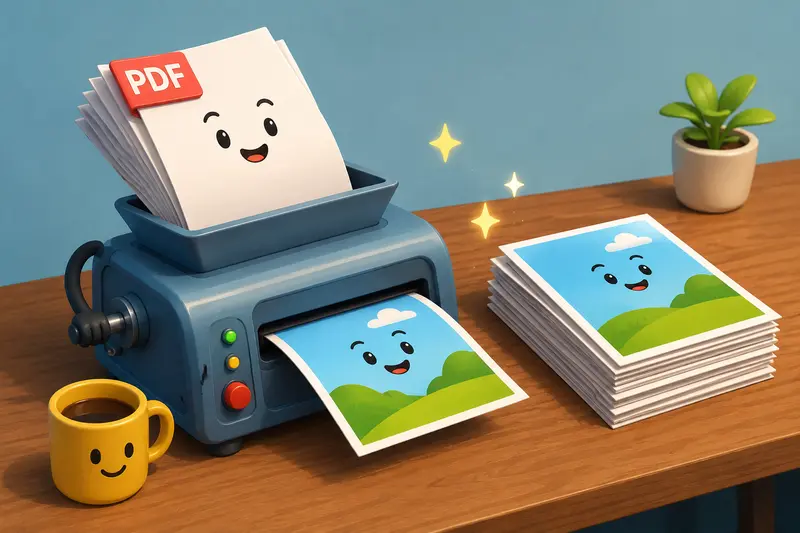
The Short Version
If you want crisp PNG output from a PDF:
- Use a converter that preserves original page rendering
- Export at a reasonable resolution instead of maximum size
- Prefer PNG for diagrams, screenshots, forms, and text-heavy pages
- Process pages individually if quality matters more than speed
- Avoid unnecessary recompression after conversion
A browser-based tool like Filemazing PDF to Image Converter https://filemazing.com/pdf-to-image is particularly useful because it handles conversion directly online without requiring desktop software installations. It also supports larger workloads and batch processing for multi-page files.
Why PNG Often Works Better Than JPG for PDFs
A lot of online converters default to JPG because the files are smaller. That sounds convenient until tiny text starts looking soft or compressed.
PNG keeps edges cleaner because it uses lossless compression. In practice, that matters for:
- invoices
- presentations
- scanned contracts
- charts
- UI mockups
- exported documentation
- forms with small typography
If your PDF contains detailed visuals or sharp black text on white backgrounds, PNG usually preserves readability better.
The tradeoff is file size.
A 20-page PDF converted to PNG can become significantly larger than JPG exports, especially at higher resolutions. For sharing or uploading later, it can help to use an image optimization step afterward. If the PNG files end up heavier than expected, you can use image compression tools for converted files https://filemazing.com/compress-image to reduce size while keeping most visual quality intact.
What Actually Causes Quality Loss?
Not all quality issues come from the converter itself.
Here are the most common reasons PNG exports look worse than expected:
Low Render Resolution
Some tools aggressively reduce page resolution during processing to speed things up. That creates blurry text and fuzzy edges.
Repeated Compression
Converting PDF JPG PNG creates unnecessary degradation. Its better to export directly to PNG from the original document.
Scanned PDFs
If the original scan is already low quality, no converter can magically restore missing detail. The PNG output may simply preserve the flaws more accurately.
Oversized Batch Jobs
Large multi-page conversions sometimes prioritize speed over precision. A balanced export setting usually gives cleaner results.
A Real-World Conversion Example
A useful test involved a 42-page scanned property agreement that mixed typed text, signatures, and grayscale diagrams.
File details:
- PDF size: 68 MB
- Total pages: 42
- Mixed scanned and digital pages
The goal was to extract selected pages as PNG files for mobile review and cloud upload.
Using a browser workflow through Filemazing:
- text remained readable when zoomed on phones
- signatures preserved edge detail
- diagrams exported without heavy artifacting
- processing completed page-by-page rather than freezing the browser tab
One practical observation stood out: exporting every page at maximum resolution created unnecessarily large images. Reducing output slightly produced nearly identical readability while cutting total storage dramatically.
That balance matters more than people expect.
Nobody enjoys discovering a high-quality export folder that suddenly weighs 1.2 GB.
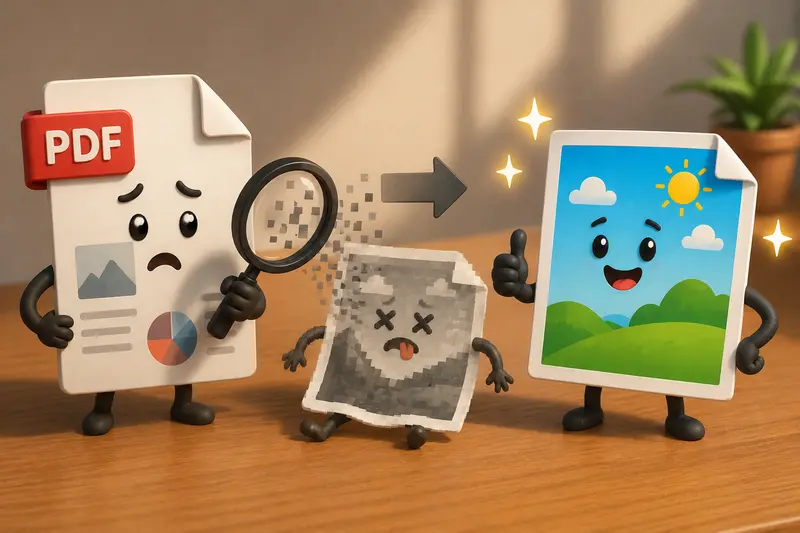
How the Conversion Process Usually Works
Most modern online tools follow the same basic workflow:
- Upload the PDF
- Choose PNG as the output format
- Select page range or full document
- Process conversion
- Download individual images or archives
With Filemazings browser-based converter https://filemazing.com/pdf-to-image, the processing happens through queued jobs rather than forcing everything into the browser memory at once. That helps when handling larger documents or bulk uploads.
For people working across devices, this is especially helpful because the workflow behaves similarly on desktop and mobile browsers.
Saving PDF Pages as Images on Mobile
A surprising number of mobile apps still reduce image quality during export.
If you need to save PDF as image on mobile, browser-based tools tend to produce more consistent results because they avoid device-specific app limitations.
A few practical recommendations:
- Use Wi-Fi for larger PDFs
- Export only required pages when possible
- Keep phone storage in mind with PNG output
- Use PNG for text-heavy pages
- Use JPG only when storage matters more than precision
This approach works well for:
- students sharing lecture slides
- business users sending forms
- contractors uploading paperwork
- marketers extracting presentation visuals
A Better Workflow for Multi-Document Jobs
When dealing with several PDFs at once, preparation matters.
For example, combining related documents before conversion often keeps naming and organization cleaner. If you need to assemble multiple files first, merge PDF documents before image conversion https://filemazing.com/merge-pdf can simplify the workflow considerably.
This becomes useful for:
- monthly reports
- legal attachments
- proposal packets
- onboarding materials
- scanned archives
Once merged, the pages can be converted together instead of managing separate exports.
One Non-Obvious Tip That Improves PNG Output
If your PDF contains thin fonts or spreadsheet-style tables, avoid exporting at extremely high resolutions unless absolutely necessary.
Why?
Because oversized PNGs sometimes trigger aggressive compression later when uploaded to messaging apps, CMS platforms, or cloud storage services. Ironically, that second compression pass can create worse visual artifacts than a balanced original export.
A medium-high render setting often produces cleaner practical results than maximum resolution.
Browser-Based Conversion vs Desktop Software
Desktop tools still have advantages for highly specialized publishing work, but browser-based conversion has improved substantially.
For general users, the biggest advantages are usually:
- no installation overhead
- easier mobile access
- cross-platform consistency
- cloud import support
- lighter device resource usage
Filemazing also supports imports from cloud services like Google Drive and Dropbox, which reduces unnecessary downloading and re-uploading steps.
For repetitive workflows or automation-heavy environments, API endpoints can process conversions programmatically instead of manually uploading files every time.
Thats more relevant for teams and developers, but its useful flexibility to have available.
The Privacy Side Most People Ignore
Documents often contain invoices, IDs, contracts, or internal materials.
That makes temporary handling important.
A privacy-conscious workflow should:
- avoid long-term storage
- clean temporary uploads automatically
- separate processing from permanent hosting
Filemazing positions uploads as temporary processing artifacts rather than permanent cloud storage, which is a meaningful distinction for users handling sensitive documents.
When PNG Is the Wrong Choice
PNG is excellent for quality retention, but it isnt ideal for every situation.
You may want JPG instead when:
- storage space is limited
- images are mostly photographs
- pages contain gradients or large full-color visuals
- upload size limits are strict
For mixed workflows, it can help to use format conversion tools for PNG, JPG, WEBP, and AVIF files https://filemazing.com/format-converter afterward depending on where the images will be used.
Where This Helps Most
Different users tend to run into PDF-to-image conversion for different reasons.
Everyday Users
- saving forms to phone galleries
- sharing receipts in messaging apps
- extracting travel confirmations
Business Teams
- preparing presentation slides
- archiving signed pages
- converting reports into shareable visuals
Students
- exporting lecture notes
- turning PDFs into study images
- organizing scanned assignments
Content & Marketing Work
- extracting brochure pages
- social media asset preparation
- converting printable materials into web graphics
Pricing Transparency Matters More Than People Think
One subtle advantage of Filemazings token model is predictability.
Instead of unlimited subscriptions with hidden throttling, workloads are tied to measurable processing factors like:
- file size
- page count
- number of files
Thats useful for occasional users who only need document conversion periodically rather than every day.
The platform also includes free daily tokens for anonymous and registered users, which makes lightweight tasks easy to test before scaling larger workloads.
FAQDoes converting PDF to PNG reduce quality?
Not necessarily. PNG itself is lossless, but poor export settings or low rendering resolution can still create blurry output. The quality largely depends on how the converter processes the PDF pages.
Is PNG better than JPG for PDF pages?
Usually yes for text-heavy documents, diagrams, and screenshots. JPG tends to create smaller files, but PNG preserves edges and typography more accurately.
Can I convert PDF pages online without installing software?
Yes. Browser-based tools like Filemazing PDF to Image https://filemazing.com/pdf-to-image process files online without requiring desktop applications.
Is batch PDF to image conversion possible?
Yes. Many modern tools support multi-page and multi-file processing, which is useful for reports, scanned archives, and large document sets.
Are uploaded files stored permanently?
Privacy-focused services typically treat uploaded files as temporary processing data and remove them automatically after completion rather than storing them long term.
What should I do if my converted PNG files are too large?
You can compress the exported images afterward using PNG and image compression utilities https://filemazing.com/compress-image to reduce file size while preserving readability.
Final Thoughts
The best way to convert PDF to PNG without the usual quality problems is to focus on balanced rendering, proper format selection, and reliable processing rather than simply choosing the fastest converter available.
For most users, a browser-based workflow now handles the job cleanly especially when dealing with scanned files, multi-page documents, or mobile access.
Tools like Filemazing https://filemazing.com/pdf-to-image make the process practical by combining quality-focused exports, temporary file handling, batch support, and predictable processing costs without requiring heavyweight desktop software.