Freelancers send files constantly. Portfolio previews, client deliverables, draft campaign assets, event photography, scanned paperwork it adds up fast.
What many people forget is that photos often carry hidden information. GPS coordinates, device details, timestamps, editing history, and camera data can remain embedded inside the file long after the image looks finished. Thats why more freelancers now make it standard practice to delete photo metadata before sharing anything externally.
For client-facing work, this is less about paranoia and more about professionalism.

Why Metadata Becomes a Problem in Freelance Work
A designer exporting mockups from a phone may accidentally expose location data. A photographer sending preview JPGs can reveal camera serial numbers and editing timestamps. Even screenshots sometimes contain traces of creation history depending on export methods.
In collaborative workflows, this creates unnecessary exposure:
- client location details
- internal timestamps
- device identifiers
- editing software traces
- geolocation information
Freelancers working with agencies or enterprise clients are especially careful about this because files often move between multiple stakeholders before publication.
Many users only notice metadata after uploading images to social platforms or marketplaces that display EXIF information publicly.
The Faster Way to Clean Images Before Sharing
If your workflow involves repeated uploads, browser-based processing tends to be more practical than installing heavyweight desktop utilities.
Tools like Filemazing Metadata Scrubber https://filemazing.com/metadata-scrubber let you remove hidden image metadata directly in the browser while keeping the visual file intact.
The process is straightforward:
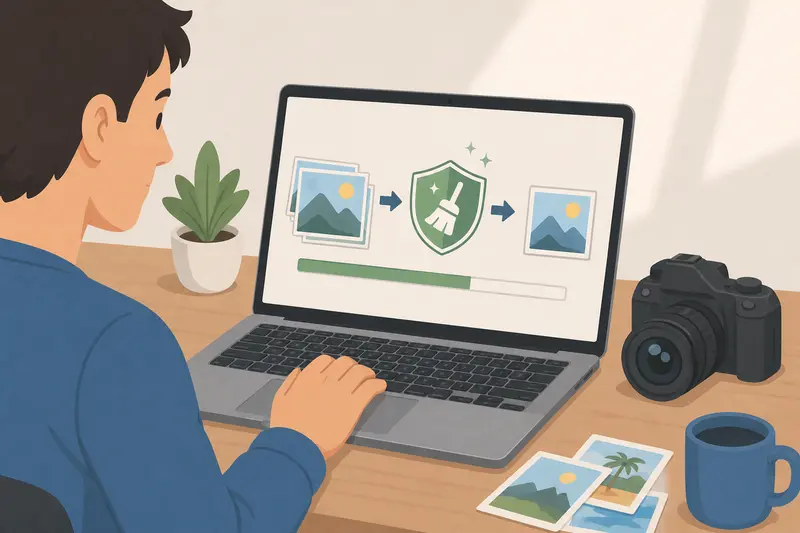
- Upload the image batch
- Run metadata cleaning
- Download sanitized files
- Share safely with clients or collaborators
The bigger advantage for freelancers is speed during repetitive client work. Theres no dependency on desktop software updates or platform-specific installations.
Because Filemazing runs temporary processing jobs rather than long-term storage, uploaded files are treated as short-lived processing artifacts instead of permanent cloud archives. That matters when handling unreleased client material.
A Real Workflow Test With Client Assets
To see how practical metadata cleaning actually is during normal freelance work, I tested a mixed batch containing:
- 42 smartphone JPGs
- 8 exported PNG social graphics
- 3 scanned receipts
- one 16-page PDF portfolio preview converted into image pages
The batch totaled just under 310 MB.
The metadata scrub completed quickly, and the cleaned JPG exports no longer contained GPS coordinates or camera-specific EXIF fields. PNG files retained visual quality without noticeable changes because metadata removal doesnt typically alter image rendering itself.
One interesting observation: scanned files produced from older office scanners often contained surprisingly detailed device information buried in metadata fields. Thats easy to overlook when sending invoices or onboarding documents to clients.
For multi-page client decks, converting PDFs into images first using PDF to Image workflow https://filemazing.com/pdf-to-image can make metadata cleanup more predictable before distribution.
What Freelancers Usually Miss
Metadata removal is often treated like a one-time cleanup step, but repeated exports can silently regenerate metadata again.
For example:
- Lightroom exports may recreate EXIF blocks
- messaging apps can append new timestamps
- screenshots generated on phones often include device details
- collaborative editing platforms sometimes preserve author metadata
A useful habit is cleaning files after final export, not during editing.
That order matters.
Otherwise you may remove metadata early, continue editing, and unknowingly reintroduce fresh metadata during the final save.
JPG vs PNG: A Practical Tradeoff
Freelancers regularly move between JPG and PNG depending on delivery needs, and metadata handling differs slightly between them.
JPG files
- smaller size
- commonly carry extensive EXIF metadata
- faster to upload/share
- better for previews and client review rounds
PNG files
- cleaner visual preservation
- larger file sizes
- less camera-oriented metadata
- preferred for transparent graphics and UI assets
If delivery speed matters more than pixel-perfect transparency, cleaned JPG exports are usually sufficient.
If youre handling branding assets, interface previews, or layered graphics, PNG remains safer visually even though transfer sizes increase.
After cleaning metadata, many freelancers also run images through an additional image compression tool https://filemazing.com/compress-image to reduce upload time for client handoffs.
When Metadata Removal Is Especially Useful
Freelancers in different industries run into this more often than expected.
A few common examples:
- photographers delivering event previews
- marketers sending campaign creatives to agencies
- virtual assistants sharing scanned contracts
- social media managers exporting mobile-edited content
- consultants forwarding presentation screenshots
In remote-first client relationships, files circulate widely. Cleaning metadata becomes part of presentation quality similar to renaming files properly or organizing exports before delivery.
Performance Notes for Large Image Batches
This is where browser-based batch processing becomes noticeably useful.
Instead of opening files individually in editing software, bulk metadata removal can handle repetitive workloads more efficiently.
One thing worth noting: extremely large RAW photography exports may still be better processed locally if internet upload speed is limited. Browser tools work best when the workflow prioritizes convenience and quick turnaround rather than deep RAW editing control.
Thats an important distinction.
Metadata scrubbing is not the same thing as archival photo management.
Security Considerations Before Client Delivery
Metadata cleaning reduces accidental exposure, but it should be combined with proper file handling habits.
For sensitive contracts, unreleased visuals, or confidential mockups, freelancers often pair metadata removal with encrypted delivery.
Using encrypted file sharing workflows https://filemazing.com/encrypt-file adds another layer of protection before sending assets externally.
This matters more when:
- working with NDA-bound material
- sending drafts to multiple vendors
- transferring legal or financial scans
- sharing pre-launch creative assets
The goal isnt just cleaner files. Its reducing unnecessary information leakage throughout the workflow.
Questions Freelancers Commonly Ask
Does removing metadata reduce image quality?
Usually no. Metadata exists separately from the visible image itself. Removing EXIF information generally leaves visual quality unchanged unless additional compression settings are applied afterward.
Can I remove EXIF online without installing software?
Yes. Browser-based tools are commonly used for this now, especially for freelance workflows where switching devices frequently is normal. Many users prefer online tools because they avoid maintaining desktop utilities.
Whats the best metadata scrubber for large batches?
That depends on workflow style. Some users prioritize automation APIs, while others only need occasional manual uploads. Filemazing works well for repeated batch processing because token costs remain transparent and the browser workflow stays lightweight.
Is metadata removal safe for client files?
As long as the service treats uploads as temporary processing jobs and doesnt store files long term, the workflow is generally safer than leaving embedded data untouched. File cleanup policies matter here.
Can metadata come back after editing?
Yes. Exporting images again from editing software can generate fresh metadata fields. Final cleanup should happen after the last export step.
Should freelancers compress images after cleaning metadata?
Often yes, especially when sharing review drafts or uploading to collaboration platforms. Smaller files transfer faster and reduce upload friction during client approvals.

Final Thoughts
Freelancers already optimize file naming, export presets, and delivery formats. Metadata cleanup belongs in the same category.
Not because every image contains sensitive information, but because hidden data accumulates quietly over time.
For modern freelance workflows, the most practical approach is usually:
- export final assets
- remove metadata before sharing
- compress when appropriate
- encrypt sensitive material if necessary
That sequence keeps client deliveries cleaner, lighter, and more private without adding much overhead to the process.
And when the tooling stays browser-based, it fits naturally into fast-moving freelance work rather than becoming another maintenance-heavy desktop workflow.