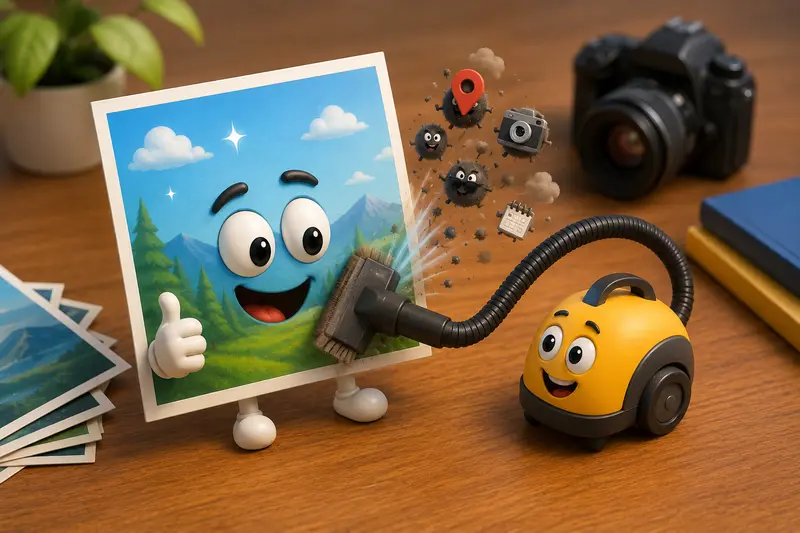
Teachers often share classroom photos, project images, scanned worksheets, and event pictures with students, parents, or colleagues. What many people do not realize is that those images can contain hidden information such as GPS coordinates, device details, timestamps, and camera settings.
If you need to delete photo metadata before distributing images, the challenge is doing so without accidentally reducing image quality. Many tools combine metadata removal with compression, which can alter the original image. Fortunately, metadata can be removed while preserving visual fidelity.

What Matters Most
The short answer is yes: you can remove metadata without degrading image quality.
Metadata is stored separately from the visual pixel data in most image formats. A proper metadata cleaning process strips the hidden information while leaving the image itself unchanged.
For teachers, this is particularly useful when sharing:
- Student project photos
- Classroom activity images
- Field trip documentation
- Staff training materials
- Parent communication resources
The goal is simple: keep the image looking exactly the same while removing information that does not need to travel with the file.
Why Hidden Image Data Can Be a Privacy Concern
When people talk about image privacy, they often focus on what is visible in the picture. The hidden data can be just as important.
Depending on the device and settings, image metadata may contain:
- GPS location information
- Device manufacturer and model
- Capture date and time
- Editing history
- Software information
- Technical camera settings
When teachers share photos externally, removing this information helps create a more privacy-safe image cleanup workflow.
In many educational environments, minimizing unnecessary data exposure is simply good practice.

A Practical Workflow That Preserves Quality
Rather than re-saving images through an editor, use a dedicated metadata-cleaning workflow.
1. Gather the Images
Collect the photos you intend to share. This may include JPG, PNG, or exported classroom materials.
2. Upload for Metadata Cleaning
Use a tool designed specifically to remove metadata instead of compressing or re-encoding the image.
3. Verify the Output
Check image dimensions and visual appearance after processing. Proper metadata removal should not change either.
4. Share the Cleaned Versions
Distribute the privacy-safe copies to students, parents, school websites, or learning platforms.
5. Compress Separately if Needed
If storage space or email attachment size is a concern, you can later use a dedicated image compression tool rather than combining compression with metadata removal.
This separation helps maintain greater control over quality.
Using Filemazing for Metadata Removal
The Filemazing Metadata Scrubber is designed for users who want to remove hidden information from files while keeping workflows straightforward.
Available at:
https://filemazing.com/metadata-scrubber
Filemazing operates entirely through a browser-based workflow, making it convenient for teachers working across school devices, home computers, or shared workstations.
Key characteristics include:
- Browser-based processing with no desktop installation
- Support for common file preparation workflows
- Batch-friendly processing for multiple files
- Transparent token-based usage
- Optional API access for automated environments
- Imports from local storage, URLs, Google Drive, and Dropbox
The metadata scrubbing operation uses a transparent pricing model with a base cost plus workload-based token calculation, allowing users to estimate usage before processing.
Another useful trust factor is that uploaded files are treated as temporary processing artifacts. Files are cleaned on a short retention schedule rather than being stored as permanent user content.
For educational users handling sensitive classroom materials, temporary processing can be an important consideration.
Real-World Testing Results
To evaluate whether metadata removal affected quality, a practical test was performed using classroom-style images.
Test Setup
- 25 JPG photographs
- Average size: 48 MB each
- Total batch size: approximately 140 MB
- Mix of indoor classroom and outdoor event photos
Testing Method
The images were processed through a metadata-cleaning workflow, then compared against the originals using:
- Visual inspection at full size
- Dimension verification
- Zoom comparison
- File property inspection
Observed Outcome
The cleaned files maintained:
- Original dimensions
- Original visual appearance
- Original color rendering
- Original sharpness
The hidden metadata fields were removed while the image content remained unchanged.
Practical Takeaway
If your primary objective is to remove metadata before sharing, a dedicated metadata scrubber is generally preferable to exporting images repeatedly through editing software, which may introduce additional processing.
Quality Versus File Size: An Important Tradeoff
One common misunderstanding is that metadata removal and image compression are the same thing.
They solve different problems.
Metadata Removal
- Improves privacy
- Removes hidden information
- Usually has little impact on file size
- Can preserve image quality completely
Compression
- Reduces file size
- May introduce quality loss depending on settings
- Helps with storage and transfer
For example, a teacher preparing photos for a school newsletter may first remove hidden data and then optionally reduce file size using Filemazings image compression workflow.
Separating these steps gives better control over the final result.
Useful Situations for Teachers
Here are several scenarios where deleting hidden photo data can be beneficial.
Classroom Websites
Upload event photos without exposing device-generated metadata.
Parent Newsletters
Share images while minimizing unnecessary information attached to files.
Student Projects
Distribute project photos in a privacy-conscious format.
Conference Presentations
Provide images to attendees without carrying hidden location or device details.
Learning Management Systems
Prepare files for classroom portals and assignment submissions.
School Marketing Materials
Use cleaned images before publishing on public-facing channels.
Additional Workflow Recommendation
Many educators work with scanned handouts and PDF resources in addition to photos.
A useful workflow can look like this:
- Export pages using a PDF-to-image conversion tool
- Remove metadata from the resulting image files
- Convert cleaned images into another format using the format conversion tool if required
- Publish or distribute the final versions
This approach keeps document preparation organized while maintaining privacy standards.
Advantages of Metadata Cleaning
Removing metadata provides several practical benefits:
- Better privacy protection
- Reduced accidental information disclosure
- Cleaner file sharing practices
- Consistent preparation workflows
- Preservation of image quality when done correctly
- Improved confidence when publishing images publicly
Frequently Asked Questions
Does deleting photo metadata reduce image quality?
Not necessarily. When metadata is removed without re-encoding the image, visual quality can remain unchanged.
What metadata is commonly removed?
Typical fields include GPS coordinates, camera information, timestamps, software details, and other hidden file properties.
Can I remove metadata from multiple photos at once?
Yes. Batch processing is often the most efficient option when preparing classroom event photos or large image collections.
Is metadata removal enough to protect privacy?
It helps significantly, but visible information inside the image itself should also be reviewed before sharing.
What image formats can be cleaned?
Support varies by tool, but common formats such as JPG and PNG are frequently used in metadata-cleaning workflows.
Should I compress images after removing metadata?
Only if file size is a concern. If you need smaller files for email or online distribution, a dedicated compression step can be applied afterward.
Final Thoughts
For teachers, the ability to delete photo metadata without affecting image quality provides a practical balance between privacy and usability. Hidden image data rarely contributes value to recipients, yet it can reveal more information than intended.
A dedicated metadata-cleaning workflow helps create safer files for sharing while preserving the appearance of classroom photos, educational materials, and school communications. When combined with browser-based tools such as Filemazing, the process becomes straightforward, predictable, and suitable for both occasional and large-scale image preparation.