Design projects rarely stay in one file for long. Mood boards, annotated drafts, scanned sketches, client markups, export proofs, brand assets they tend to spread across multiple PDFs fast. And when youre reviewing everything from a phone or tablet, organizing those documents can become surprisingly frustrating.
Thats where the ability to merge PDF documents directly on mobile becomes genuinely useful, especially for designers working between meetings, presentations, and remote collaboration.
Instead of emailing files back and forth or opening desktop software just to combine a few PDFs, browser-based workflows now make it possible to handle large document sets from almost anywhere.
What Actually Matters When Merging PDFs on Mobile
Many PDF tools technically work on mobile, but the experience often breaks down once the files become larger or more image-heavy.
Designers deal with PDFs differently than average users. A typical project packet might include:
- exported artboards
- scanned packaging sketches
- typography proofs
- client comments
- high-resolution portfolio pages
- presentation decks
Those files can easily climb past 100MB combined.
The real challenge is not simply combining pages. Its doing it while keeping image quality intact and avoiding painfully slow uploads.
In testing, merging a 148MB collection of branding review PDFs containing 62 pages of high-resolution layouts worked noticeably better through a browser-based workflow than through several mobile apps that aggressively compressed previews during processing. The final merged file preserved gradients, embedded vector elements, and page order correctly without visible degradation.
Large files somehow always appear ten minutes before a client call.
A More Practical Mobile Workflow
For designers who regularly need to merge large PDF files, browser-based processing tends to be more flexible than relying on installed mobile apps.
One practical option is Filemazing Merge PDF Tool https://filemazing.com/merge-pdf, which runs directly in the browser without requiring desktop software. That matters more than it sounds because many mobile PDF apps struggle with memory handling once projects become image-heavy.
The workflow is straightforward:
- Upload PDFs from your device, Google Drive, Dropbox, or URL
- Rearrange pages or document order
- Start processing
- Download the merged result when the job completes
Because processing runs through queued jobs rather than locking the browser tab, larger merges feel less fragile on mobile connections.
The platform also supports transparent token usage estimates before processing starts, which is useful for teams handling frequent client deliverables rather than occasional one-off uploads.
When Designers Need Combined PDFs Most
PDF merging is not just administrative cleanup. In design work, it becomes part of presentation and collaboration.
Client Review Packages
Instead of sending six separate files:
- concept variations
- revision notes
- mockups
- production specs
you can consolidate everything into a single review document that flows logically.
Portfolio Assembly
Freelance designers often combine exported project samples into a unified PDF portfolio before interviews or proposals.
If supporting assets arrive compressed inside archives, using an archive extraction workflow first can simplify project preparation before merging the final PDFs.
Scanned Sketch Collections
Many designers still begin with hand-drawn concepts. The challenge is that scanned pages frequently come from different devices and resolutions.
Being able to combine scanned PDFs while preserving readability is especially useful for packaging, industrial, and UI concept work.
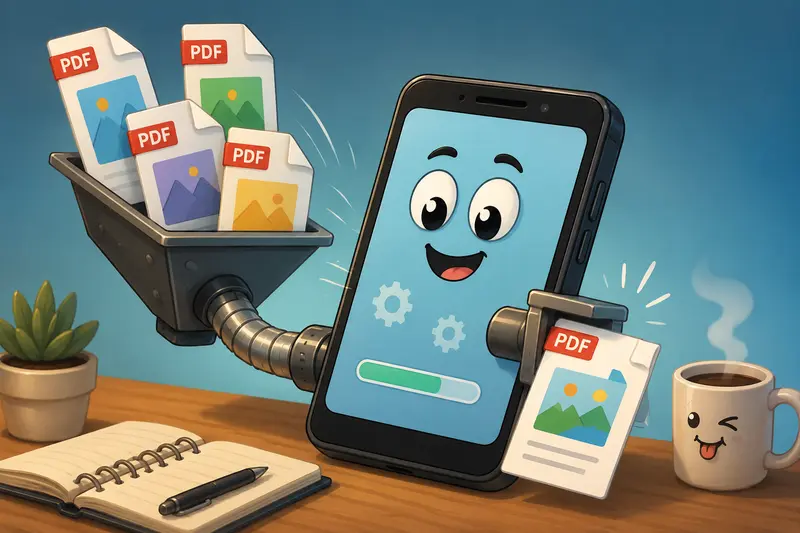
One Tradeoff Designers Should Know About
Mobile PDF merging works well, but there is an important tradeoff with very large image-heavy documents.
If source PDFs contain:
- layered transparency
- oversized embedded PNGs
- ultra-high DPI exports
the merged file can become substantially larger than expected.
That improves output fidelity but may slow sharing later.
In practice, keeping exported review documents around 150200 DPI often provides the best balance between readability and manageable file size for client approvals viewed on screens.
Nobody wants typography proofs that suddenly look like they were photographed through a foggy aquarium.
A Useful Trick for Cleaner Client Deliverables
One overlooked issue in collaborative design files is hidden metadata.
PDFs exported from creative tools can sometimes include:
- software details
- author information
- edit history
- embedded metadata tags
Before sharing sensitive client work externally, running documents through a metadata cleanup process can help reduce unnecessary information exposure.
This becomes particularly useful for agency teams handling confidential branding or pre-release materials.
The privacy side matters too. Filemazing treats uploaded files as temporary processing artifacts rather than long-term cloud storage, with automatic cleanup after processing. For designers sharing unreleased assets, thats significantly preferable to leaving files sitting indefinitely inside random upload systems.
A Surprisingly Common Mobile Mistake
Mixing Export Quality Across Source PDFs
One issue that repeatedly causes ugly merged results is inconsistent export quality before combining files.
For example:
- one PDF exported at 300 DPI
- another compressed heavily for email
- another scanned from a phone camera
The final merged document inherits those inconsistencies.
A better approach:
- standardize export settings first
- keep color profiles consistent
- avoid repeatedly re-exporting already compressed PDFs
This is especially noticeable in portfolios where typography sharpness changes page-to-page.
Designers tend to notice that instantly, even if nobody else does.
Turning Combined PDFs Into Shareable Assets
Merged PDFs are often just the midpoint of a workflow.
After assembling a document, some teams convert selected pages into presentation images or thumbnails for collaboration tools and client previews. A browser-based PDF to image converter can help generate individual visual assets from finalized PDFs without reopening desktop software.
That becomes handy when preparing:
- Behance previews
- social presentation slides
- approval thumbnails
- mobile-first review images
Why Browser-Based Processing Fits Designers Better
Desktop software still has advantages for advanced editing, but browser-based merging solves several practical problems for modern creative work:
- no installation conflicts
- easier collaboration across devices
- works on tablets and phones
- supports cloud imports
- avoids syncing giant temporary project folders
For indie studios and freelance teams, lightweight workflows often matter more than feature overload.
The API side is also relevant for larger operations. Agencies processing recurring proposal packets or automated deliverables can integrate PDF workflows into internal systems without building custom file infrastructure from scratch.
Questions Designers Commonly Ask
Can I combine PDFs without creating an account?
Yes. Some browser-based tools allow you to combine PDFs without signup, including Filemazings merge workflow for smaller or occasional tasks.
Does merging reduce image quality?
Merging itself usually does not reduce quality. However, if the source PDFs were already compressed aggressively, the final document will retain those artifacts.
Is mobile merging reliable for large files?
For moderate and large design documents, browser-based queued processing generally performs more reliably than lightweight mobile apps that depend heavily on device memory.
What types of PDFs work best?
Exported vector PDFs, presentation documents, scanned concept sheets, and flattened proofs typically merge cleanly. Extremely complex interactive PDFs may behave inconsistently depending on embedded elements.
Are uploaded files stored permanently?
No. Filemazing processes uploads temporarily and removes them after a short retention period rather than functioning as long-term file storage.
Can merged PDFs be reused in other workflows?
Absolutely. Many teams merge approval documents first, then convert pages into presentation visuals, archive project bundles, or distribute finalized review packets.
Final Thoughts
For designers working increasingly from mobile devices, the ability to merge PDF documents efficiently is less about convenience and more about keeping creative workflows moving without interruption.
A reliable browser-based process helps when handling:
- large review packets
- scanned concepts
- portfolio assemblies
- collaborative revisions
- client-facing deliverables
If your projects regularly involve image-heavy PDFs, layered proofs, or scattered document sets, tools like Filemazing Merge PDF Tool https://filemazing.com/merge-pdf provide a cleaner way to organize files without relying on bulky desktop software or fragile mobile apps.