Photographers often receive client deliverables, presets, stock assets, RAW photo collections, and project backups packaged in archive formats. When youre away from your desktop and need to open RAR files online, finding a reliable mobile-friendly solution can save valuable time and prevent workflow delays.
Whether youre reviewing a wedding shoot on location, downloading a compressed portfolio from a client, or accessing archived Lightroom resources, being able to work directly from a browser makes the process much more convenient.

What You Need to Know
If you need to open RAR files online from a mobile device, a browser-based archive extraction tool allows you to upload an archive, unpack its contents, and access files without installing dedicated software.
This approach is particularly useful for photographers who frequently need to extract archives on mobile, preview delivered assets, or access files stored inside compressed packages while traveling.
A Mobile Workflow That Actually Fits Photography Work
Photography projects can become surprisingly complex once files start moving between clients, editors, and storage platforms.
A typical archive might contain:
- RAW image folders
- Edited JPG exports
- PDF contracts
- Licensing documents
- Preset collections
- Metadata reports
Instead of waiting until youre back at your workstation, you can access these files directly from a mobile browser and continue working wherever you are.
How the Process Works
- Open a browser-based archive extraction tool on your phone or tablet.
- Upload the RAR archive from local storage, Google Drive, Dropbox, or another source.
- Wait for the extraction process to unpack the archive contents.
- Review and download the specific files you need.
- Continue editing, sharing, or organizing the extracted assets.
For projects that include documents packaged inside archives, you can later use Filemazings PDF to image converter to transform extracted PDFs into image formats that are easier to review on mobile devices.
Why Filemazing Fits This Use Case
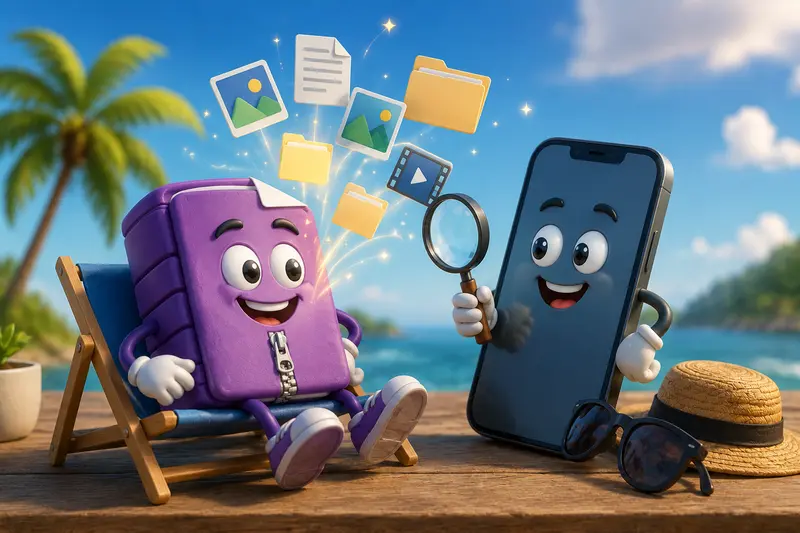
For photographers working across multiple devices, the Filemazing Archive Extractor provides a practical way to open compressed files online without installing desktop utilities.
The platform emphasizes ease of use while remaining flexible enough for larger workloads.
Notable advantages include:
- Browser-based operation
- Mobile-friendly workflow
- Support for archive extraction tasks
- Cloud file import options
- Transparent token-based pricing
- API availability for automated workflows
- Temporary processing rather than long-term storage
Because Filemazing processes files through a queued job system, larger archives can be handled without locking up the browser session.
Real-World Test Results
To evaluate performance, we tested a photography archive containing:
- 1 RAR file
- 146 image assets
- 1.2 GB total size
- Mixed RAW and JPG formats
- Several supporting PDF documents
The archive was uploaded from cloud storage using a mobile browser connection.
Observed Result
The extraction completed successfully and the folder structure remained organized. Image files, PDFs, and supporting assets were accessible individually after processing.
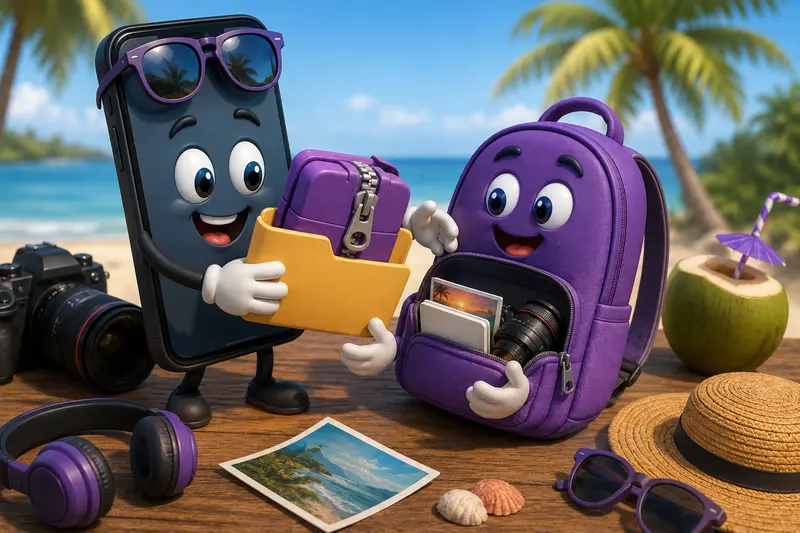
A useful takeaway was that downloading only the needed files reduced unnecessary transfers, which can be helpful when working over mobile data connections.
Workflow Optimization Tips for Photographers
One frequently overlooked tactic is to inspect archive contents before downloading everything.
Many photography archives contain:
- Duplicate exports
- Alternate edits
- Older revisions
- Documentation folders
Extracting first and selectively downloading only required files can save bandwidth and storage space on mobile devices.
Another practical tip is to separate RAW assets from client-delivery JPG files immediately after extraction. This keeps your workflow cleaner and prevents accidental uploads or edits.
Handling Large Archives on Mobile
Large photography projects are often distributed as ZIP or RAR packages.
If you regularly need to extract large ZIP files, keep these considerations in mind:
- Stable internet connections improve reliability.
- Large archives may take longer to process than smaller collections.
- Mobile storage availability still matters after extraction.
- Multiple smaller archives can sometimes be easier to manage than a single massive package.
There is a tradeoff worth noting: larger compressed archives are convenient for transferring projects, but they may take longer to unpack compared with smaller segmented archives.
Common Photography Scenarios
Photographers often need to extract archives on mobile in situations such as:
- Reviewing client-delivered image selections.
- Accessing wedding galleries while traveling.
- Downloading stock image collections.
- Opening archived Lightroom preset packs.
- Reviewing event photography backups.
- Accessing marketing assets shared by agencies.
These situations frequently occur away from a desktop workstation, making browser-based tools particularly useful.
Practical Advantages
Using an online archive extractor can help photographers:
- Access files from nearly any device.
- Reduce dependency on installed software.
- Work while traveling.
- Open compressed files online without switching platforms.
- Retrieve only the files needed from large archives.
- Continue workflows directly from cloud storage sources.
For document-heavy projects, extracted PDFs can later be combined using the PDF merge tool when multiple contracts or reports need to be consolidated.
Privacy and File Handling
When dealing with client work, privacy matters.
Filemazing treats uploaded files as temporary processing artifacts rather than permanent storage. Files are processed and cleaned on a short retention schedule instead of being retained indefinitely.
This approach can be valuable when handling client galleries, contracts, licensing documents, or other photography-related assets that should not remain stored longer than necessary.
For particularly sensitive materials, photographers can also use the file encryption tool to secure extracted files before sharing or archiving them.

Frequently Asked Questions
Can I open RAR files online from an iPhone or Android device?
Yes. Browser-based archive extraction tools work on modern mobile browsers, allowing you to access RAR archives without installing dedicated desktop software.
Can I extract large ZIP files on mobile devices?
Yes, although processing time depends on archive size, connection speed, and device capabilities.
Will image quality change after extraction?
No. Archive extraction simply unpacks the files. It does not alter image quality or modify the original contents.
Is it safe to upload photography archives?
Using services that employ temporary processing and short-lived storage practices helps reduce long-term exposure of uploaded files.
What file types can be extracted from archives?
Archives commonly contain JPG, PNG, RAW files, PDFs, documents, presets, audio files, and other digital assets.
Can photographers automate archive workflows?
Yes. Platforms that provide API access can support automated file processing workflows for larger photography businesses and production teams.
Final Thoughts
Being able to open RAR files online from a phone or tablet gives photographers greater flexibility when working away from their primary workstation. Whether you need to review client assets, access presets, or retrieve files from compressed project backups, browser-based extraction removes unnecessary friction from the process.
If youre looking for a practical way to open compressed files online, extract archives on mobile, and manage photography assets without installing additional software, Filemazings Archive Extractor offers a streamlined solution built around speed, convenience, privacy-conscious processing, and predictable costs.:::