Photographers working on Linux often deal with large RAW files, client galleries, compressed previews, and archived project folders that need to move securely between collaborators. The challenge is balancing convenience with privacy. Many cloud drives make sharing easy, but not every workflow guarantees that sensitive client files stay protected during transfer.
For photographers handling wedding shoots, commercial campaigns, or editorial work, secure file sharing is not just about passwords. It also involves metadata cleanup, controlled file handling, and minimizing unnecessary copies floating around online.
One increasingly practical approach is browser-based encryption combined with temporary processing tools that avoid permanent storage.
The Short Version
If you need a practical way to handle secure file sharing on Linux without installing heavyweight desktop software, browser-based encryption tools can simplify the process considerably.
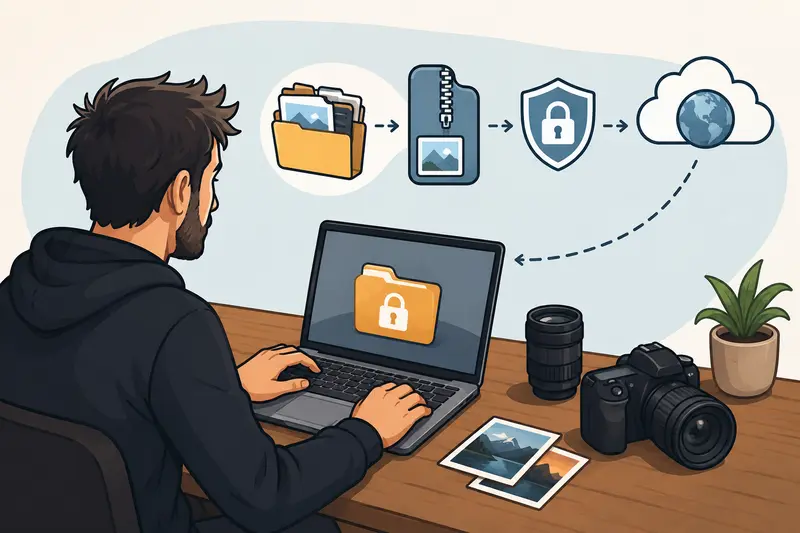
A workflow that works well for many photographers looks like this:
- organize and compress images
- remove hidden metadata
- encrypt the final archive
- share the protected file through your preferred channel
This keeps sensitive client information safer while reducing upload size and transfer time.
For photographers sending large galleries or contract documents, using a lightweight browser tool like Filemazing Encrypt File https://filemazing.com/encrypt-file can reduce setup friction while still maintaining a privacy-focused workflow.
Why Linux Photographers Often Need a Different Workflow
Creative professionals on Linux frequently mix local storage, NAS devices, external SSDs, and cloud transfer services. Unlike simpler consumer workflows, photography projects can contain:
- hundreds of RAW files
- layered TIFF exports
- Lightroom sidecar metadata
- ZIP or TAR archives
- client contracts in PDF format
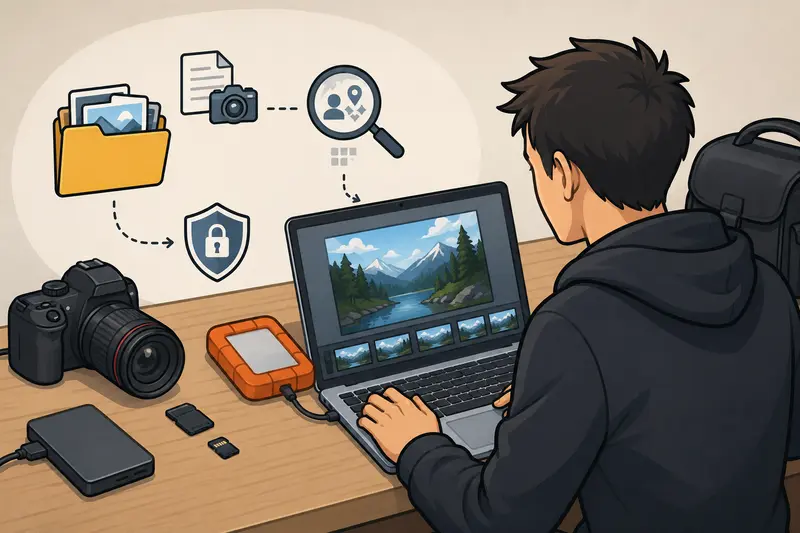
The problem is that many files contain more information than expected. EXIF data may reveal GPS coordinates, camera serial numbers, timestamps, and editing history.
Before encryption, it often helps to use a dedicated metadata cleanup step. For example, the metadata scrubbing tool from Filemazing https://filemazing.com/metadata-scrubber can remove hidden metadata before protected sharing.
That extra step matters more than many photographers realize.
A Practical Linux Workflow for Private File Sharing
There are many ways to build a private file sharing workflow, but simplicity usually wins in real production environments.
Heres a process that fits well into Linux-based photography work.
Prepare the files first
Large image batches slow down uploads unnecessarily. If the files are intended for proofing or review rather than full-resolution print delivery, reducing image size beforehand can dramatically improve transfer speed.
Using a browser-based utility like Filemazing image compression https://filemazing.com/compress-image helps reduce payload size before encryption.
There is a tradeoff, though:
- aggressive JPG compression speeds up sharing
- excessive compression can soften skin texture and fine detail
For client previews, moderate compression usually gives the best balance.
Consolidate folders into archives
Photographers often send entire shoot folders. Combining files into ZIP or TAR archives keeps transfers organized and avoids missing assets.
If collaborators send archived content back, the archive extraction workflow https://filemazing.com/archive-extractor can unpack incoming project bundles directly in the browser before reprocessing them.
Encrypt before upload
After cleanup and organization, encrypt the archive with a strong password. This protects files even if the transfer link is intercepted or forwarded accidentally.
Share through your preferred platform
Once encrypted, the file can be shared through:
- cloud drives
- email attachments
- temporary transfer services
- self-hosted storage
- client portals
The encryption layer stays independent of the delivery channel.
Where Filemazing Fits Into the Workflow
Filemazing https://filemazing.com/encrypt-file approaches file handling differently from traditional desktop utilities.
Instead of requiring software installation, it provides browser-based processing tools for encryption, conversion, cleanup, compression, and archive management. That flexibility works especially well for Linux photographers who prefer lightweight environments or frequently switch between machines.
Several aspects stand out in practice:
Privacy-focused processing
Uploaded files are treated as temporary processing artifacts rather than long-term cloud storage. Completed jobs are cleaned on a short retention schedule, which reduces lingering exposure risks.
For photographers sharing unreleased campaign work or client-sensitive material, temporary handling is often preferable to permanent storage repositories.
Predictable token pricing
Rather than subscriptions, Filemazing uses token-based pricing tied to workload complexity.
The encryption workflow itself uses relatively lightweight token consumption:
- base cost: 4
- per MB: 1.0
- per file: 2.0
That transparency makes budgeting easier for studios processing large recurring batches.
Browser-based convenience
Linux users frequently avoid installing unnecessary desktop utilities, especially on streamlined editing systems.
Being able to process files directly in the browser without maintaining extra packages or compatibility layers simplifies deployment considerably.
Automation support
Studios handling repetitive deliveries can also integrate API endpoints into automated pipelines for:
- proof exports
- archive preparation
- secure delivery staging
- metadata cleaning sequences
That becomes useful when multiple editors or retouchers contribute to the same workflow.
Real-World Testing Notes From a Photography Batch
To evaluate how well browser-based encryption handled real photography workloads, a mixed project folder was tested using approximately:
- 220 JPG preview images
- 18 RAW files
- 3 layered TIFF exports
- one 46-page PDF contract package
The total archive size landed slightly above 3.2 GB after compression.
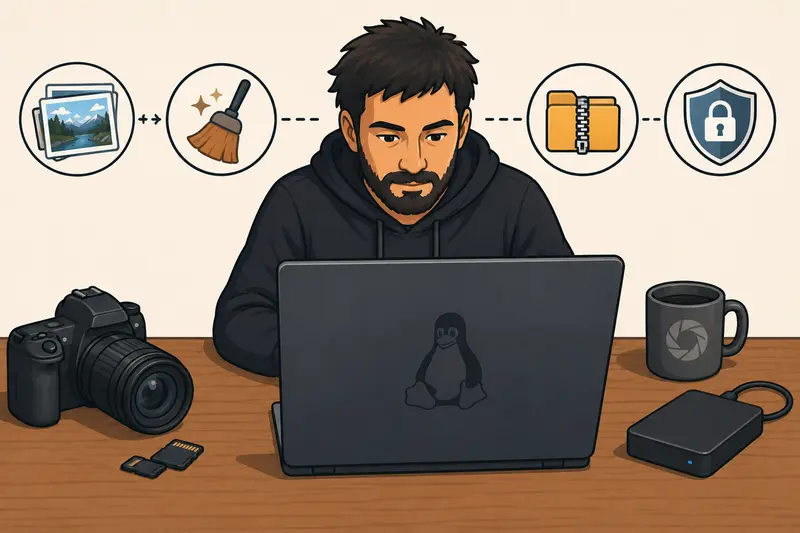
The workflow used:
- image compression on preview exports
- metadata cleanup
- ZIP archiving
- encryption before upload
A few observations stood out.
The encryption stage itself remained relatively fast compared to the upload portion. The largest bottleneck was internet bandwidth, not browser processing.
Another useful takeaway: compressing previews before encryption reduced transfer size enough to noticeably speed up delivery to remote clients.
One thing photographers should avoid is encrypting thousands of tiny loose files individually. Packaging them into a single archive first is much more efficient operationally.
One Mistake Many Photographers Overlook
Encrypted files can still expose information indirectly
Even when files are encrypted properly, filenames and folder naming conventions may still reveal sensitive project details.
Examples:
CelebrityCampaign_FinalConfidential_Product_ShootWedding_Client_Full_RAW_Backup
For commercial photography teams, this can leak client relationships or unreleased campaign details before anyone even opens the archive.
A safer approach is using neutral archive names such as:
project-0426.zipdelivery-set-b.zipclient-assets-01.zip
This is a small operational detail, but it matters in professional environments where discretion is part of the service.
Situations Where Secure Files Online Matter Most
Different photography niches create different sharing risks.
Wedding photographers
Often transfer thousands of client images to second shooters, editors, and album designers.
Commercial studios
Need secure approval workflows for unreleased campaigns and branded assets.
Travel photographers
Regularly upload files from hotels, airports, or public networks where encryption becomes more important.
Freelance retouchers
Receive layered PSD or TIFF files containing high-value commercial work.
Event teams
Share compressed highlight galleries rapidly during live productions.
Photography educators
Distribute course assets, presets, and RAW practice files securely to students or collaborators.
What You Gain From Browser-Based Encryption
There is no single perfect secure sharing method, but browser-based encryption workflows solve several practical problems at once.
They reduce:
- software maintenance
- compatibility issues
- installation overhead
- dependency management
At the same time, they improve:
- portability
- workflow consistency
- temporary handling privacy
- accessibility across Linux systems
For many photographers, the biggest advantage is operational simplicity. A secure process that is easy to repeat consistently tends to be safer than a complicated setup people avoid using.
FAQ
Is browser-based file encryption safe for photographers?
It can be, especially when combined with strong passwords and temporary file handling policies. The important factor is using trusted workflows and avoiding unnecessary permanent cloud storage.
Can I share RAW files securely online?
Yes. RAW formats like CR2, NEF, and ARW can be archived and encrypted before transfer. Large batches may simply take longer to upload.
Does compression reduce photo quality?
Potentially. Moderate JPG compression usually preserves preview quality well, but aggressive settings may soften fine detail or introduce artifacts.
Is software installation required on Linux?
Not necessarily. Browser-based services allow photographers to handle secure files online without installing dedicated encryption software locally.
What is the best way to organize large encrypted deliveries?
Bundling related files into ZIP archives before encryption is usually more manageable than encrypting hundreds of individual items separately.
Can metadata still exist after encryption?
Encryption protects the file contents, but metadata should ideally be removed before encryption. That is why metadata cleanup tools are useful earlier in the workflow.
Final Thoughts
For Linux photographers, secure delivery is no longer limited to complicated desktop utilities or enterprise storage systems.
A cleaner workflow often works better:
- compress where appropriate
- remove hidden metadata
- archive logically
- encrypt before sharing
Tools like Filemazing Encrypt File https://filemazing.com/encrypt-file make that process easier to handle directly in the browser while keeping file handling lightweight and temporary.
For photographers moving large client projects regularly, that balance between privacy, speed, and operational simplicity can make a noticeable difference in day-to-day work.