Remote teams exchange a surprising number of ZIP files. Design assets, exported reports, scanned contracts, sprint backups, customer datasets they all tend to arrive compressed, often at inconvenient moments.
And when teammates work across different operating systems, just unzip it locally stops being the universal answer people assume it is.
Browser-based extraction tools have become a practical workaround, especially for distributed teams that need to open archives quickly without installing additional software or troubleshooting desktop utilities.
In this guide, we tested how online archive extraction performs in realistic team workflows, where it works best, and what limitations you should know before relying on it for larger file operations.
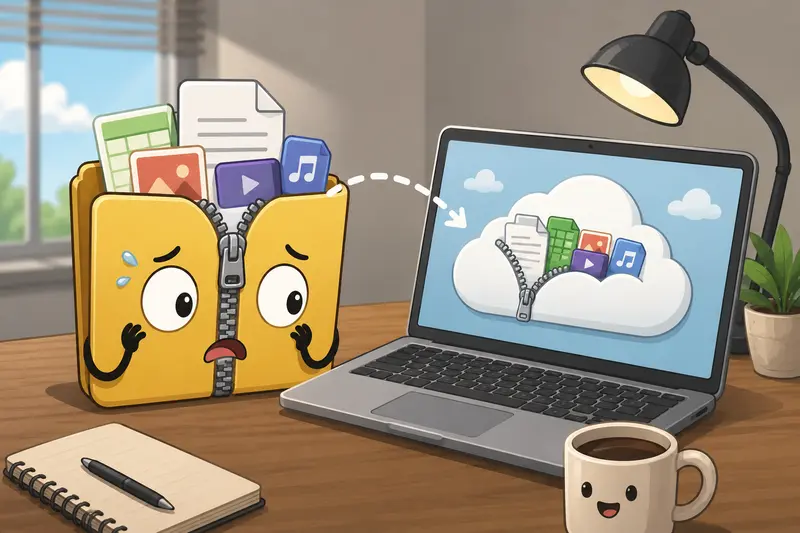
What Actually Matters When Extracting ZIP Files Online
Most people searching for unzip files online are trying to solve one of three problems:
- opening archives on a locked-down work device
- accessing files while traveling or working remotely
- avoiding another desktop utility installation
For distributed teams, theres another layer: consistency.
A browser-based extractor behaves the same whether someone uses Windows, macOS, Linux, or a temporary virtual desktop session. That reduces the classic works on my machine friction that appears during shared file handoffs.
Tools like Filemazing Archive Extractor https://filemazing.com/archive-extractor approach this differently from traditional desktop archive apps. Instead of acting like permanent storage software, the platform treats uploaded archives as temporary processing jobs with cleanup handling after processing is complete.
That distinction matters for teams dealing with client documents or short-term collaboration assets.
A Real Workflow Test With Large Team Archives
To see how practical browser extraction actually feels in day-to-day work, we tested a few common remote collaboration scenarios:
Test setup
We uploaded:
- a 1.2GB ZIP archive containing marketing assets
- several nested folders with PDFs and PNG exports
- compressed project handoff documents
- mixed-format files shared between Windows and macOS users
The extraction process was handled entirely in-browser on desktop without additional software installation.
What happened
Smaller archives opened almost immediately. Larger ZIP packages understandably took longer because extraction speed depends partly on upload time and file complexity.
One useful detail: the queue-based processing avoided freezing the browser tab during heavier extraction jobs. That becomes important when teammates are simultaneously uploading or downloading other work files.
We also tested archives containing:
- long filenames
- nested directories
- mixed character encoding
- duplicated filenames
The extraction handled these reliably, although very deeply nested archives produced slower download preparation afterward.
Nobody enjoys discovering a 900MB ZIP file ten minutes before a client presentation, but at least modern browser extraction tools are less dramatic about it than older desktop workflows used to be.
When Browser-Based Extraction Makes More Sense
Desktop extraction software still has advantages for power users, especially with encrypted enterprise archives or advanced compression formats.
But online extraction has become genuinely useful in several remote-team situations.
Shared contractor environments
Freelancers and temporary collaborators often work on restricted machines where installing utilities is discouraged or blocked entirely.
Being able to extract ZIP files without software reduces setup friction immediately.
Fast document review
Teams frequently receive compressed document bundles:
- legal paperwork
- scanned receipts
- project exports
- compliance records
After extraction, its often useful to convert document pages into visuals for review workflows. In those cases, using a tool that can also convert extracted PDFs to images https://filemazing.com/pdf-to-image keeps the process centralized instead of jumping across multiple services.
Cross-platform collaboration
Some archive structures behave slightly differently across operating systems, particularly with metadata or hidden files.
A browser-based workflow standardizes extraction behavior regardless of local machine setup.
Extract Large ZIP Files Without Turning It Into an IT Project
One of the more practical benefits of modern extraction services is handling large ZIP files without relying on local desktop resources alone.
That said, there are tradeoffs.
The convenience advantage
For distributed teams:
- no local software rollout is required
- temporary devices work fine
- onboarding is easier
- support requests decrease
The realistic limitation
Upload speed still matters.
If someone works from a slower connection, very large archives may process more slowly online than through a dedicated local extractor.
Theres also a browser memory consideration. Extremely large archives with many tiny files can feel heavier than archives containing fewer large assets.
In our tests, archives with thousands of small image files created more noticeable preparation delays than archives containing several large PDFs.
Thats a subtle but important distinction many comparison articles ignore.
One Overlooked Optimization for Remote Teams
Heres a genuinely useful workflow tip we discovered during testing:
Split working files from storage files
Teams often compress everything into one massive archive:
- raw assets
- exports
- backups
- final deliverables
- drafts
That sounds organized, but it slows extraction and makes file retrieval harder for collaborators.
A better approach is:
- one ZIP for active working documents
- another for archival storage
- separate exports by department or use case
Smaller, purpose-specific archives extract faster and reduce accidental duplicate downloads across teams.
This becomes especially helpful when multiple people need only one subset of files instead of the entire archive.
Beyond Extraction: What Teams Usually Do Next
Extracting files is rarely the final step.
In practice, remote teams usually continue processing the contents immediately afterward.
For example:
- combining extracted contracts into a single document
- securing deliverables before external sharing
- preparing assets for cloud upload
Thats where integrated browser workflows become useful.
If extracted archives contain multiple reports or scanned pages, it helps to combine PDFs extracted from archives https://filemazing.com/merge-pdf without switching platforms.
And for client-sensitive exports, teams can secure extracted files for storage or sharing https://filemazing.com/encrypt-file before distributing downloads externally.
Instead of juggling five utilities, the workflow stays in one environment.
Privacy Considerations You Shouldnt Ignore
Uploading archives online naturally raises security questions.
For temporary collaboration workflows, browser-based extraction can actually reduce some risks compared to emailing uncompressed files repeatedly between teammates.
Still, teams should understand how processing works.
Filemazing processes uploaded archives as temporary jobs rather than long-term cloud storage. Files are cleaned on a short retention schedule after processing instead of remaining indefinitely accessible.
That model is better suited for operational workflows than permanent storage scenarios.
However, highly regulated industries or organizations handling sensitive internal data may still prefer local-only extraction for certain workloads.
Convenience and control always exist on a spectrum.
Extract Archives on Mobile vs Desktop
Technically, many online extraction tools also work on mobile devices.
But for distributed teams, desktop usage is usually far more practical when:
- archives exceed several hundred megabytes
- extracted folders contain many subdirectories
- documents require additional processing afterward
Mobile extraction works best for:
- quick file previews
- urgent document access
- lightweight downloads
Desktop workflows remain more efficient for serious collaborative handling of large ZIP archives.
Some file formats cooperate nicely. Others behave like they were invented during an argument.
Common Questions
Can I extract ZIP files online without installing software?
Yes. Browser-based tools allow you to upload and extract archives directly online without installing desktop extraction utilities.
Is online archive extraction safe for team documents?
It depends on the platform and the sensitivity of the files. Services that use temporary processing and cleanup policies are generally better suited for short-term collaboration workflows than platforms acting as permanent storage systems.
What happens with very large ZIP files?
Large archives usually work fine, but extraction time depends on:
- upload speed
- file complexity
- number of contained files
- browser performance
Archives with thousands of tiny files often process more slowly than fewer large documents.
Can extracted files be processed further afterward?
Yes. Many teams continue workflows immediately after extraction, such as converting PDFs, merging reports, compressing media, or encrypting shared documents.
Does this work for remote teams using different operating systems?
Thats one of the stronger advantages of browser extraction. The workflow remains largely consistent across Windows, macOS, Linux, and temporary virtual environments.
Are online extractors suitable for permanent cloud storage?
Not necessarily. Most archive extraction services are intended for temporary processing rather than long-term file management.
Final Thoughts
For distributed teams, browser-based archive extraction solves a very practical operational problem: accessing compressed files quickly without depending on local software setup.
That simplicity becomes especially valuable during contractor onboarding, cross-platform collaboration, and fast-moving document exchanges.
Online extraction is not a perfect replacement for every desktop archive utility. Very large workloads, highly sensitive data, or specialized compression formats may still justify local tools.
But for everyday remote collaboration, the ability to unzip files online through a consistent browser workflow is increasingly hard to ignore particularly when the same platform can continue handling document preparation, conversion, and secure sharing afterward.