Marketing teams move images constantly campaign previews, influencer assets, event photography, ad creatives, press kits, social graphics. What often gets overlooked is the hidden metadata attached to those files.
That information can include GPS coordinates, camera details, timestamps, editing software history, and author data. In some workflows, thats harmless. In others, it creates unnecessary privacy exposure or reveals internal production details before content is ready to go public.
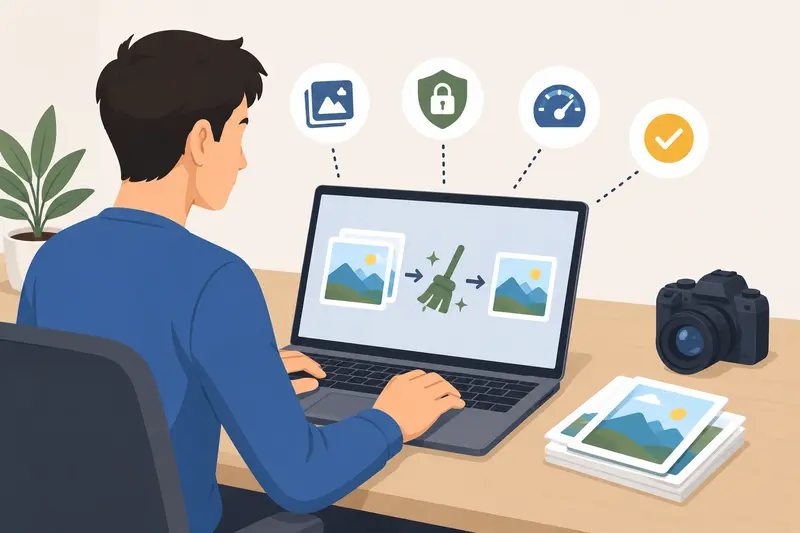
Using a tool to clean image metadata online helps remove those hidden details before files are shared externally.

What You Should Know First
If you need to remove EXIF data or other embedded metadata from marketing images, browser-based tools are often the fastest option for routine workflows.
A tool like Filemazing Metadata Scrubber https://filemazing.com/metadata-scrubber lets teams process files without installing desktop software, while also supporting batch operations and temporary file handling. For agencies juggling multiple campaigns, that matters more than most people realize.
And yes, metadata surprises happen more often than people admit.
Why Marketers Remove Metadata Before Sharing
Metadata is useful during production. It becomes less useful once assets leave your organization.
A social media manager sending product photography to partners usually doesnt need to expose:
- exact shoot locations
- device information
- internal editing timestamps
- creator names embedded by software
- revision history from exported files
For brands working with embargoed launches or location-sensitive campaigns, a forgotten GPS tag can create awkward problems.
This is why many teams now use a dedicated photo privacy metadata remover before publishing or transferring media externally.
A Practical Workflow That Actually Holds Up
One thing that slows teams down is fragmented tooling.
You export assets from design software, compress them elsewhere, clean metadata in another app, then upload everything manually again. By Friday afternoon, every tab in your browser starts looking identical.
A more stable workflow looks something like this:
- Export final campaign images
- Remove EXIF online before distribution
- Compress oversized assets for email or ad platforms
- Encrypt confidential media when needed
- Deliver cleaned files to clients or partners
For example, after scrubbing metadata, many teams also use image compression workflows https://filemazing.com/compress-image to reduce upload times for newsletters, landing pages, and paid ads.
The sequence matters because compression tools can sometimes regenerate metadata depending on export behavior. Cleaning metadata after your final export step avoids that issue.

What We Tested in a Real Marketing Scenario
We tested a batch of 42 JPG images from a mock product launch campaign:
- DSLR photography exports
- Canva-generated social assets
- Edited PNG banners
- Mobile behind-the-scenes images
The total upload size was around 380MB.
Using Filemazings metadata scrubber, the files processed in batches directly in the browser without needing local software installation. GPS coordinates and camera EXIF data were removed successfully across the image set.
One interesting observation: PNG graphics carried less obvious metadata than smartphone photos, but still contained editing-related information from export software.
The practical takeaway:
Marketing teams should treat edited graphics and raw photos differently during review, because metadata behavior varies significantly between formats.
That distinction gets missed surprisingly often.
PNG vs JPG: The Tradeoff Most Teams Ignore
Not all image formats behave the same way when you remove metadata before sharing.
JPG files
- Usually contain larger EXIF datasets
- Common for photography
- Easier to optimize for smaller file sizes
- Better for campaign photos and social content
PNG files
- Often cleaner initially
- Can still contain software/export metadata
- Larger file sizes after editing
- Better for transparent graphics and UI visuals
Heres the tradeoff:
Removing metadata from JPGs often gives a noticeable privacy improvement with minimal workflow impact. PNG cleanup helps too, but file size can become the bigger operational issue afterward.
The goal is protecting privacy not accidentally turning marketing assets into 25MB email attachments nobody wants to download.
Where Browser-Based Processing Helps Most
Desktop tools still have their place, especially for creative production. But browser-based metadata cleaning solves several operational headaches for marketers:
- distributed remote teams
- freelancers using mixed devices
- agency-client handoffs
- temporary campaign contractors
- quick compliance reviews before publishing
Because Filemazing processes files through a lightweight browser workflow with temporary retention policies instead of long-term storage, it fits privacy-conscious sharing workflows naturally.
That matters when campaign assets include:
- unreleased products
- event photography
- executive media
- location-sensitive content
- client-owned creative files
For teams handling confidential assets, it also helps to encrypt private media files before delivery https://filemazing.com/encrypt-file after metadata cleanup.
Useful Situations for Metadata Scrubbing
Different marketing roles run into this problem in different ways.
Agency client deliveries
Agencies often send hundreds of finalized images externally. Removing metadata reduces accidental leakage from internal production workflows.
Influencer collaboration kits
Campaign media shared with creators can unintentionally expose location details or internal naming structures.
Press and PR distribution
Press images get redistributed widely. Cleaning metadata minimizes unnecessary embedded information before publication.
Event photography
Conference and launch photos frequently contain GPS data from smartphones and cameras.
Paid ad asset preparation
Ad platforms compress and reprocess files differently. Starting with clean exports keeps file handling more predictable.
Multi-tool creative workflows
Assets exported through several design platforms can accumulate inconsistent metadata over time.
One Workflow Improvement That Saves Time
If your campaign includes PDFs that later become social graphics or presentation images, convert the PDF first before cleaning metadata.
Using PDF-to-image conversion tools https://filemazing.com/pdf-to-image before metadata removal creates cleaner downstream image exports and avoids carrying over embedded document information unnecessarily.
This is particularly useful for:
- slide decks
- media kits
- event brochures
- downloadable lead magnets
It also keeps image dimensions more consistent across channels.
Why Teams Tend to Stick With Centralized File Tools
Most marketers dont want eight separate utilities for file handling.
Platforms that combine:
- metadata scrubbing
- compression
- format conversion
- archive extraction
- encryption
reduce context switching and simplify onboarding for non-technical teammates.
Filemazing also supports API-based workflows for larger operational setups, which becomes useful for agencies or SaaS teams processing recurring media batches automatically.
The transparent token model is another practical advantage. Teams can estimate workload costs ahead of time instead of guessing usage limits or discovering surprise overages later.
Common Questions
Does removing metadata reduce image quality?
No. Metadata removal only strips embedded information attached to the file. The image pixels themselves remain unchanged unless you also compress or resize the file separately.
Can I remove EXIF online from phone photos?
Yes. Smartphone images are among the most common files containing GPS coordinates and device metadata.
Is metadata cleaning useful for social media uploads?
Absolutely. Some platforms remove portions of metadata automatically, but relying on platform behavior alone is inconsistent across channels.
Are uploaded files stored permanently?
Filemazing treats uploaded files as temporary processing artifacts rather than permanent cloud storage. Files are cleaned on a short retention schedule after processing.
What formats usually contain metadata?
JPG, TIFF, PNG, HEIC, and RAW photo formats commonly contain embedded metadata, though the amount varies by device and editing software.
Should metadata removal happen before or after compression?
Usually after your final export step but before external sharing. If compression tools regenerate file properties, you may want metadata cleanup as the final stage.
Final Thoughts
For modern marketing teams, metadata cleanup is less about paranoia and more about operational hygiene.
Campaign assets move across freelancers, agencies, clients, platforms, and cloud storage constantly. A lightweight way to clean image metadata online helps reduce unnecessary exposure while keeping workflows organized.
Filemazings metadata scrubber https://filemazing.com/metadata-scrubber fits well into that process because it stays practical: browser-based handling, temporary file cleanup, batch support, and predictable usage costs without forcing teams into heavyweight desktop tooling.
Sometimes the best workflow improvement is simply removing the invisible stuff nobody intended to share in the first place.