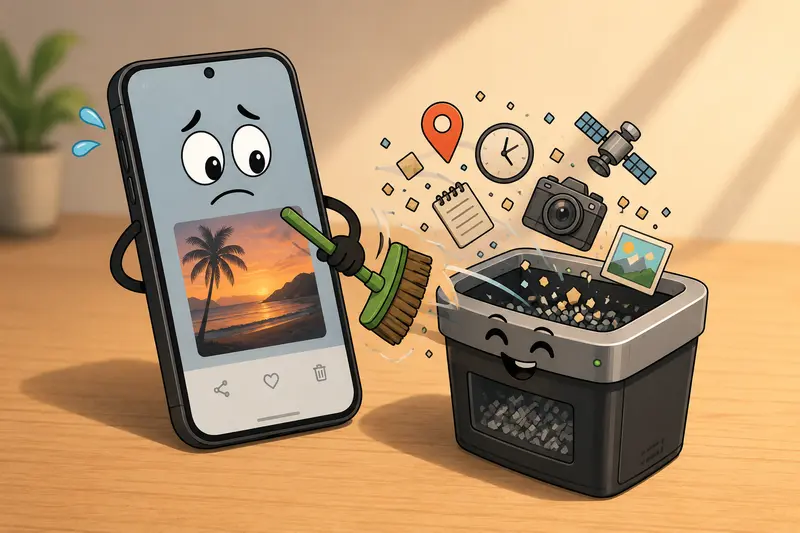
Photos taken on Android devices quietly carry more information than most people realize. GPS coordinates, camera model, timestamps, editing history its all embedded inside the image file as EXIF metadata.
For marketers handling campaign assets, client screenshots, event photos, or social uploads, that hidden data can become a privacy headache surprisingly fast.
The good news: removing it no longer requires desktop software or complicated editing apps.

The Short Version
If your goal is to strip EXIF data from Android photos quickly, the fastest workflow is usually:
- Upload images to a browser-based metadata cleaner
- Remove hidden metadata in bulk
- Download clean versions ready for publishing or sharing
A browser-based tool like Filemazing Metadata Scrubber https://filemazing.com/metadata-scrubber works especially well for marketing workflows because it avoids app installs and handles multiple files at once.
That matters when youre dealing with:
- event photo batches
- influencer submissions
- client deliverables
- screenshots from multiple devices
- images prepared for ads or public distribution
And yes, Android photos often contain more metadata than expected including precise location history if GPS tagging was enabled.
Why Marketers Should Care About Photo Metadata
Most teams dont intentionally share metadata. It just rides along unnoticed.
A few common examples:
- Real estate images exposing property coordinates before launch
- Team photos revealing office locations
- Product shots containing device details from internal testing phones
- Campaign drafts accidentally preserving editing timestamps
In real workflows, metadata leaks are usually accidental rather than malicious.
One agency workflow Ive seen involved roughly 180 JPG images exported from a trade show recap. The photos had already been resized for LinkedIn, but the GPS coordinates remained untouched. Since several images were taken inside a client-only event area, the team had to reprocess everything before publication.
Thats where bulk cleanup matters more than fancy editing tools.
Getting It Done on Android
You do not necessarily need a dedicated Android app to delete hidden photo data anymore. Modern browser-based tools are often faster because they avoid sync issues and storage duplication.
A Practical Workflow
- Export or gather your images from Google Photos or device storage
- Open the metadata cleaner in your mobile browser
- Upload single files or batches
- Process the files
- Download the cleaned versions
Filemazing handles this directly in the browser while using temporary processing rather than long-term file storage, which is helpful when working with client materials or unpublished marketing assets.
Another useful detail: if you later need alternate file formats for social channels or CMS compatibility, you can also use the image format conversion tool https://filemazing.com/format-converter to convert cleaned images into PNG, JPG, WEBP, or other formats afterward.
What Actually Gets Removed?
Depending on the image and device, EXIF stripping can remove:
- GPS coordinates
- camera manufacturer and model
- capture timestamps
- orientation data
- software/editing history
- lens information
- device serial references
Some Android camera apps add surprisingly detailed metadata. Others barely include anything beyond timestamps. The inconsistency is part of the problem.
A non-obvious issue: screenshots can also contain metadata. Many people assume only camera photos carry embedded information.
A Useful Tradeoff to Understand
Theres one thing worth knowing before mass-cleaning images:
Removing metadata does not usually reduce image dimensions or visibly affect quality. However, it can slightly reduce file size because the extra embedded information disappears.
But format choice still matters.
For example:
- JPG files generally preserve EXIF more heavily
- PNG files often contain less camera metadata naturally
- WEBP exports may behave differently depending on the editing app
If your workflow involves social publishing, you may want to strip metadata before compression. Compressing first can occasionally preserve metadata blocks depending on the export pipeline.
That order matters more than people expect.
And large files tend to appear exactly when deadlines get uncomfortable.
Where Bulk Processing Helps Most
Single-image cleanup is easy. The real friction appears when teams process dozens or hundreds of files.
Typical marketing examples:
- conference photography
- ecommerce catalog uploads
- ad creative variations
- partner-submitted images
- social media asset libraries
Browser-based bulk processing avoids constantly moving files between mobile apps and cloud drives.
Filemazing also supports cloud imports from providers like Google Drive and Dropbox, which becomes useful when campaign assets already live in shared folders instead of local Android storage.
For teams handling repeated workflows, API access can automate metadata scrubbing before assets ever reach a publishing pipeline.
Thats particularly helpful for agencies or SaaS companies generating user-uploaded media at scale.
One Mistake People Commonly Miss
Heres a surprisingly common problem:
People strip metadata from exported images but forget PDFs containing embedded images still preserve metadata internally.
If you receive marketing decks, brochures, or press kits as PDFs, it can help to first use a PDF to image extraction workflow https://filemazing.com/pdf-to-image before cleaning metadata from the exported pages individually.
This is especially relevant for:
- media kits
- presentation decks
- event brochures
- sponsor materials
PDFs are excellent at hiding complexity inside otherwise innocent-looking files.

Speed vs Precision: Mobile Apps vs Browser Tools
Android apps can work well for quick one-off removals, but they often become slower during larger workflows.
A few differences stand out:
| Approach | Better For | Potential Limitation |
|---|---|---|
| Native Android app | Single images | Storage duplication and ads |
| Desktop editor | Advanced editing | Slower transfer workflow |
| Browser-based metadata remover | Bulk cleanup and portability | Requires internet access |
For marketers moving between laptops, Android phones, shared drives, and CMS platforms, browser workflows are usually easier to maintain consistently.
Especially when no one wants another app installed solely for metadata cleanup.
After Cleaning: Prepare Images for Publishing
Once metadata is removed, most teams still need to optimize files for delivery.
That often includes:
- resizing
- compression
- format conversion
- CDN preparation
- CMS compatibility
If file size becomes an issue after cleanup, the image compression workflow https://filemazing.com/compress-image can reduce upload weight for newsletters, landing pages, and ad platforms without requiring another editing toolchain.
This is particularly useful for Android photos, which can become surprisingly large on newer devices.
Questions People Usually Ask
Can I remove EXIF data without installing an Android app?
Yes. Browser-based tools can process images directly from mobile storage or cloud imports, which is often faster for occasional or bulk workflows.
Does stripping EXIF affect image quality?
Usually no. EXIF metadata is separate from the visible image itself. Removing it typically preserves visual quality.
Is it possible to remove EXIF online safely?
Yes, provided the service uses temporary processing and avoids long-term storage. Privacy-conscious handling matters more when dealing with client or internal business assets.
Can metadata removal help with privacy compliance?
It can help reduce accidental exposure of location and device information, particularly when sharing public-facing media.
Does every Android photo contain GPS data?
No. GPS tagging depends on device settings and camera permissions. Some images contain extensive metadata, while others contain very little.
Final Thoughts
For marketers, metadata cleanup is less about paranoia and more about operational hygiene.
When assets move through agencies, freelancers, clients, cloud drives, ad platforms, and social tools, hidden photo data becomes easy to overlook.
Using a browser-based photo privacy metadata remover keeps the workflow lightweight while reducing accidental exposure risks.
If you regularly handle Android media files, bulk-cleaning metadata before publishing is one of those small process improvements that quietly prevents larger problems later.