There is usually a moment when an MP3 file suddenly becomes not quite good enough.
Maybe it is for podcast editing, audio restoration, video production, or a presentation that needs cleaner sound handling. MP3 works well for sharing and storage, but WAV is often the safer format once you start editing or processing audio seriously.
That is where an online MP3 to WAV converter becomes useful. Instead of downloading bulky desktop software just to convert a few files, you can handle the process directly in the browser and move on with your day.
Filemazing takes that lightweight approach seriously. Its browser-based audio conversion workflow is designed for quick format changes, batch processing, and temporary file handling without turning file conversion into a project of its own.
What Changes When You Convert MP3 to WAV?
The short version: WAV files are typically uncompressed, while MP3 files are compressed to reduce size.
That difference matters in practical workflows.
MP3 sacrifices some audio data to keep files small. For casual listening, that is usually fine. But once you begin editing, remixing, trimming, or applying effects repeatedly, compression artifacts can become more noticeable.
WAV files preserve more raw audio information, which makes them better for:
- audio editing
- voice processing
- archiving recordings
- podcast production
- video synchronization
- professional playback systems
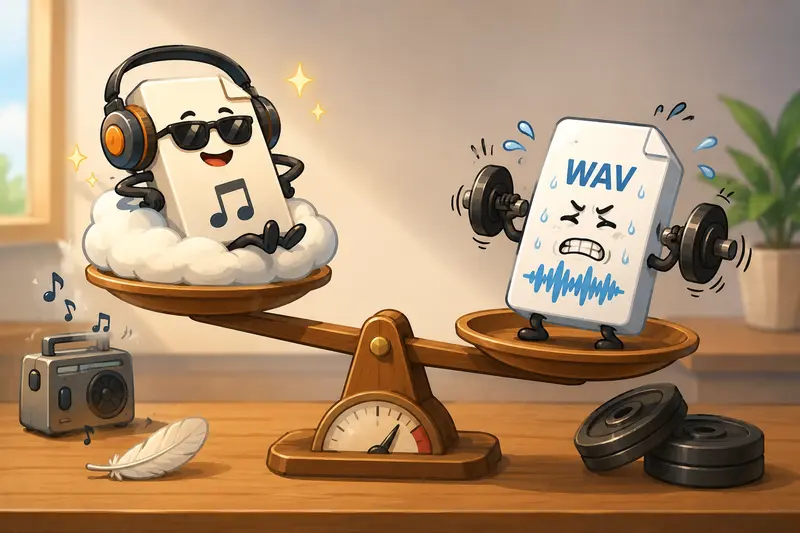
The tradeoff is straightforward: WAV files are much larger.
A 5 MB MP3 can easily become a 4060 MB WAV depending on bitrate and duration. Nobody notices storage until the upload progress bar starts moving like it is powered by philosophy instead of electricity.
Why Many Users Prefer Browser-Based Conversion
Installing desktop converters used to be the default. These days, many people only need occasional conversions, and browser tools are often faster overall.
With a web-based workflow, you can:
- upload files directly
- convert audio online free using starter tokens
- avoid software installation
- process files from cloud storage
- download results immediately after processing
Filemazing also supports imports from Google Drive, Dropbox, local uploads, and direct URLs, which becomes surprisingly convenient when audio files are scattered across different sources.
For users handling compressed archives full of recordings or music stems, the built-in archive utility can help unpack ZIP or RAR collections before conversion using the archive extraction tool https://filemazing.com/archive-extractor.
Getting It Done Without Extra Software
The actual conversion process is refreshingly uncomplicated.
Upload Your Audio
Open the Filemazing audio converter https://filemazing.com/audio-converter and add one or multiple MP3 files.
If you are dealing with interviews, voice notes, or podcast episodes, batch uploads save a considerable amount of time compared to converting files individually.
Choose WAV as the Output Format
Select WAV from the available output options.
Depending on the source audio, you may also want to review bitrate or quality-related settings if available. Higher source quality generally produces better WAV output. Converting a low-quality MP3 into WAV does not magically restore missing audio detail it only preserves the current state more faithfully.
Start Processing
Once conversion begins, Filemazing handles the processing through queued jobs instead of locking the page during larger workloads.
That matters more than it sounds.
When testing a batch audio conversion job containing:
- 12 MP3 voice recordings
- file sizes ranging from 4 MB to 28 MB
- total runtime around 47 minutes of audio
the queue completed smoothly without browser freezing or interrupted downloads. The converted WAV files retained clean waveform consistency suitable for editing inside Audacity and Adobe Premiere.
The biggest practical observation was not quality alone. It was workflow continuity. Upload, process, download, move on.
Where WAV Conversion Actually Helps
Not every audio task needs WAV output. But certain situations benefit immediately.
Podcast Cleanup
If you plan to edit interviews or remove background noise, WAV provides a cleaner working format for repeated processing.
Video Editing Projects
Video software generally behaves more predictably with WAV during synchronization and rendering workflows.
Preserving Voice Recordings
Teachers, students, and researchers often convert interviews or lectures into WAV before archiving.
Sound Design
Repeated compression cycles degrade MP3 quality over time. WAV avoids additional compression during editing stages.
Audio Automation Pipelines
Developers using Filemazings API endpoints can integrate conversion directly into media workflows without managing local conversion software.
One Overlooked Issue: Source Quality Limits
This is where many conversion guides become unrealistically optimistic.
Converting MP3 to WAV does not improve damaged audio.
If the original MP3 was encoded at a very low bitrate say 96 kbps or lower the resulting WAV will still carry those compression artifacts. The WAV simply stores the already-compressed audio in an uncompressed container.
In practical terms:
- WAV preserves quality better during editing
- WAV does not recreate lost frequencies
- poor MP3 inputs remain poor sources
A useful workflow tip is to convert once, then keep all edits within WAV until the final export stage. Repeatedly bouncing between MP3 and WAV introduces unnecessary degradation.
Privacy and Temporary File Handling
Audio files can contain interviews, internal meetings, personal recordings, or client material. That naturally raises privacy concerns with online converters.
Filemazing treats uploaded files as temporary processing assets rather than permanent storage. Processed files are cleaned on a short retention schedule instead of sitting indefinitely on servers.
For users sharing sensitive recordings afterward, it can also help to add password protection using the file encryption utility https://filemazing.com/encrypt-file before distribution.
That combination temporary handling plus optional encryption workflows is often more practical than emailing raw audio attachments directly.
What Makes This Useful Beyond Audio Alone
One subtle advantage of Filemazing is that audio conversion is not isolated from the rest of your file workflow.
Real projects rarely involve only audio.
You might also need to:
- package assets
- convert supporting graphics
- extract archives
- clean metadata
- prepare upload-ready files
For example, creators handling album artwork or promotional images alongside audio can process related assets using the multi-format conversion tools https://filemazing.com/format-converter in the same ecosystem instead of jumping between unrelated utilities.
That consistency becomes valuable surprisingly quickly.
Practical Advantages of an Online Audio Converter
Different users prioritize different things, but several benefits tend to stand out:
- no software installation
- quick conversion from nearly any device
- easier handling of temporary workloads
- support for batch audio conversion
- browser accessibility for non-technical users
- API availability for automation workflows
- predictable token-based pricing instead of subscriptions
The token model is also unusually transparent compared to many free converters that hide limits until export time.
Audio conversion pricing factors can include:
- base processing cost
- file size
- media duration
- file count
That makes larger workloads easier to estimate in advance.
Common Questions
Is WAV always better than MP3?
Not necessarily.
WAV is better for editing and preservation, but MP3 remains more practical for storage and sharing because file sizes are much smaller.
Can I convert audio online free?
Yes. Filemazing provides daily free tokens for anonymous and registered users, which can cover lighter conversion tasks.
Does converting to WAV improve sound quality?
No. WAV preserves audio more faithfully during future editing, but it cannot restore quality already lost during MP3 compression.
Is batch conversion supported?
Yes. Batch audio conversion is one of the more useful parts of browser-based workflows, especially for podcasts, lectures, interviews, or media libraries.
Are uploaded audio files stored permanently?
The platform uses temporary processing workflows with cleanup handling rather than long-term file storage.
What if my MP3 files are packaged inside ZIP archives?
You can unpack them first using the archive extraction workflow https://filemazing.com/archive-extractor before converting the audio files.
Final Thoughts
A good MP3 to WAV converter should solve the problem quickly without creating three new ones in the process.
For most everyday users, the biggest advantages are simplicity, speed, and not having to install heavyweight software for occasional conversions. For larger workflows, batch handling and API support become more important.
Filemazing balances those needs well by combining browser-based convenience with practical workflow features like queue processing, temporary file handling, transparent pricing, and multi-format utilities.
If you regularly handle recordings, podcasts, interviews, or editing projects, converting audio directly in the browser is often the fastest route from I need this file changed to done.