Campaign images often travel farther than expected: from a designers Mac to Slack, ad platforms, landing pages, press kits, partner folders, and client approvals. Before they move around, it is smart to remove metadata from images so hidden photo data does not tag along.

Heres the Fast Answer
On a Mac, you can remove visible location details manually, but a dedicated metadata scrubber is safer for marketing workflows because it helps delete hidden photo data consistently across files. For repeat campaign work, a browser-based tool is often faster than installing another desktop app.
That is where Filemazings metadata scrubber fits well: upload, clean, download, and move on.
Why Marketers Should Care About Hidden Image Data
Image metadata can include camera model, capture date, GPS location, software history, author fields, thumbnails, and editing traces. Not every image contains sensitive data, but marketing assets often come from mixed sources.
A few common examples:
- Product photos shot at a private office or warehouse
- Influencer images sent from phones
- Event photos with embedded location data
- Draft campaign visuals exported from design software
- Client assets that should not reveal internal naming or software details
For marketers, privacy-safe image cleanup is not just a technical chore. It protects brand operations, client trust, and publishing hygiene.
A Cleaner Mac Workflow Without Extra Software
You can inspect some metadata in Finder or Preview on macOS, but removing everything reliably can be uneven depending on the file type. For day-to-day marketing use, the cleaner route is to process images before they enter shared folders or public channels.
A practical workflow looks like this:
- Gather final images into one campaign folder.
- Remove duplicates and obvious drafts first.
- Upload the approved files to a metadata scrubbing tool.
- Download the cleaned versions into a clearly named folder.
- Share only the cleaned set with clients, publishers, ad platforms, or partners.
If the same images are large, scrub first and then use Filemazings image compression tool to reduce file size for easier sharing.
Using Filemazing for Metadata Cleanup
Filemazing is a browser-based file processing SaaS that helps users convert, clean, compress, and prepare files without installing desktop software. For marketers who jump between campaign assets, landing page graphics, reports, and media kits, that matters. Nobody wants their Mac turning into a museum of one-purpose utilities.
The platform includes tools for PDF to image, PDF merging, image compression, archive extraction, audio conversion, metadata scrubbing, format conversion, and file encryption. You can use the clean web interface manually, or API endpoints if your team wants automation.
Its metadata-scrubber pricing is token-based, with usage calculated from workload factors such as base cost, file size, and file count. The current metadata-scrubber rule uses a base of 4, per MB of 1.5, and per file of 2.0, with predictable cost guards. That makes it easier to estimate cleanup cost before processing instead of guessing.
Privacy also matters here. Uploaded files are treated as temporary processing artifacts and cleaned on a short retention schedule rather than stored as long-term user storage.
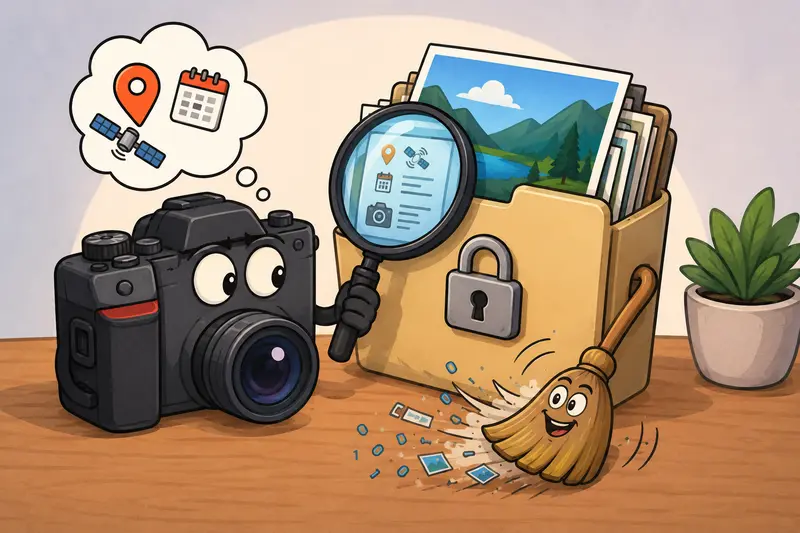
Tested Scenario: Campaign Images Before Client Delivery
For a realistic marketing workflow, imagine a batch of 24 JPG images exported from a product shoot folder on a Mac. The full folder is about 86 MB, with each file intended for a retailer press kit and paid social review.
After running the files through metadata scrubbing, the cleaned images were easier to package confidently because location fields, camera details, and editing traces were removed before handoff. The visual quality stayed the same because metadata cleanup does not need to recompress the image pixels.
The takeaway: scrub metadata before compression when possible. That gives you a cleaner source file, then you can optimize size afterward without mixing up original and cleaned versions.
Pro Workflow Tip: Name Your Clean Folder Like a Marketer, Not a Developer
A small habit saves headaches: create a folder named something like campaign-name_cleaned_for-sharing.
That sounds boring. It is also exactly the kind of boring that prevents someone from uploading the wrong version five minutes before launch.
Keep these separate:
OriginalsEditedCleaned for sharingCompressed for web
If you export PDF pages as campaign images, use PDF to image conversion first, then remove metadata from the resulting images before sending them to partners.
Where Metadata Scrubbing Helps Most
For marketers, the best metadata scrubber is useful in ordinary moments, not just crisis cleanup.
Good use cases include:
- Preparing product photos for marketplace listings
- Cleaning influencer-submitted images before internal circulation
- Removing hidden photo data from event images before PR outreach
- Sanitizing client-provided visuals before agency storage
- Preparing blog graphics and landing page images for publishing
- Cleaning sales deck exports before sending media assets externally
If files are especially sensitive, you can also encrypt private media files before sending them outside your team.
Tradeoffs to Know Before You Clean
Metadata removal usually does not reduce image quality because it targets hidden file information rather than visible pixels. Compression is different: it can shrink files, but aggressive JPG compression may soften details.
PNG files behave differently too. They are often better for graphics, screenshots, and transparency, while JPGs are usually better for photos. A privacy-safe image cleanup step works for both workflows, but your export format still affects file size and visual sharpness.
FAQ
Can I remove metadata from images on Mac without a tool?
You can remove or edit some visible data using macOS apps, but a dedicated scrubber is more reliable when handling multiple files or preparing assets for external sharing.
Does metadata removal change image quality?
Usually no. Metadata cleanup removes hidden information, not the visible image content.
Is browser-based metadata scrubbing private?
With Filemazing, uploaded files are treated as temporary processing artifacts and cleaned on a short retention schedule. That supports privacy-focused workflows without turning the platform into long-term storage.
What formats should marketers check most often?
JPG, PNG, HEIC, and exported campaign images are worth checking. Photos from phones and cameras are especially likely to contain extra metadata.
Should I compress images before or after removing metadata?
Remove metadata first, then compress. That keeps your workflow cleaner and reduces the chance of sharing an uncleaned version.
Final Thought
If your marketing images leave your Mac, clean them first. Filemazings metadata scrubber gives marketers a practical way to remove hidden data, protect privacy, and prepare campaign assets without adding another desktop app to the stack.