A client asks for product photos by email. Your designer exports everything in WEBP because the files are smaller and load faster online. Then the reply arrives:
Can you resend these as JPG? They wont open in our workflow.
That situation happens more often than many small business owners expect. A WEBP to JPG converter becomes less about image editing and more about avoiding delays, compatibility issues, and awkward back-and-forth during client delivery.
For businesses that regularly send catalogs, marketing visuals, real estate images, invoices, or product photography, format compatibility still matters. JPG remains one of the safest choices for clients using older systems, email software, CMS platforms, and print workflows.
If your files also contain sensitive client information, its worth using tools that support temporary processing and cleanup rather than permanent storage. In some cases, teams also pair conversion workflows with tools like secure file encryption workflows https://filemazing.com/encrypt-file before sharing final deliverables externally.
The Short Version
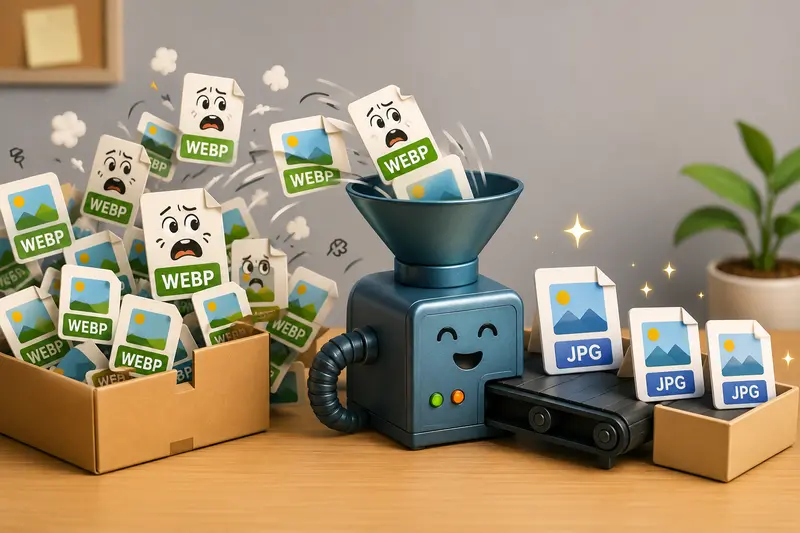
A WEBP to JPG converter changes modern web-optimized images into a more universally compatible format without forcing clients to install special software.
For small businesses, that usually means:
- fewer delivery issues
- easier email attachments
- broader device compatibility
- smoother uploads into third-party systems
- simpler handoff to printers, agencies, or clients
The challenge is preserving image quality while keeping files manageable.
That balance matters more than people think. A JPG exported too aggressively can soften text, blur product details, or introduce visible compression artifacts around logos and packaging.
Why Businesses Still Convert WEBP Files
WEBP is excellent for websites because it reduces file size efficiently. The problem appears when files leave the web environment.
In real workflows, clients often:
- drag images into PowerPoint
- upload assets into outdated CMS platforms
- send files through CRMs
- print marketing materials
- archive visuals inside office systems
Some platforms still treat WEBP like an unexpected guest at a formal dinner.
JPG remains the safer delivery format because almost every operating system, browser, editing suite, and email platform supports it by default.
Thats where a browser-based WEBP to JPG converter from Filemazing https://filemazing.com/format-converter becomes useful for non-technical teams. Instead of installing desktop software, users can process files directly in the browser and move on with delivery.
How the Process Works
The actual conversion process is straightforward, but the settings and workflow choices affect results.
1. Upload the WEBP files
Drag individual images or batches into the converter.
This is particularly useful for:
- product photo sets
- client presentation graphics
- ecommerce exports
- social media image packs
Large upload queues are handled through asynchronous processing, so the browser doesnt freeze while jobs complete.
2. Choose JPG as the output format
Most business users only need one adjustment:
- prioritize quality if images will be printed
- prioritize smaller file size if sending by email
If youre also working with scanned documents, tools like PDF to image export utilities https://filemazing.com/pdf-to-image can help generate JPG or WEBP pages before additional optimization.
3. Process and review
After conversion:
- verify color consistency
- zoom into logos and text
- inspect gradients for compression artifacts
This matters more with marketing materials than casual photos.
4. Deliver or archive
Once complete, files can be downloaded immediately.
For businesses handling client-sensitive material, temporary processing and cleanup behavior are important operational details. Filemazing treats uploads as short-term processing artifacts rather than permanent cloud storage.
A Real Test With Client Delivery Files
To evaluate how well the conversion held up, we tested a small batch commonly seen in client work:
| File Type | Original Format | Average Size |
|---|---|---|
| Product photos | WEBP | 1.8MB |
| Marketing banners | WEBP | 3.2MB |
| Scanned brochures | WEBP | 5.5MB |
The batch included 24 images uploaded together.
What happened
- Processing completed without browser slowdown
- JPG exports preserved acceptable detail for email delivery
- Product edges remained sharp at medium compression
- Text-heavy brochure pages showed minor softness at aggressive compression settings
One useful takeaway: scanned documents and graphics with fine typography benefit from lighter compression than product photography.
That distinction is easy to miss until clients zoom into exported materials.
One Mistake That Quietly Hurts Image Quality
Many people assume all JPG exports behave the same way. They dont.
When converting WEBP images containing:
- small text
- diagrams
- receipts
- packaging labels
- thin lines
high compression settings can introduce edge distortion surprisingly fast.
A practical rule:
- Photos tolerate stronger compression
- Text and line-heavy graphics do not
If you regularly convert mixed content, separating image types before export usually produces better results than applying one compression setting to everything.
That small workflow adjustment can noticeably improve client-facing deliverables.
Where This Saves Time for Small Teams
Different businesses run into format conversion problems for different reasons.
Marketing agencies
Converting campaign graphics before sending assets to clients using older CMS platforms.
Ecommerce stores
Preparing supplier images that need JPG compatibility for marketplaces.
Real estate businesses
Delivering listing photos that work consistently across property management systems.
Consultants and trainers
Exporting presentation visuals that clients can open without plugin issues.
Local retailers
Sending compressed product photos over email without exceeding attachment limits.
Service businesses
Preparing before-and-after image sets for customer reports and invoices.
In many of these cases, the best image format converter is the one that removes friction rather than adding editing complexity.
What You Gain Beyond Compatibility
A reliable format conversion for web images affects more than file extensions.
It changes how quickly work moves through a business.
Some practical advantages include:
- less time troubleshooting client uploads
- fewer requests for resubmission
- easier archiving
- smoother printing workflows
- simpler integration with older tools
Theres also operational flexibility.
Because Filemazing supports both browser workflows and API-based automation, teams processing recurring image tasks can scale gradually without rebuilding their entire process.
The token pricing model also helps predict processing cost ahead of time instead of relying on vague subscription limits. Small teams can use daily free tokens for occasional tasks, while larger workloads can scale with token packs.
Privacy Considerations Matter More Than Most People Expect
Businesses sometimes upload:
- contracts
- invoices
- internal reports
- client photography
- HR documents
into online conversion tools without checking retention behavior.
Thats risky.
A safer approach is using services that:
- process files temporarily
- avoid long-term storage
- clean uploads automatically after processing
If you also need to remove embedded metadata before sending files externally, tools like metadata scrubbing for converted images https://filemazing.com/metadata-scrubber can help strip hidden camera or location information from exported assets.

Can You Convert Images Without Losing Quality?
Not perfectly.
Thats the honest answer.
JPG uses lossy compression, so some image data is removed during export. The goal is minimizing visible quality loss while improving compatibility and reducing file size.
In practice:
- high-quality JPG settings preserve most visual detail
- moderate compression works well for email and web delivery
- aggressive compression creates artifacts and blur
For business use, the sweet spot is usually medium-to-high quality export with manual review afterward.
Especially if the files contain:
- logos
- product textures
- receipts
- legal scans
- presentation graphics
FAQ
Is JPG better than WEBP for client delivery?
Usually, yes.
WEBP is excellent for websites, but JPG remains more universally compatible across email systems, office software, CMS platforms, and print workflows.
Can I batch convert multiple WEBP files at once?
Yes. Batch handling is particularly useful for businesses processing catalogs, campaign assets, or presentation graphics in larger volumes.
Does converting WEBP to JPG reduce quality?
Some quality loss is possible because JPG uses lossy compression. However, careful export settings can preserve most visible detail for normal business use.
Is browser-based conversion safe for sensitive files?
That depends on the platform.
Tools that use temporary processing and cleanup schedules are generally safer than services that permanently store uploads.
Whats the best image format converter for mixed business workflows?
It depends on your workload.
Businesses handling multiple file types often benefit from broader utility platforms that support image conversion, PDF processing, metadata cleanup, encryption, and automation in one place rather than using separate tools for every task.
Can JPG files still be too large for email?
Absolutely.
Large image sets can still exceed attachment limits. In those cases, lowering compression slightly or resizing oversized originals usually helps.
Large files have a habit of appearing five minutes before a deadline.
Final Thoughts
A WEBP to JPG converter solves a very practical business problem: making sure clients can actually use the files you send them.
That sounds simple, but compatibility issues still interrupt delivery workflows every day especially for small teams juggling marketing assets, invoices, product images, and client documentation across different platforms.
Using a browser-based tool like Filemazings format converter https://filemazing.com/format-converter keeps the process lightweight while still supporting batch processing, predictable pricing, temporary file handling, and automation options for growing workloads.
For small business owners, that combination is often more valuable than advanced editing features theyll never use.